Freedom251 › ROM Management Software
Retrom
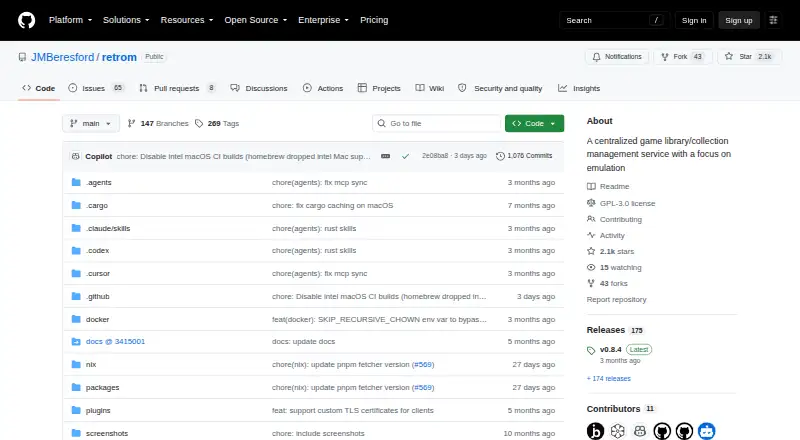
What Retrom is
Retrom is a free, self-hostable service for managing a centralized game library, with an emphasis on emulation. It scans a server filesystem for games and platforms and adds them to the library. Desktop clients for Windows, macOS and Linux can install, uninstall and play games, while a web client provides browser access. Users can run a local standalone server through a client or set up a dedicated server. Retrom supports cloud saves for built-in and standalone emulators, syncing save data and save states to the server. Emulator profiles can be stored centrally for sharing or restoration, but sharing configurations requires matching emulator and other client-specific paths. Metadata and artwork can be downloaded from supported providers; IGDB is the only listed metadata provider. Steam is the only supported third-party library integration and requires a Steam API key and user ID. The project recommends local-network use or a properly secured reverse proxy because it was designed without specific security measures. It is distributed under GPL-3.0.
Who it suits
Retrom suits people who want to manage an emulation-focused game library across desktop and browser clients, and are comfortable hosting the service themselves. It may fit users who can configure matching paths where emulator profiles are shared.
What it does well
- Scans a filesystem and adds games to a library.
- Desktop clients support Windows, macOS and Linux.
- Syncs save data and save states to the server.
- Supports standalone and dedicated server modes.
- Free and distributed under GPL-3.0.
What to know first
- Designed without specific security measures.
- Standalone server is available only while its client runs.
- IGDB is the only listed metadata provider.
- Sharing emulator configurations requires matching client paths.
Limits
In standalone mode, other clients can connect only while the standalone client is running. Sharing emulator configurations between clients requires matching emulator and other client-specific paths. The project recommends local-network use or a properly secured reverse proxy.
Getting started
- Open the Retrom project website on GitHub.
- Choose standalone mode or prepare a dedicated server.
- For a dedicated server, follow the quick start using Docker Compose and mount the game library, persistent data, and configuration volumes.
- Install a desktop client for Windows, macOS, or Linux, or access the library through a browser.
- Scan the server filesystem to add games and platforms.
- Provide IGDB credentials for metadata and artwork, or a Steam API key and user ID for Steam integration.
Verdict
Retrom offers library management, emulator profiles and cloud saves for self-hosted setups. Its project notes on security and its path-matching requirement are important considerations before connecting clients.
Questions
How much does Retrom cost?
Retrom is free, with a free plan.
Which platforms does it support?
Desktop clients are available for Windows, macOS, and Linux. A web client provides browser access, and Retrom supports self-hosting.
Can I self-host Retrom?
Yes. It offers standalone mode, where a client runs the server locally, and standard mode with a dedicated server. The quick start documents using Docker Compose for a dedicated server.
Does it integrate with Steam?
Steam is the only supported third-party game-library integration. It requires a Steam API key and user ID.
Is Retrom open source?
The repository is distributed under the GPL-3.0 license.
What security precautions does the project recommend?
The project says it was designed without specific security measures and recommends local-network use or a reverse proxy with proper security measures.
Facts from Retrom's own pages
- Cloud saves
- Retrom supports cloud saves for built-in and standalone emulators, and can sync save data and save states to the server. · github.com, 2 Oct 2026
- Container setup
- The quick start documents running the dedicated server with Docker Compose and mounting a game library directory plus persistent data and configuration volumes. · github.com, 2 Oct 2026
- Deployment modes
- Retrom supports standalone mode, where the client runs the server locally, and standard mode with a dedicated server. · github.com, 1 Oct 2026
- Desktop clients
- The README lists desktop client support for Windows, MacOS, and Linux. · github.com, 2 Oct 2026
- Emulator profiles
- Retrom stores per-client emulator profiles on the server so configurations can be shared between devices or restored after reinstalling. · github.com, 2 Oct 2026
- Filesystem scanning
- Retrom scans a filesystem for games and platforms and automatically adds them to the library. · github.com, 1 Oct 2026
- Game management
- Desktop clients can install, uninstall, and play games from the service. · github.com, 2 Oct 2026
- Game metadata
- Retrom downloads game metadata and artwork from supported providers; the wiki currently identifies IGDB as its only supported metadata provider. · github.com, 2 Oct 2026
- Library scanning
- Retrom can scan its server filesystem for games and platforms and add them to the library. · github.com, 2 Oct 2026
- License
- The repository identifies Retrom as licensed under GPL-3.0. · github.com, 2 Oct 2026
- Metadata and artwork
- Retrom can automatically download game metadata and artwork from supported providers. · github.com, 1 Oct 2026
- Metadata integration
- IGDB is currently the only supported metadata provider and requires an IGDB client ID and secret. · github.com, 1 Oct 2026
- Purpose
- Retrom is a centralized game library management service focused on emulation, for hosting games on one device and connecting clients on other devices. · github.com, 2 Oct 2026
- Security
- The project states that it was designed without specific security measures and recommends local-network use or a reverse proxy with proper security measures. · github.com, 1 Oct 2026
- Self-hosting
- Retrom can run with a dedicated server or in standalone mode, where the client manages the server under the hood. · github.com, 2 Oct 2026
- Setup limitation
- Sharing emulator configurations between clients requires matching emulator paths and other client-specific paths on those clients. · github.com, 2 Oct 2026
- Standalone limitation
- Other clients can connect to a standalone server only while the standalone client is running. · github.com, 1 Oct 2026
- Steam integration
- Retrom can import Steam games when configured with a Steam API key and Steam user ID; the wiki says Steam is its only currently supported third-party library. · github.com, 2 Oct 2026
- Support
- The quick start directs users who need help to Retrom's Discord server. · github.com, 2 Oct 2026
- Web client
- The README says users can access their library from anywhere with the web client. · github.com, 2 Oct 2026
Where Retrom stands on Freedom251
- ROM Management Software#11 of 39
- Game launchers#43 of 68
- Game Library Managers#28 of 40
- Minecraft Mod Development Tools#25 of 35