Freedom251 › ROM Management Software
JRomManager
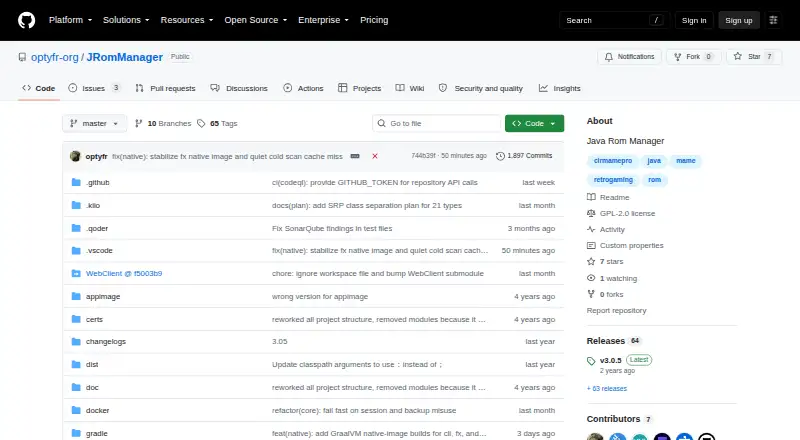
What JRomManager is
JRomManager is a free Java application for organizing and maintaining ROM collections, released under the GPL-2 license. It works with MAME and Logiqx DAT formats and can import data from the MAME executable. Its ROM tools handle split, non-merged, and merged scans, fixes, and rebuilds. Archive support includes ZIP and 7z, TorrentZip, RAR4 and RAR5 decompression, and multi-volume RAR and 7z decompression. It also supports CHD and Software Lists, with full or on-demand SHA1 scans and MD5 scans for older DAT files.
When MAME is linked to a profile, the profile viewer can launch games and software marked as available. Batch tools include a directory updater, torrent checker, and compressor for Zip, TrntZip, or 7ZIP. Desktop downloads are listed for Windows x64, macOS x64 and ARM, and Linux x64; the project says JRomManager can run on any operating system with Java 21. Its server mode can provide a web interface, including for headless servers or NAS devices. Simple Server is intended for intranet access and lacks encryption and access controls. Full Server mode is experimental and includes separate accounts, access rights, separate work directories, shared read-only space, and HTTPS with TLS 1.3. CHD verification reads the header for MD5 or SHA1 but does not hash the data.
Who it suits
JRomManager suits people who maintain ROM collections using MAME or Logiqx DAT files and need scanning, fixing, rebuilding, archive handling, or batch tools. Its server modes also address headless and NAS setups, with Full Server described for community or family use, including over the internet.
What it does well
- Free software released under the GPL-2 license.
- Supports MAME and Logiqx DAT formats, plus MAME executable imports.
- Handles split, non-merged, and merged scans, fixes, and rebuilds.
- Supports ZIP, 7z, TorrentZip, RAR4, RAR5, and multi-volume archives.
- Includes directory updater, torrent checker, and archive compressor batch tools.
What to know first
- CHD verification reads only the header and does not hash the data.
- Simple Server has no encrypted connection or access control.
- Full Server mode is described as experimental.
- Java 21 and at least 1 GB of free RAM are listed as minimum requirements.
Limits
CHD checks do not hash or verify the data; only the header is read for MD5 or SHA1. Simple Server lacks encryption, DDoS protection, connection limits, multiuser support, and access control; Full Server is experimental.
Getting started
- Visit the project page at https://github.com/optyfr-org/JRomManager.
- Install a desktop package for Windows, macOS, or Linux, or use another operating system with Java 21.
- Make sure the system has at least 1 GB of free RAM; 64-bit Java is needed to use more than 1 GB.
- Use the desktop application, or enable server mode to provide its web interface.
- Choose Simple Server for intranet access or consider experimental Full Server for its listed account and access features.
Verdict
Choose JRomManager if you need a free tool for managing ROM collections across common DAT formats and archive types. Its main cautions are the limited CHD verification and the experimental status of Full Server; Simple Server is intended for intranet use and has no access controls or encrypted connection.
Questions
How much does JRomManager cost?
It is free and has a free plan.
Which operating systems can run it?
Desktop downloads are listed for Windows x64, macOS x64 and ARM, and Linux x64. The project says it can run on any operating system with Java 21.
Is JRomManager open source?
It is released under the GPL-2 license.
What archive formats does it support?
It supports ZIP and 7z, TorrentZip, RAR4 and RAR5 decompression, and multi-volume RAR and 7z decompression.
Can it provide a web interface?
Yes. Server mode can serve a web interface. Simple Server is intended for intranet use, while Full Server is experimental.
Does it fully verify CHD data?
No. It reads the CHD header for MD5 or SHA1 but does not hash or verify the data.
Facts from JRomManager's own pages
- Archive formats
- It supports Zip and 7z, TorrentZip, RAR4 and RAR5 decompression, and multi-volume RAR and 7Zip decompression. · github.com, 8 Oct 2026
- Batch tools
- Its batch tools include a directory updater, a torrent checker and a compressor for Zip, TrntZip or 7ZIP. · github.com, 8 Oct 2026
- Checks and formats
- It supports CHD and Software Lists, and can scan using SHA1 or MD5 for older DAT files. · github.com, 7 Oct 2026
- Checksums and formats
- It supports full or on-demand SHA1 scans, MD5 for older dats, CHD and Software Lists. · github.com, 8 Oct 2026
- Dat formats
- It supports Mame and Logiqx Dat formats and can import data from the Mame executable. · github.com, 8 Oct 2026
- Desktop downloads
- The v3.0.5 release lists Windows x64, macOS x64 and ARM, and Linux x64 downloads. · github.com, 8 Oct 2026
- Full Server
- Full Server mode supports multiple users with access rights, separate work directories, a shared read-only space and HTTPS with TLS 1.3; the README describes it as experimental. · github.com, 8 Oct 2026
- Intended server use
- The README describes Full Server mode as intended for community or family use, including over the internet, and Simple Server mode as intended for intranet access. · github.com, 7 Oct 2026
- Known limitation
- CHD verification does not hash or verify the data; the README says only the header is read to obtain MD5 or SHA1. · github.com, 8 Oct 2026
- Legal disclaimer
- The README says users are responsible for ROMs they download or share and warns that downloading or sharing non-copyleft games without owning the original is illegal. · github.com, 7 Oct 2026
- MAME integration
- When MAME is linked with a profile, the profile viewer can launch games and software that are marked as available. · github.com, 7 Oct 2026
- Notable limits
- CHD verification is not supported: only the header is read for MD5 or SHA1, without hashing the data. · github.com, 7 Oct 2026
- Platforms and runtime
- The project lists Linux and Windows installation packages and says it can run on any OS with a Java 21 runtime; its server mode can serve a web interface. · github.com, 7 Oct 2026
- Purpose
- JRomManager is a Java ROM manager released under GPL-2. · github.com, 8 Oct 2026
- ROM management
- It provides split, non-merged and merged scan, fix and rebuild operations. · github.com, 8 Oct 2026
- ROM operations
- It supports split, non-merged, and merged scan, fix, and rebuild operations. · github.com, 7 Oct 2026
- Security limits
- The README says Simple Server mode has no encrypted connection, DDoS protection, connection limits, multiuser support or access control, and is intended for intranet use. · github.com, 8 Oct 2026
- Server security
- Simple Server mode has no encrypted connection, DDoS protection, or access control; Full Server mode lists separate accounts, HTTPS with TLS 1.3, and access rights, and is described as experimental. · github.com, 7 Oct 2026
- Server use
- Simple Server mode can serve a web interface and is intended for headless servers or NAS devices. · github.com, 8 Oct 2026
- System requirements
- The README lists Java 21 and at least 1 GB of free RAM as minimal usage requirements, and says 64-bit Java is required to use more than 1 GB. · github.com, 8 Oct 2026
- TorrentZip integration
- TorrentZip support uses Jtrrntzip. · github.com, 7 Oct 2026
Where JRomManager stands on Freedom251
- ROM Management Software#7 of 39