Freedom251 › ROM Management Software

Igir
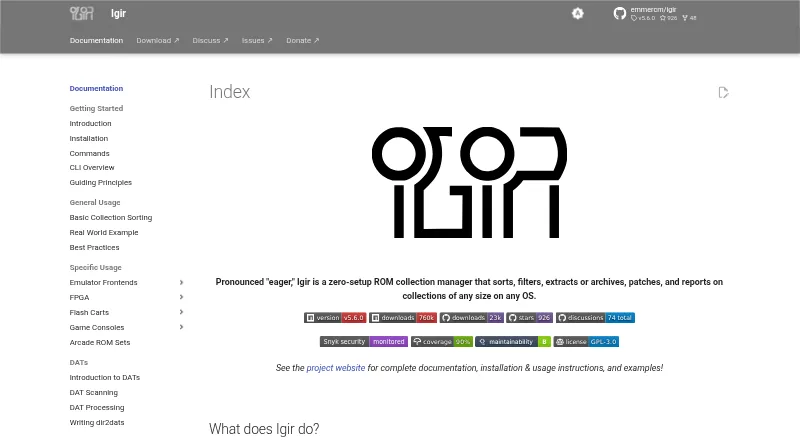
What Igir is
Igir is a free ROM collection manager for scanning, sorting, filtering, patching, and reporting on ROM libraries. It can find DATs, ROMs, and patches, including files inside archives, then organize ROMs by console with consistent names. You can filter duplicates or unwanted titles, including ROMs in languages you do not understand, and build multi-disc playlists. Igir applies patches in batches and reports which ROMs are present or missing for each console, with fixdats for missing files. For arcade libraries, it can build or rebuild MAME sets by un-merging, splitting, or merging them. Documentation includes configuration guides for tools such as Batocera, LaunchBox, RetroArch, OpenEmu, and RomM. Igir runs on Windows, macOS, Linux, and other Node.js-supported systems. It is free under GNU General Public License version 3, with no stated usage or collection-size limit. Installation options include executables, npm, Homebrew, and Scoop; using them requires baseline command-line knowledge.
Who it suits
Igir suits people managing ROM collections who are comfortable using a command line. It also fits users who need to check, organize, patch, or rebuild MAME sets.
What it does well
- Scans DATs, ROMs, and patches inside archives
- Filters duplicate and unwanted ROMs
- Applies patches in batches
- Builds and rebuilds MAME sets
- Free under GNU GPL version 3
What to know first
- Installation requires baseline command-line knowledge
- Downloaded executables do not update automatically
- No officially published Docker image
Plans
| Plan | Billed and limits | Price |
|---|---|---|
| Igir | GNU General Public License version 3 · no usage or collection size limit stated | Free |
As igir.io lists them, read 30 Sept 2026. The maker's own page has the final word.
Getting started
- Choose a downloadable executable or a documented route through npm, npx, Homebrew, or Scoop.
- Use a Node.js Docker image if that is your preferred way to run it.
- Follow the documentation's configuration guide for a supported frontend or related tool, if needed.
- Run the collection tasks from a command-line interface.
Overview
Igir is a free ROM library utility for people who want to bring DATs, ROMs, and patches into a consistent collection, including files stored in archives. It is best suited to collectors comfortable working at a command line, especially those managing large libraries or MAME sets. Its breadth is compelling for collection maintenance, but it is not a graphical, point-and-click option.
Key features
Igir scans DATs, ROMs, and patches, then organizes ROMs by console and applies consistent names. Archive support is advanced, a useful distinction for libraries stored in compressed files. Duplicate detection and hash verification help with collection checks, while filters can exclude unwanted titles, including ROMs in languages the user does not understand.
For disc-based collections, Igir can create multi-disc playlists; it can also apply patches in batches. Arcade collectors can build or rebuild MAME sets by un-merging, splitting, or merging them. Reports show which ROMs are present or missing for each console, and fixdats can help identify missing material. This makes Igir more than a renaming tool, though the command-line requirement puts a real barrier between its capabilities and less technical users.
Igir's defaults are non-destructive: it will not delete files unless users supply relevant commands and options. The project also says it should make no network requests beyond those users request, including no usage or telemetry data. These are useful safeguards for a utility operating on personal collections.
Pricing
Igir is free under the GNU General Public License version 3. The Igir plan costs nothing, with no usage or collection-size limit stated. There is no paid tier or trial to weigh against the free plan; collectors can use it without a subscription, while accepting the command-line setup and ongoing update choices.
Downloadable executables do not update automatically. Igir can also be run through npm, Homebrew, or Scoop, installation methods its documentation describes for keeping it updated. The project provides no officially published Docker image, though it documents running Igir through a Node.js Docker image. All installation options require baseline command-line familiarity.
Platforms
Igir supports Windows, macOS, Linux, and other operating systems supported by Node.js. It is distributed as an executable or through npm, npx, Homebrew, and Scoop. Its documentation also includes configuration guides for emulator frontends and related tools such as Batocera, LaunchBox, RetroArch, OpenEmu, and RomM. These integrations make it easier to fit Igir into an existing setup, but do not remove the command-line requirement.
Who it's for
Igir fits collectors who need repeatable organization, filtering, patching, and inventory reports across a substantial ROM library, particularly those reshaping MAME sets. Its stated lack of usage or collection-size limits makes it practical to consider for extensive collections. It is a poor fit for someone seeking a graphical manager or unwilling to use command-line tools.
Pros and cons
- Pro: Scans DATs, ROMs, patches, and archive contents, covering more than basic file renaming.
- Pro: Combines duplicate filtering, batch patching, multi-disc playlists, MAME set management, reports, and fixdats in one utility.
- Pro: Non-destructive defaults and the project's no-telemetry, user-requested-network policy suit cautious collection maintenance.
- Con: Every installation option assumes command-line knowledge, which rules it out for users expecting a conventional desktop interface.
- Con: Downloaded executables do not update automatically, so users choosing that route must manage updates themselves.
- Con: There is no officially published Docker image for users who prefer a ready-made container.
Alternatives
For a free option with web and self-hosted platforms, consider OxyROMon; RomM is also free, with web, self-hosted, mobile, and desktop platforms and no paid features. Choose ClrMamePro if a free tool with Linux and Windows support better matches your platform needs.
ROMSorter is another free Linux, macOS, and Windows option, though its current release is Win-x64 only. RomVault offers a free plan and Linux and Windows support. WolvenKit is free and open source for research and educational use. Retrom is a free option for desktop, web, or self-hosted platforms; romlm is free for Linux, macOS, and Windows.
Browse more choices in ROM Management Software.
Verdict
Choose Igir if you want a free, broad toolkit for organizing and auditing ROM collections, with especially useful controls for MAME sets, and are comfortable at a command line. Its range and non-destructive defaults are persuasive for technically confident collectors. Look elsewhere if command-line setup is a deal-breaker or you need executables that update automatically.
Verdict
Igir covers collection organization, filtering, patching, and reporting, including MAME set management. Its command-line requirement is worth considering before choosing an installation method.
Questions
Is Igir free?
Yes. Igir is free under the GNU General Public License, version 3; no usage or collection size limit is stated.
Which platforms does Igir support?
It supports Windows, macOS, and Linux, as well as other operating systems supported by Node.js.
How can I install or run Igir?
The documented options include downloadable executables, npm or npx, Homebrew, Scoop, and running Igir through a Node.js Docker image.
Does Igir have a graphical setup?
All installation options require baseline understanding of command-line interfaces.
Does Igir delete files or send telemetry?
The project says its defaults are non-destructive and it will not delete files unless relevant commands and options are supplied. It also says it makes no network requests beyond those requested by the user, including for usage or telemetry.
Which related tools have configuration guides?
The documentation includes guides for Batocera, LaunchBox, RetroArch, OpenEmu, and RomM.
Facts from Igir's own pages
- Arcade sets
- It can build and rebuild MAME ROM sets by unmerging, splitting, or merging them. · igir.io, 30 Sept 2026
- Collection management
- It can scan for DATs, ROMs, and ROM patches, including files in archives, then organize and consistently name ROMs. · igir.io, 29 Sept 2026
- Collection tasks
- It can scan DATs, ROMs, and patches, including files inside archives, and organize ROMs by console with consistent names. · igir.io, 30 Sept 2026
- Command line
- Every installation option requires baseline understanding of command-line interfaces. · igir.io, 29 Sept 2026
- Data handling
- The project says Igir should not make network requests other than those requested by the user, including sending usage or telemetry data. · igir.io, 29 Sept 2026
- Distribution
- Igir can be downloaded as an executable or run through npm, Homebrew, or Scoop; its documentation says there is no officially published Docker image. · igir.io, 29 Sept 2026
- Filtering
- It can filter duplicate ROMs and ROMs in languages the user does not understand. · igir.io, 30 Sept 2026
- Filtering and outputs
- It can filter duplicate or unwanted ROMs, create multi-disc playlists, patch ROMs in batches, and generate reports and fixdats. · igir.io, 29 Sept 2026
- Integrations
- The documentation includes configuration guides for emulator frontends and related tools including Batocera, LaunchBox, RetroArch, OpenEmu, and RomM. · igir.io, 29 Sept 2026
- License
- Igir's license page provides the GNU General Public License, version 3. · igir.io, 30 Sept 2026
- MAME sets
- Igir can build and rebuild MAME ROM sets by un-merging, splitting, or merging them. · igir.io, 29 Sept 2026
- Network and telemetry
- The project says Igir should make no network requests beyond those requested by the user, including no usage or telemetry data. · igir.io, 30 Sept 2026
- Patching
- Igir can apply ROM patches in batches. · igir.io, 30 Sept 2026
- Platforms
- Igir supports Windows, macOS, Linux, and other operating systems supported by Node.js. · igir.io, 30 Sept 2026
- Purpose
- Igir is a command-line ROM collection manager that sorts, filters, extracts or archives, patches, and reports on collections of any size. · igir.io, 30 Sept 2026
- Release security
- The security policy says GitHub releases have been immutable since v4.3.2 and npm releases have provenance statements and require OIDC publishing. · igir.io, 30 Sept 2026
- Reports
- It can report which ROMs are present or missing for each console and create fixdats for missing ROMs. · igir.io, 30 Sept 2026
- Safe defaults
- The project says Igir is non-destructive by default and will not delete files unless the user supplies relevant commands and options. · igir.io, 29 Sept 2026
- Safety
- The project says Igir uses non-destructive defaults and will not delete files unless the user explicitly supplies relevant commands and options. · igir.io, 30 Sept 2026
- Security reporting
- The security policy directs users to report issues through a new GitHub security advisory, which is private by default. · igir.io, 30 Sept 2026
- Setup requirement
- The installation options require a baseline understanding of command-line interfaces. · igir.io, 30 Sept 2026
- Supported systems
- Igir supports Windows, macOS, Linux, and other operating systems supported by Node.js. · igir.io, 29 Sept 2026
- Updates
- Igir does not currently provide auto-update functionality when run from a downloaded executable. · igir.io, 30 Sept 2026
- Ways to run
- The documentation describes downloadable executables, npm/npx, Homebrew, Scoop, and running Igir through a Node.js Docker image. · igir.io, 30 Sept 2026
Where Igir stands on Freedom251
- ROM Management Software#5 of 39