Freedom251 › Managed Service Provider Software

ManageEngine Endpoint Central
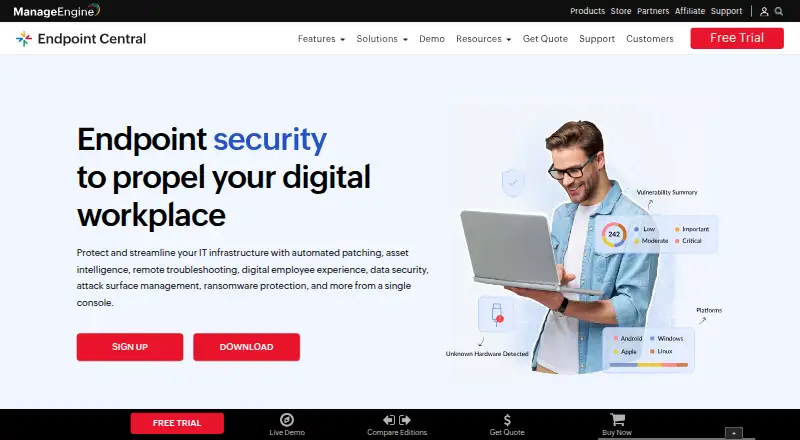
What ManageEngine Endpoint Central is
ManageEngine Endpoint Central is endpoint management software with web access and a hybrid deployment model. It provides patch management, configuration management, and remediation automation for endpoints running Windows, macOS, Linux, iOS, Android, iPadOS, ChromeOS, or tvOS. The listed Free Edition covers 25 endpoints. Paid Professional, Enterprise, and UEM editions are offered as cloud subscriptions and on-premises licenses. Professional Cloud Monthly is $104 a month, while Professional On-Premises Annual is $795 a year; both include one technician and 50 endpoints. Annual on-premises and cloud plans, as well as perpetual on-premises licenses, are listed for the editions. The Professional perpetual license is $1,987, paid once, with AMS charges of 20% of invoice total. A 30-day trial is noted. ManageEngine was founded in 1996 and is headquartered in Pleasanton, California, USA.
Who it suits
It suits organizations managing endpoints across several operating systems that need patching, configuration management, or automated remediation. The free edition is listed for up to 25 endpoints; paid plan details include one technician and 50 endpoints.
What it does well
- Free Edition covers 25 endpoints.
- Includes patch and configuration management.
- Supports remediation automation.
- Supports eight listed operating systems.
- Cloud and on-premises options are listed.
What to know first
- Free Edition is limited to 25 endpoints.
- Professional Cloud Monthly is $104 a month.
- Perpetual licenses have AMS charges of 20% of invoice total.
Limits
The Free Edition covers 25 endpoints. The listed paid Professional, Enterprise, and UEM plans include 50 endpoints and one technician; perpetual on-premises licenses also have AMS charges of 20% of invoice total.
Plans
| Plan | Billed and limits | Price |
|---|---|---|
| Free Edition | 25 endpoints | Free |
| Professional Edition — On-Premises Annual | With 1 technician · 50 endpoints · 1 technician | $795 a year |
| Professional Edition — On-Premises Perpetual | Perpetual license; AMS charges are 20% of invoice total · 50 endpoints · 1 technician | $1,987, paid once |
| Professional Edition — Cloud Monthly | With 1 technician · 50 endpoints · 1 technician | $104 a month |
| Professional Edition — Cloud Annual | With 1 technician · 50 endpoints · 1 technician | $1,045 a year |
| Enterprise Edition — On-Premises Annual | With 1 technician · 50 endpoints · 1 technician | $945 a year |
| Enterprise Edition — On-Premises Perpetual | Perpetual license; AMS charges are 20% of invoice total · 50 endpoints · 1 technician | $2,362, paid once |
| Enterprise Edition — Cloud Monthly | With 1 technician · 50 endpoints · 1 technician | $124 a month |
The first 8 of 12 plans, as manageengine.com lists them, read 22 Sept 2026. The maker's own page has the final word. Every plan
Getting started
- Visit the Endpoint Central website.
- Choose the Free Edition or a listed paid edition.
- Select cloud or on-premises deployment where offered.
- Use the 30-day trial if you want to try the product.
- Manage supported endpoints through the web-based product.
ManageEngine Endpoint Central is endpoint management software for organizations overseeing a mix of devices. It is best suited to IT teams that need patching and configuration management together, with a choice of cloud or on-premises deployment. Its broad platform support is a strength, but the paid entry plans bundle 50 endpoints with one technician, making fit dependent on team size as well as device count.
Overview
Endpoint Central brings patch management, configuration management, and remediation automation into one product. That combination suits teams looking to handle core endpoint upkeep and response in the same tool. Hybrid deployment means buyers can choose cloud or on-premises plans, though the editions and billing terms vary.
Key features
- Patch management: A core capability for teams responsible for keeping managed devices patched.
- Configuration management: Lets IT teams manage device configurations alongside patching, rather than choosing a tool focused on only one of those needs.
- Remediation automation: Adds automation for addressing endpoint issues, strengthening its case for teams seeking more than routine maintenance.
- Broad device coverage: Support spans Windows, macOS, Linux, iOS, Android, iPadOS, ChromeOS, and tvOS. That range is useful for mixed-device environments; buyers with a narrower estate may not need the breadth.
Pricing
The Free Edition costs nothing and covers 25 endpoints, making it a practical starting point for small environments. Paid plans shown below cover 50 endpoints and include one technician, so organizations should compare that allowance with their actual fleet and staffing needs.
Professional Edition
- On-Premises Annual: $795 a year.
- On-Premises Perpetual: $1,987, paid once; AMS charges are 20% of invoice total.
- Cloud Monthly: $104 a month.
- Cloud Annual: $1,045 a year.
Professional is the lowest-cost paid tier shown. Its lower price makes it the natural paid starting point for teams that can work within the 50-endpoint, one-technician allowance.
Enterprise Edition
- On-Premises Annual: $945 a year.
- On-Premises Perpetual: $2,362, paid once; AMS charges are 20% of invoice total.
- Cloud Monthly: $124 a month.
- Cloud Annual: $1,245 a year.
Enterprise costs more than Professional while retaining the same stated endpoint and technician counts. The supplied plan details do not distinguish their feature sets, so the choice between them cannot be made on those counts alone.
UEM Edition
- On-Premises Annual: $1,095 a year.
- On-Premises Perpetual: $2,738, paid once; AMS charges are 20% of invoice total.
- Cloud Monthly: $139 a month.
UEM is the highest-priced edition with an available price here; it also states 50 endpoints and one technician. No Cloud Annual price is provided for this edition, so compare the listed monthly and on-premises terms that suit your buying preference.
Annual, monthly, and perpetual choices offer different commitment structures. The perpetual prices are one-time license charges, with AMS charges of 20% of invoice total, while annual and monthly options are recurring terms. A 30-day trial is also offered.
Platforms
Endpoint Central is listed as a web platform, with support for Windows, macOS, Linux, iOS, Android, iPadOS, ChromeOS, and tvOS devices. The supported operating systems make it relevant to organizations managing desktops and mobile endpoints across several ecosystems.
Who it's for
Endpoint Central is a strong fit for IT teams that want patching, configuration management, and remediation automation in one endpoint-management product, particularly when they need to manage several operating systems. The free 25-endpoint allowance can suit a small estate, while the paid 50-endpoint plans are better considered by teams whose needs fit the stated device and technician counts. Organizations that need a larger allowance should check plan fit before committing.
Pros and cons
- Pros: Patch management, configuration management, and remediation automation are combined, which can reduce the need to select separate tools for those core endpoint tasks.
- Pros: Support for eight operating systems gives it reach across mixed Windows, Apple, Linux, mobile, and ChromeOS environments.
- Pros: Free coverage for 25 endpoints offers a no-cost way to begin with a small estate.
- Cons: Paid plans show 50 endpoints and one technician, a constraint for organizations with larger fleets or multiple administrators.
- Cons: Enterprise and UEM cost more than Professional while the plan details provided do not explain what additional capabilities justify the premiums.
- Cons: Perpetual licenses carry AMS charges equal to 20% of invoice total, which buyers need to account for alongside the initial charge.
Alternatives
For a different endpoint or IT operations approach, consider Breeze, Checkmk, SherpaDesk, or Tactical RMM. Datto Endpoint Backup for Windows uses consumption-based pricing for storage, so it is worth considering when a storage-usage model better fits your needs. ManageEngine ServiceDesk Plus is an alternative with a free plan and paid Standard and Professional monthly tiers; choose it when an IT help desk and asset management are the priorities. ITarian Remote Desktop offers free remote access with unlimited administrators, making it an option when remote desktop access rather than broader endpoint management is the need. Atera is a paid alternative with a free trial and unlimited endpoints on its Pro plan; consider it if that endpoint allowance matters more than Endpoint Central's stated 50-endpoint paid plans.
Explore the Managed Service Provider Software, Unified Endpoint Management Software, Remote Monitoring and Management Software, and IT Automation Software lists to compare products in related categories.
Verdict
Choose ManageEngine Endpoint Central if your IT team wants patching, configuration management, and automated remediation across a varied device estate, and its 25-endpoint free tier or 50-endpoint paid plans fit your scale. Its main appeal is the combination of endpoint capabilities and operating-system breadth; look elsewhere if you need a larger stated paid allowance or cannot justify the higher Enterprise and UEM prices without clearer plan distinctions.
Verdict
Endpoint Central combines patching, configuration management, and remediation automation across a broad set of operating systems. Its free edition covers 25 endpoints, while paid editions list larger 50-endpoint plans and multiple deployment and billing options.
Questions
Is there a free plan?
Yes. The Free Edition costs nothing and covers 25 endpoints.
What are the listed paid prices?
Professional Cloud Monthly is $104 a month, and Professional On-Premises Annual is $795 a year. Professional Cloud Annual is $1,045 a year; Professional On-Premises Perpetual is $1,987, paid once, with AMS charges of 20% of invoice total.
Is a trial available?
Yes. A 30-day trial is listed.
Which platforms does Endpoint Central support?
It supports Windows, macOS, Linux, iOS, Android, iPadOS, ChromeOS, and tvOS.
What deployment options are available?
Endpoint Central has a hybrid deployment model. Listed plans include cloud subscriptions and on-premises annual or perpetual licenses, depending on edition.
What does Endpoint Central include?
It includes patch management, configuration management, and remediation automation.
Facts from ManageEngine Endpoint Central's own pages
- Founded
- 1996 · manageengine.com, 23 Sept 2026
- Headquarters
- Pleasanton, California, USA · manageengine.com, 23 Sept 2026
Where ManageEngine Endpoint Central stands on Freedom251
- Managed Service Provider Software#11 of 29
- Remote Monitoring and Management Software#15 of 39
- Remote Monitoring & Management (RMM) Software#7 of 18
- Unified Endpoint Management Software#13 of 31
- IT Automation Software#40 of 77
- Enterprise IT Management Software#17 of 30