Freedom251 › Managed Service Provider Software
Tactical RMM
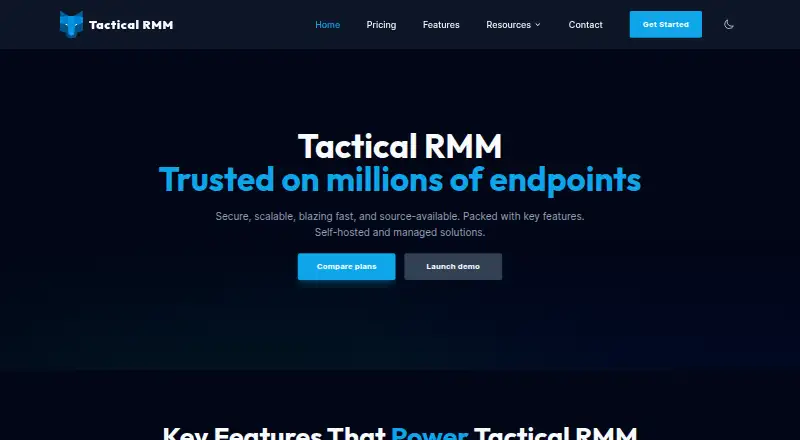
What Tactical RMM is
Tactical RMM is a remote monitoring and management platform for IT professionals and managed service providers. It can be self-hosted or managed, and supports Windows, macOS, and Linux. Technicians can open remote desktop sessions, use a remote shell, manage endpoint files, and deploy Windows updates through patch policies that can also manage reboots. Automation policies can apply configurations and run scripts in PowerShell, Python, Bash, and other languages. Monitoring checks hardware health, services, event logs, and custom script outputs, with flexible alerts. Reports can use templates or custom layouts and be delivered as PDFs or interactive web dashboards. The product describes itself as source-available and includes role-based permissions. The free plan is available; listed paid tiers start at $55 a month for the self-hosted Tier 1 Starter, covering 0 to 199 endpoints. Tier 1 plans include unlimited technicians, code signing, SSO, community support, and a 48-hour support SLA. Nonprofits receive a complimentary tier upgrade with self-hosted subscriptions, but not hosted ones.
Who it suits
It suits IT teams and MSPs that need to monitor and manage endpoints across supported operating systems. The self-hosted option may suit organizations that want to run the platform themselves.
What it does well
- Supports Windows, macOS, and Linux.
- Remote desktop, shell, and endpoint file access.
- Automates configurations and scripts in several languages.
- Custom reports, PDF output, and web dashboards.
- Free plan; self-hosted Tier 1 starts at $55 a month.
What to know first
- Tier 1 endpoint ranges are limited to 199 self-hosted or 100 hosted.
- Nonprofit tier upgrades do not apply to hosted subscriptions.
Limits
The self-hosted Tier 1 Starter plan covers 0 to 199 endpoints and lists a 48-hour support SLA. The hosted Tier 1 Starter plan covers 0 to 100 endpoints and also lists a 48-hour support SLA; higher tiers have different endpoint ranges and response times.
Plans
| Plan | Billed and limits | Price |
|---|---|---|
| Tier 3 Professional (self-hosted) | Monthly · 400 to 599 endpoints · 72 hrs support SLA · Unlimited Technicians · Community Support · Code signing · SSO | $105 a month |
| Tier 3 Professional (self-hosted) | Annually · 400 to 599 endpoints · 72 hrs support SLA · Unlimited Technicians · Community Support · Code signing · SSO | $1,200 a year |
| Tier 1 Starter (self-hosted) | Monthly · 0 to 199 endpoints · 48 hrs support SLA · Unlimited Technicians · Community Support · Code signing · SSO | $55 a month |
| Tier 1 Starter (self-hosted) | Annually · 0 to 199 endpoints · 48 hrs support SLA · Unlimited Technicians · Community Support · Code signing · SSO | $600 a year |
| Tier 1 Starter (hosted) | Monthly · 0 to 100 endpoints · 48 hrs support SLA · Unlimited Technicians · Community Support · Code signing · SSO | $65 a month |
| Tier 1 Starter (hosted) | Annually · 0 to 100 endpoints · 48 hrs support SLA · Unlimited Technicians · Community Support · Code signing · SSO | $715 a year |
| Tier 2 Essentials (hosted) | Monthly · 101 to 250 endpoints · 48 hrs support SLA · Unlimited Technicians · Community Support · Code signing · SSO | $80 a month |
| Tier 2 Essentials (self-hosted) | Monthly · 200 to 399 endpoints · 48 hrs support SLA · Unlimited Technicians · Community Support · Code signing · SSO | $80 a month |
The first 8 of 10 plans, as tacticalrmm.com lists them, read 30 Sept 2026. The maker's own page has the final word. Every plan
Getting started
- Open tacticalrmm.com.
- Choose a self-hosted or managed deployment.
- Select a tier based on its endpoint range.
- Set up monitored endpoints and monitoring policies.
- Use remote tools, patch policies, automation, and reporting for managed systems.
Tactical RMM is a remote monitoring and management platform aimed at IT professionals and managed service providers. It suits teams that want endpoint control, automation, and reporting in either a self-hosted or managed deployment. Its strongest case is broad operational coverage with unlimited technicians; its main trade-off is tiered endpoint capacity and a support model that is primarily community-based.
Overview
Tactical RMM combines remote administration, Windows patching, scripting, monitoring, and reporting in one platform. Technicians can open unattended remote desktop sessions, use a remote shell, and work with endpoint files. Multi-tenant management makes it relevant to MSPs handling separate customer environments, while hybrid deployment supports organizations that want a choice between running the service themselves and using a managed option.
The platform supports Windows, macOS, and Linux endpoints. Its published compatibility includes Windows 7, 8.1, 10, and 11; Windows Server 2008 R2, 2012 R2, 2016, 2019, 2022, and 2025; systemd-based Linux distributions; and macOS on Intel and Apple Silicon. Tactical RMM is made by Amidaware Inc., based in Laguna Beach, California.
Key features
Remote access and endpoint work
Remote desktop, shell access, and file management give technicians several ways to resolve issues without being physically present. Unattended access is particularly useful for distributed fleets and routine maintenance, while the combination of graphical and command-line control also suits administrators who automate or troubleshoot at scale.
Patching and automation
Patch policies can approve and deploy Windows updates and manage reboots, helping standardize maintenance rather than relying on ad-hoc intervention. Automation policies can push configurations and scripts, with PowerShell, Python, Bash, and other languages supported. That breadth is valuable for teams with existing scripts, although it puts more responsibility on administrators to govern what automation changes across endpoints.
Monitoring and reporting
Monitoring covers hardware health, running services, event logs, and custom script output, with flexible alerts for turning those checks into operational signals. Reporting supports templates, custom reports, PDF output, and interactive web dashboards. This gives MSPs and internal IT teams material for both day-to-day response and customer or management reporting.
Security and support
Tactical RMM describes its code as source-available, allowing inspection, and includes role-based permissions. Paid tiers include guaranteed email response times, while Discord and GitHub provide community support. The listed plans also include code signing and single sign-on, but the support SLA varies by tier.
Pricing
A free plan is available, and paid subscriptions are billed monthly. Endpoint ranges, rather than technician seats, are the main sizing constraint: every listed paid tier includes unlimited technicians.
| Plan | Price | Endpoints and support |
|---|---|---|
| Tier 1 Starter (self-hosted) | $55 a month | 0 to 199 endpoints; 48 hrs support SLA; community support; code signing; SSO |
| Tier 1 Starter (hosted) | $65 a month | 0 to 100 endpoints; 48 hrs support SLA; community support; code signing; SSO |
| Tier 2 Essentials (self-hosted) | $80 a month | 200 to 399 endpoints; 48 hrs support SLA; community support; code signing; SSO |
| Tier 2 Essentials (hosted) | $80 a month | 101 to 250 endpoints; 48 hrs support SLA; community support; code signing; SSO |
| Tier 3 Professional (self-hosted) | $105 a month | 400 to 599 endpoints; 72 hrs support SLA; community support; code signing; SSO |
Tier 1 is the practical starting point for smaller fleets, with self-hosting allowing up to 199 endpoints compared with 100 on hosted service. Tier 2 is for growing deployments; its hosted and self-hosted endpoint bands differ, while the hosted option costs the same as self-hosted. Tier 3 raises capacity to 599 endpoints but has a slower 72-hour response SLA. Tier 4 uses an agent-count input rather than a fixed published range, so larger deployments should confirm the resulting quote. Nonprofits receive a complimentary tier upgrade with a self-hosted subscription; that benefit does not apply to hosted subscriptions.
Platforms
Tactical RMM is available through web and API interfaces, with self-hosted and managed deployment options. Endpoint agents support Windows, macOS, and Linux, including Intel and Apple Silicon Macs and systemd-based Linux distributions.
Who it's for
It is a strong fit for MSPs needing multi-tenant management, unlimited technicians, unattended access, patch control, and script-driven operations across mixed operating systems. Internal IT departments can also benefit when they want source inspection, self-hosting, and detailed monitoring. Smaller teams that only need occasional remote access may find the wider RMM feature set and endpoint-tier structure more than they need.
Pros and cons
- Pros: Broad remote access, patching, automation, monitoring, and reporting in one platform.
- Pros: Unlimited technicians on paid tiers, useful for shared service desks and MSP teams.
- Pros: Self-hosted Tier 1 covers up to 199 endpoints, more than the hosted equivalent.
- Pros: Windows, macOS, and Linux support, including Apple Silicon Macs.
- Cons: Endpoint ranges determine tier selection, so expanding fleets can require a higher plan.
- Cons: Community support is included across the listed tiers, with email guarantees limited to the stated SLA windows.
- Cons: Hosted Tier 1 supports fewer endpoints than self-hosted Tier 1 despite the higher monthly price.
Alternatives
For a wider category comparison, see Managed Service Provider Software and Remote Monitoring and Management Software.
- Breeze is the better choice if a forever-free self-hosted community plan with unlimited devices and 64 modules is the priority.
- Checkmk suits monitoring-led deployments wanting a forever-free community edition with roughly 100 hosts and more than 2,000 integrations.
- ITarian Remote Desktop is a simpler free option for remote access with unlimited administrators.
- ManageEngine Endpoint Central is an alternative for teams seeking a 25-endpoint free edition and paid endpoint-management editions.
- SherpaDesk is oriented toward service-desk use, with a free single-agent plan and paid multi-technician tier.
- Datto Endpoint Backup for Windows is for consumption-based endpoint backup rather than a full RMM suite.
- ManageEngine ServiceDesk Plus is a help-desk-focused alternative with free and paid editions.
- Atera is a paid RMM alternative with unlimited endpoints on its Pro plan and a free trial.
Verdict
Choose Tactical RMM if you are an MSP or IT team that needs multi-tenant endpoint management, unattended support, patching, scripting, monitoring, and reporting with unlimited technicians. Its self-hosted option is especially compelling for organizations that want control and up to 199 endpoints at the entry tier. Look elsewhere if you need a simpler remote-access tool, a larger free allowance, or a support arrangement less dependent on community channels and tier-specific response times.
Verdict
Tactical RMM combines remote access, patching, automation, monitoring, and reporting for endpoint management. Its self-hosted Tier 1 starts at $55 a month, while the hosted Tier 1 starts at $65 a month.
Questions
How much does Tactical RMM cost?
Self-hosted Tier 1 Starter costs $55 a month. Hosted Tier 1 Starter costs $65 a month; other listed tiers vary by deployment and endpoint range.
Is Tactical RMM free?
The pricing model is listed as freemium, and a free plan is indicated.
Can I self-host Tactical RMM?
Yes. Tactical RMM offers self-hosted and managed solutions.
Which operating systems does it support?
It supports Windows, macOS, and Linux, including the listed Windows versions, systemd-based Linux distributions, and macOS on Intel and Apple Silicon.
Is Tactical RMM open source?
The product describes itself as source-available, allowing users to inspect its code.
Who makes Tactical RMM?
The site identifies Amidaware Inc. as the company behind Tactical RMM.
Facts from Tactical RMM's own pages
- Automation and scripting
- Automation policies can deploy configurations and scripts, with scripting support for PowerShell, Python, Bash, and other languages. · tacticalrmm.com, 30 Sept 2026
- Company
- The site identifies Amidaware Inc. as the company behind Tactical RMM. · tacticalrmm.com, 30 Sept 2026
- Headquarters
- Laguna Beach, California, United States · tacticalrmm.com, 28 Sept 2026
- Hosting
- The product offers self-hosted and managed solutions. · tacticalrmm.com, 30 Sept 2026
- Monitoring
- The monitoring engine checks hardware health, running services, event logs, and custom script outputs and supports flexible alerts. · tacticalrmm.com, 30 Sept 2026
- Nonprofit discount
- Nonprofit organizations receive a complimentary tier upgrade with each self-hosted subscription, and the benefit does not apply to hosted subscriptions. · tacticalrmm.com, 30 Sept 2026
- Operating systems
- The platform supports Windows, macOS, and Linux. · tacticalrmm.com, 30 Sept 2026
- Patching
- Patch management lets users create policies to approve and deploy Windows updates and manage reboots. · tacticalrmm.com, 30 Sept 2026
- Plan limits
- The listed tiers set endpoint ranges, with Tier 4 displaying an agent-count input instead of a fixed endpoint range. · tacticalrmm.com, 30 Sept 2026
- Plan support
- Pricing plans include guaranteed email response times, while community support is available through Discord and GitHub. · tacticalrmm.com, 30 Sept 2026
- Product
- Tactical RMM is a remote monitoring and management platform designed for IT professionals and MSPs. · tacticalrmm.com, 30 Sept 2026
- Remote access
- Technicians can launch remote desktop sessions, use a remote shell, and manage endpoint files. · tacticalrmm.com, 30 Sept 2026
- Reporting
- The reporting module supports templates and custom reports, including PDF output and interactive web dashboards. · tacticalrmm.com, 30 Sept 2026
- Security
- Tactical RMM describes itself as source-available, allowing users to inspect its code, and provides role-based permissions. · tacticalrmm.com, 30 Sept 2026