Freedom251 › AI Screenshot-to-Code Tools
Kombai
What Kombai is
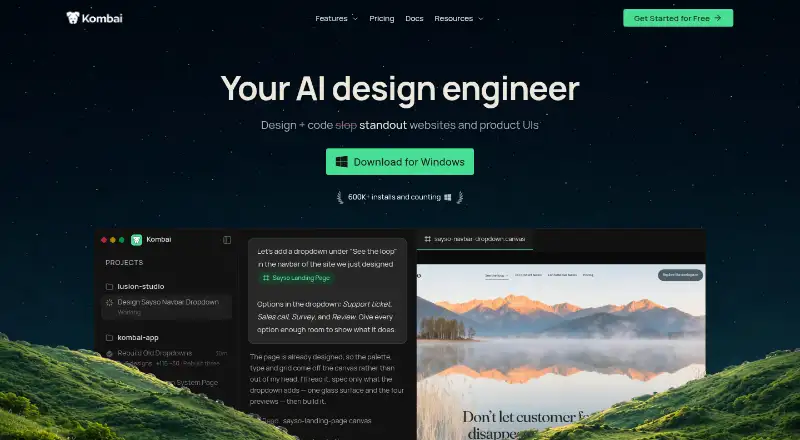
Kombai is an AI design engineer for creating and coding websites and product interfaces. Users can explore designs on an infinite canvas, produce code in a real repository, and refine the result in an editable browser. Its native Figma integration parses complex files, addresses messy grouping and invisible layers, and extracts icons and assets. Context Graphs help Kombai understand repository code and reuse components, hooks, tokens, and types. It applies practices for more than 400 frontend libraries and frameworks, including React, Vue, Angular, Svelte, Next.js, Tailwind, shadcn/ui, and MUI. Kombai can test user flows in a browser and inspect console logs, network activity, performance data, and styles. It can also run lint and build checks and investigate runtime errors. Users can connect services through MCP servers or run Claude Code or Codex subscriptions inside Kombai. It is available as a desktop app and IDE extension, not as a phone app. The Free plan has monthly credit limits; paid plans start at $20 per month.
Who it suits
Kombai suits developers and designers working from Figma files, existing codebases, or websites who want to build and refine frontend interfaces. It is available as a desktop app or IDE extension, but not for phones.
What it does well
- Native Figma integration parses complex files.
- Context Graphs support reuse of repository components and types.
- Supports more than 400 frontend libraries and frameworks.
- Can check user flows, lint, builds, and runtime errors.
What to know first
- There is nothing to install on a phone.
- The Free plan provides at most 300 credits per month.
- The $20/month Pro plan includes 2,000 monthly credits.
Limits
The Free plan starts with 150 credits and provides 50 credits per day, up to 300 credits per month; unused credits can roll over up to 150. Pro includes 2,000 credits per month and one seat. Team includes shared credits and supports up to 20 seats.
Plans
| Plan | Billed and limits | Price |
|---|---|---|
| Free | monthly · 300 credits/month · 150 signup credits · 50 daily credits · 0.5× rollover | Free |
| Pro | monthly · 2,000 credits/month · 5× monthly rollover · email support · no AI training · SOC2 | $20 a month |
| Team | per user monthly · 2,000–110,000 shared credits · up to 20 seats · external package indexing · shared rules · unlimited rollover · usage analytics | $40 a month |
| Enterprise | custom · Custom context engine · dedicated support · SOC2 · onboarding · custom SLAs | On request |
As kombai.com lists them, read 15 Oct 2026. The maker's own page has the final word.
Getting started
- Visit kombai.com.
- Choose the desktop app or an IDE extension, including through the Open VSX Registry.
- Start with the Free plan or choose Pro at $20/month.
- Bring in a Figma design, existing codebase, or website.
- Use the infinite canvas, repository workflow, or editable browser to develop and refine the UI.
Kombai is an AI design-and-development tool for turning Figma files, websites, and existing codebases into frontend work. It is best suited to developers who want design exploration, repository-aware code reuse, and browser checks in the same workflow. Its strongest advantage is that continuity; its credit-based plans and desktop-or-IDE requirement narrow its appeal.
Overview
Kombai spans an infinite canvas for exploring designs, code generation in a real repository, and an editable browser for refining results. That makes it a more complete fit for frontend work than a tool focused only on an initial code output: users can continue into browser-based flow checks and project error fixing. The breadth is useful, though it still centers on frontend development rather than phone-based or browser-only use.
Inputs include Figma designs, existing codebases, and websites. The native Figma integration can parse complex files, repair messy grouping and invisible layers, and extract icons and assets without MCP. Context Graphs add semantic understanding of a repository so Kombai can reuse components, hooks, tokens, and types. For teams extending an established product, that repository awareness is a practical strength; those starting from scratch have less reason to value it.
Key features
Kombai applies its frontend practices across more than 400 libraries and frameworks, including React, Vue, Angular, Svelte, Next.js, Tailwind, shadcn/ui, MUI, and Chakra. That range suits teams with varied stacks, while the value depends on whether a project uses frontend technologies rather than another kind of software.
Browser testing can autonomously run user flows and inspect console logs, network activity, performance data, and styles. Kombai can also run lint and build checks, investigate runtime errors, and work through fixes during a coding task. These checks connect generation to validation, which is useful for developers who want fewer handoffs; they do not remove the need for a developer to judge the resulting implementation.
MCP servers connect external services and data sources. Users can run existing Claude Code or Codex subscriptions inside Kombai, or delegate frontend work to Kombai through its MCP server from Claude Code, Codex, or Cursor. This interoperability is a plus for people already using those agents, but is less compelling if they want a standalone tool with no agent workflow.
Pricing
The Free plan costs $0/month and includes 300 credits/month, with 150 credits at sign-up and 50 credits daily up to the monthly maximum. Unused credits roll over up to 0.5×, and the plan has 1 seat. It is a reasonable way for an individual to try occasional work, but the monthly credit ceiling limits sustained use.
Pro costs $20/month for 1 seat and includes 2,000 credits/month, rollover up to 5× monthly, email support, and no AI training on your data. It suits an individual doing regular frontend work who needs more capacity and the stated data-training protection. Team costs $40/user/month and supports up to 20 seats, with 2,000–110,000 shared credits/month, external package indexing, shared rules and commands, unlimited credit rollovers, and centralized billing and management. Its shared allowance and administrative tools are better suited to a coordinated team than a solo user.
Enterprise has custom pricing, custom context engine, dedicated support, SOC2 compliance, onboarding services, custom SLAs, and custom seats and credit allowance. It is aimed at organizations needing tailored capacity and service terms, rather than buyers seeking a fixed per-seat price. The Trust Center lists SOC 2 compliance and controls including encryption at rest, transmission confidentiality, endpoint encryption, and malware protection. Kombai says personal information may be transferred, processed, and stored anywhere in the world, and retained as long as needed for service, legal, dispute, audit, and business purposes.
Platforms
Kombai is available as a desktop app and as an IDE extension, including for VS Code, Cursor, Antigravity, Trae, and Kiro, with installation also through the Open VSX Registry. It supports Linux, macOS, and Windows. There is nothing to install on a phone, so it is not a fit for mobile-first use.
Who it's for
Kombai is a strong fit for frontend developers and teams who want to move from design exploration into an existing repository and then check the result in a browser. Repository reuse, broad framework coverage, and agent interoperability make it especially relevant to people working within an established codebase or already using Claude Code, Codex, or Cursor. Occasional users may find the free monthly cap restrictive, while users who need a phone app or a web-only workflow should look elsewhere.
Pros and cons
- Pros: Design, repository code, browser refinement, and flow checks sit in one workflow, reducing the gap between a mock-up and validation.
- Pros: Context Graphs can reuse project components, hooks, tokens, and types, making the tool more relevant to existing products than isolated generation.
- Pros: Pro provides 2,000 monthly credits, rollover up to 5×, email support, and no AI training on user data for $20/month.
- Cons: Free use is capped at 300 credits/month, with a single seat, so it offers limited room for sustained or collaborative work.
- Cons: Kombai requires a desktop app or IDE extension and has no phone installation.
- Cons: Personal information may be processed and stored anywhere in the world, a material consideration for organizations with data-location requirements.
Alternatives
AI Screenshot-to-Code Tools is a useful category to browse when comparing tools for that specific workflow.
Choose Figma Make if a Figma-centered option with a web platform matters more; its Professional Full seat costs $16 a month and includes 3,000 AI credits/month. Anima is another freemium option, with a free tier providing five AI Playground chat messages per day, five Figma imports or website clones, and five Figma-plugin code generations. Consider CoderUI if its $29.00 per month Pro plan, with 500 credits per month, all frameworks, and advanced customization, better matches the budget and usage pattern. Codia AI is an alternative freemium tool. Fronty is worth considering if publishing on a free fronty.live address with Fronty branding suits the project. Quest offers a free account with one code download. v0 may suit readers looking for a web or iOS option with a free plan that includes seven messages per day, Vercel app deployment, Design Mode, and GitHub sync. Alloy is another freemium alternative.
Verdict
Choose Kombai if you build frontend interfaces and want design exploration, repository-aware reuse, and browser checks connected in one desktop or IDE workflow. Its combination of codebase context and validation is the clearest reason to pick it. Look elsewhere if you need phone access, a web-only setup, or a free tier with room for ongoing high-volume work.
Verdict
Kombai brings design work, code generation, repository context, and browser checks into a desktop or IDE workflow. Its free tier is credit-limited, and the listed Pro plan starts at $20 per month.
Questions
Is there a free plan?
Yes. The Free plan is $0/month and includes 300 credits per month, with 150 credits on sign-up and 50 credits daily up to the monthly maximum.
How much do paid plans cost?
Pro costs $20/month. Team costs $40/user/month. Enterprise pricing is custom.
Which platforms support Kombai?
Kombai is available as a desktop app and an IDE extension. Listed platforms include extension, Linux, macOS, and Windows; there is nothing to install on a phone.
Can Kombai import Figma designs?
Yes. It has a native Figma integration that parses complex files and extracts icons and assets.
Which frameworks does Kombai support?
It covers more than 400 frontend libraries and frameworks, including React, Vue, Angular, Svelte, Next.js, Tailwind, shadcn/ui, and MUI.
What does Kombai say about security and data handling?
Its Trust Center lists SOC 2 as compliant and lists encryption and malware-protection controls. Kombai says personal information may be processed and stored anywhere in the world and retained as long as needed for service, legal, dispute, audit, and business purposes.
Facts from Kombai's own pages
- Agent interoperability
- Users can run existing Claude Code or Codex subscriptions inside Kombai or delegate frontend tasks to Kombai through its MCP server from agents such as Claude Code, Codex, or Cursor. · kombai.com, 1 Oct 2026
- Browser access
- The browser tooling exposes rendered DOM, CSS rules, console logs and performance metrics for agent tasks. · kombai.com, 15 Oct 2026
- Browser testing
- Kombai can autonomously execute tests and audit URLs for accessibility, SEO and performance. · kombai.com, 15 Oct 2026
- Code generation
- The agent generates production-grade frontend code using context from the existing codebase. · docs.kombai.com, 15 Oct 2026
- Code reuse
- Context Graphs give Kombai semantic understanding of repository code so it can reuse components, hooks, tokens, and types. · kombai.com, 1 Oct 2026
- Company founded
- LinkedIn and the Trust Center state that Kombai was founded in 2022. · linkedin.com, 15 Oct 2026
- Company headquarters
- LinkedIn lists San Francisco, California as headquarters and Pune, India as another location. · linkedin.com, 15 Oct 2026
- Company legal name
- Crunchbase identifies the legal entity as Kombai Inc. · crunchbase.com, 15 Oct 2026
- Company size
- LinkedIn lists Kombai as having 11–50 employees. · linkedin.com, 15 Oct 2026
- Context Graphs
- Context Graphs index reusable components, hooks, tokens, types and constants so generated code can reuse them. · kombai.com, 15 Oct 2026
- Data handling
- Kombai says personal information may be transferred, processed, and stored anywhere in the world and that it retains information for as long as needed for service, legal, dispute, audit, and business purposes. · kombai.com, 1 Oct 2026
- Design mode
- Design Mode provides an infinite canvas for generating and refining editable HTML-based UI designs. · kombai.com, 15 Oct 2026
- Desktop limitation
- Kombai's download page states that it is available as a desktop app and IDE extension and that there is nothing to install on a phone. · agent.kombai.com, 1 Oct 2026
- Desktop systems
- Documentation provides desktop downloads for Windows, macOS and Linux. · docs.kombai.com, 15 Oct 2026
- Documentation depth
- Public docs cover setup, code generation, Figma, browser operations, context, MCP, billing, design mode and troubleshooting. · docs.kombai.com, 15 Oct 2026
- Error fixing
- Kombai can run project lint and build checks, investigate runtime errors, and work through fixes during a coding task. · kombai.com, 1 Oct 2026
- External integrations
- Kombai connects external services and data sources through MCP servers. · kombai.com, 1 Oct 2026
- Figma integration
- Native Figma import parses complex files, repairs grouping and invisible-layer issues, and extracts assets without MCP. · kombai.com, 15 Oct 2026
- Free-plan limits
- The Free plan starts with 150 credits and then provides 50 credits per day up to 300 credits per month; unused credits can roll over up to 150 credits. · kombai.com, 1 Oct 2026
- Frontend coverage
- Kombai applies human-tested best practices for more than 400 frontend libraries and frameworks, including React, Vue, Angular, Svelte, Next.js, Tailwind, shadcn/ui, and MUI. · kombai.com, 1 Oct 2026
- Frontend libraries
- Kombai says its code-generation practices cover more than 400 frontend libraries. · kombai.com, 15 Oct 2026
- Funding
- Crunchbase lists one seed funding round with Foundation Capital and Stellaris Venture Partners among the investors, while the amount is undisclosed. · crunchbase.com, 15 Oct 2026
- IDE availability
- The product is distributed as a desktop app and extensions for VS Code, Cursor, Antigravity, Trae, Kiro and compatible Open VSX IDEs. · kombai.com, 15 Oct 2026
- Licence
- Terms grant customers limited, non-exclusive internal-use rights and prohibit copying, redistribution and reverse engineering, indicating proprietary software. · ww2.kombai.com, 15 Oct 2026
Where Kombai stands on Freedom251
- AI Screenshot-to-Code Tools#9 of 24