Freedom251 › Prototyping Software

Alloy
What Alloy is
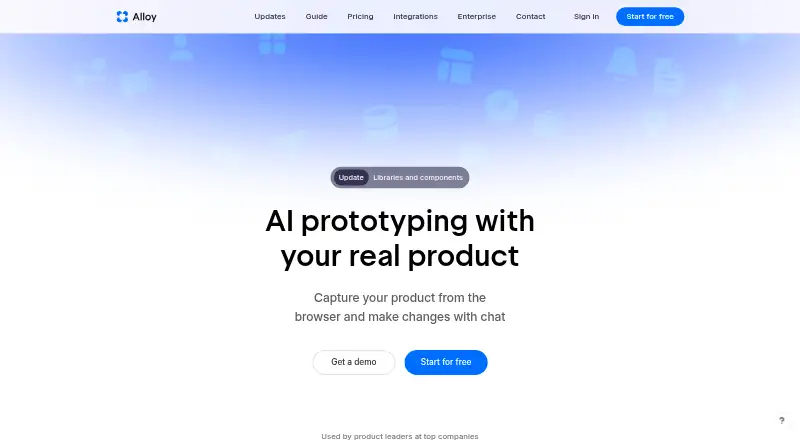
Alloy is a product prototyping and user-testing platform that lets teams work from a connected codebase or capture pages with a browser extension. When connected to a codebase, it can run an entire app and show changes live in a browser. Teams can create and share interactive prototypes, run sessions, and collaborate. The Free plan has unlimited sessions and viewers, $5 credits per user per month, and 30+ integrations; listed integrations include Linear, Jira, Slack, and Intercom. Pro costs $20 per user per month and includes code export. Sessions can be exported, accessed through MCP, or converted into GitHub pull requests, supporting a workflow for pushing changes toward customers. The extension requires no setup; connecting a codebase requires admin permissions and about 15 minutes. Free support is standard, Pro support is priority, and Enterprise support is 24/7. Enterprise pricing is custom, with API access, an account manager, custom terms, and SAML + SCIM.
Who it suits
Alloy may suit product teams that want to prototype and test ideas using a codebase or browser-captured pages. Teams needing enterprise controls or 24/7 support can consider its Enterprise plan.
What it does well
- Free plan includes unlimited sessions and viewers.
- Supports interactive prototypes and user testing.
- Sessions can become GitHub pull requests.
- Pro includes code export.
- Enterprise includes SAML + SCIM.
What to know first
- Codebase connection requires admin permissions.
- Connecting a codebase takes about 15 minutes.
- Enterprise pricing is custom.
Limits
The Free plan includes $5 credits per user per month. Pro includes $20 credits per user per month; Enterprise pricing is custom.
Plans
| Plan | Billed and limits | Price |
|---|---|---|
| Free | $0 unlimited users · $5 credits per user per month · 20 prototypes | Free |
| Pro | billed monthly · $20 credits per user per month | $20 a month |
| Enterprise | Custom pricing; contact sales · Everything in Pro · API access · Account manager · Custom terms · SAML + SCIM | On request |
As alloy.app lists them, read 28 Sept 2026. The maker's own page has the final word.
Getting started
- Open the Alloy website.
- Install the browser extension to capture pages; it needs no setup.
- Alternatively, connect a codebase with admin permissions, allowing about 15 minutes.
- Start with the Free plan or choose Pro; contact sales for Enterprise pricing.
Verdict
Alloy offers a free starting tier and paid plans with different support and security options. Check whether the free credits and codebase setup fit your team's workflow.
Questions
Is there a free plan?
Yes. Free includes $5 credits per user per month, unlimited sessions and viewers, and 30+ integrations.
How much does Pro cost?
Pro costs $20 per user per month, billed monthly.
What platforms does Alloy support?
Alloy is listed for extension use. Users can connect a codebase or capture pages with a browser extension, and sessions run in the cloud.
Can Alloy export code changes?
Sessions can be exported, accessed via MCP, or converted into a GitHub pull request.
What does Enterprise include?
Enterprise has custom pricing and includes API access, an account manager, custom terms, SAML + SCIM, and 24/7 support.
Does Alloy offer a trial?
The provided plan details do not state a trial or refund policy.
Facts from Alloy's own pages
- App support
- Alloy can run an entire app from a connected codebase and preview changes live in a browser. · alloy.app, 28 Sept 2026
- Code export
- Sessions can be exported, accessed via MCP, or converted into a GitHub pull request. · alloy.app, 28 Sept 2026
- Company audience
- Alloy is presented as being used by product leaders at top companies. · alloy.app, 28 Sept 2026
- Enterprise security
- Enterprise includes SAML + SCIM, custom terms, API access, and an account manager. · alloy.app, 28 Sept 2026
- Free plan
- Yes · alloy.app, 20 Sept 2026
- Free tier limits
- Free includes $5 credits per user per month, unlimited sessions and viewers, and 30+ integrations. · alloy.app, 28 Sept 2026
- Integration count
- Alloy offers over 20 integrations for ideas, insights, and customer requests. · alloy.app, 28 Sept 2026
- Interactive prototypes
- Yes · alloy.app, 20 Sept 2026
- Named integrations
- Pricing lists integrations for Linear, Jira, Slack, and Intercom. · alloy.app, 28 Sept 2026
- Platform access
- Users can connect a codebase or capture pages with a browser extension; sessions run in the cloud. · alloy.app, 28 Sept 2026
- Platform support
- both · alloy.app, 20 Sept 2026
- Pricing billing
- Pro costs $20 per user per month; Enterprise uses custom pricing. · alloy.app, 28 Sept 2026
- Production workflow
- Users can push changes to a pull request and roll changes out to customers. · alloy.app, 28 Sept 2026
- Prototype sharing
- Sessions can be shared by link, with teammates, customers, or anyone invited by email. · alloy.app, 28 Sept 2026
- Security approach
- Alloy describes security as an engineering standard and says the platform is designed to protect data. · alloy.app, 28 Sept 2026
- Setup requirements
- The browser extension needs no setup; connecting a codebase requires admin permissions and about 15 minutes. · alloy.app, 28 Sept 2026
- SOC 2 status
- The pricing page lists SOC 2 Type II status and security documentation. · alloy.app, 28 Sept 2026
- Paid from
- 20 · alloy.app, 20 Sept 2026
- Support levels
- Free has standard support, Pro has priority support, and Enterprise has 24/7 support. · alloy.app, 28 Sept 2026
- Team collaboration
- Teams can comment on exact prototype elements and share sessions externally. · alloy.app, 28 Sept 2026
- Trial and refunds
- The provided text does not state a trial or refund policy. · alloy.app, 28 Sept 2026
- User testing
- Yes · alloy.app, 20 Sept 2026
Where Alloy stands on Freedom251
- Prototyping Software#6 of 30
- AI Screenshot-to-Code Tools#7 of 24
- Prototyping tools#16 of 30