Freedom251 › Call Center Software
ICTContact
by ICTContact
What ICTContact is
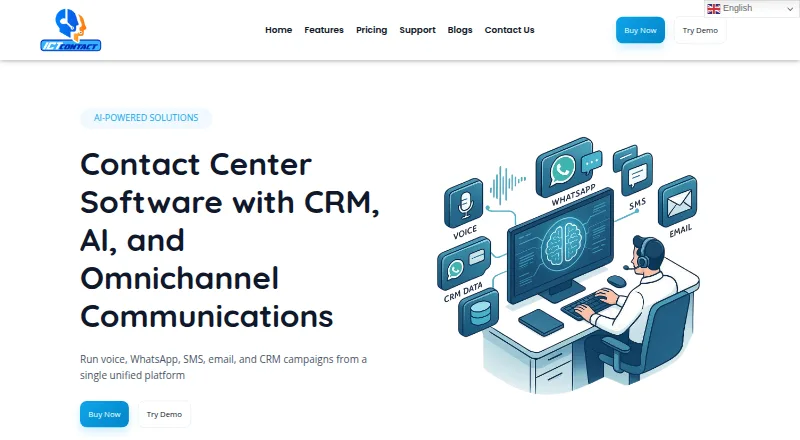
ICTContact is contact center software for inbound and outbound operations, bringing communications, CRM, IVR, and automation together. It supports voice, SMS, email, WhatsApp, and other digital channels, along with screen pop, click-to-dial, and in-call controls. Outbound options include progressive, preview, power, and manual dialing; predictive dialing is listed as an add-on. Its AI voice agent can look up and update CRM records, arrange callbacks, send SMS during calls, and hand callers to a live agent. The agent feature is included in Service Provider Edition. CRM connections named by the company include Salesforce, HubSpot, SuiteCRM, Vtiger, YetiForce, and EspoCRM, while systems with REST or SOAP APIs can also connect. Google Dialogflow integration supports AI-powered customer conversations. Teams can monitor campaigns, calls, queues, and agent activity in real time, and use call-detail and performance reports. Enterprise Edition installs on customer servers, and the maker says customers own the installation and retain their data. The community edition is free to download and install; a free trial is also offered without a stated duration.
Who it suits
Enterprise Edition is aimed at small to medium businesses, while Service Provider Edition is aimed at larger operations or ITSPs. It may suit teams seeking a self-hosted deployment or multiple communication channels in one platform.
What it does well
- Supports voice, SMS, email, and WhatsApp.
- AI voice agent can update CRM records and hand off calls.
- Lists live monitoring and performance reports.
- Free community edition is available to download and install.
- Supports Asterisk, SIP, and IAX2.
What to know first
- Enterprise Edition lists five agents for $399 a month.
- Service Provider lists 20 agents for $1,500 a month.
- Predictive dialing is an add-on.
- Setup options list Red Hat, Rocky Linux, CentOS 8.x and 9.x, and Docker.
Limits
The free edition is described as a community edition. Enterprise Edition is listed for five agents, and Service Provider for 20 agents; the AI voice agent is included in Service Provider Edition.
Plans
| Plan | Billed and limits | Price |
|---|---|---|
| Service Provider | starting (20 Agents) · Everything in Enterprise · multi-tenant and white-label · multi-service billing · WhatsApp Business integration · enhanced CDR reports | $1,500, paid once |
| Enterprise Edition | starting (5 Agents) · Omnichannel and unified communications · WebRTC agent panel · IVR Studio · CRM and REST APIs · real-time monitoring and analytics | $399, paid once |
As ictcontact.com lists them, read 28 Sept 2026. The maker's own page has the final word.
Getting started
- Visit https://www.ictcontact.com/.
- Choose the free community edition or start the free trial.
- For a paid plan, select Enterprise Edition or Service Provider.
- For Enterprise Edition, prepare customer servers; the user guide lists Red Hat, Rocky Linux, CentOS 8.x and 9.x, or Docker as setup options.
- Use the provided guides, manuals, walkthrough videos, and control-panel screenshots during setup.
ICTContact is a contact-center platform for organizations coordinating inbound and outbound service across voice and digital channels. It suits teams that need CRM-connected agent tools, campaign oversight, and deployment control more than very small groups seeking a minimal phone system. Its broad workflow coverage is compelling, but the first paid tier starts at five agents and predictive dialing costs extra.
Overview
Voice, SMS, email, WhatsApp, and other digital conversations share one workspace, alongside CRM records, IVR, and automation. Screen pop, click-to-dial, and in-call controls keep customer context close to the agent's call controls. This breadth is useful for contact centers managing several channels; a telephony-only operation may find the wider platform unnecessary.
The community edition is free to download and install, and a free trial is offered.
Key features
Dialing and CRM
Outbound teams get progressive, preview, power, and manual dialing. Predictive dialing is an add-on, which matters for high-volume operations that depend on that mode and must budget beyond the core plan. Named CRM connections cover Salesforce, HubSpot, SuiteCRM, Vtiger, YetiForce, and EspoCRM; systems exposing REST or SOAP APIs can also connect. That combination gives organizations with varied CRM estates a practical integration path.
AI, automation, and supervision
The AI voice agent, included in the Service Provider Edition, can retrieve and update CRM records, schedule callbacks, send an SMS during a call, and transfer the conversation to a live agent. Google Dialogflow integration adds AI-powered customer conversations. These functions are most relevant to larger operations able to use the Service Provider tier; Enterprise buyers should not assume the voice agent is included there.
Supervisors can monitor campaigns, calls, queues, and agent activity in real time, then use call-detail and performance reports for follow-up. Role and permission controls, TCPA compliance support, AMD, and DNC support address governance needs, while Asterisk, SIP, and IAX2 support broadens telephony compatibility.
Deployment and control
Deployment is hybrid. Enterprise Edition is installed on the customer's own servers, with the customer retaining the installation and data. Red Hat, Rocky Linux, and CentOS 8.x and 9.x, plus Docker, are identified setup options. This suits organizations with infrastructure or data-control requirements, but it also places more operational responsibility on them than a purely hosted service would.
Pricing
| Plan | Price | Included agents | Best for |
|---|---|---|---|
| Enterprise Edition | $399 a month (billed one time licence) | 5 | Small to medium businesses |
| Service Provider | $1,500 a month | 20 | Larger operations and ITSPs |
Enterprise is the lower-cost entry point, but its five-agent allocation makes it a team product rather than a solo solution. Service Provider costs substantially more and starts at 20 agents, with the AI voice agent included; it is better aligned with larger contact centers or IT service providers that can use that capacity. Both plans include support and two weeks of free support after installation and setup. Predictive dialing is priced as an add-on, and the free community edition provides a no-cost install option without the paid tiers' published seat commitment.
Platforms
ICTContact supports API, Linux, self-hosted, and web access. Its hybrid model and Linux/Docker setup options favor organizations comfortable managing infrastructure, while web access supports browser-based agent and supervisor workflows.
Who it's for
Choose ICTContact when inbound and outbound teams need multiple channels, CRM-linked actions, IVR, dialing choices, and live operational reporting in one system. Enterprise is aimed at small to medium businesses that can use five agents and want control over installation and data. Service Provider is the more appropriate fit for larger operations or ITSPs needing 20 agents and the included AI voice agent. It is less suitable for an individual user or a small group that cannot use the minimum paid seat allocation.
Pros and cons
Pros
- Voice, SMS, email, WhatsApp, and other digital channels are combined with CRM and IVR workflows.
- Six named CRM integrations plus REST or SOAP connectivity accommodate varied systems.
- Real-time campaign, queue, call, and agent monitoring supports active supervision.
- Self-hosted Enterprise deployment keeps installation and data under the customer's control.
- Service Provider includes an AI voice agent with CRM updates, callbacks, SMS, and live-agent handoff.
Cons
- Enterprise starts at five agents, limiting its fit for solo users and very small teams.
- Predictive dialing requires an add-on rather than arriving in the standard dialing set.
- The free-trial duration is undefined, making evaluation planning less predictable.
- Self-hosting requires suitable Linux or Docker infrastructure and ongoing administration.
Alternatives
For a broader shortlist, see Computer Telephony Integration Software and Call Center Software.
- KalliopeCTI is a freemium, multi-platform option with a free KCTI 4 mode for Windows, macOS, and Ubuntu.
- TAPIMaster offers a free Windows small-business tier capped at four clients.
- Jet Interactive suits pay-per-call tracking, with tracking numbers from A$10 a month plus call charges.
- XPhone Connect is a paid, multi-platform subscription with user-specific licensing.
- ansitel TAPI und CTI Client is a paid Windows/API option with a free trial.
- Contact is a paid Windows product with a free trial.
- Enghouse CCaaS is a paid API and web service scaling from 10 to 10,000 seats.
- PhoneSuite CTI Client is a paid Windows client with a free plan and free trial.
Verdict
ICTContact is a strong choice for small to medium businesses, larger contact centers, and ITSPs that need multi-channel operations tied to CRM workflows and want hybrid or self-hosted control. Its main reasons to choose it are the breadth of channels, supervision tools, integrations, and the Service Provider AI agent. Look elsewhere if you need fewer than five paid seats, require predictive dialing in the base price, or prefer a fully managed service without infrastructure responsibility.
Verdict
ICTContact combines multi-channel contact center functions with CRM integrations, monitoring, and an AI voice agent. Its listed plans have defined agent counts, and predictive dialing is an add-on.
Questions
Is ICTContact free?
A community edition is free to download and install, and a free trial is also offered.
How much do the paid plans cost?
Enterprise Edition is $399 a month (billed one time licence; 5 agents). Service Provider is $1,500 a month (20 agents).
Which platforms and phone systems does it support?
Platforms are API, Linux, self-hosted, and web. Supported phone systems are Asterisk, SIP, and IAX2.
Which CRM systems can connect?
Named integrations are Salesforce, HubSpot, SuiteCRM, Vtiger, YetiForce, and EspoCRM. Other systems with REST or SOAP APIs can connect.
Where is Enterprise Edition installed?
It is installed on the customer's own servers. The maker says customers own the installation and their data stays with them.
Facts from ICTContact's own pages
- AI integration
- ICTContact integrates with Google Dialogflow for AI-powered customer conversations. · ictcontact.com, 28 Sept 2026
- AI voice agent
- Its AI voice agent can look up and update CRM records, schedule callbacks, send SMS during a call, and hand off to a live agent; the feature is included in Service Provider Edition. · ictcontact.com, 28 Sept 2026
- Channels
- The platform supports voice, SMS, email, WhatsApp, and other digital communications from one platform. · ictcontact.com, 28 Sept 2026
- CRM integrations
- The integration guide names Salesforce, HubSpot, SuiteCRM, Vtiger, YetiForce, and EspoCRM, and says other systems with REST or SOAP APIs can connect. · ictcontact.com, 28 Sept 2026
- Deployment and control
- Enterprise Edition is installed on the customer’s own servers, and the maker says the customer owns the install and the data stays with them. · ictcontact.com, 28 Sept 2026
- Dialing
- Outbound dialing options include progressive, preview, power, and manual dialing; the feature comparison lists predictive dialing support as an add-on. · ictcontact.com, 28 Sept 2026
- Free edition
- The maker describes a community edition that is free to download and install. · ictcontact.com, 28 Sept 2026
- Free plan
- No · ictcontact.com, 20 Sept 2026
- Headquarters
- Multan, Pakistan · ictcontact.com, 28 Sept 2026
- Intended users
- The maker says Enterprise Edition is aimed at small to medium businesses and Service Provider Edition at larger operations or ITSPs. · ictcontact.com, 28 Sept 2026
- Monitoring and reports
- Features include real-time monitoring of campaigns, calls, queues, and agent activity, plus call detail and performance reports. · ictcontact.com, 28 Sept 2026
- Purpose
- ICTContact is contact center software for inbound and outbound operations, combining communications, CRM, IVR, and automation. · ictcontact.com, 28 Sept 2026
- Security and compliance
- The features page describes role and permission management and TCPA compliance support; it also lists AMD and DNC support. · ictcontact.com, 28 Sept 2026
- Support resources
- ICTContact provides user guides, manuals, presentation guides, walkthrough videos, and control-panel screenshots. · ictcontact.com, 28 Sept 2026
- System requirements
- The user guide lists Red Hat, Rocky Linux, and CentOS versions 8.x and 9.x, as well as Docker, as setup options. · ictcontact.com, 28 Sept 2026
- Trial and support
- The pricing page offers a free trial without stating its duration, and says both plans include support plus two weeks of free support after installation and setup. · ictcontact.com, 28 Sept 2026
Where ICTContact stands on Freedom251
- Call Center Software#5 of 122
- Call Center CRM Software#1 of 22
- Computer Telephony Integration Software#1 of 22