Freedom251 › Game Graphics Optimization Software

Hone
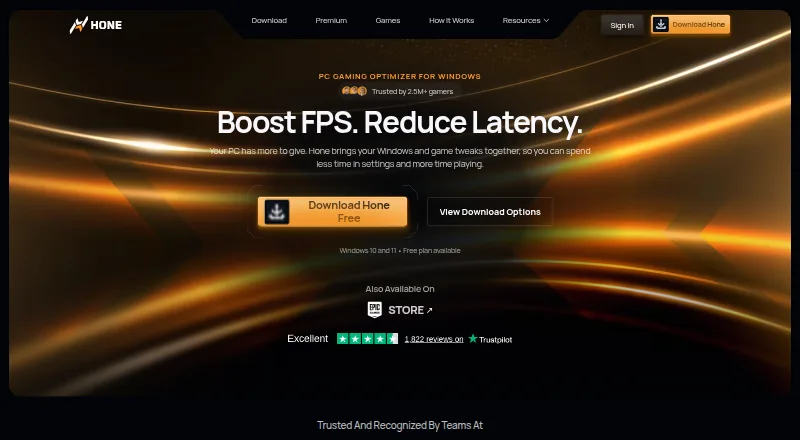
What Hone is
Hone is Windows software that gathers supported Windows, GPU, and in-game settings to help optimize a gaming PC. It adjusts game settings and selected Windows and network settings with the aim of improving FPS and reducing PC-side delay. Game Mode manages selected background processes and services while a game is running. Hone says it detects more than 100,000 titles for system-wide optimization, though dedicated presets and supported settings differ by game. Users can review supported changes and choose which to apply; for supported registry optimizations, the app saves original values for later restoration. The free plan includes 10 optimizations, one extra per referral up to 15, Balanced Game Mode, standard Boost-Ups, and ads. Premium includes unlimited optimizations, premium-only optimizations and presets, Custom and Performance Game Mode, Premium Boost-Ups, no ads, and priority support; its regional price is shown at checkout. Settings are saved to the cloud, and setup supports sign-in through Hone, Google, or Discord. Hone supports Windows 10 and Windows 11, not macOS, consoles, or phones.
Who it suits
Hone suits Windows 10 or 11 gamers who want to review and selectively apply supported system and game optimizations. Its free plan provides a capped set of optimizations and includes ads.
What it does well
- Users choose which supported changes to apply.
- Original values are saved for supported registry changes.
- Game Mode manages selected background processes.
- Cloud saves preserve settings.
What to know first
- Free plan allows up to 10 optimizations, or 15 with referrals.
- Ads are shown on the free plan.
- Unavailable for macOS, consoles, and phones.
- Premium price is shown at checkout, not listed.
Limits
Hone Free includes 10 optimizations, with one additional optimization per referral up to 15, Balanced Game Mode, standard Boost-Ups, and ads. Premium pricing is regional and shown at checkout; the plan renews monthly.
Plans
| Plan | Billed and limits | Price |
|---|---|---|
| Hone Free | 10 optimizations · one extra per referral, up to 15 · Balanced Game Mode · standard Boost-Ups · ads shown | Free |
| Hone Premium | Monthly plans renew monthly; regional price shown at checkout · Unlimited optimizations · Premium-only optimizations and game presets · Custom and Performance Game Mode · Premium Boost-Ups · no ads · priority support | On request |
| Hone Premium | Yearly plans renew yearly; regional price shown at checkout · Unlimited optimizations · Premium-only optimizations and game presets · Custom and Performance Game Mode · Premium Boost-Ups · no ads · priority support | On request |
As hone.gg lists them, read 28 Sept 2026. The maker's own page has the final word.
Getting started
- Open Hone’s website or find it in the Epic Games Store.
- Install Hone on a Windows 10 or Windows 11 gaming PC.
- Sign in with a Hone account, Google, or Discord.
- Review the supported optimizations and apply the changes you choose.
- Use the free plan or check the regional Premium price at checkout.
Hone is a Windows utility for gamers who want one place to manage selected system, GPU and game settings. It suits players willing to tune their own PCs rather than expect a universal boost. The main appeal is breadth with user-controlled, reversible changes; the main caveat is that performance gains depend heavily on each machine and game.
Overview
Hone combines Windows, GPU, network and in-game adjustments intended to raise frame rates or reduce PC-side latency. Game Mode manages selected background processes and services while a game runs, reducing the need to hunt through Windows settings before each session. The app detects more than 100,000 titles for system-wide optimization, although dedicated presets and supported options differ from one game to another.
Automatic recommendations, per-game profiles, game-library scanning and an in-game overlay give Hone a broader workflow than a static tweak list. You can inspect supported changes and apply only the ones you want. For supported registry adjustments, Hone keeps the previous values so they can be restored later, an important safeguard when experimenting with system settings.
Hone describes a research process that isolates individual changes, repeats measurements and weighs benefit, risk and scope. That approach indicates a cautious basis for its recommendations, but it does not turn them into guaranteed improvements. Hardware, drivers, temperatures, game settings, background workload and connection conditions all affect the outcome.
Key features
- Game Mode: Controls selected services and processes during play. It is useful for reducing background activity, but it does not claim to control every source of overhead.
- Selective optimization: Reviewing changes before applying them suits users who want control. Saved registry values make supported tweaks easier to undo.
- Game coverage: System-wide detection spans more than 100,000 titles, while the practical depth of presets varies by game.
- Profiles and overlay: Per-game profiles, library scanning, automatic recommendations and an in-game overlay help organize recurring adjustments instead of requiring one global configuration.
- Cloud settings: Settings can sync to the cloud after signing in with a Hone account, Google or Discord. That is convenient across installations, while privacy-conscious users should note that the service may collect hardware, performance, operating-system, installed-game and game-setting data.
Pricing
Hone Free costs nothing plan. It allows 10 optimizations, with one extra optimization for each referral up to 15, and includes Balanced Game Mode and standard Boost-Ups. Ads are shown. This is a reasonable starting point for users who want to evaluate the workflow or make a small number of targeted changes, but the optimization quota limits broader tuning.
Hone Premium has custom pricing: monthly plans renew monthly, and the regional price appears at checkout. Premium removes the optimization cap and adds Premium-only optimizations and game presets, Custom and Performance Game Mode, Premium Boost-Ups, no ads and priority support. It fits enthusiasts who need extensive or game-specific tuning and users who value faster assistance. Readers who only need occasional adjustments may find the free cap sufficient and have little reason to accept a recurring subscription.
Platforms
Hone supports gaming PCs running Windows 10 or Windows 11. It is distributed through the official installer and the Epic Games Store. There is no version for macOS, consoles or phones.
Who it's for
Hone is best for Windows gamers who want recommendations, profiles and system controls gathered in one interface, while retaining the ability to approve individual changes. Premium is aimed at users who will use unlimited and premium-only optimizations, custom performance modes or priority support. It is a weaker fit for non-Windows players, people seeking a guaranteed FPS increase, or users who prefer fully manual, one-off tweaks without cloud-linked account options.
Pros and cons
- Pros: Combines Windows, GPU, network and game settings; supports per-game profiles, scanning and an overlay; lets users choose changes; restores original values for supported registry tweaks; free plan has no purchase cost; Premium adds unlimited optimization and priority support.
- Cons: Free users are limited to 10 optimizations, or 15 with referrals, and see ads; Premium pricing is only shown regionally at checkout and renews monthly; game-specific support is uneven despite broad title detection; outcomes vary with system and network conditions; collected device and game data may concern privacy-focused users.
Alternatives
For a free, MIT-licensed optimizer that runs on Windows, SteamOS and Linux, choose ARC Raiders Config Tuner. DisplayMagician is a free Windows 10 or 11 (64-bit) option. Pick FrameCoach for a free optimizer, settings guides and Windows desktop app from a one-person project. GameShift is a free Windows alternative with no paid plans stated. Gaming Optimizer is a free, MIT-licensed Windows project. Choose Intel VTune Profiler for a free standalone or Intel oneAPI profiling tool on Windows or Linux, with commercial and non-commercial use permitted. Magpie is a free open-source Windows window upscaler. NVIDIA ShadowPlay suits GeForce users who meet its Windows 10/11 and driver requirements.
Verdict
Choose Hone if you want guided, selectable Windows gaming optimizations, per-game organization and an upgrade path to unlimited Premium controls. Its reversible supported registry changes and broad feature set are practical advantages. Look elsewhere if you need Linux, macOS or console support, a completely free uncapped optimizer, or a predictable performance result rather than system-dependent tuning.
Verdict
Hone offers a free starting set of PC optimizations and additional Premium features with pricing shown regionally at checkout. Its scope is limited to Windows 10 and 11, and results vary with PC and usage conditions.
Questions
Is Hone free?
Yes. Hone Free costs nothing and includes 10 optimizations, Balanced Game Mode, standard Boost-Ups, and ads. Referrals can add one optimization each, up to 15 total.
What does Hone Premium cost?
The regional price is shown at checkout. Monthly plans renew monthly.
Which computers does Hone support?
Hone supports Windows 10 and Windows 11 gaming PCs. It is not available for macOS, consoles, or phones.
How can I install and sign in to Hone?
Hone is available through its official installer and the Epic Games Store. Setup supports sign-in with a Hone account, Google, or Discord.
Does Hone guarantee better performance?
No fixed result is promised for every PC. Results vary with hardware, games, settings, drivers, temperatures, background workload, and connection conditions.
Facts from Hone's own pages
- Background processes
- Game Mode manages selected background processes and services while a game is running. · hone.gg, 28 Sept 2026
- Company
- Hone's privacy policy identifies the company as AuraSide, Inc., and its About page traces the product timeline to 2022. · hone.gg, 28 Sept 2026
- Distribution
- Hone is available through its official installer and the Epic Games Store. · hone.gg, 28 Sept 2026
- Founded
- 2022 · hone.gg, 23 Sept 2026
- FPS and latency
- Hone adjusts game settings and selected Windows and network settings to help improve FPS and reduce PC-side delay. · hone.gg, 28 Sept 2026
- Game support
- Hone says it detects more than 100,000 titles for system-wide optimization, while dedicated presets and supported settings vary by game. · hone.gg, 28 Sept 2026
- Operating system
- Hone supports Windows 10 and Windows 11 gaming PCs and says it is not available for macOS, consoles, or phones. · hone.gg, 28 Sept 2026
- Performance limits
- Hone says results vary with hardware, games, settings, drivers, temperatures, background workload, and connection conditions, and it does not promise a fixed result for every PC. · hone.gg, 28 Sept 2026
- Privacy and security
- Hone's privacy policy says it collects information that can include hardware specifications, device performance data, operating system settings, installed games, and game settings, and it says it cannot guarantee absolute security. · hone.gg, 28 Sept 2026
- Purpose
- Hone brings supported Windows, GPU, and in-game settings together to help optimize a gaming PC. · hone.gg, 28 Sept 2026
- Research
- Hone says its research method isolates one change at a time, measures results with repeated runs, and reviews benefit, risk, and scope. · hone.gg, 28 Sept 2026
- Reversible changes
- For supported registry optimizations, Hone saves original values so users can restore them later. · hone.gg, 28 Sept 2026
- Sign-in options
- The setup guide says users can authenticate through a Hone account, Google, or Discord, with settings saved to the cloud. · hone.gg, 28 Sept 2026
- Support
- Hone lists a Help Center and Discord community for assistance, and Premium includes priority support. · hone.gg, 28 Sept 2026
- User control
- Users can review supported optimizations in the app and apply only the changes they choose. · hone.gg, 28 Sept 2026
Where Hone stands on Freedom251
- Game Graphics Optimization Software#11 of 34
- Graphics optimisers#14 of 35