Freedom251 › Game Graphics Optimization Software
DisplayMagician
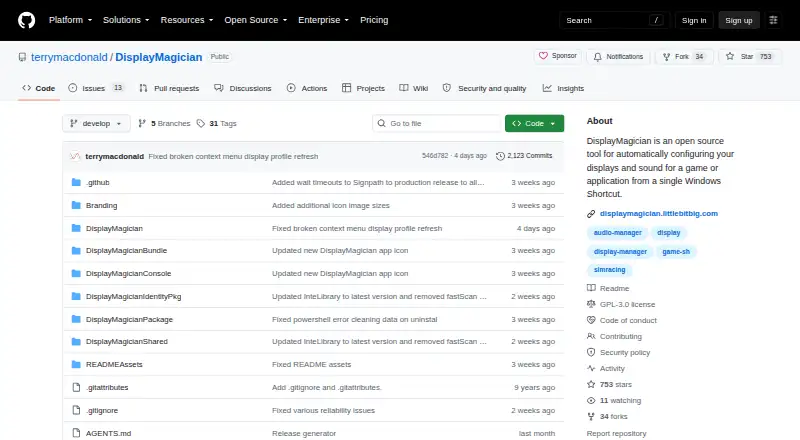
What DisplayMagician is
DisplayMagician is free Windows software that applies display and sound settings for a game or application when you launch a shortcut, and can restore the prior settings after it closes. You can save display profiles, including ones with wallpapers, and have a shortcut select an audio profile or change audio devices. Shortcuts can also start or stop helper programs around an application’s launch. Listed launchers include Steam, Ubisoft Uplay, Origin, Epic Games and GOG.com; shortcuts can be started from the desktop, notification tray, context menu, hotkey, joystick or game controller. Display support includes NVIDIA Surround, AMD Eyefinity, Intel Combined Displays, cloned and extended screens, HDR, rotated screens and refresh rates. It also lists USB and wireless display devices, SuperDisplay and Spacedesk, including Android tablets used as displays. A field-of-view calculator is included for matching games to a sim-rig layout. It requires 64-bit Windows 10 version 1809 or later, or Windows 11, and .NET 10.0, included in the installer bundle.
Who it suits
It suits Windows users who want game- or application-specific display, audio and helper-program setups. Sim racers may find the field-of-view calculator relevant to configuring a rig layout.
What it does well
- Free plan; no price beyond free.
- Shortcuts can apply display and audio profiles.
- Can start or stop helper programs around launch.
- Supports multiple shortcut launch methods, including hotkeys and controllers.
- Includes a field-of-view calculator for sim-rig layouts.
What to know first
- Requires 64-bit Windows 10 version 1809 or later, or Windows 11.
- Requires .NET 10.0.
Plans
| Plan | Billed and limits | Price |
|---|---|---|
| DisplayMagician | 64-bit Windows 10 (version 1809 or later) or Windows 11 | Free |
As github.com lists them, read 4 Oct 2026. The maker's own page has the final word.
Getting started
- Visit the DisplayMagician project website.
- Download the installer for 64-bit Windows 10 version 1809 or later, or Windows 11.
- Install the bundled .NET 10.0 requirement.
- Save display profiles and assign them to shortcuts.
- Choose a shortcut launch method such as the desktop, a hotkey, joystick, or game controller.
Overview
DisplayMagician is a Windows utility that applies display and sound settings, plus optional helper-program actions, through shortcuts for games and applications. It suits players who switch between game-specific setups, especially sim racers; its broad display support is useful, but its Windows and .NET requirements make compatibility the first check.
Shortcuts can restore previous settings after an application closes, helping make a specialized setup temporary rather than a manual change to undo. Per-game profiles and game library scanning support organizing those setups around games.
Key features
Display profiles can include wallpapers, while audio profiles let a shortcut switch devices for a game. A shortcut can also start or stop other programs before launch and close them afterward. This combination is more compelling for a multi-device gaming setup than for someone who only wants to change one display setting.
Shortcuts can be launched from the desktop, notification tray, desktop context menu, keyboard hotkey, joystick, or game controller, including an Elgato Stream Deck. The range gives users several ways to trigger a setup without opening the utility first.
Supported display configurations include NVIDIA Surround, AMD Eyefinity, Intel Combined Displays, cloned and extended displays, HDR, rotated screens, and refresh rates. USB and wireless display devices are supported, as are SuperDisplay and Spacedesk, including Android tablets used as displays. A field-of-view calculator adds a practical tool for matching games to a sim-rig layout.
The listed launchers are Steam, Ubisoft Uplay, Origin (Electronic Arts), Epic Games, and GOG.com. The software also supports application shortcuts, so its purpose is not limited to games.
Pricing
DisplayMagician is free: the DisplayMagician plan costs nothing. It includes per-game profiles and game library scanning, with support for 64-bit Windows 10 version 1809 or later and 64-bit Windows 11. There is no paid tier to weigh against the free plan; the main trade-off is that use depends on meeting the system requirements.
Platforms
DisplayMagician runs on 64-bit Windows 10 version 1809 or later and 64-bit Windows 11. It requires .NET 10.0, which is included in the installer bundle. It is not a fit for users on other operating systems or unsupported Windows versions.
The project says its code-signing policy avoids transferring information to other networked systems unless the user requests it or enables functionality that requires it. Official Windows releases are built from the repository using GitHub Actions and submitted to SignPath.io for code signing after manual approval. Security support covers the latest version and one earlier version; there is no bug bounty program. Users can report bugs or missing features through the issue tracker, and user-made setup tutorials are linked.
Who it's for
DisplayMagician is best for Windows gamers who need different display, audio, or helper-program arrangements for different games and want to switch them from a shortcut. Sim racers have an additional reason to consider it in the field-of-view calculator. It is less suitable for users seeking a general graphics optimizer or a tool that runs beyond the supported Windows environment.
Pros and cons
- Pros: Combines display profiles, audio-device selection, and helper-program controls in one shortcut, reducing separate setup steps for game-specific configurations.
- Pros: Supports a wide range of display arrangements and devices, including HDR, Surround, Eyefinity, wireless displays, and Android tablets used as displays.
- Pros: Free use includes per-game profiles and game library scanning, with no paid plan required.
- Cons: Requires relatively specific system compatibility: 64-bit Windows 10 version 1809 or later, Windows 11, and .NET 10.0.
- Cons: Security support extends only to the latest release and one previous version, so users should keep the software current.
Alternatives
For a broader list of tools in the category, see Game Graphics Optimization Software.
FrameCoach is a free project built by one person, with an optimizer, settings guides, and a Windows desktop app; choose it if those graphics-optimization tools matter more than DisplayMagician's display and audio shortcuts. GameShift is another free Windows option, with no paid plans or pricing stated on its maker’s page. Gaming Optimizer is free and open source under an MIT license, making it an alternative for readers who prioritize that licensing model.
Intel VTune Profiler is a free standalone tool or part of the Intel oneAPI Toolkit, permits commercial and non-commercial use, and offers community support. Magpie is a free, open-source Windows window upscaler, while NVIDIA ShadowPlay is available through the NVIDIA App for Windows 10 or 11 with a GeForce 551.52 driver or later and a supported GPU. Optimizationmaxxing is another option.
Verdict
Choose DisplayMagician if you use a supported Windows PC and want game-specific display and audio settings, helper programs, and restoration handled through flexible shortcuts. Its broad display support and free per-game profiles make it particularly apt for elaborate gaming or sim-rig setups. Look elsewhere if your system misses the requirements or you want a graphics-optimization tool rather than a setup-switching utility.
Verdict
DisplayMagician combines display profiles, audio selection and helper-program controls in shortcuts, with support for a broad range of listed display setups. Check the Windows and .NET requirements before choosing it.
Questions
Is DisplayMagician free?
Yes. The listed plan is free.
Which systems does DisplayMagician require?
It requires 64-bit Windows 10 version 1809 or later, or 64-bit Windows 11, and .NET 10.0. The installer bundle includes .NET 10.0.
Can DisplayMagician change audio settings for a game?
Yes. A shortcut can select an audio profile and change audio devices.
Which game launchers are listed?
Steam, Ubisoft Uplay, Origin, Epic Games, and GOG.com are listed.
How does the project handle information sent over the network?
Its code-signing policy says it does not transfer information to other networked systems unless the user requests it or explicitly enabled functionality requires it.
Facts from DisplayMagician's own pages
- Additional feature
- The software includes a field-of-view calculator for configuring games to match a sim-rig layout. · github.com, 4 Oct 2026
- Audio profiles
- Shortcuts can select an audio profile and change audio devices for a game. · github.com, 4 Oct 2026
- Display devices
- It lists support for USB and wireless display devices and use with SuperDisplay and Spacedesk, including Android tablets used as displays. · github.com, 4 Oct 2026
- Display profiles
- Users can save display profiles and use them in shortcuts, including profiles with wallpapers. · github.com, 4 Oct 2026
- Display support
- The project lists support for NVIDIA Surround, AMD Eyefinity, Intel Combined Displays, cloned and extended displays, HDR, rotated screens, and refresh rates. · github.com, 4 Oct 2026
- Helper programs
- A shortcut can start or stop additional programs before a game or application runs and can close them afterwards. · github.com, 4 Oct 2026
- Intended users
- The maker describes the tool as useful for managing game-specific display, audio, and helper-program setups, and gives sim racers as an example. · github.com, 4 Oct 2026
- Launchers
- The listed game launchers are Steam, Ubisoft Uplay, Origin (Electronic Arts), Epic Games, and GOG.com. · github.com, 4 Oct 2026
- Purpose
- DisplayMagician configures displays and sound for a game or application from a Windows shortcut, and can restore previous settings after the application closes. · github.com, 4 Oct 2026
- Release signing
- The project says official Windows releases are built from the repository using GitHub Actions and production releases are submitted to SignPath.io for code signing after manual approval. · github.com, 4 Oct 2026
- Requirements
- DisplayMagician requires 64-bit Windows 10 version 1809 or later or 64-bit Windows 11, and .NET 10.0, which the page says is included in the installer bundle. · github.com, 4 Oct 2026
- Security and privacy
- The code-signing policy says the software does not transfer information to other networked systems unless requested by the user or required for functionality the user explicitly enabled. · github.com, 4 Oct 2026
- Security support
- The security policy says the latest version and one earlier version are supported, and that the project does not operate a bug bounty program. · github.com, 4 Oct 2026
- Shortcut controls
- Shortcuts can be launched from the desktop, notification tray, desktop context menu, keyboard hotkey, joystick, or game controller such as an Elgato Stream Deck. · github.com, 4 Oct 2026
- Support
- The project invites users to report missing features and bugs through its issue tracker and links to user-made setup tutorials. · github.com, 4 Oct 2026
Where DisplayMagician stands on Freedom251
- Game Graphics Optimization Software#7 of 34
- Graphics optimisers#11 of 35