Freedom251 › Graphics optimisers
Magpie
by Magpie
What Magpie is
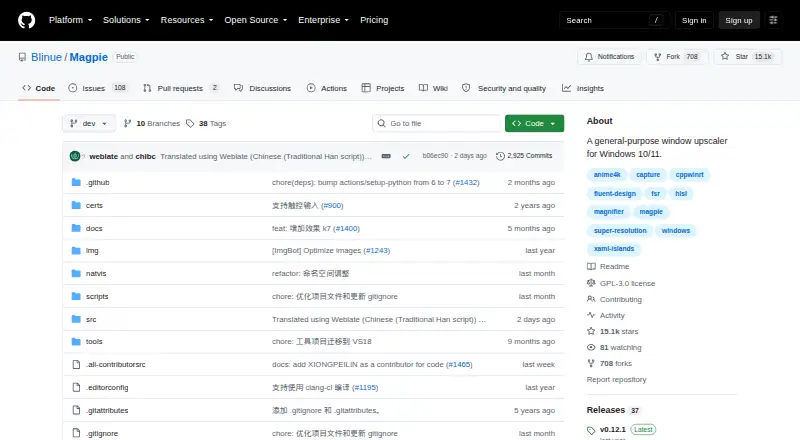
Magpie is a free Windows tool for upscaling content in fullscreen or windowed mode. It offers built-in algorithms and filters including Anime4K, FSR, CRT shaders, and others. Effects can be combined, and most have customizable parameters; users familiar with HLSL can add effects. The WinUI-based interface has light and dark themes, and the tool supports multiple monitors. Release notes describe a screenshot hotkey, set to Alt+Shift+S by default, with customizable filenames. They also describe SGSR, a lightweight upscaling algorithm designed for 3D content. The FAQ says frame generation is not planned because the project focuses on visual quality and post-processing, which it says would add latency. Magpie requires Windows 10 version 1903 or later, or Windows 11, and DirectX feature level 11. The project is licensed under GPLv3, with downloads linked from GitHub Releases. The repository says it has no SECURITY.md file and no published security advisories.
Who it suits
Magpie suits Windows users seeking window or fullscreen scaling with a choice of algorithms and filters. The FAQ says the project focuses on usability and supporting more scaling algorithms.
What it does well
- Supports fullscreen and windowed scaling.
- Effects can be combined and customized.
- Multiple monitors are supported.
- GPLv3-licensed and free.
What to know first
- Requires Windows 10 version 1903 or later, or Windows 11.
- Requires DirectX feature level 11.
- Frame generation is not planned.
- Repository has no SECURITY.md file or published advisories.
Limits
The free plan is the listed offering. Magpie requires Windows 10 version 1903 or later, or Windows 11, and DirectX feature level 11; frame generation is not planned.
Plans
| Plan | Billed and limits | Price |
|---|---|---|
| Free | Open-source Windows window upscaler | Free |
As github.com lists them, read 8 Oct 2026. The maker's own page has the final word.
Getting started
- Open the Magpie GitHub repository.
- Download Magpie from GitHub Releases.
- Use a system running Windows 10 version 1903 or later, or Windows 11, with DirectX feature level 11.
Verdict
Magpie offers several scaling algorithms and customizable effects in a free Windows tool. Check its stated Windows and DirectX requirements, and note that frame generation is not planned.
Questions
How much does Magpie cost?
Magpie is free. Its listed plan is free.
Which systems does Magpie support?
Magpie supports Windows 10 version 1903 or later and Windows 11, with DirectX feature level 11.
Can it scale in windowed mode?
Yes. Magpie supports both windowed and fullscreen scaling.
Which scaling effects does it include?
Built-in options include Anime4K, FSR, CRT shaders, and SGSR. Effects can be combined, and most have customizable parameters.
Is Magpie open source?
The project is licensed under GPLv3.
Does Magpie support frame generation?
The FAQ says frame generation is not planned.
Facts from Magpie's own pages
- Additional scaling effect
- The release notes describe SGSR as a lightweight upscaling algorithm designed for 3D content. · github.com, 7 Oct 2026
- Algorithms
- Built-in algorithms and filters include Anime4K, FSR, CRT shaders, and more. · github.com, 8 Oct 2026
- Built-in effects
- Its built-in algorithms and filters include Anime4K, FSR, CRT shaders, and more. · github.com, 7 Oct 2026
- Capture caveat
- The FAQ explains that Magpie's Direct3D screen capture can also capture RTSS performance-monitor overlays, potentially displaying two OSD layers. · github.com, 8 Oct 2026
- Capture feature
- The release notes describe a screenshot hotkey, defaulting to Alt+Shift+S, and customizable screenshot filenames. · github.com, 7 Oct 2026
- Custom effects
- Effects can be combined and most have customizable parameters; users familiar with HLSL can add effects. · github.com, 8 Oct 2026
- Displays
- Magpie supports multiple monitors. · github.com, 8 Oct 2026
- Download
- The README links to GitHub Releases for downloads. · github.com, 8 Oct 2026
- Founded
- 2021 · github.com, 28 Sept 2026
- Frame generation
- The FAQ says frame generation is not planned because the project's goal is visual quality rather than performance. · github.com, 8 Oct 2026
- Free plan
- Yes · github.com, 20 Sept 2026
- Game compatibility caveat
- The FAQ says Magpie is designed to be non-intrusive and notes there have been no reported bans for using it, while warning users to be aware of the risks. · github.com, 8 Oct 2026
- Interface
- The WinUI-based interface supports light and dark themes. · github.com, 8 Oct 2026
- License
- The project is licensed under GPLv3. · github.com, 8 Oct 2026
- Purpose
- Magpie is a lightweight window upscaling tool with scaling algorithms and filters. · github.com, 8 Oct 2026
- Requirements
- The stated system requirements are Windows 10 version 1903 or later, or Windows 11, and DirectX feature level 11. · github.com, 7 Oct 2026
- Scaling modes
- It supports both fullscreen and windowed scaling. · github.com, 8 Oct 2026
- Security policy
- The repository says it has not set up a SECURITY.md file and has no published security advisories. · github.com, 7 Oct 2026
- System requirements
- It requires Windows 10 version 1903 or later, or Windows 11, and DirectX feature level 11. · github.com, 8 Oct 2026
- Touch input
- The FAQ says touch input has been supported since version 0.11. · github.com, 8 Oct 2026
- Who it is for
- The FAQ says Magpie focuses on usability and supporting more scaling algorithms. · github.com, 7 Oct 2026
Where Magpie stands on Freedom251
- Graphics optimisers#5 of 35
- Social Media Listening Software#17 of 86
- Game Overlay Software#8 of 25
- Desktop Search Software#19 of 57
- Game Graphics Optimization Software#12 of 34