Freedom251 › Graphics optimisers
Smart Game Booster
What Smart Game Booster is
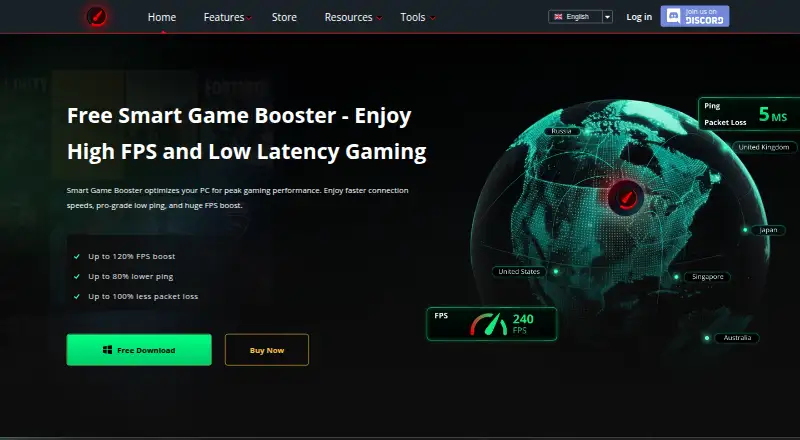
Smart Game Booster is Windows software that combines game-route optimization with PC maintenance tools to help reduce lag and improve gaming performance. It can clean junk files, adjust Windows and game settings, defragment games, and close background processes when a game launches. Its routing feature offers more than 500 global gaming servers, with automatic route selection or manual switching; premium routes are currently available for 11 supported games. The software also offers GPU and VRAM overclocking, gameplay capture, and an in-game overlay. Monitoring can show FPS and track CPU, GPU, RAM, disk usage, and temperatures. A compatibility checker compares a PC build with game requirements, and users can select a listed title or add a local game for boosting. The maker says this is not a VPN: it optimizes game routing rather than encrypting traffic or masking IP addresses. Core features including FPS boosting, junk-file cleaning, and temperature monitoring are free. VIP costs $17.99 a year and SVIP costs $34.99 a year; each is listed as a one-year subscription for one device.
Who it suits
It suits Windows PC players who want system cleanup, game monitoring, or route optimization in one tool. It is also relevant to users checking a PC against game requirements or adding local games for boosting.
What it does well
- Free core features include FPS boosting and temperature monitoring.
- Offers automatic or manual route selection.
- Tracks CPU, GPU, RAM, disk use, and temperatures.
- Can compare a PC build with game requirements.
- Includes gameplay capture and an in-game overlay.
What to know first
- Premium gaming routes currently support 11 games.
- It does not encrypt traffic or mask IP addresses.
- VIP and SVIP subscriptions are for one device.
Limits
The Free plan includes core features, basic and manual system boost, real-time FPS and temperature monitoring, and gameplay capture. VIP and SVIP subscriptions cover one device; premium gaming routes are currently available for 11 supported games.
Plans
| Plan | Billed and limits | Price |
|---|---|---|
| Free | Core features; basic and manual system boost; real-time FPS and temperature monitoring; gameplay capture | Free |
| VIP | $17.99 billed every year · 1 year subscription for one device · auto PC boost · GPU boost · automatic driver updates · game-safe protection | $17.99 a year |
| SVIP | $34.99 billed every year · 1 year subscription for one device · VIP features · 500+ optimized global nodes · lower-latency gaming | $34.99 a year |
As gamebooster.itopvpn.com lists them, read 30 Sept 2026. The maker's own page has the final word.
Getting started
- Open the Smart Game Booster website on a Windows PC.
- Download and install the software.
- Launch Smart Game Booster.
- Choose a listed game or add a local game for boosting.
- Use the Free plan or choose a one-year VIP or SVIP subscription.
Verdict
Smart Game Booster combines PC optimization, performance monitoring, capture, and game routing, with core tools available free. Its maker distinguishes it from a VPN, and premium route coverage is currently limited to 11 games.
Questions
Is Smart Game Booster free?
Yes. Its Free plan costs nothing and includes core features such as FPS boosting, junk-file cleaning, and temperature monitoring.
What do the paid plans cost?
VIP costs $17.99 a year. SVIP costs $34.99 a year. Each is a one-year subscription for one device.
Which platforms does it support?
It supports Windows 11, 10, 8, 8.1, and 7.
Is Smart Game Booster a VPN?
No. The maker says it optimizes game routing but does not encrypt traffic or mask IP addresses.
Who makes Smart Game Booster?
iTop makes Smart Game Booster. iTop says it was founded in 2016 and describes its products as desktop and mobile software.
What support is available?
The maker offers an online support request or email. It says troubleshooting may involve collecting diagnostic details such as device information and crash logs.
Facts from Smart Game Booster's own pages
- Free features
- The FAQ says core features including FPS boosting, junk-file cleaning, and temperature monitoring are free. · gamebooster.itopvpn.com, 30 Sept 2026
- Game compatibility
- Its compatibility checker compares a PC build with the requirements of games, and users can select a listed game or add a local game for boosting. · gamebooster.itopvpn.com, 30 Sept 2026
- GPU tuning
- It offers GPU and VRAM overclocking, which the store page says can provide up to 30% more FPS. · gamebooster.itopvpn.com, 30 Sept 2026
- Maker
- iTop says it was founded in 2016 and describes its products as desktop and mobile software. · itopvpn.com, 30 Sept 2026
- Monitoring and capture
- It can show FPS and track CPU, GPU, RAM, disk usage, and temperatures, and it includes gameplay capture. · gamebooster.itopvpn.com, 30 Sept 2026
- Ping routing
- It offers more than 500 global gaming servers and can automatically select or let users manually switch routes. · gamebooster.itopvpn.com, 30 Sept 2026
- Privacy
- iTop's privacy policy says it does not log service activity such as original IP address, browsing history, traffic destination, DNS queries, or transferred data. · itopvpn.com, 30 Sept 2026
- Purpose
- Smart Game Booster combines network acceleration with PC optimization to reduce lag and improve gaming performance. · gamebooster.itopvpn.com, 30 Sept 2026
- Route limit
- The store page says premium gaming routes are currently available for 11 supported games. · gamebooster.itopvpn.com, 30 Sept 2026
- Security claims
- The product page says its security feature guards against viruses, spyware, and threats affecting the gaming environment and accounts. · gamebooster.itopvpn.com, 30 Sept 2026
- Support
- The maker provides support through an online support request or email, and says it may collect diagnostic details such as device information and crash logs to troubleshoot. · itopvpn.com, 30 Sept 2026
- System optimization
- The product can clean junk files, optimize Windows and game settings, defragment games, and close background processes when a game launches. · gamebooster.itopvpn.com, 30 Sept 2026
- VPN distinction
- The maker says Smart Game Booster is not a VPN and optimizes game routing rather than encrypting traffic or masking IP addresses. · gamebooster.itopvpn.com, 30 Sept 2026
- Windows support
- The usage instructions say to download, install, and launch Smart Game Booster on a Windows PC. · gamebooster.itopvpn.com, 30 Sept 2026
Where Smart Game Booster stands on Freedom251
- Graphics optimisers#3 of 35
- Lag and ping reducers#9 of 34
- Game Latency Reducers#13 of 34
- Game Graphics Optimization Software#23 of 34