Freedom251 › Game Booster Software
CorePin
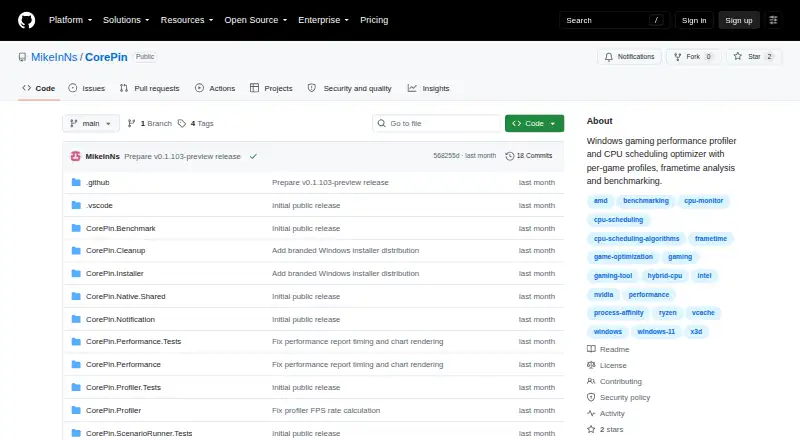
What CorePin is
CorePin is a free Windows utility for setting CPU behavior separately for games. It can manage core placement, scheduling, process priority, power behavior and background workloads. It detects processor topology and offers V-Cache, frequency, hybrid-core, cache-group, no-SMT and manual profiles. Its Windows service watches for configured game processes, applies saved settings at launch and restores temporary changes after exit. The game library can discover titles from Steam, Xbox app/Microsoft Store, Epic Games Store, GOG Galaxy, EA app, Ubisoft Connect, Battle.net, Amazon Games App and Meta PC VR. CorePin also supports supported VR companion placement and OpenXR launch behavior. Gameplay profiling reports FPS, frame-time, CPU/GPU behavior, memory, storage and available hardware telemetry; System Benchmark offers Quick, Full and Demo modes with repeatable CPU and DirectX workloads. CorePin operates locally without an account or product-usage telemetry collection. Its interface may make outbound HTTPS requests for release checks, artwork and provider metadata. It supports Windows 10 and 11; performance gains are not guaranteed.
Who it suits
It suits Windows 10 and 11 players who want per-game CPU profiles and gameplay metrics. The free license covers personal, hobby, educational, research and internal business use; commercial resale and paid redistribution are prohibited.
What it does well
- Free plan at no cost.
- Applies saved settings when configured games launch.
- Discovers games across multiple launchers.
- Records FPS, frame-time and hardware telemetry.
- No account or product-usage telemetry collection.
What to know first
- Windows only; requires Windows 10 or 11.
- Performance improvements are not guaranteed.
- No guaranteed support response or release schedule.
- Standalone ZIP requires the .NET 10 Desktop Runtime separately.
Limits
CorePin is free for personal, hobby, educational, research, and internal business use; commercial resale and paid redistribution are prohibited. It does not guarantee performance improvements, and results depend on the game, hardware, drivers, cooling, launchers, and other software.
Plans
| Plan | Billed and limits | Price |
|---|---|---|
| Free | 64-bit Windows 10/11 · personal, hobby, educational, research, and internal business use · commercial resale and paid redistribution prohibited | Free |
As github.com lists them, read 30 Sept 2026. The maker's own page has the final word.
Getting started
- Download the recommended setup installer from the CorePin GitHub website.
- Run the installer; it installs the application and required .NET Desktop Runtime when needed.
- Alternatively, download the standalone ZIP and provide the .NET 10 Desktop Runtime separately.
- Configure game profiles for titles discovered from supported launchers.
- The Windows service applies saved settings when configured games start.
CorePin is a free Windows utility for adjusting CPU behavior separately for each game. It suits players who want those settings applied automatically and prefer a tool that works locally. Its detailed controls are the draw; they do not guarantee faster performance, and the project offers no dependable support or release timetable.
Overview
CorePin combines per-game CPU configuration, launch automation, and performance reporting. It can change core placement, scheduling, process priority, power behavior, and background workloads, then restore temporary changes when a game exits. That makes it useful for players who want different settings for different titles without repeatedly adjusting them by hand. It is a weaker fit if you expect a guaranteed frame-rate improvement or ongoing product support.
The application requires no account or cloud backend and collects no product-usage telemetry. Its local service can monitor game launches and apply system changes, but it does not expose remote-management endpoints. The interface may make outbound HTTPS requests for release checks, game artwork, and provider metadata; profile editing and service operation remain available offline. This local-first design limits remote access, though it does not eliminate the service's ability to change CPU and power settings on the PC.
Key features
Profiles and automatic application
CorePin detects processor topology and offers V-Cache, frequency, hybrid-core, cache-group, no-SMT, and manual CPU profiles. Its Windows service watches for configured game processes, applies saved settings at launch, and restores temporary changes after exit. The combination is most useful for players who want repeatable, title-specific configuration; profile choices still need to suit the game and hardware.
Game discovery and VR
The library can discover games across Steam, Xbox app and Microsoft Store, Epic Games Store, GOG Galaxy, EA app, Ubisoft Connect, Battle.net, Amazon Games App, and Meta PC VR. CorePin also supports placement for supported VR companion applications and OpenXR launch behavior. Broad launcher coverage reduces setup across a mixed library, while VR support is specifically limited to supported companions and launch behavior.
Performance reports and benchmarks
Gameplay profiling records FPS, frame times, CPU and GPU behavior, memory, storage, and available hardware telemetry. System Benchmark offers Quick, Full, and Demo modes built around repeatable CPU and DirectX workloads. These tools give users measurements to compare, but CorePin does not guarantee an improvement: results depend on the game, hardware, drivers, cooling, launchers, and other software.
Pricing
CorePin has one plan: Free — free. It supports 64-bit Windows 10 and 11 for personal, hobby, educational, research, and internal business use. Commercial resale and paid redistribution are prohibited. There are no cheaper tiers with reduced controls to weigh against; the trade-off is that the project is a personal spare-time effort, with no guaranteed support response, release schedule, compatibility updates, feature delivery, or bug-fix timeline.
The recommended installer includes the application and installs the required .NET Desktop Runtime if needed. The standalone ZIP requires the .NET 10 Desktop Runtime separately, so the installer is the more straightforward choice for most users.
Platforms
CorePin supports 64-bit Windows 10 and Windows 11. It is not an option for players seeking a macOS or cross-platform utility.
Who it's for
Choose CorePin if you play on Windows, want per-game CPU controls applied automatically, and value local operation and built-in performance reporting. It is particularly relevant if you use several supported game launchers or want to compare gameplay and benchmark results. Look elsewhere if guaranteed gains, prompt support, or a predictable update schedule are essential.
Pros and cons
Pros
- Detailed per-game CPU control: Core placement, scheduling, priority, power behavior, and background workloads can be configured for individual games.
- Automation with cleanup: Saved settings apply when a configured game launches, and temporary changes are restored after it exits.
- Local operation: No account, cloud backend, or product-usage telemetry is required, and core service functions work offline.
- Useful measurement tools: Gameplay reports and repeatable CPU and DirectX benchmarks help users examine system behavior rather than rely only on impressions.
Cons
- No promised performance gain: Outcomes vary with the game, hardware, drivers, cooling, launchers, and other software.
- Uncertain ongoing support: There is no guaranteed response time, release cadence, compatibility update, or fix timeline.
- Windows only: The utility supports Windows 10 and 11, not other desktop platforms.
Alternatives
Gaming Optimizer is another free Windows option; consider it if an open-source project under the MIT license is a priority.
PC Game Booster may suit users seeking basic game optimizations, game management, automatic boosting on launch, or hard-drive defragmentation.
PotatoBoost is worth considering if its free plan's hardware detection, PC health, memory optimization, privacy cleanup, and startup and process tools better match your needs.
Smart Game Booster offers basic boosting and manual driver updates on its free plan; it may fit users focused on those functions.
Wise Game Booster is a free Windows download and supports Windows 7 through 11, including 32-bit systems, for users who need that broader OS range.
OpenGameBoost is another free Windows alternative.
Huawei HiSuite is a free Windows and Mac option, with its Mac version supporting picture, video, file, and backup/restore functions.
MAGIX Music Maker is a Windows music-making app rather than a game CPU utility; its free plan includes six Soundpools, three virtual instruments, and nine professional effects.
Browse Game Booster Software for more tools in the broader category, or Game Graphics Optimization Software for software focused on graphics optimization.
Verdict
CorePin is a strong fit for Windows players who want granular, per-game CPU settings, automatic application, and local performance reports without paying for a plan. Its central limitation is just as clear: tuning may not improve a particular game, and support or updates are not assured. Choose it for control and measurement, not for a guaranteed boost or a dependable support commitment.
Verdict
CorePin combines per-game CPU controls, automatic profiles and performance reporting in a local Windows utility. Its effects depend on the game and system, and the project provides no guaranteed support or update timeline.
Questions
How much does CorePin cost?
The Free plan costs nothing.
Which Windows versions does it support?
CorePin supports Windows 10 and Windows 11.
Does it require an account or cloud connection?
No account, cloud backend, inbound network connection, or product-usage telemetry collection is required. The interface may make outbound HTTPS requests for release checks, game artwork, and provider metadata.
How do I install CorePin?
The recommended setup installer installs the application and the required .NET Desktop Runtime when needed. The standalone ZIP requires the .NET 10 Desktop Runtime separately.
Which games can it find?
Its library can discover games from Steam, Xbox app/Microsoft Store, Epic Games Store, GOG Galaxy, EA app, Ubisoft Connect, Battle.net, Amazon Games App, and Meta PC VR.
Is support guaranteed?
No. CorePin is a personal spare-time project without guaranteed support response times, release schedules, compatibility updates, feature delivery, or bug-fix timelines.
Facts from CorePin's own pages
- Automatic application
- Its Windows service watches for configured game processes, applies saved settings at launch, and restores temporary changes after exit. · github.com, 30 Sept 2026
- Benchmarking
- System Benchmark provides Quick, Full, and Demo modes using repeatable CPU and DirectX workloads. · github.com, 30 Sept 2026
- CPU controls
- It controls CPU core placement, scheduling, process priority, power behavior, and background workloads per game. · github.com, 30 Sept 2026
- Game integrations
- The library can discover games from Steam, Xbox app/Microsoft Store, Epic Games Store, GOG Galaxy, EA app, Ubisoft Connect, Battle.net, Amazon Games App, and Meta PC VR. · github.com, 30 Sept 2026
- Installation
- The recommended setup installer installs the application and required .NET Desktop Runtime when needed, while the standalone ZIP requires the .NET 10 Desktop Runtime separately. · github.com, 30 Sept 2026
- Limitations
- CorePin does not guarantee performance improvements, and results depend on the game, hardware, drivers, cooling, launchers, and other software. · github.com, 30 Sept 2026
- Local operation
- CorePin requires no account, cloud backend, inbound network connection, web server, remote-control API, or product-usage telemetry collection. · github.com, 30 Sept 2026
- Network activity
- The UI may make outbound HTTPS requests for release checks, game artwork, and provider metadata, while profile editing and service operation remain available offline. · github.com, 30 Sept 2026
- Performance profiling
- It records gameplay and reports FPS, frame-time, CPU/GPU behavior, memory, storage, and available hardware telemetry. · github.com, 30 Sept 2026
- Profiles
- It detects processor topology and provides V-Cache, frequency, hybrid-core, cache-group, no-SMT, and manual CPU profiles. · github.com, 30 Sept 2026
- Purpose
- CorePin is a per-game CPU optimization utility for Windows games. · github.com, 30 Sept 2026
- Security model
- The local service can monitor process starts and apply affinity, priority, power-plan, and core-isolation behavior, but exposes no HTTP, TCP, UDP, named-pipe, or remote-management endpoint. · github.com, 30 Sept 2026
- Support
- It is a personal spare-time project with no guaranteed support response time, release schedule, compatibility updates, feature delivery, or bug-fix timeline. · github.com, 30 Sept 2026
- VR support
- CorePin supports supported VR companion placement and OpenXR launch behavior. · github.com, 30 Sept 2026
Where CorePin stands on Freedom251
- Game Booster Software#2 of 18
- Game Graphics Optimization Software#6 of 34
- Graphics optimisers#18 of 35