Freedom251 › RGB Lighting Software

ASUS Armoury Crate
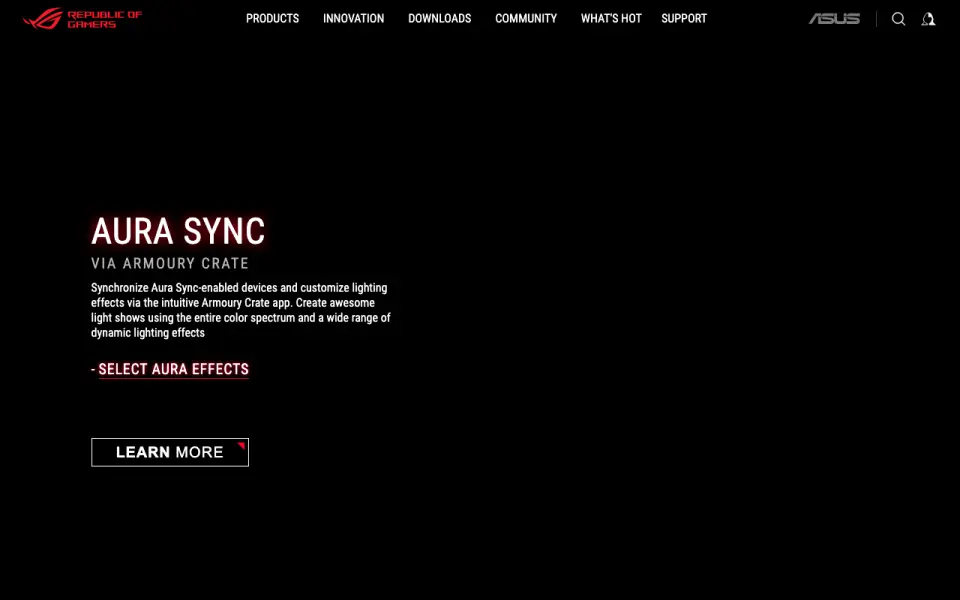
What ASUS Armoury Crate is
ASUS Armoury Crate is Windows software for managing an ASUS or ROG gaming PC and its supported components and peripherals. Depending on the device, it provides controls for lighting, firmware updates, macros, key or button assignments, fans, audio, and performance. Aura Sync coordinates lighting across supported devices, while Aura Creator provides a video-editing-style interface for building multi-layer LED effects. Scenario Profiles can automatically switch operating modes and system settings for individual apps and games. The Game Library organizes downloaded PC games, and Game Deals lists rotating discounts and weekly offers for ROG VIPs. Users can create a profile, register products, and download drivers, firmware, and apps through Armoury Crate. Supported device categories include headsets, graphics cards, power supplies, mice, motherboards, mousepads, CPU coolers, laptops, desktops, keyboards, and monitors. ASUS lists Windows 10 version 1903 or later and Windows 11 as supported operating systems. Installation options include a framework installer that detects connected devices and downloads components, or a full package for manual device selection and offline installation. Armoury Crate is free. ASUS notes that features vary by model, and Aura Sync no longer supports Xiaomi Light Strips.
Who it suits
Armoury Crate suits owners of ASUS or ROG gaming PCs who want device settings, lighting controls, updates, and game organization in one Windows app. It is also relevant to users who want Aura Sync lighting coordination or automatic profiles for apps and games.
What it does well
- Aura Sync coordinates lighting across supported devices.
- Aura Creator builds multi-layer LED effects.
- Scenario Profiles switch modes and settings for individual apps and games.
- Users can register products and download drivers, firmware, and apps.
- Framework and full-package installation options are available.
What to know first
- The desktop software supports Windows 10 version 1903 or later and Windows 11.
- Available controls and features vary by device model.
- Aura Sync no longer supports Xiaomi Light Strips.
Limits
Armoury Crate supports Windows 10 version 1903 or later and Windows 11. Device features vary by model, and Aura Sync has discontinued Xiaomi Light Strip support.
Getting started
- Open the Armoury Crate website.
- Choose the framework installer for connected-device detection or the full package for manual selection and offline installation.
- Install Armoury Crate, with the option to install it alone or together with Aura Creator.
- Create a profile and register products to access downloads for drivers, firmware, and apps.
Verdict
Choose Armoury Crate if you use supported ASUS or ROG hardware and want its settings, lighting, and downloads managed through a Windows app. Check device compatibility if you depend on a particular control, since features vary by model; Aura Sync no longer supports Xiaomi Light Strips.
Questions
How much does Armoury Crate cost?
Armoury Crate is free.
Which operating systems does it support?
ASUS lists Windows 10 version 1903 or later and Windows 11.
What kinds of devices can it manage?
Supported categories include headsets, graphics cards, power supplies, mice, motherboards, mousepads, CPU coolers, laptops, desktops, keyboards, and monitors. Feature availability varies by model.
Can Armoury Crate synchronize lighting?
Aura Sync coordinates lighting across supported devices. Aura Creator lets users create multi-layer LED effects.
How can I install it?
ASUS offers a framework installer that detects connected devices and downloads components, plus a full package for manual device selection and offline installation.
Does Aura Sync support Xiaomi Light Strips?
No. Aura Sync discontinued support for Xiaomi Light Strips because their manufacturer no longer maintains the lighting effect components.
Facts from ASUS Armoury Crate's own pages
- Aura Creator
- Aura Creator lets users create multi-layer LED lighting effects through a video-editing-style interface. · rog.asus.com, 4 Oct 2026
- Aura Sync
- Aura Sync synchronizes supported devices and lets users customize lighting effects. · rog.asus.com, 4 Oct 2026
- Compatibility limit
- Aura Sync has discontinued support for Xiaomi Light Strips because their manufacturer no longer maintains the lighting effect components. · asus.com, 4 Oct 2026
- Device compatibility
- ASUS notes that feature availability may vary by model, and its FAQ says more than 180 devices support Aura Sync. · rog.asus.com, 4 Oct 2026
- Device controls
- Listed controls include device lighting, firmware updates, macros, button or key assignment, fan control, audio, and performance settings, depending on device type. · rog.asus.com, 4 Oct 2026
- Founded
- 1989 · rog.asus.com, 28 Sept 2026
- Free plan
- Yes · rog.asus.com, 19 Sept 2026
- Game library and deals
- Game Library organizes downloaded PC games, while Game Deals lists rotating discounts and weekly offers for ROG VIPs. · rog.asus.com, 4 Oct 2026
- Headquarters
- Taipei, Taiwan · rog.asus.com, 28 Sept 2026
- Installation options
- ASUS offers a framework installer that detects connected devices and downloads components, plus a full installation package for manual device selection and offline installation. · rog.asus.com, 4 Oct 2026
- Installer options
- The ASUS support FAQ says users can install Armoury Crate alone or install it together with Aura Creator. · asus.com, 4 Oct 2026
- Mobile app
- The Armoury Crate FAQ includes a mobile app section and connection troubleshooting, but the product page describes the desktop app for managing a PC. · asus.com, 4 Oct 2026
- Operating system
- ASUS lists Windows 10 version 1903 or later and Windows 11 as supported operating systems. · asus.com, 4 Oct 2026
- Pricing
- The official product page provides downloads and does not state a price. · rog.asus.com, 4 Oct 2026
- Purpose
- Armoury Crate manages a gaming PC from setup to RGB lighting and provides updates, drivers, manuals, offers, and gaming peer connections. · rog.asus.com, 4 Oct 2026
- Scenario profiles
- Scenario Profiles can switch operating modes and system settings automatically for individual apps and games. · rog.asus.com, 4 Oct 2026
- Support
- ASUS directs users with installation problems to its troubleshooting instructions and Armoury Crate Lite Log Tool, whose logs can be sent to ASUS customer service. · asus.com, 4 Oct 2026
- Supported devices
- The app supports configuration for ASUS and ROG components and peripherals including headsets, graphics cards, mice, motherboards, laptops, keyboards, and monitors; feature availability may vary by model. · rog.asus.com, 4 Oct 2026
- Supported hardware
- The listed device categories include headsets, graphics cards, power supplies, mice, motherboards, mousepads, CPU coolers, laptops and desktops, keyboards, and monitors. · rog.asus.com, 4 Oct 2026
- Updates and registration
- Users can create a profile, register products, and download drivers, firmware, and apps through Armoury Crate. · rog.asus.com, 4 Oct 2026
- Windows support
- ASUS says Armoury Crate supports Windows 10 (Creators Update/1903 or later) and Windows 11. · asus.com, 4 Oct 2026
Where ASUS Armoury Crate stands on Freedom251
- RGB Lighting Software#7 of 33
- Game Booster Software#4 of 18
- Keyboard and Mouse Customization Software#43 of 105
- PC Overclocking Software#14 of 31