Freedom251 › RGB Lighting Software

Nexus
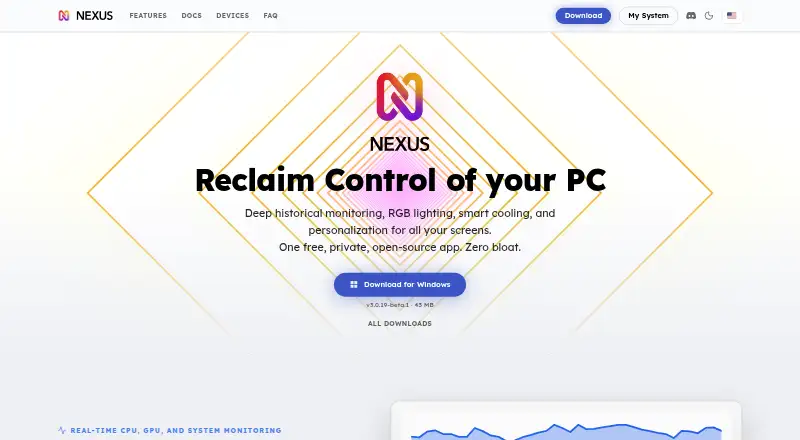
What Nexus is
Nexus brings PC hardware monitoring, cooling controls, and RGB lighting together in one app. It displays live readings for CPU, GPU, memory, network, disk, fans, and temperatures, and keeps per-game FPS history on Windows. Its lighting engine supports screen sync, audio sync, and Game Sync. Users can set fan and pump curves using any system temperature sensor or leave selected devices on their BIOS or firmware settings. Nexus runs on 64-bit Windows 10 or 11, Apple Silicon Macs, and x86-64 Linux; it has no builds for Windows on ARM, Intel Macs, or ARM Linux. Hardware compatibility depends on the exact model. The app works locally and offline without an account, with optional anonymous telemetry controlled in settings. A phone browser can serve as a remote panel, using an encrypted relay outside the home network and a direct connection when possible. Profile sync is optional and stores up to five profiles of 512 KB each. Nexus is free, with no paid tiers or subscription.
Who it suits
Nexus suits people who want to monitor PC hardware, adjust cooling, and manage RGB lighting in one place. It is also suitable for users who want local offline operation or a browser-based phone remote.
What it does well
- Shows live readings across seven hardware categories.
- Supports screen, audio, and game lighting sync.
- Fan curves can use any system temperature sensor.
- Works locally and offline without an account.
- Free with no paid tiers or subscription.
What to know first
- No builds for Windows on ARM, Intel Macs, or ARM Linux.
- Mobile companion apps are not in app stores yet.
- Hardware compatibility depends on the exact model.
Limits
Nexus has builds for 64-bit Windows 10 or 11, Apple Silicon Macs, and x86-64 Linux, but none for Windows on ARM, Intel Macs, or ARM Linux. Optional profile sync is limited to five profiles of 512 KB each. Hardware and integration support depend on the exact model.
Plans
| Plan | Billed and limits | Price |
|---|---|---|
| Free | No ads · no paid tiers · no subscription · no account required | Free |
As hellonexus.com lists them, read 30 Sept 2026. The maker's own page has the final word.
Getting started
- Visit https://hellonexus.com/.
- Choose a build for 64-bit Windows 10 or 11, an Apple Silicon Mac, or x86-64 Linux.
- Use Nexus locally without creating an account.
- For phone remote control, open a phone browser as the remote panel.
- Consult the docs or FAQ for setup and troubleshooting, or contact the team and community on Discord.
Overview
Nexus brings PC monitoring, fan and pump control, and RGB lighting into one app, making it a fit for people who want a single control surface for a compatible desktop setup. Its breadth is useful, but support varies by device model, so it is a poor choice to depend on before checking the hardware it needs to control.
Key features
Monitoring and cooling
Live readings span CPU, GPU, memory, network, disk, fan, and temperature data. Windows users also get per-game FPS history, a useful addition for relating performance to individual games; that history is not a cross-platform feature. Fan and pump curves can respond to any system temperature sensor, while selected devices can remain under BIOS or firmware control. That flexibility suits users who want custom cooling behavior without requiring every device to leave its existing settings.
Lighting and integrations
Nexus offers a GPU-rendered lighting engine with screen sync, audio sync, and Game Sync, plus addressable RGB control, cross-device sync, and lighting profiles. Its own drivers and bundled OpenRGB build widen RGB coverage, and the app lists integrations with Corsair iCUE, ASUS Aura Sync, MSI Mystic Light, Lian Li L-Connect, FanControl, and Elgato Stream Deck. The practical caveat is substantial: compatibility depends on the exact model. Treat those controls as a potential consolidation point, not a guarantee that every component in a mixed setup will work.
Phone remote and privacy
A phone browser can act as a remote panel; outside-home access uses an encrypted relay and switches to a direct connection when possible. Nexus says remote sessions are end-to-end encrypted and the relay cannot read the forwarded data. There are no iOS or Android companion apps in the app stores yet, so mobile use is through the browser rather than a dedicated app. Nexus works locally and offline without an account. Optional anonymous usage telemetry is controlled in settings, and optional profile sync stores up to five profiles of 512 KB each, excluding authentication tokens and listed third-party credentials.
Pricing
The Free plan costs nothing. It has no ads, paid tiers, subscription, or account requirement, and there is no free trial because the plan is free. That makes it suitable for users who want the full stated offering without recurring charges; there is no paid upgrade tier for additional capacity. Profile sync is optional and capped at five profiles of 512 KB each, while the app’s local, offline operation does not require an account.
Platforms
Nexus runs on 64-bit Windows 10 or 11, Apple Silicon Macs, and x86-64 Linux. It has no builds for Windows on ARM, Intel Macs, or ARM Linux, which rules it out for those systems. The phone-browser remote is distinct from native mobile support: iOS and Android companion apps are not in app stores.
Who it's for
Nexus is best suited to PC owners who want monitoring, custom cooling, and coordinated lighting in one place, especially Windows users who value per-game FPS history. It also makes sense for Apple Silicon Mac and x86-64 Linux users seeking the core desktop app. It is not the safe pick for anyone whose setup depends on a specific unsupported model or one of the excluded processor architectures.
Pros and cons
- Pros: Combines live system readings, fan and pump curves, and RGB features, reducing the need to split those tasks across tools when hardware is compatible.
- Pros: Free with no ads, subscription, or required account, and it can operate locally and offline.
- Pros: Browser-based remote access includes an encrypted relay for connections outside the home network.
- Cons: Device-model compatibility determines whether the promised control and integrations work for a particular setup.
- Cons: No native iOS or Android companion app is in the app stores; the phone remote uses a browser.
- Cons: Windows on ARM, Intel Macs, and ARM Linux are unsupported.
Alternatives
OpenRGB is the clearer choice for readers who specifically want free, open-source RGB software under the GNU General Public License version 2; Nexus is broader, combining lighting with monitoring and cooling. SignalRGB suits Windows users who want a free tier with a standard content library, basic cooling and monitoring, and two macros, or who may want its Pro tier’s full content library and advanced features. Logitech G HUB is a narrower option for Logitech G gaming mice, with free LIGHTSYNC RGB customization, device configuration and presets, and game profiles.
Razer Synapse, SteelSeries Moments, Aurora RGB, GALAX Xtreme Tuner Plus, and Razer Chroma App are other free-plan alternatives.
For broader browsing, see RGB Lighting Software, Desktop Widget Software, and PC Benchmark Software.
Verdict
Choose Nexus if you want one free, account-optional app for PC readings, cooling curves, RGB effects, and a browser-based phone remote. Its strongest advantage is that combination without a subscription; its main reason to look elsewhere is the model-specific compatibility risk, compounded by the lack of native mobile apps and support for several common processor architectures.
Verdict
Nexus combines monitoring, cooling, lighting, and a phone-browser remote, and its free plan has no subscription. Check operating-system and device-model compatibility before relying on a particular setup.
Questions
How much does Nexus cost?
The Free plan costs nothing. It has no ads, paid tiers, subscription, or account requirement.
Which platforms can run Nexus?
Nexus runs on 64-bit Windows 10 or 11, Apple Silicon Macs, and x86-64 Linux. It has no builds for Windows on ARM, Intel Macs, or ARM Linux.
Do I need an account to use it?
No. Nexus works locally and offline without an account.
Are there iOS and Android apps?
Companion apps for iOS and Android are not yet in the app stores. A phone browser can act as a remote panel.
Which RGB and control tools does it list?
Listed tools include Corsair iCUE, ASUS Aura Sync, MSI Mystic Light, Lian Li L-Connect, FanControl, and Elgato Stream Deck. Compatibility depends on the device model.
Who makes Nexus?
The privacy policy identifies Hello Nexus as a company registered in California, United States.
Facts from Nexus's own pages
- Account data
- Optional profile sync stores up to five profiles of 512 KB each and excludes authentication tokens and listed third-party credentials. · hellonexus.com, 30 Sept 2026
- Cooling
- Users can draw fan and pump curves driven by any system temperature sensor, or leave selected devices on their BIOS or firmware settings. · hellonexus.com, 30 Sept 2026
- Free plan
- Yes · hellonexus.com, 19 Sept 2026
- Hardware coverage
- Nexus uses its own device drivers and a bundled OpenRGB build for broader RGB hardware coverage; support depends on the exact model. · hellonexus.com, 30 Sept 2026
- Integrations
- The app lists support across RGB tools including Corsair iCUE, ASUS Aura Sync, MSI Mystic Light, and Lian Li L-Connect, plus tools such as FanControl and Elgato Stream Deck; compatibility depends on device model. · hellonexus.com, 30 Sept 2026
- Lighting
- Its GPU-rendered lighting engine supports screen sync, audio sync, and Game Sync. · hellonexus.com, 30 Sept 2026
- Maker
- The privacy policy identifies Hello Nexus as a company registered in California, United States. · hellonexus.com, 30 Sept 2026
- Mobile apps
- Companion apps for iOS and Android are not in the app stores yet. · hellonexus.com, 30 Sept 2026
- Monitoring
- It shows live CPU, GPU, memory, network, disk, fan, and temperature readings, with per-game FPS history on Windows. · hellonexus.com, 30 Sept 2026
- Phone remote
- A phone browser can act as a remote panel; access from outside the home network uses an encrypted relay and switches to direct connection when possible. · hellonexus.com, 30 Sept 2026
- Platforms and limits
- Nexus runs on 64-bit Windows 10 or 11, Apple Silicon Macs, and x86-64 Linux; there are no builds for Windows on ARM, Intel Macs, or ARM Linux. · hellonexus.com, 30 Sept 2026
- Privacy
- The app works locally and offline without an account, while optional anonymous usage telemetry can be controlled in settings. · hellonexus.com, 30 Sept 2026
- Purpose
- Nexus combines PC hardware monitoring, fan and pump control, and RGB lighting in one app. · hellonexus.com, 30 Sept 2026
- Security
- Nexus says remote sessions are end-to-end encrypted and its relay forwards encrypted data it cannot read. · hellonexus.com, 30 Sept 2026
- Support
- Users can get setup and troubleshooting help through the docs and FAQ, or contact the team and community on Discord. · hellonexus.com, 30 Sept 2026
Where Nexus stands on Freedom251
- RGB Lighting Software#3 of 33
- Desktop Widget Software#7 of 29
- PC Benchmark Software#22 of 73
- PC benchmark tools#35 of 70