Freedom251 › Game Booster Software

PC Game Booster
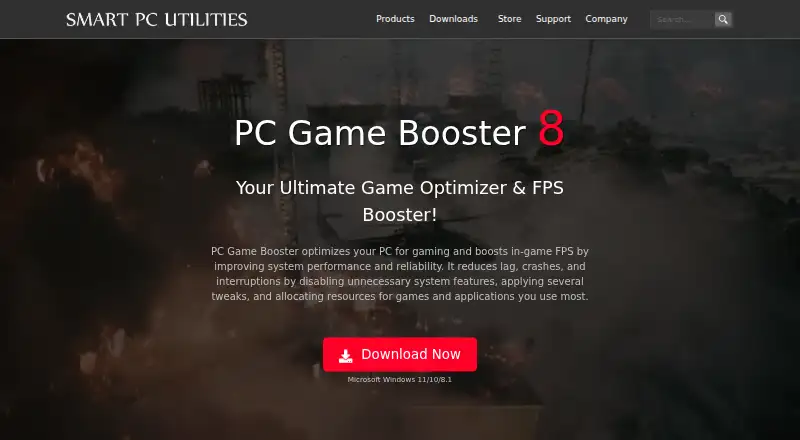
What PC Game Booster is
PC Game Booster is Windows software for adjusting system resources and settings for gaming. Its game manager imports titles from Microsoft Store, Battle.net, Steam, Epic Games, Ubisoft Connect, and other platforms, and lets users add games manually. It can allocate CPU, memory, and disk resources to active games and applications while restricting unnecessary background processes. The System Optimizer adjusts system, internet, application, and visual-effect settings to reduce lag and interruptions. A hardware monitor tracks component temperatures and provides alerts when readings exceed optimal levels. The software does not overclock hardware; users can reverse its optimizations by turning off Game Mode or restarting Windows. The Free plan includes basic game optimizations, game management, automatic boosting on launch, and monitoring. Pro adds real-time FPS, RAM, and network optimization, hardware monitoring, automatic updates, and 24/7 priority support. PC Game Booster Pro is $1.58 a year, billed yearly, and a 30-day trial is available. It requires Windows 8.1, 10, or 11 and .NET Framework 4.8 or later. Each Pro license code is valid for one PC.
Who it suits
It suits Windows users who want to manage game launches, background processes, system settings, and component temperatures. Pro licensing is limited to one PC per code.
What it does well
- Imports games from several listed platforms.
- Users can add games manually.
- Includes component temperature alerts.
- Optimizations can be reversed.
- Free plan includes automatic boosting on launch.
What to know first
- Supports Windows only.
- Pro license code covers one PC.
- Requires .NET Framework 4.8 or later.
- Pro costs $1.58 a year, billed yearly.
Limits
The Free plan includes basic game optimizations, game management, automatic boosting on launch, hard-drive defragmentation, and system monitoring. Each Pro license code covers one PC.
Plans
| Plan | Billed and limits | Price |
|---|---|---|
| PC Game Booster Free | Basic game optimizations · Suspend unnecessary system features · Game management · Automatic boost on launch · Hard-drive defragmentation · System monitoring | Free |
| PC Game Booster Pro | $18.95 per year, billed annually · Premium optimizations · Real-time FPS booster · RAM optimization · Network optimization · Hardware monitoring · Automatic updates · 24/7 priority support | $18.95 a year |
As smartpcutilities.com lists them, read 1 Oct 2026. The maker's own page has the final word.
Getting started
- Visit the PC Game Booster website.
- Install it on a PC running Windows 8.1, 10, or 11 with .NET Framework 4.8 or later.
- Import games from supported platforms or add titles manually.
- Use the Free plan or evaluate Pro with its 30-day trial.
- Choose a Pro license for one PC if you want the paid edition.
PC Game Booster is a Windows utility that combines game-library management with automatic resource tuning and hardware-temperature alerts. It suits players whose games are spread across several launchers and who want a reversible one-click boost rather than manual process management. The free edition is useful for basic housekeeping, while the annual Pro license is the more complete performance package.
Overview
The software brings game discovery, launch-time optimization, system controls, and monitoring into one interface. It imports games from Microsoft Store, Battle.net, Steam, Epic Games, Ubisoft Connect, and Ubisoft Connect, among other platforms, and lets you add titles manually when automatic detection misses them. That makes it a practical organizer for a mixed library, not merely a switch that changes Windows settings.
Its main trade-off is the split between editions. Free covers foundational optimization and monitoring, but the more active resource-allocation and tuning capabilities are associated with Pro. Users seeking only a launcher and basic cleanup may not need to pay; players chasing fewer interruptions across demanding games have a stronger case for the upgrade.
Key features
Automatic game detection, automatic boost on launch, and one-click control reduce the work required before playing. The manager's support for major PC storefronts and manual additions is particularly helpful when a library is distributed among several clients.
During a session, PC Game Booster allocates CPU, memory, and disk resources to active games and applications while restricting unnecessary background processes. Its process-management approach targets interruptions without requiring users to close tasks individually. The System Optimizer extends that approach to system, internet, application, and visual-effect settings, aiming to reduce lag and crashes through broader Windows tuning.
The hardware monitor tracks CPU, GPU, motherboard, and other component temperatures and can alert you when readings exceed optimal levels. It does not overclock hardware, which limits its appeal to enthusiasts looking for frequency tuning but lowers the risk of aggressive hardware changes. Game Mode changes can be reversed by disabling Game Mode or restarting Windows, so experimentation is relatively easy to undo.
Pricing
PC Game Booster Free — free: The no-cost edition includes basic game optimizations, suspension of unnecessary system features, game management, automatic boost on launch, hard-drive defragmentation, and system monitoring. It is the sensible starting point for occasional players who want organization and baseline maintenance without a subscription.
PC Game Booster Pro — $18.95 a year: This is a one-year license, equivalent to the advertised $1.58 per month when paid annually. A 30-day Pro trial lets you evaluate the paid edition before committing. The store allows the device count to be selected, while each license code is valid for one PC; additional licenses are offered at a reduced price. Pro also includes 24/7 priority support. Choose it when resource allocation and deeper system tuning matter enough to justify an annual fee, rather than expecting the free edition to provide every performance control.
Platforms
PC Game Booster supports Windows 8.1, 10, and 11, including 64-bit versions, and requires .NET Framework 4.8 or later. Its interface is available in Simplified Chinese, English, French, German, Italian, Japanese, Portuguese, Russian, and Spanish. There is no macOS, Linux, or self-hosted edition.
Who it's for
This is a good fit for Windows players who use multiple game launchers, want automatic optimization when a title starts, and value temperature warnings without overclocking. It is also appropriate for users who prefer reversible, system-wide tuning in a single utility. Look elsewhere if you need a non-Windows tool, advanced hardware overclocking, or a purely game-library-focused application with no system adjustments.
Pros and cons
- Pros: Imports games from major PC stores and supports manual additions, so fragmented libraries remain manageable.
- Pros: CPU, memory, and disk allocation plus background-process restriction address several common sources of interruptions at once.
- Pros: Temperature tracking and alerts cover key components without applying overclocking changes.
- Pros: Free edition, 30-day Pro trial, and reversible Game Mode changes make it easy to start cautiously.
- Cons: The free tier is limited to basic optimization, management, defragmentation, and monitoring, so users wanting the fullest tuning controls must pay.
- Cons: A Pro code is tied to one PC, which can complicate use across several computers unless you buy additional licenses.
- Cons: Windows-only support excludes players on macOS and Linux.
Alternatives
Browse Game Booster Software for a wider category comparison, or Game Graphics Optimization Software when graphics-specific tools are the priority.
Huawei HiSuite is a free Windows and macOS utility centered on Huawei device management, not PC game boosting. CorePin is a free 64-bit Windows tool for personal, hobby, educational, research, and internal business use. Feral GameMode is a free Linux daemon and library for Linux users. Gaming Optimizer is a free, MIT-licensed Windows project. MAGIX Music Maker is a freemium Windows music-production application. PotatoBoost is a freemium Windows optimizer with hardware detection, memory tools, privacy cleanup, and startup controls. Razer Game Clips is free cloud clip storage requiring Razer Cortex and a Razer ID. Smart Game Booster offers free basic boosting and manual driver updates, with a paid VIP tier.
Verdict
Choose PC Game Booster if you want one Windows utility to organize games across launchers, apply automatic resource and system tuning, and watch component temperatures without overclocking. The free plan is a credible basic manager; Pro is worthwhile for players who need the broader optimization set and priority support. Look elsewhere if you play on macOS or Linux, require multi-PC licensing by default, or want specialized graphics or hardware controls instead of general Windows tuning.
Verdict
PC Game Booster combines game management, resource allocation, system tuning, and temperature monitoring, with a free plan and a Pro tier. Its Pro license is for one PC, and the software requires a supported Windows version and .NET Framework 4.8 or later.
Questions
What does PC Game Booster cost?
The Free plan costs nothing. Pro costs $18.95 a year, and a 30-day Pro trial is available.
Which operating systems does it support?
It supports Windows 8.1, 10, and 11, including 64-bit versions, and requires .NET Framework 4.8 or later.
Can it import games from other platforms?
Yes. It imports from Microsoft Store, Battle.net, Steam, Epic Games, Ubisoft Connect, and other platforms. Games can also be added manually.
Does it overclock hardware?
No. Its optimizations can be reversed by turning off Game Mode or restarting Windows.
How many computers can use a Pro license?
Each PC Game Booster Pro license code is valid for one PC. Additional licenses are available at a reduced price.
Facts from PC Game Booster's own pages
- Company
- Smart PC Utilities describes itself as a software developer focused on system utility and security software. · smartpcutilities.com, 1 Oct 2026
- Founded
- 2008 · smartpcutilities.com, 23 Sept 2026
- Game integrations
- The game manager imports games from Microsoft Store, Battle.net, Steam, Epic Games, Ubisoft Connect, and other platforms. · smartpcutilities.com, 1 Oct 2026
- Hardware monitoring
- The hardware monitor tracks CPU, GPU, motherboard, and other component temperatures and provides alerts when temperatures exceed optimal levels. · smartpcutilities.com, 1 Oct 2026
- Languages
- The interface supports Simplified Chinese, English, French, German, Italian, Japanese, Portuguese, Russian, and Spanish. · smartpcutilities.com, 1 Oct 2026
- License limit
- Each PC Game Booster Pro license code is valid for one PC, with additional licenses available at a reduced price. · smartpcutilities.com, 1 Oct 2026
- Manual games
- Users can manually add games that are not found in the imported game list. · smartpcutilities.com, 1 Oct 2026
- Privacy
- Smart PC Utilities says it collects personal data on its website only as necessary for technical purposes and will not sell or disclose it for other reasons. · smartpcutilities.com, 1 Oct 2026
- Purpose
- PC Game Booster optimizes PCs for gaming, boosts in-game FPS, and reduces lag, crashes, and interruptions. · smartpcutilities.com, 1 Oct 2026
- Real-time optimization
- The software allocates CPU, memory, and disk resources to active games and applications while restricting unnecessary background processes. · smartpcutilities.com, 1 Oct 2026
- Requirements
- The software requires Microsoft Windows 8.1, 10, or 11, including 64-bit versions, and .NET Framework 4.8 or later. · smartpcutilities.com, 1 Oct 2026
- Safety
- PC Game Booster does not overclock hardware, and its optimizations can be reversed by turning off Game Mode or restarting Windows. · smartpcutilities.com, 1 Oct 2026
- Support
- The Pro edition includes 24/7 priority support, and Smart PC Utilities provides support tickets, FAQs, license recovery, and product manuals. · smartpcutilities.com, 1 Oct 2026
- System controls
- Its System Optimizer tunes system, internet, application, and visual-effect settings to reduce lag and interruptions. · smartpcutilities.com, 1 Oct 2026
- Trial
- A 30-day trial version of PC Game Booster Pro is available for evaluation. · smartpcutilities.com, 1 Oct 2026
Where PC Game Booster stands on Freedom251
- Game Booster Software#5 of 18
- Graphics optimisers#17 of 35
- Game Graphics Optimization Software#18 of 34