Freedom251 › Game Graphics Optimization Software
NVIDIA Profile Inspector
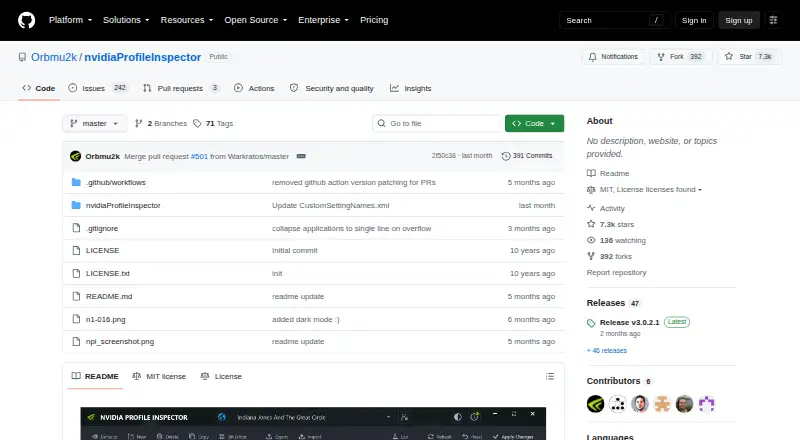
What NVIDIA Profile Inspector is
NVIDIA Profile Inspector is a free, open-source Windows utility for editing NVIDIA driver profiles through the NVIDIA Driver Settings API. Intended for advanced users, it can view and change global and per-application profiles, add or remove applications, and create custom profiles. The settings include common and known options as well as extended entries that may be hidden or undocumented. Users can import or export .nip backups and NVIDIA text-format profile dumps, then restore individual settings, full profiles or driver defaults. Where the installed NVIDIA driver supports them, profile entries can include overrides for DLSS, DLSS Ray Reconstruction and DLSS Frame Generation. The utility can check GitHub releases and offers Release and Pre-release update channels. Command-line startup options include importing .nip files, exporting customized profiles and launching with customized settings only. It requires Windows, a compatible NVIDIA GPU and display driver, .NET Framework 4.8, and administrator privileges to write profile changes. Many exposed settings are experimental, deprecated, undocumented or driver-specific, and may cause problems or have no effect on some configurations.
Who it suits
This tool is intended for advanced Windows users who want to control NVIDIA driver profiles globally or for particular games and applications. It requires a compatible NVIDIA GPU and driver, .NET Framework 4.8, and administrator privileges for profile changes.
What it does well
- Edits global and per-application profiles
- Imports and exports .nip backups
- Can restore settings, profiles or driver defaults
- Supports driver-dependent DLSS override entries
What to know first
- Windows only
- Requires a compatible NVIDIA GPU and driver
- Administrator privileges needed to write changes
- Some settings may cause issues or do nothing
Limits
The free plan includes the profile-editing tool, but some exposed settings are hidden, experimental, deprecated, driver-version-specific, or undocumented. They may cause issues or have no effect on other configurations.
Plans
| Plan | Billed and limits | Price |
|---|---|---|
| NVIDIA Profile Inspector | Windows · compatible NVIDIA display driver and GPU · .NET Framework 4.8 · administrator privileges required to write profile changes | Free |
As github.com lists them, read 4 Oct 2026. The maker's own page has the final word.
Getting started
- Open the project website on GitHub.
- Use a Windows system with a compatible NVIDIA GPU and display driver.
- Ensure .NET Framework 4.8 is available.
- Run with administrator privileges to write profile changes.
- Choose the Release or Pre-release channel when checking GitHub releases.
Verdict
NVIDIA Profile Inspector offers detailed profile editing and backup controls at no cost. Its extended settings can be configuration-dependent, so users should account for the listed compatibility limits and administrator requirement.
Questions
How much does NVIDIA Profile Inspector cost?
The listed plan is free.
Is NVIDIA Profile Inspector open source?
Yes. The repository states that it is released under the MIT License.
Which platforms does it support?
It supports Windows and requires a compatible NVIDIA display driver and GPU, plus .NET Framework 4.8.
Can I use it for individual games?
Yes. It can view and edit per-application profiles, add or remove applications, and create custom profiles.
Does it support DLSS overrides?
It supports override entries for DLSS, DLSS Ray Reconstruction, and DLSS Frame Generation when the installed NVIDIA driver supports them.
Does it have a free trial?
No free trial is listed; the plan is free.
Facts from NVIDIA Profile Inspector's own pages
- Audience
- The tool is intended for advanced users who want control over game and application driver profiles. · github.com, 4 Oct 2026
- Command line
- Startup options include importing .nip files, exporting customized profiles, and starting with customized settings only. · github.com, 4 Oct 2026
- Compatibility limits
- The project says many exposed settings are hidden, experimental, deprecated, driver-version-specific, or undocumented, and may cause issues or do nothing on other configurations. · github.com, 4 Oct 2026
- DLSS overrides
- It supports DLSS, DLSS Ray Reconstruction, and DLSS Frame Generation override entries where the installed NVIDIA driver supports them. · github.com, 4 Oct 2026
- Import and export
- It supports importing and exporting .nip profile backups and NVIDIA text-format profile dumps. · github.com, 4 Oct 2026
- License
- The repository states that NVIDIA Profile Inspector is released under the MIT License. · github.com, 4 Oct 2026
- Profile editing
- It can view and edit global and per-application profiles, add or remove applications, and create custom profiles. · github.com, 4 Oct 2026
- Purpose
- NVIDIA Profile Inspector edits NVIDIA driver profiles through the NVIDIA Driver Settings API. · github.com, 4 Oct 2026
- Restore
- Users can restore individual settings, whole profiles, or driver defaults. · github.com, 4 Oct 2026
- Security and permissions
- Administrator privileges are required to write changes to the NVIDIA driver profile database. · github.com, 4 Oct 2026
- Settings
- It exposes common, known, and extended settings, including hidden or undocumented profile settings. · github.com, 4 Oct 2026
- Support
- The project welcomes bug reports, setting updates, compatibility notes, and pull requests through its repository. · github.com, 4 Oct 2026
- System requirements
- The project requires Windows, a compatible NVIDIA display driver and GPU, .NET Framework 4.8, and administrator privileges to write profile changes. · github.com, 4 Oct 2026
- Updates
- The app can check GitHub releases and provides Release and Pre-release channel selection. · github.com, 4 Oct 2026
Where NVIDIA Profile Inspector stands on Freedom251
- Game Graphics Optimization Software#13 of 34
- Graphics optimisers#20 of 35