Freedom251 › Development Environment Managers
FVM
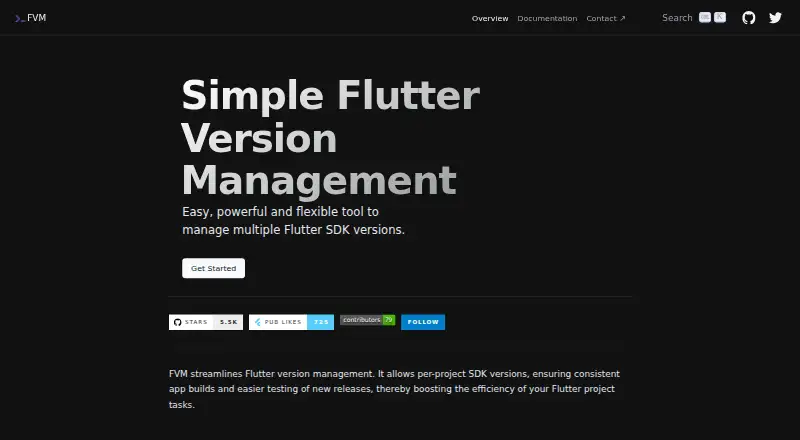
What FVM is
FVM is a free tool for managing Flutter SDK versions by project. A project’s `.fvmrc` file can pin its Flutter version and include project-specific settings and flavors, helping teams keep builds consistent while different projects use different SDK versions. FVM switches among installed versions without downloading them again. It can identify SDKs not referenced by projects, preview cleanup candidates, and remove unused versions with `fvm cleanup`. The maker describes it as suitable for CI/CD automation and supports custom Flutter repositories. FVM runs on macOS, Linux, and Windows, with architecture support varying by system. Installation options include a shell script, Homebrew, Chocolatey, Pub, and standalone packages. FVM can update VS Code settings so the Dart Code extension uses the project’s managed SDK. Android Studio and IntelliJ settings must be configured separately. Documentation also covers JSON API commands, Melos monorepos, and Dart MCP server setup. FVM stores known project-root paths in a machine-local file and says it does not scan disks. It is MIT-licensed and free.
Who it suits
FVM suits Flutter developers and teams that need to pin SDK versions per project or automate version management in CI/CD. It can also help teams using custom Flutter repositories.
What it does well
- Pins a Flutter SDK version for each project.
- Switches between installed SDKs without redownloading.
- Includes cleanup previews and unused-SDK removal.
- Supports CI/CD commands and custom Flutter repositories.
- Available for macOS, Linux, and Windows.
What to know first
- Android Studio and IntelliJ require separate SDK configuration.
- Supported architectures vary by operating system.
- Known project paths are stored locally as absolute paths.
Plans
| Plan | Billed and limits | Price |
|---|---|---|
| FVM | Open-source Flutter SDK version management · macOS, Linux, and Windows | Free |
As fvm.app lists them, read 2 Oct 2026. The maker's own page has the final word.
Getting started
- Open the FVM website or documentation.
- Install FVM using its shell script, Homebrew, Chocolatey, Pub, or a standalone GitHub package.
- Configure the project’s Flutter version in `.fvmrc`.
- Configure VS Code to use the FVM-managed SDK, or set the FVM SDK path separately in Android Studio or IntelliJ.
- Use FVM commands to switch among installed versions or manage SDK cleanup.
FVM is a free tool for managing Flutter SDK versions separately for each project. It suits Flutter developers and teams that need a shared version pin across development and CI; its narrow focus is useful, though IDE setup outside VS Code takes extra configuration.
Overview
FVM lets projects use different installed Flutter SDK versions, switching between them without downloading Flutter again. A project’s .fvmrc records its chosen version and can also hold project-specific settings and flavors, giving teammates a common reference for builds.
This is a dedicated Flutter SDK manager rather than a general environment manager. Its MIT license and open-source community model suit teams comfortable with community-led software. Documentation and GitHub feedback are the stated support routes.
Key features
Project pins and team consistency
Pinning a version per project is valuable when a team maintains multiple Flutter apps or needs development environments to match CI. The shared .fvmrc helps reduce version drift, provided developers and automation use the project’s configured SDK rather than another Flutter installation.
SDK cache and automation
FVM can identify SDKs that no project references, preview cleanup candidates, and remove unused versions with fvm cleanup. That offers a more deliberate way to reclaim space than deleting SDKs without checking whether projects still rely on them. Its commands are intended for CI/CD automation, making it suitable for workflows that need to select the project’s pinned version.
IDE and developer integrations
FVM can detect VS Code and update .vscode/settings.json so the Dart Code extension uses the project-managed SDK. Android Studio and IntelliJ do not receive the same automatic settings update; developers must point those IDEs to the FVM SDK path themselves. That makes FVM a smoother fit for VS Code-oriented teams than for teams expecting uniform IDE configuration.
JSON API commands expose installed SDKs, releases, cleanup data, environment context, and project configuration for scripts and integrations. The Dart MCP server can be directed to .fvm/flutter_sdk so AI assistants use the project’s pinned SDK. Custom Flutter repositories are supported through fork configuration.
Pricing
| Plan | Price | Includes |
|---|---|---|
| FVM | free | Open-source Flutter SDK version management on macOS, Linux, and Windows |
FVM is free, with no trial or paid tier to compare. The free plan is the whole product rather than a capped entry tier, and its MIT license permits open-source use. There are no seat or usage quotas to weigh against a subscription.
Platforms
FVM supports macOS, Linux, and Windows, with standalone packages for macOS x64 and arm64, Linux x64, arm64, and riscv64, and Windows x64 and arm64. Installation options include a shell script, Homebrew, Chocolatey, Pub, and standalone GitHub packages. The project also documents Melos monorepo configuration and Android Studio and IntelliJ setup.
FVM keeps known project-root paths in a machine-local projects.json file and does not scan disks for projects. Those paths are absolute, so the record is local to the machine rather than a portable team inventory.
Who it's for
FVM is best for Flutter developers or teams maintaining projects that need different SDK versions, especially when consistent local and CI builds matter. It is also a practical choice for teams that want to manage installed SDK clutter or use scripts against project-specific SDK configuration. Developers who rely on Android Studio or IntelliJ should be prepared to configure the SDK path separately.
Pros and cons
- Project-specific versions: Different projects can pin different Flutter SDKs, avoiding repeated reinstalls when switching work.
- Shared configuration: The .fvmrc gives teammates and automation a common project version to follow.
- Controlled cleanup: Previewing unused SDK candidates before running cleanup helps avoid removing versions still referenced by projects.
- Multiple integration paths: VS Code settings updates, JSON API commands, and CI/CD-friendly commands support common development and automation workflows.
- IDE setup is uneven: Android Studio and IntelliJ require a separate SDK-path configuration rather than the automatic VS Code settings update.
- Focused scope: FVM manages Flutter SDK versions, so teams seeking a broader environment manager will need another tool.
Alternatives
For a wider selection of tools in this category, browse Development Environment Managers.
- GHCup is a free tool for installing and managing the Haskell toolchain; choose it for Haskell rather than Flutter SDK version management.
- ActiveState Platform offers a free organization plan for public projects and a paid organization plan with custom pricing; choose it if that public-project plan fits your needs.
- devenv is free and MIT-licensed, requires Nix, and works on Linux, macOS, and WSL; choose it if you want an environment tool built around Nix.
- Flox has a free Personal plan with the Flox CLI, catalog access, unlimited public environments, and three private FloxHub environments; choose it if those environment features match your work.
- frum is a free, MIT-licensed Ruby version manager; choose it for Ruby rather than Flutter.
- Jabba is a free Java version management tool under the Apache License 2.0; choose it for Java SDKs.
- vfox is a free tool under the Apache 2.0 license; choose it if that license and tool are a better fit for your needs.
- DDEV is free and open source under the Apache 2.0 license; choose it if you prefer that project.
Verdict
Choose FVM if your work centers on Flutter and you want project-pinned SDK versions that can be shared with teammates and used in CI without reinstalling Flutter for each switch. Its strongest reason to choose is the combination of per-project configuration and installed-SDK cleanup at no cost. Look elsewhere if you need a general environment manager or expect Android Studio and IntelliJ configuration to be automatic.
Verdict
FVM provides project-level Flutter version control, team configuration, and tools for keeping installed SDKs tidy. IDE setup is not uniform: VS Code settings can be updated, while Android Studio and IntelliJ need separate configuration.
Questions
How much does FVM cost?
FVM is free. Its listed FVM plan is free.
Is FVM open source?
Yes. FVM is licensed under the MIT License.
Which operating systems does FVM support?
FVM supports macOS, Linux, and Windows. Standalone package architecture support varies by platform.
Does FVM work with Android Studio and IntelliJ?
The documentation covers Android Studio and IntelliJ configuration. Their settings must be configured separately to use the FVM SDK path.
Can FVM be used in CI/CD?
Yes. The documentation describes FVM as CI/CD friendly and provides commands suitable for automation.
Facts from FVM's own pages
- Automation
- The maker describes FVM as CI/CD friendly and provides commands for automation. · fvm.app, 2 Oct 2026
- Cache management
- FVM can show SDKs used by known projects and preview unused SDKs and patch upgrades before cleanup. · fvm.app, 2 Oct 2026
- CI/CD
- The documentation describes FVM as CI/CD friendly with commands suitable for automation. · fvm.app, 1 Oct 2026
- Custom forks
- FVM supports custom Flutter repositories through fork configuration. · fvm.app, 1 Oct 2026
- Custom repositories
- FVM supports custom Flutter repositories. · fvm.app, 2 Oct 2026
- Fast switching
- FVM changes SDK versions instantly without re-downloading them. · fvm.app, 1 Oct 2026
- IDE limitation
- FVM does not change Android Studio or IntelliJ settings, which must be configured to use the FVM SDK path. · fvm.app, 1 Oct 2026
- Install methods
- FVM can be installed with its shell script, Homebrew, Chocolatey, Pub or standalone GitHub packages. · fvm.app, 1 Oct 2026
- JSON API
- FVM provides command-line JSON API commands for listing SDKs and releases, cleanup information, environment details, and project configuration. · fvm.app, 2 Oct 2026
- License
- The project is licensed under the MIT License. · github.com, 1 Oct 2026
- Local data handling
- FVM stores known project roots in a machine-local `projects.json` file, never scans disks and stores absolute paths. · fvm.app, 1 Oct 2026
- Local project data
- FVM says it keeps known project-root paths in a machine-local file and does not scan disks for projects. · fvm.app, 2 Oct 2026
- Maker
- The site footer credits Leo Farias; it does not state a headquarters or founding date. · fvm.app, 2 Oct 2026
- MCP integration
- The Dart MCP server can be pointed at `.fvm/flutter_sdk` so AI assistants use the Flutter SDK pinned by FVM. · fvm.app, 1 Oct 2026
- Other integrations
- The documentation covers Android Studio and IntelliJ configuration, Melos monorepos, and a Dart MCP server setup. · fvm.app, 2 Oct 2026
- Per-project versions
- Each project can use a different Flutter SDK version through FVM configuration. · fvm.app, 1 Oct 2026
- Project configuration
- The `.fvmrc` file stores a project's Flutter version and can include project-specific settings and flavors. · fvm.app, 2 Oct 2026
- Purpose
- FVM manages multiple Flutter SDK versions and lets projects pin a version for consistent app builds. · fvm.app, 2 Oct 2026
- Support and community
- The site points users to documentation and GitHub feedback, and describes the project as driven by open-source community contributors. · fvm.app, 2 Oct 2026
- Supported platforms
- Standalone packages support macOS x64/arm64, Linux x64/arm64/riscv64 and Windows x64/arm64. · fvm.app, 1 Oct 2026
- Supported systems
- The installation page lists support for macOS, Linux, and Windows, with architecture support varying by platform. · fvm.app, 2 Oct 2026
- Switching
- It lets developers switch between installed SDK versions without re-downloading them. · fvm.app, 2 Oct 2026
- Team consistency
- FVM uses `.fvmrc` so team members can use the same Flutter version for a project. · fvm.app, 2 Oct 2026
- VS Code integration
- FVM can update VS Code settings to point to the Flutter SDK version managed for a project. · fvm.app, 2 Oct 2026
Where FVM stands on Freedom251
- Development Environment Managers#12 of 50