Freedom251 › Development Environment Managers

devenv
What devenv is
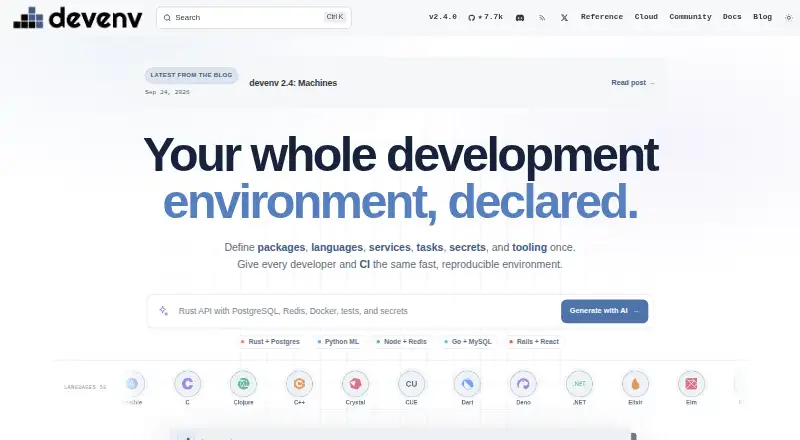
devenv uses Nix to describe development environments that teams can reproduce across projects and CI. A project configuration can specify packages, languages, services, tasks, secrets, variables, files, and shell scripts. The project lists 58 supported languages and 42 preconfigured services, including PostgreSQL, Redis, MySQL, RabbitMQ, MinIO, Caddy, and Elasticsearch. Processes can be supervised with dependencies and restarts, while tasks can run in parallel and integrate with shells or commits. SecretSpec can retrieve declared secrets from sources such as Keychain, 1Password, LastPass, dotenv, and environment variables. Integrations include direnv, GitHub Actions, editors, and an MCP server for AI assistants. devenv can build OCI containers and run integration tests with processes active. It requires Nix and works on Linux, macOS, and WSL; as of devenv 2.4, the project no longer builds, tests, or releases for Intel Macs. Projects must be explicitly trusted before automatic activation. The software is free and MIT licensed, and cached shell startup is listed as under 100 ms after its first build. devenv Cloud is in private beta.
Who it suits
devenv suits development teams and CI workflows that need environment configuration kept with a project. It is also relevant to developers who want to define services, tasks, secrets, or container and integration-test workflows with Nix.
What it does well
- Configuration can declare packages, services, and tasks
- Lists 58 languages and 42 preconfigured services
- Supports supervised processes and parallel tasks
- Can build OCI containers and run integration tests
What to know first
- Requires Nix
- Intel Mac builds, tests, and releases have ended
- Projects need explicit trust for auto-activation
Plans
| Plan | Billed and limits | Price |
|---|---|---|
| Free (MIT-licensed open source) | Requires Nix; works on Linux, macOS, and WSL | Free |
As devenv.sh lists them, read 30 Sept 2026. The maker's own page has the final word.
Getting started
- Install Nix.
- Use devenv on Linux, macOS, or WSL.
- Visit https://devenv.sh/ for the project and installation instructions.
- Configure a project environment and trust the project before automatic activation.
devenv is best suited to teams that want to define a project’s development setup in code and reuse it locally and in CI. Its range of environment, service, process, and test configuration is unusually broad for a free tool, but adopting it also means adopting Nix.
Overview
A project can use devenv configuration to specify the packages, languages, services, tasks, secrets, and tooling its environment needs. Dependency locking and configuration as code help teams keep that setup consistent, rather than leaving contributors to assemble it independently. Cached shell startup is under 100 ms after the first build, which benefits repeat use; it is not a measure of initial setup time.
devenv also connects development environments to build and test workflows. It can build OCI containers from an environment and run integration tests while its processes are active. GitHub Actions can use devenv for checks, builds, and tests, making it a plausible fit for teams seeking continuity between local development and CI.
Key features
- Languages and services: devenv lists 58 supported languages, with version pinning and language server support, and 42 preconfigured services. Those include PostgreSQL, Redis, MySQL, RabbitMQ, MinIO, Caddy, and Elasticsearch. This breadth suits varied project stacks, from language runtimes to supporting infrastructure.
- Processes and tasks: Supervised processes can declare dependencies and restart, while tasks can run in parallel and integrate with shells or commits. This gives teams a way to describe recurring work alongside the environment, rather than treating process startup and project tasks as separate setup chores.
- Shell configuration: Configurations can define packages, variables, files, and scripts for bash, zsh, fish, or nushell. That flexibility is useful when a team needs more than a collection of installed tools.
- Secrets: SecretSpec can read declared secrets from sources such as Keychain, 1Password, LastPass, dotenv, and environment variables. Teams can account for secrets in environment configuration without relying on a single listed storage source.
- Integrations and trust: Documentation covers direnv, SecretSpec, GitHub CI, an MCP server for AI assistants, and editor integrations including IntelliJ, VS Code, and Zed. Projects must be explicitly trusted before auto-activation, a safeguard against an untrusted project modifying the shell.
Pricing
Free (MIT-licensed open source): free. The plan requires Nix and works on Linux, macOS, and WSL. For teams able to use Nix, it includes the core environment-management capabilities without a paid tier to weigh against them. Its main cost is operational rather than financial: users need Nix installed, and Intel Mac support has ended.
devenv Cloud is in private beta, with early access sign-up. It is not a generally available plan to compare with the free software.
Platforms
The install instructions support Linux, macOS, and WSL after Nix is installed. The platform listing also names web and Windows, but the documented installation requirement is Nix and the supported setup is described for Linux, macOS, and WSL. Intel Macs are a notable exception: since devenv 2.4, the project no longer builds, tests, or releases for them.
Who it's for
devenv is a strong candidate for development teams that want shared, reproducible environment configuration, especially when their workflow includes multiple services, supervised processes, or integration tests. Its configuration-as-code approach and GitHub Actions support can help align local work with CI.
It is a weaker fit for people who want an environment manager without Nix, or for Intel Mac users who need ongoing builds and releases. Teams that only need a narrower tool or runtime manager may find devenv’s breadth unnecessary.
Pros and cons
- Pro: One configuration can cover languages, services, packages, secrets, shell tooling, processes, and tasks, giving teams a shared place to describe a complex environment.
- Pro: OCI container builds, active-process integration tests, and GitHub Actions support extend the environment into delivery workflows.
- Pro: The free MIT-licensed plan includes the product’s core capabilities, and cached shell startup is under 100 ms after the first build.
- Con: Nix is required, adding a prerequisite for every user and supported setup.
- Con: Intel Macs no longer receive builds, tests, or releases, ruling out a maintained setup for those users.
- Con: Cloud remains in private beta, so teams looking for a generally available hosted offering should not choose devenv on that basis.
Alternatives
Choose ActiveState Platform if its free organization plan for public projects fits your needs, or consider its paid organization option, which uses custom pricing. Flox is another free starting point: its Personal plan includes the CLI, catalog access, unlimited public FloxHub environments, and three private environments, making those environment caps central to the choice.
If you want the package manager itself rather than devenv’s project environment configuration, Nix is free and open source, with no paid plan listed. vfox is a free, Apache 2.0-licensed option for Linux, macOS, and Windows. DDEV is free and open source under Apache 2.0 for Linux, macOS, and Windows, while DevPod is described as a free, open-source, client-only option on those platforms.
FlyEnv may suit someone looking for a free tier with explicit local-site, custom-project, and Cloudflare Tunnel caps, plus three-day trials for some AI, screenshot, and image-optimization features. mise is a free MIT-licensed open-source CLI for macOS, Linux, and Windows. For more options, browse Development Environment Management Tools and Development Environment Managers.
Verdict
Choose devenv if your team wants a free, code-defined environment that can bring language and service setup, secrets, processes, containers, and tests into one workflow. Its main advantage is that breadth across local development and CI; its main reason to look elsewhere is the Nix prerequisite, compounded for Intel Mac users by the end of builds, tests, and releases.
Verdict
devenv offers broad configuration for development environments, from services and secrets to processes and tests. Nix is a prerequisite, and Intel Mac support has ended, so those constraints matter when evaluating it.
Questions
How much does devenv cost?
The listed plan is free. It is MIT licensed.
Which systems does devenv support?
The install information names Linux, macOS, and WSL, and says Nix is required. As of devenv 2.4, the project no longer builds, tests, or releases for Intel Macs.
What can a project configure?
A project can declare packages, languages, services, tasks, secrets, variables, files, and shell scripts.
Does devenv integrate with CI and editors?
Documented integrations include GitHub Actions, IntelliJ, VS Code, Zed, direnv, and an MCP server for AI assistants.
Is devenv Cloud available?
It is described as being in private beta, with an early access sign-up.
What license does devenv use?
The homepage describes devenv as MIT licensed.
Facts from devenv's own pages
- CI integration
- The documentation describes using devenv in GitHub Actions to run checks, builds, and tests in the development environment. · devenv.sh, 30 Sept 2026
- Cloud availability
- devenv Cloud is described as being in private beta with early access sign-up. · devenv.sh, 29 Sept 2026
- Cloud status
- The devenv Cloud page says the service is in private beta and invites users to sign up for early access. · devenv.sh, 30 Sept 2026
- Configuration
- A project can declare packages, languages, services, tasks, secrets, and tooling in its environment configuration. · devenv.sh, 29 Sept 2026
- Containers and tests
- Devenv can build OCI containers from a development environment and run integration tests with its processes active. · devenv.sh, 30 Sept 2026
- Editor and tool integrations
- The documentation navigation lists integrations for IntelliJ, VS Code, Zed, direnv, GitHub Actions, and several other tools. · devenv.sh, 30 Sept 2026
- Environment tools
- A devenv configuration can declare packages, variables, files, and scripts for bash, zsh, fish, or nushell. · devenv.sh, 30 Sept 2026
- Integrations
- The documentation includes integrations such as direnv, SecretSpec, GitHub CI, and an MCP server for AI assistants. · devenv.sh, 29 Sept 2026
- Intel Mac limit
- As of devenv 2.4, the project says it no longer builds, tests, or releases devenv for Intel Macs. · devenv.sh, 29 Sept 2026
- Languages
- The homepage lists 58 languages, with version pinning and language server support. · devenv.sh, 30 Sept 2026
- Languages and services
- The site lists 58 supported languages and 42 preconfigured services. · devenv.sh, 29 Sept 2026
- License and support
- The homepage describes devenv as MIT licensed and points users to GitHub issues and Discord for contribution and help. · devenv.sh, 29 Sept 2026
- Platform requirements
- The homepage says devenv requires Nix and works on Linux, macOS, and WSL. · devenv.sh, 30 Sept 2026
- Processes and tasks
- Devenv provides declarative process management and tasks that can run in parallel and connect to shells or Git commits. · devenv.sh, 30 Sept 2026
- Purpose
- devenv lets teams declare development environments so developers and CI can use the same reproducible setup. · devenv.sh, 30 Sept 2026
- Secrets
- Its SecretSpec integration separates secret declarations from provisioning and supports runtime loading from providers such as keyring, 1Password, dotenv, and environment variables. · devenv.sh, 30 Sept 2026
- Security
- Projects must be explicitly trusted before auto-activation, which the documentation describes as protection against untrusted projects modifying the shell. · devenv.sh, 29 Sept 2026
- Services
- The homepage lists 42 preconfigured services, including PostgreSQL, Redis, MySQL, RabbitMQ, MinIO, Caddy, and Elasticsearch. · devenv.sh, 30 Sept 2026
- Startup speed
- The homepage says cached shell startup is under 100 ms after the first build. · devenv.sh, 30 Sept 2026
- Support and community
- The homepage links to GitHub for source, issues, and contributions, and to Discord for help and community discussion. · devenv.sh, 30 Sept 2026
- Supported systems
- The install instructions say devenv works on Linux, macOS, and WSL after Nix is installed. · devenv.sh, 29 Sept 2026