Freedom251 › Development Environment Managers

Devbox
What Devbox is
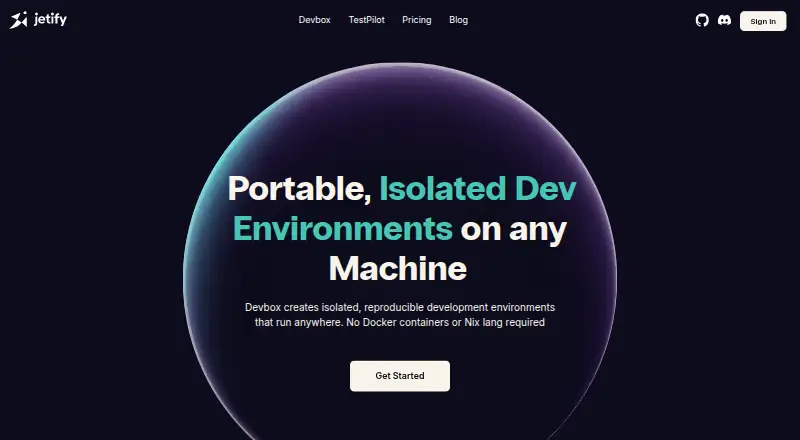
Devbox is an open-source command-line tool from Jetify for building isolated, repeatable development environments. You declare project packages, scripts, services, and environment settings in a devbox.json file, then use that definition to create a local shell or generate a VS Code devcontainer, Dockerfile, or remote cloud development environment. Its package handling works at the operating-system level, with a Nix-powered searchable catalog covering more than 400,000 versions across 80,000 packages. Devbox can run project services through process-compose without Docker, while Docker is needed when creating containers. Runtime management, dependency locking, configuration as code, shell integration, and container support are included capabilities. A GitHub Action installs Devbox in workflows and can cache the Nix store. Documented integrations include direnv and a Visual Studio Code extension. Jetify Cloud deployments can connect with Upstash, Supabase, and AWS. Jetify Secrets stores secrets and environment variables and activates them when a shell starts. Jetify Cloud is described as SOC-2 certified and supports SSO. Devbox runs on Linux, macOS, and Windows through WSL2, and requires the Nix Package Manager.
Who it suits
Devbox suits developers and teams who want declared, reproducible environments and operating-system package management. It also fits projects that need shell, container, CI, cloud, or IDE integrations from one definition.
What it does well
- Open-source project with community support
- Searchable Nix catalog spans 80,000 packages
- One definition can generate shells, containers, or cloud environments
- Process-compose can orchestrate services without Docker
- GitHub Action can cache the Nix store
- Jetify Secrets activates environment variables at shell startup
What to know first
- Requires the Nix Package Manager
- Windows use is through WSL2
- Docker is needed for container creation
Limits
The free plan is listed without a quota in these facts. The Solo plan costs $5 a month and includes one user, while Starter supports up to 10 users, Scale-up up to 50, and Enterprise has unlimited users with custom solutions.
Plans
| Plan | Billed and limits | Price |
|---|---|---|
| Starter | per month · $25 monthly credits · Up to 10 users · Email Support | $25 a month |
| Scale-up | per month · $250 monthly credits · Up to 50 users · Email Support | $250 a month |
| Solo | per month · First Month Free · $5 monthly credits · 1 user · Community Support | $5 a month |
| Enterprise | per month · Custom solutions · Unlimited users · SSO/SAML · Isolated or on-prem support · Premium Support | On request |
As jetify.com lists them, read 30 Sept 2026. The maker's own page has the final word.
Getting started
- Open the Devbox website
- Install the Nix Package Manager
- Install Devbox on Linux, macOS, or Windows through WSL2
- Create a devbox.json file with packages, scripts, services, and environment settings
- Start a Devbox shell or generate a devcontainer, Dockerfile, or cloud environment
- Connect optional integrations such as direnv, Visual Studio Code, or the GitHub Action
Verdict
Pick Devbox when reproducible, code-defined development environments and broad package coverage matter. It is especially suitable for workflows spanning local shells, CI, containers, or cloud environments. Look elsewhere if installing Nix or using Windows through WSL2 does not fit your setup.
Questions
Which operating systems does Devbox support?
The installation guide lists Linux and macOS, plus Windows through WSL2. Platforms also include extension and web access.
Does Devbox require Docker?
Devbox requires the Nix Package Manager. Docker is needed only when creating containers, and process-compose can orchestrate services without Docker.
Is Devbox open source?
Yes. Devbox is an open-source project built by Jetify with community support.
What integrations are available?
Documented integrations include direnv, a Visual Studio Code extension, and a GitHub Action. Jetify Cloud deployments can connect with Upstash, Supabase, and AWS.
Facts from Devbox's own pages
- CI integration
- The Devbox GitHub Action installs Devbox and can cache the Nix store in GitHub Actions workflows. · jetify.com, 30 Sept 2026
- Cloud integrations
- Jetify Cloud deployments can connect with Upstash, Supabase, and AWS. · jetify.com, 30 Sept 2026
- Configuration
- A devbox.json file defines project packages, scripts, services, and environment configuration. · jetify.com, 30 Sept 2026
- Core product
- Devbox is a command-line tool for creating isolated, reproducible development shells from declared package lists. · jetify.com, 30 Sept 2026
- IDE integrations
- Devbox documents integrations with direnv and a Visual Studio Code extension. · jetify.com, 30 Sept 2026
- Open source
- Devbox is an open-source project built by Jetify with community support. · jetify.com, 30 Sept 2026
- Operating systems
- The installation guide lists Linux, macOS, and Windows through WSL2. · jetify.com, 30 Sept 2026
- Package catalog
- Devbox provides a searchable index of over 400,000 versions of 80,000 packages powered by Nix. · jetify.com, 30 Sept 2026
- Package model
- Devbox manages operating-system-level packages similarly to package managers such as yarn, brew, or apt-get. · jetify.com, 30 Sept 2026
- Portability
- A Devbox definition can produce a local shell, VS Code devcontainer, Dockerfile, or remote cloud development environment. · jetify.com, 30 Sept 2026
- Prerequisites
- Devbox requires the Nix Package Manager, while Docker is only needed for container creation. · jetify.com, 30 Sept 2026
- Secrets
- Jetify Secrets securely stores secrets and environment variables and activates them when a Devbox shell starts. · jetify.com, 30 Sept 2026
- Security
- Jetify Cloud is described as SOC-2 certified and supports SSO for access management. · jetify.com, 30 Sept 2026
- Services
- Devbox can orchestrate project services with process-compose without Docker. · jetify.com, 30 Sept 2026