Freedom251 › Runtime Version Managers
Jabba
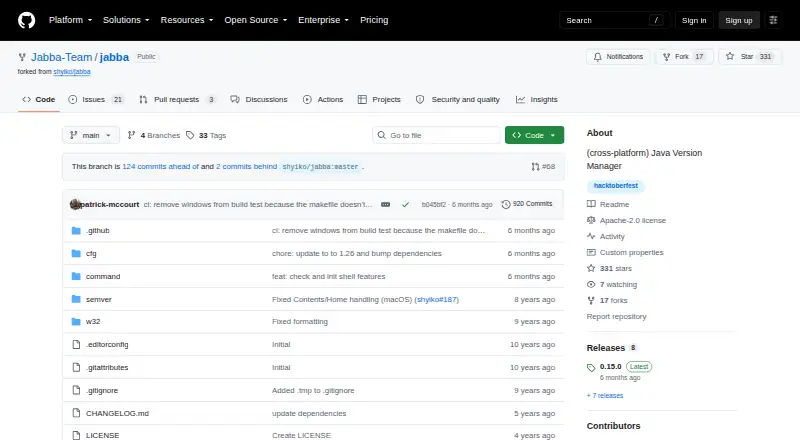
What Jabba is
Jabba is a free, open-source Java version manager written in Go for installing and switching between JDKs on macOS, Linux, and Windows. Its DiscoAPI-powered index lists JDKs for the user's operating system and architecture. Supported distributions include Oracle, Adopt OpenJDK, Zulu, IBM SDK, GraalVM, OpenJDK, Liberica, and Amazon Corretto. Users can browse remote versions, filter them with semantic version ranges, install them, and switch among installed JDKs. A `.jabbarc` file can specify a project version, and a default alias can choose the version used in new terminals. Jabba can link an existing system JDK and coexist with another Java installation. The README documents shell integration for bash, zsh, and fish, plus installation through Homebrew, shell scripts, PowerShell, Scoop, and Docker. Wrapper scripts can let a project use Jabba without a global installation. Jabba does not include built-in global Java switching. The repository describes it as a community work in progress and warns that some README instructions may be outdated. It is licensed under Apache License 2.0 and listed as free.
Who it suits
Jabba suits developers who need to manage different JDK versions across projects or operating systems. It may be less suited to users expecting automatic switching or built-in global Java setting.
What it does well
- Supports macOS, Linux, and Windows
- Lists multiple JDK distributions through DiscoAPI
- Project versions can be set with `.jabbarc`
- Shell integration covers bash, zsh, and fish
What to know first
- No built-in global Java switching
- Some README instructions may be outdated
- Project is described as a work in progress
Limits
Jabba does not provide built-in global Java switching or automatic version switching. The repository describes the project as a work in progress and warns that some README instructions may be outdated.
Plans
| Plan | Billed and limits | Price |
|---|---|---|
| Jabba | Java version management tool · Apache License 2.0 | Free |
As github.com lists them, read 9 Oct 2026. The maker's own page has the final word.
Getting started
- Open the Jabba GitHub website.
- Choose an installation route documented for your platform: Homebrew, shell scripts, PowerShell, or Scoop.
- Set up shell integration for bash, zsh, or fish if you want to use Jabba from a shell.
- List remote JDKs and choose a version, using a semantic version range to filter if useful.
- Install the chosen JDK and switch to it, or set a default alias or project `.jabbarc` version.
Jabba is a free, open-source Java version manager for developers who install JDKs and work across projects with different Java requirements. Its command-line approach combines a broad range of JDK sources with project-level version selection, though global Java switching takes manual setup.
Overview
Inspired by nvm and written in Go, Jabba aims to provide one way to install and switch JDK versions on Linux, macOS, and Windows. It supports both managed downloads and links to an existing system JDK, which is useful when a project needs a particular vendor or release without replacing the Java installation already on the machine.
There is a meaningful maintenance caveat: Jabba is a community fork described as a work in progress, and some README instructions may be outdated. The project is Apache-2.0 licensed and carries an educational-purpose, use-at-your-own-risk disclaimer. GitHub reports no SECURITY.md policy and no published security advisories; organizations that require a formal security policy should account for that before adopting it.
Key features
JDK catalog and custom downloads
Jabba’s JDK index is powered by DiscoAPI and filters its catalog for the user’s operating system and architecture. Supported distributions include Oracle, Adopt OpenJDK, Zulu, IBM SDK, GraalVM, OpenJDK, Liberica, and Amazon Corretto. Users can also install from custom URLs in formats such as zip, tgz, tgx, dmg, bin, and exe. This range suits developers who need to match a project’s vendor or use a distribution outside the standard index, though the work-in-progress status makes the README’s instructions worth checking carefully.
Version selection and project configuration
Users can browse remote JDKs, filter versions with semantic version ranges, install releases, and switch among installed versions. A default alias sets the version for new terminals, while a .jabbarc file lets a project specify its JDK. That project pinning is useful for keeping a project’s Java choice explicit across a team; Jabba does not provide automatic switching, so selecting the project version is not a hands-off transition.
Shell integration and deployment
The README documents integration with bash, zsh, and fish, alongside installation instructions for macOS, Linux, and Windows using Homebrew, shell scripts, PowerShell, Scoop, or Docker. The jabba-wrapper scripts let a project invoke Jabba without a global installation and select a version through .jabbarc. Docker examples install a JDK during a build and then remove the Jabba binary, a practical option for image construction.
Jabba does not include built-in global Java switching. The README instead provides manual, platform-specific snippets, which makes it a weaker fit for people who want a single tool to change the system-wide Java setting. Its files are stored under ~/.jabba on Linux and macOS and %USERPROFILE%/.jabba on Windows.
Pricing
Jabba is free: the Jabba plan costs nothing and is Apache License 2.0 software. There are no paid tiers to compare; the trade-off is that users take on the project’s work-in-progress status and the need for manual global switching.
Platforms
Jabba supports Linux, macOS, and Windows. Shell integration is documented for bash, zsh, and fish, with installation paths that include command-line scripts and platform package managers.
Who it's for
Jabba is best suited to developers who manage JDK versions from a shell, need to pin Java per project, or work with multiple JDK vendors. It is less suitable for users who require automatic project switching, built-in global Java changes, or the reassurance of a project with a formal security policy.
Pros and cons
- Pros: A DiscoAPI-backed catalog and custom URL support cover a broad range of JDK distributions and formats.
- Pros: Project-level version selection, a default alias, and wrapper scripts support separate Java requirements without requiring a global Jabba installation.
- Pros: Linux, macOS, and Windows support makes it usable across common desktop development environments.
- Cons: Global Java switching requires manual platform-specific setup rather than a built-in command.
- Cons: The project warns that it is a work in progress and that some README instructions may be outdated.
- Cons: No SECURITY.md policy or published security advisories are reported, a concern for teams with formal security requirements.
Alternatives
For a tool focused on a different language or toolchain, consider GHCup for Haskell, rustup for Rust, or elan for Lean. fnm and nvm are free Node.js version-manager options. mise is a free, MIT-licensed option for macOS, Linux, and Windows; asdf is a free, open-source tool version manager for Linux and macOS. axe-playwright is a free option for Linux and web, with Playwright as a peer dependency.
Browse more options in Runtime Version Managers or Development Environment Managers.
Verdict
Choose Jabba if you want a free, cross-platform way to manage JDK installations and select Java per project, especially across multiple distributions. Look elsewhere if you need automatic switching, built-in global Java changes, or a project with a more established maintenance and security posture.
Verdict
Jabba provides a broad set of JDK installation and version-selection options, including project-level selection and shell integration. Its work-in-progress status and lack of built-in global switching are worth considering.
Questions
How much does Jabba cost?
The listed plan is free. Jabba is open source under Apache License 2.0.
Which operating systems does Jabba support?
Jabba is intended for Linux, macOS, and Windows.
Which JDK distributions can I use?
The listed distributions include Oracle, Adopt OpenJDK, Zulu, IBM SDK, GraalVM, OpenJDK, Liberica, and Amazon Corretto. Custom JDK downloads are also supported from URLs in formats including zip, tgz, tgx, dmg, bin, and exe.
Can I pin a JDK version to a project?
Yes. A `.jabbarc` file can specify a project JDK, and wrapper scripts can use Jabba without a global installation.
Does Jabba switch versions automatically?
No. Automatic switching is not supported. You can select versions through commands, a default alias, or a project `.jabbarc` file.
How can I install Jabba?
The repository documents Homebrew, shell scripts, PowerShell, Scoop, and Docker-based installation or use.
Facts from Jabba's own pages
- Custom downloads
- Jabba can install JDK distributions from custom URLs using formats including zip, tgz, tgx, dmg, bin, and exe. · github.com, 9 Oct 2026
- Data location
- Jabba stores its files under ~/.jabba on Linux and macOS and %USERPROFILE%/.jabba on Windows. · github.com, 9 Oct 2026
- Docker
- The README shows using Jabba in a Docker build to install a JDK and then remove the Jabba binary. · github.com, 9 Oct 2026
- Existing JDKs
- Jabba can link a system JDK, and the README says it can coexist with an already installed Java version. · github.com, 9 Oct 2026
- Global Java setting
- Jabba does not include built-in functionality to switch Java globally; the README gives manual platform-specific snippets instead. · github.com, 9 Oct 2026
- Goal
- The project aims to provide a unified way to install and switch JDK versions across macOS, Linux, and Windows. · github.com, 9 Oct 2026
- Index integration
- The JDK index is powered by DiscoAPI. · github.com, 9 Oct 2026
- Install and switch JDKs
- Jabba is intended to install and switch between JDK versions across macOS, Linux, and Windows. · github.com, 9 Oct 2026
- Install methods
- The README documents Homebrew, shell scripts, PowerShell, Scoop, and Docker-based installation or use. · github.com, 9 Oct 2026
- JDK catalog
- Its JDK index is powered by DiscoAPI and lists JDKs for the user's OS and architecture. · github.com, 9 Oct 2026
- JDK sources
- The README lists Oracle JDK, Adopt OpenJDK, Zulu OpenJDK, IBM SDK, GraalVM CE, OpenJDK, Liberica JDK, and Amazon Corretto among supported distributions. · github.com, 9 Oct 2026
- License
- The repository is licensed under Apache License 2.0. · github.com, 9 Oct 2026
- License and disclaimer
- The repository identifies the software as Apache-2.0 licensed and says it is for educational purposes and used at the user's own risk. · github.com, 9 Oct 2026
- Platforms
- The README documents installation for macOS, Linux, and Windows 10, with OS and architecture support described as macOS, Linux x86/x86_64/ARMv7+, and Windows x86_64. · github.com, 9 Oct 2026
- Project configuration
- A `.jabbarc` file can specify a JDK version for Jabba to use, and a default alias can select the version used in new terminals. · github.com, 9 Oct 2026
- Project status
- The repository describes Jabba as a community fork that is a work in progress and warns that some README instructions may be outdated. · github.com, 9 Oct 2026
- Project wrapper
- The jabba-wrapper scripts let a project use Jabba without installing it globally and select a JDK version through .jabbarc. · github.com, 9 Oct 2026
- Purpose
- Jabba is a Java version manager inspired by nvm and written in Go. · github.com, 9 Oct 2026
- Security
- GitHub reports that the project has no SECURITY.md policy and no published security advisories. · github.com, 9 Oct 2026
- Shells and installation
- The README documents shell integration for bash, zsh, and fish, with installation instructions for macOS, Linux, and Windows. · github.com, 9 Oct 2026
- Shell support
- The README gives shell integration instructions for bash, zsh, and fish. · github.com, 9 Oct 2026
- Supported distributions
- The README lists Oracle, Adopt OpenJDK, Zulu, IBM SDK, GraalVM, OpenJDK, Liberica, and Amazon Corretto among supported JDKs. · github.com, 9 Oct 2026
- Version selection
- Users can list remote JDKs, filter versions with semantic version ranges, install versions, and switch among installed versions. · github.com, 9 Oct 2026
- Version switching
- Users can install JDKs, switch among installed versions, set a default version, and select a project version through a .jabbarc file. · github.com, 9 Oct 2026
Where Jabba stands on Freedom251
- Runtime Version Managers#10 of 30
- Development Environment Managers#18 of 50