Freedom251 › Event Venue Management Software

Facilitron FIT
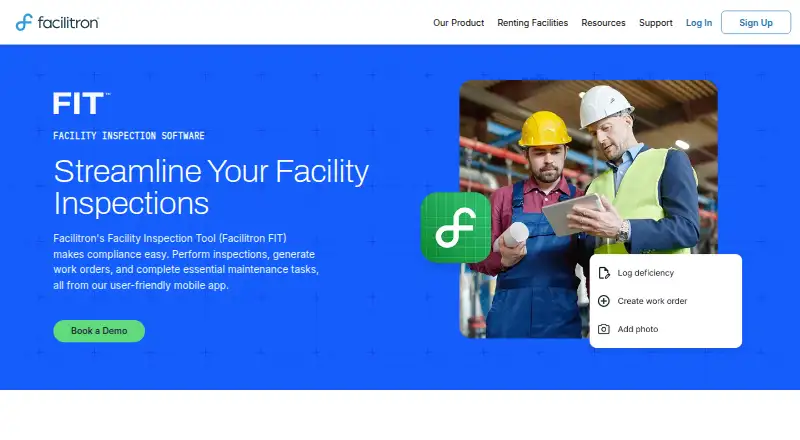
What Facilitron FIT is
Facilitron FIT is a mobile facility inspection tool for K-12 school districts, designed to support compliance and link inspections with remediation. Users can choose templates or create configurable tasks for fire safety, food service, and facility condition assessments. FIT includes standards and rating scales such as NFPA, ASHRAE, and IEEE, and users can customize the scales. Inspectors and consultants can record information in the field, collaborate with real-time updates, and create warranty or follow-up punch lists. The tool provides digital inspection history, reports, and KPI access. It supports California Williams Act inspections and direct export to the State Allocation Board form. Users can download forms and capture data offline, and integrated email is available during inspections and work order creation. FIT can run on its own or connect with Facilitron Works to generate work orders from inspections and link data between the systems. It is available for iPhone, iPad, and Android devices. Pricing is on request and is separately based on district size and scope.
Who it suits
FIT is intended for K-12 school districts managing facility inspections and compliance. It suits field inspectors and consultants who need offline data capture, reporting, or a connection between inspections and work orders.
What it does well
- Configurable inspection tasks and rating scales.
- Supports offline inspections and data capture.
- Links inspections to work orders through Facilitron Works.
- Exports California Williams Act inspections to a state form.
- Available for iPhone, iPad, and Android.
What to know first
- Pricing is on request.
- Pricing depends on district size and scope.
Limits
FIT is paid, with pricing based separately on district size and scope. No free plan or lowest-plan quotas are described.
Plans
| Plan | Billed and limits | Price |
|---|---|---|
| Facilitron FIT | Book a demo; price not displayed | On request |
As facilitron.com lists them, read 15 Oct 2026. The maker's own page has the final word.
Getting started
- Visit the Facilitron FIT website.
- Request pricing based on district size and scope.
- Download FIT from the Apple App Store for iPhone or iPad, or Google Play for Android.
- Use the helpdesk guidance for creating inspections, recording violations, or re-inspections.
- Choose inspection templates or configure tasks, then conduct inspections online or with downloaded forms.
Facilitron FIT is a mobile inspection system for K–12 school districts that need inspections, compliance evidence, and corrective work to stay connected. It is best suited to facilities teams managing recurring checks across many buildings, especially where inspectors work away from a reliable connection. The main trade-off is custom pricing, so smaller organizations seeking a self-serve, low-cost checklist tool may find it a poor fit.
Overview
FIT combines configurable inspection forms, field data capture, records, reporting, and remediation follow-up. A district can run it independently or connect it to Facilitron Works, turning inspection findings into work orders and linking information between the two products. That connection gives FIT a practical advantage when an inspection must lead to documented repairs rather than remain a report in isolation.
It is designed around school-district compliance needs, including California Williams Act inspections and direct export to the State Allocation Board form. Digital inspection history and KPI access support recurring oversight, while integrated email can be used during inspections and work-order creation.
Key features
Configurable inspections and standards
Teams can select templates or build configurable tasks for fire-safety checks, food-service inspections, and facility-condition assessments. FIT includes rating scales associated with NFPA, ASHRAE, and IEEE, while allowing districts to customize those scales. That combination provides recognizable starting points for standard inspections without forcing every department into the same scoring method.
Fieldwork and offline capture
Inspectors and consultants can record findings in the field, attach photo evidence, and collaborate through real-time updates. Forms can be downloaded for offline use, so staff can complete an inspection and capture data without a connection, then return the information to the wider record. This is particularly useful across large campuses, older buildings, or sites with inconsistent coverage.
Remediation and records
Warranty and follow-up punch lists turn findings into explicit next steps. When paired with Facilitron Works, FIT can generate work orders from inspections, which is the clearest reason to choose it over a standalone form app. Digital history, reports, and KPI access also make it easier to review recurring issues and demonstrate an inspection trail.
Security and support
Facilitron says account information is held on a secured, firewall-protected server and that sensitive transmissions use SSL encryption. It also cautions that absolute security cannot be guaranteed. A helpdesk provides guidance on creating inspections, recording violations, and conducting re-inspections, giving administrators a documented route for common tasks.
Pricing
Facilitron FIT uses custom pricing based on district size and scope. There is one published plan, “Facilitron FIT,” with no public price, seat allowance, inspection quota, trial term, or renewal term. Districts should therefore request a quote that reflects their number of facilities, inspectors, inspection types, and any Facilitron Works integration.
Custom pricing can suit a district that needs a tailored deployment and compliance workflow, but it removes the quick cost comparison available from per-user or fixed free plans. Buyers with modest inspection volumes should confirm the minimum scope and whether offline work, photo evidence, workflow automation, reporting, and Works connectivity are included in their proposal.
Platforms
FIT is available on Android and iOS. Facilitron’s helpdesk specifies downloads through Google Play and the Apple App Store for Android devices, iPhone, and iPad, making it appropriate for mixed mobile fleets used by inspectors and consultants.
Who it's for
FIT is aimed at K–12 school districts responsible for facility condition, safety, food-service, and compliance inspections. It is a strong match for teams that need offline mobile work, standardized or customized rating scales, photo-backed records, and a path from violation to punch list or work order. Districts already using Facilitron Works have an especially clear use case because inspection data can flow into that maintenance process.
It is less compelling for a single-site operator that only needs a basic checklist, or for a buyer that requires transparent, self-service pricing before discussing scope. The product’s focus is district facility governance rather than general-purpose field forms.
Pros and cons
- Pros: Offline forms and data capture support inspections at poorly connected sites.
- Pros: NFPA, ASHRAE, and IEEE scales plus customization balance standards with district-specific requirements.
- Pros: Photo evidence, punch lists, reports, KPIs, and inspection history connect field observations to accountability.
- Pros: Facilitron Works integration can convert findings into work orders instead of leaving remediation outside the inspection record.
- Cons: Pricing is quote-only, with no published seats, quotas, trial, or renewal terms for quick budgeting.
- Cons: Its school-district orientation may add unnecessary scope for teams seeking only a lightweight checklist app.
Alternatives
FieldSpect is the better starting point for a small team that wants a free plan with one user, 10 inspections per month, PDF reports, and custom or library templates across Android, iOS, and web.
Choose SafetyCulture (now Mitti) instead when a free tier for up to 10 seats, AI credits, active-template limits, and broader analytics, training, task, and issue-reporting functions fit the rollout.
HammerTech suits construction-oriented programs that need web, API, and mobile access, with subcontractor access provided free by the managing general contractor.
MaintainX is worth choosing for maintenance teams that prioritize a free Basic tier with unlimited work orders, procedures, and requester users.
TradeBeyond Inspection is an alternative for buyers seeking an inspection product with a demo-led purchase and no supplier connection fees.
zInspector is another freemium inspection option with Android, iOS, API, and web support.
Choose TrueContext when a paid, team-wide digital plan with annual billing, up to 750 questions per form, and 25 Team FormSpaces matches your process.
GoAudits is preferable when transparent entry pricing matters: its Starter plan is $10 per user per month on annual billing, with one company or department, 25 sites, and 10 checklist templates.
For category browsing, see Inspection Software and Event Venue Management Software.
Verdict
Facilitron FIT is a strong choice for K–12 districts that need configurable, offline inspections tied to compliance records and actionable remediation, particularly when Facilitron Works is part of the maintenance workflow. Look elsewhere if you need published pricing, a simple free tier, or a general-purpose checklist without district-scale integration.
Verdict
Facilitron FIT brings configurable inspections, offline field work, records, and remediation workflows together for school districts. Its pricing is separately based on district size and scope, so a quote is needed.
Questions
How much does Facilitron FIT cost?
Pricing is available on request and is based on district size and scope.
Which devices support FIT?
FIT is available for Android and iOS, including iPhone and iPad.
Can inspections be done offline?
Yes. Users can download inspection forms, conduct inspections, and capture data offline.
Does FIT connect inspections to work orders?
FIT can operate on its own or integrate with Facilitron Works to generate work orders from inspections and link data.
Does FIT support California Williams Act inspections?
Yes. It supports these inspections and can export directly to the State Allocation Board form.
Facts from Facilitron FIT's own pages
- Android availability
- Google Play lists Facilitron FIT for Android and shows 100+ downloads. · play.google.com, 15 Oct 2026
- Android data practices
- Google Play says the app may collect and share personal information, photos/videos and app activity; data is encrypted in transit and deletion requests are supported. · play.google.com, 15 Oct 2026
- Android update
- Google Play reports the FIT app was updated October 1, 2026. · play.google.com, 15 Oct 2026
- Authentication
- FIT supports normal Facilitron credentials plus Google SSO and SAML login flows. · support.facilitron.com, 15 Oct 2026
- Compliance export
- The product supports California Williams Act inspections and exports directly to the State Allocation Board form. · facilitron.com, 15 Oct 2026
- Custom rating scales
- FIT supports NFPA, ASHRAE and IEEE rating approaches and allows organizations to define their own scales. · facilitron.com, 15 Oct 2026
- Developer extensibility
- The official FIT page names Works and email integrations but does not publish an API, SDK or developer documentation. · facilitron.com, 15 Oct 2026
- Documentation depth
- Facilitron Helpdesk publishes step-by-step articles for downloading the app, logging in, creating inspections and recording violations. · support.facilitron.com, 15 Oct 2026
- Email integration
- The product page identifies integrated email capabilities for creating work orders during inspections. · facilitron.com, 15 Oct 2026
- Field workflows
- Inspectors and consultants can record information in the field, collaborate with real-time updates, and create warranty or follow-up punch lists. · facilitron.com, 7 Oct 2026
- Founded
- 2014 · facilitron.com, 28 Sept 2026
- Founded and size
- LinkedIn lists Facilitron as founded in 2014 with 51-200 employees. · linkedin.com, 15 Oct 2026
- Headquarters
- Facilitron is headquartered in Los Gatos, California. · linkedin.com, 15 Oct 2026
- Historical records
- Users can review prior inspection results to identify facility-condition trends. · facilitron.com, 15 Oct 2026
- Inspection templates
- Administrators can use supplied templates or create configurable inspection tasks for fire safety, parks, facility conditions and other inspection types. · facilitron.com, 15 Oct 2026
- iOS availability
- The Apple listing is a free iPhone and iPad productivity app, 81.5 MB in size, and is not verified for macOS. · apps.apple.com, 15 Oct 2026
- iOS update
- The Apple version history lists version 2.4.4 released September 11, with bug-fix and stability improvements. · apps.apple.com, 15 Oct 2026
- Legal company name
- Crunchbase identifies the legal entity as Facilitron, Inc. · crunchbase.com, 15 Oct 2026
- Limit: insurance verification
- One Trustpilot reviewer reported repeated rejection of insurance documents despite contacting both the insurer and Facilitron. · trustpilot.com, 15 Oct 2026
- Limit: pricing and communication
- A Trustpilot reviewer said rental charges were too high for smaller vendors and communication with district facility staff was poor. · uk.trustpilot.com, 15 Oct 2026
- Limit: renter cancellations
- Trustpilot reviewers complained that venues cancelled bookings shortly before events, leaving organizations without dependable protection. · trustpilot.com, 15 Oct 2026
- Mobile field use
- Inspectors and consultants can perform site walk-throughs and enter results in real time from the mobile app. · facilitron.com, 15 Oct 2026
- Mobile platforms
- Facilitron’s helpdesk says FIT can be downloaded from the Apple App Store for iPhone or iPad and from Google Play for Android devices. · support.facilitron.com, 7 Oct 2026
- Offline mode
- Inspection forms can be downloaded so inspectors can capture data without Wi-Fi. · facilitron.com, 15 Oct 2026
Where Facilitron FIT stands on Freedom251
- Event Venue Management Software#11 of 24
- Inspection Software#19 of 25