Freedom251 › Training Management Software

SafetyCulture (now Mitti)
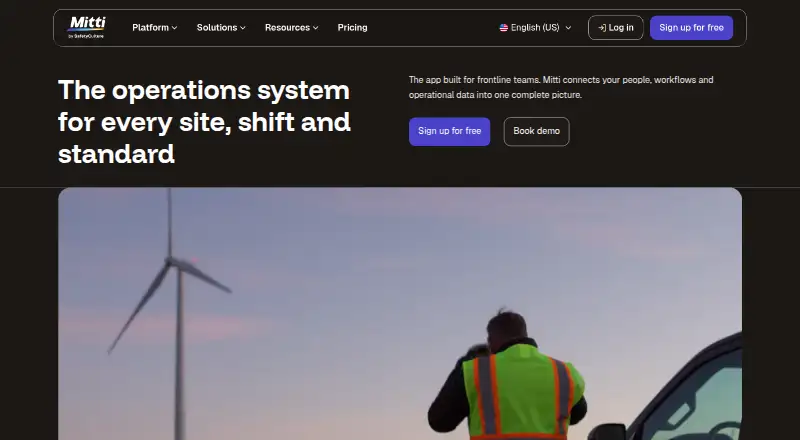
What SafetyCulture (now Mitti) is
SafetyCulture, now Mitti, is a frontline operations platform for coordinating workflows and operational data across sites and shifts. Teams can digitize checklists, run inspections and audits, capture details and create shareable reports. Users can assign tasks and record observations, hazards, near misses and incidents. The platform also includes investigations, training, workplace messages, document management, assets, sensors, lone-worker tools, analytics and procurement. Inspections can be completed offline on mobile devices and tablets, with autosave and syncing. Mitti provides Android and iOS apps, plus browser access. Its free plan allows up to 10 seats and five active inspection templates. Premium is $24 a year when billed annually at $24 per seat per month, excluding applicable taxes; monthly billing is $29 a month per seat, also excluding taxes. Integrations require Premium or Enterprise. Mitti states that it is ISO 27001:2022 certified and SOC 2 Type II audited, and that customer data is encrypted at rest and in transit.
Who it suits
Mitti suits teams that run inspections or operational workflows across multiple sites and shifts. Offline inspections may also suit workers who need to record results without a connection.
What it does well
- Offline inspections include autosave and syncing.
- Free plan supports up to 10 seats.
- Inspections generate shareable reports.
- Customer data is encrypted at rest and in transit.
- Android, iOS and browser access are listed.
What to know first
- Free plan allows five active inspection templates.
- Integrations require Premium or Enterprise.
- Premium excludes applicable taxes.
- Enterprise price is not listed.
Limits
The Free plan allows up to 10 seats, 300 AI credits per seat per month, and five active inspection templates. Premium has unlimited seats and templates, with 500 AI credits per seat per month. Integrations require Premium or Enterprise.
Plans
| Plan | Billed and limits | Price |
|---|---|---|
| Free | Up to 10 seats · 300 AI credits/seat/month · 5 active inspection templates · Basic analytics, training, tasks and issue reporting, and data history | Free |
| Premium (annual) | $24 / seat / month, billed annually; excludes applicable taxes · Unlimited seats · 500 AI credits/seat/month · Unlimited active inspection templates · Advanced analytics and training · Integrations · SSO | $24 a month |
| Premium (monthly) | $29 / seat / month; excludes applicable taxes · Unlimited seats · 500 AI credits/seat/month · Unlimited active inspection templates · Advanced analytics and training · Integrations · SSO | $29 a month |
| Enterprise | Custom price · 800 AI credits/seat/month · Enterprise user management · Enforced login controls and SCIM provisioning · 24/7 priority support · 99.9% uptime commitment · Advanced integrations builder · Sandbox environment · Site based pricing | On request |
As mitti.com lists them, read 30 Sept 2026. The maker's own page has the final word.
Getting started
- Visit the Mitti website.
- Access the service through a web browser or use the Android or iOS app.
- Start with the Free plan or try the available free trial.
- Use checklists to conduct inspections and audits, or assign tasks and report issues.
- Choose Premium or Enterprise for integrations.
Overview
Mitti, formerly SafetyCulture, is a frontline operations platform for coordinating work across sites and shifts. It is best suited to organizations that want inspections, issue follow-up and related operational tools in one system. Its broad scope is useful, but the free plan’s caps and the paid-tier requirement for integrations shape the decision.
Teams can turn checklists into inspections and audits, capture details and share reports. Workers can report hazards, near misses, incidents and other observations, while colleagues assign tasks and corrective actions. Inspections can be completed offline on mobile and tablet, with autosave and syncing when connectivity returns—a meaningful advantage where reliable service is not assured.
Mitti also brings together investigations, training, workplace messages, document management, assets, sensors, lone worker tools, analytics and procurement. That breadth may help coordinate frontline work, but teams that need only a basic inspection workflow may find the platform broader than necessary.
Key features
- Inspections and audits: Digitized checklists, custom inspection forms, photo annotations and shareable reports cover both routine checks and audit work. Offline completion extends the workflow to disconnected sites.
- Issue follow-up: Users can assign tasks and report observations, hazards, near misses and incidents. Corrective actions connect findings with follow-up rather than leaving them as records alone.
- Broader operations: Investigations, training, messaging, document management, assets, sensors, lone worker tools, analytics and procurement sit alongside inspections. This is a stronger fit for teams consolidating several frontline workflows than for buyers seeking a narrowly focused checklist app.
- Integrations and data controls: Integrations include Power BI, Tableau, Zapier, Power Automate, Google Calendar, Outlook, Geotab, Samsara, HR systems and a public API, but require Premium or Enterprise. Mitti states it is ISO 27001:2022 certified and SOC 2 Type II audited, and encrypts customer data at rest and in transit. Data at rest is stored in AWS data centers in the United States, Ireland and Australia; location is generally based on organization creation date and IP proximity.
Pricing
Mitti has a free plan, a free trial and two Premium billing options. Paid Premium starts at $24 / seat / month billed annually; applicable taxes are additional. Enterprise has custom pricing.
| Plan | Price | What it includes |
|---|---|---|
| Free | free | Up to 10 seats, 300 AI credits per seat per month, five active inspection templates, basic analytics, training, tasks and issue reporting, and data history. |
| Premium (annual) | $24 a year; billed $24 / seat / month, annually | Unlimited seats, 500 AI credits per seat per month, unlimited active inspection templates, advanced analytics and training, integrations and SSO. |
| Premium (monthly) | $29 a month; billed $29 / seat / month | Unlimited seats, 500 AI credits per seat per month, unlimited active inspection templates, advanced analytics and training, integrations and SSO. |
| Enterprise | Custom pricing | 800 AI credits per seat per month, enterprise user management, enforced login controls and SCIM provisioning, 24/7 priority support, a 99.9% uptime commitment, an advanced integrations builder, a sandbox environment and site-based pricing. |
Free is a sensible starting point for small teams that can work within 10 seats and five active templates; those ceilings may constrain growing or multi-site programs. Premium removes both caps and adds advanced analytics, training, integrations and SSO, making it the practical tier for larger teams or those connecting other systems. Monthly Premium costs $29 / seat / month rather than the annual-billed $24 / seat / month, so the lower rate comes with an annual billing commitment. Both Premium prices exclude applicable taxes. Enterprise is aimed at organizations that need stronger access controls, provisioning, priority support or site-based pricing.
Platforms
Mitti is available on Android, iOS and the web. Its mobile app supports offline inspections on mobile and tablet, including autosave and later syncing. Browser access gives teams another way to use the platform, while the offline inspection capability is particularly relevant for field staff working beyond consistent connectivity.
Who it's for
Mitti is a good fit for organizations coordinating frontline work across locations and shifts, especially those that need inspections linked to issue reporting, task assignment and broader operational functions. Smaller teams can start free if the seat, template and AI-credit limits fit their workload. Organizations that need unlimited templates, integrations or SSO should weigh Premium; those needing enterprise access controls, a 99.9% uptime commitment or 24/7 priority support should consider custom-priced Enterprise. A team seeking only a lightweight inspection or checklist tool may not benefit from the wider toolkit.
Pros and cons
- Pro: Offline inspections autosave and sync later, which supports field work in areas with unreliable connectivity.
- Pro: Inspection findings can lead to assigned tasks and corrective actions, tying checks to follow-up.
- Pro: The platform combines inspections with training, investigations, assets, messaging and other frontline tools for teams that want a broader operational system.
- Con: The free plan caps teams at 10 seats and five active inspection templates, potentially limiting adoption across a larger organization.
- Con: Integrations and SSO require Premium or Enterprise, so free users cannot use those capabilities within the plan.
- Con: Premium's $24 / seat / month price applies to annual billing; monthly billing is $29 / seat / month, and both prices exclude applicable taxes.
Alternatives
For a narrower or differently priced option, compare Mitti with these alternatives and category guides:
- Safesite is worth comparing for teams that prioritize a free plan with unlimited members and guests; its free reporting is restricted to the last 30 days, and Premium is $16 a month per member.
- PACKTRACK is another freemium option with web, iOS and Android platforms.
- CityReporter is a paid option for teams considering a web, iOS and Android product.
- Inspect2GO is a paid option with web, Windows, iOS and Android platforms.
- NeoEHS is a paid option available on web, iOS and Android.
- Bindy may suit buyers looking for a paid checklist product with a Starter plan at $129 a month, unlimited users and 10 inspections per month; it also includes Okta, Azure SSO, Google SAML and API.
- eBIS is a paid option with an Android platform.
- Field Eagle uses custom pricing based on team size, number of sites and requirements rather than standard per-user tiers.
- Inspection Management Software
- Inspection Software
- Audit Management Software
- Training Management Software
- Checklist Software
Verdict
Choose Mitti if your organization needs inspections that connect to issue follow-up and a wider set of frontline operations tools, particularly where offline mobile work matters. Its free tier gives small teams a way to begin, while Premium lifts the seat and template caps and unlocks integrations. Look elsewhere if you need only a focused inspection tool, or if the free plan’s limits or annual Premium billing do not suit your team.
Verdict
Mitti combines inspection and issue-reporting workflows with a broad set of frontline operations tools. Check seat and template limits on the free plan, and note that integrations require a paid tier.
Questions
Is Mitti free?
Yes. The Free plan supports up to 10 seats and five active inspection templates. A free trial is also available.
How much does Premium cost?
Premium costs $24 per seat per month with annual billing or $29 per seat per month with monthly billing. Applicable taxes are excluded.
Which platforms does Mitti support?
Mitti is available on Android, iOS, and the web. Inspections can be completed offline on mobile devices and tablets.
Does Mitti offer integrations?
Yes. Integrations include Power BI, Tableau, Zapier, Power Automate, Google Calendar, Outlook, Geotab, Samsara, HR systems, and a public API. They require Premium or Enterprise.
Who makes Mitti?
Mitti is the current name of SafetyCulture. The company says it began in 2004 as SafetyDocs and introduced iAuditor in 2012.
What does Enterprise include?
Enterprise includes enterprise user management, enforced login controls and SCIM provisioning, 24/7 priority support, a 99.9% uptime commitment, an advanced integrations builder, and a sandbox environment. Pricing is custom.
Facts from SafetyCulture (now Mitti)'s own pages
- Actions and issues
- Users can assign tasks and report observations, hazards, near misses, and incidents in the platform. · help.mitti.com, 30 Sept 2026
- Company history
- Mitti says the company began in 2004 as SafetyDocs, introduced iAuditor in 2012, and opened its Sydney headquarters in 2014. · mitti.com, 30 Sept 2026
- Company scale
- Mitti reports more than two million users, 80,000 organizations, and customers in 190 countries. · mitti.com, 30 Sept 2026
- Data hosting
- Customer data at rest is stored in AWS data centers in the United States, Ireland, and Australia, with location generally based on organization creation date and IP proximity. · help.mitti.com, 30 Sept 2026
- Founded
- 2004 · mitti.com, 23 Sept 2026
- Headquarters
- Sydney, Australia · mitti.com, 23 Sept 2026
- Inspections
- Teams can digitize checklists, conduct inspections and audits, capture details, and generate shareable reports. · help.mitti.com, 30 Sept 2026
- Integrations
- Integrations include Power BI, Tableau, Zapier, Power Automate, Google Calendar, Outlook, Geotab, Samsara, HR systems, and a public API; integrations require Premium or Enterprise. · help.mitti.com, 30 Sept 2026
- Mobile apps
- The Mitti mobile app is available for Android and iOS, and users can also access the web app through a browser. · help.mitti.com, 30 Sept 2026
- Offline use
- Inspections can be completed on mobile and tablet offline, with autosave and offline syncing. · mitti.com, 30 Sept 2026
- Other capabilities
- The platform also includes investigations, training, workplace messages, document management, assets, sensors, lone worker tools, analytics, and procurement. · help.mitti.com, 30 Sept 2026
- Product
- Mitti is a frontline operations platform that brings operational workflows and data together for teams across sites and shifts. · mitti.com, 30 Sept 2026
- Security
- Mitti states that it is ISO 27001:2022 certified and SOC 2 Type II audited, and that customer data is encrypted at rest and in transit. · mitti.com, 30 Sept 2026
- Support
- The Enterprise plan includes 24/7 priority support. · mitti.com, 30 Sept 2026
Where SafetyCulture (now Mitti) stands on Freedom251
- Training Management Software#4 of 38
- Audit Management Software#4 of 32
- Inspection Software#4 of 25
- Inspection Management Software#6 of 30
- Checklist Software#7 of 29
- Mobile Forms Automation Software#6 of 21