Freedom251 › Service Virtualization Software
DynamoDB Local
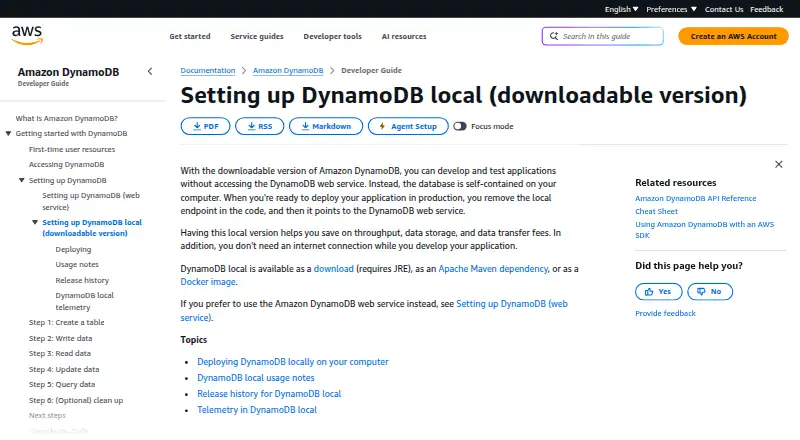
What DynamoDB Local is
DynamoDB Local is a free local version of DynamoDB for developing and testing applications without connecting to the DynamoDB web service. AWS says it can be used offline during development and may help avoid throughput, storage, and data-transfer fees. It is distributed as an archive, Maven dependency, or Docker image, and AWS documents using it with the CLI, SDKs, Docker Compose, Maven, and CloudShell. Data can persist in a local database file or remain in memory; the latter is lost when the local service stops. The downloadable version requires configured credentials, though AWS says these need not be valid AWS credentials for local access. AWS recommends v3.x for local work; v2.x is legacy and v1.x is deprecated. Running v2.6.0 or later requires JRE 17.x or newer. The software collects generic usage metrics, system and environment information, and errors; AWS says it does not collect personal information or sensitive project-level information. Telemetry can be disabled through a command-line option or environment settings. AWS intends the local download for development and testing, while its managed service is intended for production.
Who it suits
It suits developers who need to build or test applications locally against DynamoDB behavior, including without an internet connection. It is not intended for production use.
What it does well
- Runs locally without an internet connection.
- Available as an archive, Maven dependency, or Docker image.
- Data can persist in a local database file.
- Telemetry can be disabled.
What to know first
- Not intended for production use.
- Does not support point-in-time recovery, tagging, or vector indexes.
- Does not support parallel scans.
- v2.6.0 and later require JRE 17.x or newer.
Limits
The free plan is for local development and testing and is not intended for production. DynamoDB Local lacks point-in-time recovery, tagging, vector indexes, and parallel scans; it also ignores provisioned throughput settings and treats table names as case insensitive.
Plans
| Plan | Billed and limits | Price |
|---|---|---|
| DynamoDB Local | Free download · For local development and testing · Not intended for production | Free |
As docs.aws.amazon.com lists them, read 5 Oct 2026. The maker's own page has the final word.
Getting started
- Open the AWS DynamoDB Local documentation.
- Choose the downloadable archive, Apache Maven dependency, or Docker image.
- For the downloadable version, configure credentials; they need not be valid AWS credentials for local access.
- For computer installations of v2.6.0 or later, use JRE 17.x or newer.
- Connect through a documented workflow such as the AWS CLI, an AWS SDK, Docker Compose, Maven, or AWS CloudShell.
- Choose local file storage or in-memory operation for data.
DynamoDB Local is a self-hosted implementation for developing and testing applications that use DynamoDB without connecting to the managed web service. It suits developers who need repeatable local databases, offline work, or lower-cost test environments. The trade-off is deliberate incompleteness: it is a development simulator, not a production database, and several DynamoDB behaviors and features differ.
Overview
AWS distributes DynamoDB Local as a downloadable archive, an Apache Maven dependency, or a Docker image. That range fits standalone desktop work as well as automated builds and containerized environments. It can run with a local database file for persistence or entirely in memory; the latter loses all data when the process stops, which is useful for disposable tests but unsuitable when a development dataset must survive restarts.
Local execution can avoid throughput, storage, and data-transfer charges and can continue without an internet connection. The downloadable build still requires configured credentials, although they do not need to be valid AWS credentials for local access. AWS documents integrations with the AWS CLI, AWS SDKs, Docker Compose, Maven, and AWS CloudShell.
Key features
Local database simulation
Stateful local storage and an in-memory mode let teams choose between durable development data and clean, ephemeral test runs. This is valuable for CI-style isolation and offline development, while teams validating persistence must deliberately use the file-backed mode.
Version and runtime requirements
AWS identifies v3.x as the current release line and recommends it for local testing and development. Version 2.x is legacy and version 1.x is deprecated. Running v2.6.0 or later requires JRE 17.x or newer, so older Java environments need an upgrade before they can use those builds.
Telemetry controls
DynamoDB Local collects generic usage metrics, system and environment information, and errors. AWS says it does not collect personal information or extract sensitive project-level information. You can disable telemetry with the -disableTelemetry command-line option or environment settings, an important control for restricted development environments.
Compatibility limits
The simulator omits point-in-time recovery, tagging, and vector indexes. It does not support parallel scans, ignores provisioned-throughput settings, and treats table names as case insensitive. These differences can hide production issues or make local results misleading, so production-facing validation must also use the managed DynamoDB service.
Pricing
| Plan | Price | Terms |
|---|---|---|
| DynamoDB Local | free | Free download for local development and testing; not intended for production |
There is no trial period because the software is free to download. The zero-price plan is a strong fit for individual developers, teams running local integration tests, and offline workflows. It does not include a production service; operating the runtime, Java environment, containers, and local storage remains your responsibility. Teams needing AWS-managed durability, production recovery, or complete feature parity should budget for the web service instead.
Platforms
DynamoDB Local supports API use on Linux, macOS, and Windows, with a self-hosted deployment model. Archive, Maven, and Docker delivery make it practical across local machines, build agents, and Compose-based projects.
Who it's for
Choose it when your application needs a DynamoDB-compatible local target for development, automated tests, demos, or disconnected work. It is particularly suitable when avoiding development-time throughput, storage, and transfer fees matters, or when test data must remain on a local machine.
It is not the right sole validation target for production readiness. Missing recovery, tagging, and vector-index features, plus behavioral differences around scans, throughput, and table-name casing, require checks against managed DynamoDB before release.
Pros and cons
Pros
- Free local use: removes development-time DynamoDB throughput, storage, and transfer charges.
- Offline operation: supports development without an internet connection.
- Flexible delivery: archive, Maven, and Docker options fit desktop, dependency-managed, and container workflows.
- Choice of persistence: use a database file for retained data or memory for disposable runs.
- Telemetry opt-out: command-line and environment controls support stricter local policies.
Cons
- Not production-ready: AWS positions the downloadable version for development and testing only.
- Feature gaps: no point-in-time recovery, tagging, or vector indexes.
- Behavioral mismatches: no parallel scans, ignored provisioned-throughput settings, and case-insensitive table names can conceal deployment issues.
- Runtime upkeep: v2.6.0 and later require JRE 17.x or newer.
- Local operations burden: you manage credentials configuration, runtime hosting, and data files yourself.
Alternatives
LocalStack is the closer choice when you need a broader AWS emulator: its free Hobby plan includes more than 30 emulated services, one personal sandbox, and non-commercial use.
Microcks fits teams wanting a free, 100% open-source, community-driven service-virtualization project across API and web-oriented environments.
Beeceptor is better when a hosted or self-hosted mock endpoint with private endpoints and defined request and rule allowances is more useful than a DynamoDB-specific simulator; its Individual plan is $10 a month.
MockServer provides free, open-source self-hosted service virtualization without a SaaS account.
Azurite is the free open-source option for emulating Azure Storage locally rather than DynamoDB.
Tricentis Testim targets mobile and web testing, with a free plan capped at 1,000 runs per month.
Amazon RDS is the managed database alternative when you need production hosting and AWS Free Tier terms rather than a local DynamoDB emulator.
mountebank is a free, open-source service-virtualization tool for API environments on Linux and self-hosted deployments.
For a wider shortlist, see Service Virtualization Software.
Verdict
DynamoDB Local is a strong recommendation for developers and test teams that need a free, offline-capable DynamoDB target they can run on their own machines or in containers. Its main reason to choose it is cost-effective, controllable local simulation; its main reason to look elsewhere is the feature and behavior gap that makes it unsuitable as the final production validation or runtime.
Verdict
DynamoDB Local offers a free way to develop and test applications without using the managed web service. Check its version, runtime, telemetry controls, and feature differences before relying on it for a particular local workflow.
Questions
How much does DynamoDB Local cost?
The listed plan is free, and the pricing model is free.
Is there a free plan or trial?
A free plan is available. There is no free trial.
Which platforms does it support?
The listed platforms are API, Linux, macOS, self-hosted, and Windows.
How can I get it?
It is available as a downloadable archive, an Apache Maven dependency, or a Docker image.
Does it work offline?
Yes. It can be used without an internet connection during development.
Is it intended for production?
No. AWS describes the downloadable version as intended for development and testing, and the managed DynamoDB web service as intended for production.
Facts from DynamoDB Local's own pages
- Behavior differences
- DynamoDB Local does not support parallel scans, ignores provisioned throughput settings, and treats table names as case insensitive. · docs.aws.amazon.com, 5 Oct 2026
- Cost benefit
- AWS says the local version can help save on throughput, data storage, and data transfer fees, and can be used without an internet connection during development. · docs.aws.amazon.com, 5 Oct 2026
- Credentials
- The downloadable version requires configured credentials to work, but AWS says the credentials do not have to be valid AWS credentials for local access. · docs.aws.amazon.com, 5 Oct 2026
- Distribution
- DynamoDB Local is available as a downloadable archive, an Apache Maven dependency, or a Docker image. · docs.aws.amazon.com, 5 Oct 2026
- Feature limitation
- DynamoDB Local does not support point-in-time recovery, tagging, or vector indexes. · docs.aws.amazon.com, 5 Oct 2026
- Integrations
- AWS documents using DynamoDB Local with the AWS CLI, AWS SDKs, Docker Compose, Maven, and AWS CloudShell. · docs.aws.amazon.com, 5 Oct 2026
- Persistence
- DynamoDB Local can store data in a local database file or run in memory, in which case data is not saved when DynamoDB Local stops. · docs.aws.amazon.com, 5 Oct 2026
- Production use
- AWS describes the downloadable version as intended for development and testing, while the managed DynamoDB web service is intended for production use. · docs.aws.amazon.com, 5 Oct 2026
- Purpose
- DynamoDB Local lets developers develop and test applications without accessing the DynamoDB web service. · docs.aws.amazon.com, 5 Oct 2026
- Runtime
- Running DynamoDB Local v2.6.0 or later on a computer requires JRE version 17.x or newer. · docs.aws.amazon.com, 5 Oct 2026
- Telemetry
- DynamoDB Local collects generic usage metrics, system and environment information, and errors; AWS says it does not collect personal information or extract sensitive project-level information. · docs.aws.amazon.com, 5 Oct 2026
- Telemetry control
- Telemetry can be disabled with the -disableTelemetry command-line option or through environment settings. · docs.aws.amazon.com, 5 Oct 2026
- Version
- AWS identifies v3.x as the current version and recommends it for local testing and development; v2.x is legacy and v1.x is deprecated. · docs.aws.amazon.com, 5 Oct 2026
Where DynamoDB Local stands on Freedom251
- Service Virtualization Software#5 of 21