Freedom251 › Spatial Databases

Amazon Aurora
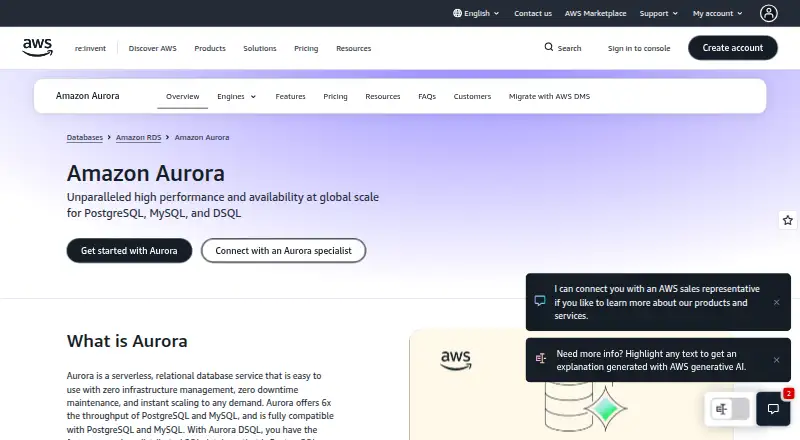
What Amazon Aurora is
Amazon Aurora is a fully managed relational database service with PostgreSQL, MySQL, and DSQL engines. Aurora PostgreSQL and Aurora MySQL offer open source compatibility, allowing existing applications and tools to run without modification. Aurora is designed for enterprise applications, multi-tenant SaaS, and globally distributed applications. Its availability design reaches up to 99.99% for a single Region and 99.999% across multiple Regions. Aurora Serverless can start, stop, and adjust capacity to application needs, with charges based on the capacity consumed.
Database provisioning, patching, backup, and recovery are handled through the Amazon RDS console, CLI commands, and API operations. Standard tools can migrate MySQL and PostgreSQL databases to and from Aurora. Babelfish supports legacy SQL Server applications on Aurora PostgreSQL with minimal code change. Aurora MySQL can invoke AWS Lambda functions and load data from or save data to Amazon S3. Security includes encryption at rest using AWS KMS keys and SSL (AES-256) for data in transit; GuardDuty RDS Protection profiles and monitors database login activity for suspicious behavior. The free plan provides Aurora PostgreSQL Serverless instances with up to 4 ACUs and 1 GiB of storage per cluster. Paid configurations use usage-based pricing, with charges for instances and storage and separate billing for optional features.
Who it suits
Aurora suits teams building enterprise applications, multi-tenant SaaS, or globally distributed applications that need a managed relational database. It is also relevant to teams working with PostgreSQL or MySQL applications, or migrating MySQL and PostgreSQL databases using standard tools.
What it does well
- Includes PostgreSQL, MySQL, and DSQL engines.
- PostgreSQL and MySQL compatibility supports existing applications and tools.
- Serverless capacity adjusts to application needs.
- Supports migration with standard MySQL and PostgreSQL tools.
- Includes encryption at rest and SSL encryption in transit.
- Free plan includes Aurora PostgreSQL Serverless.
What to know first
- Paid configuration prices vary by engine, Region, and setup.
- Storage and optional features can be billed separately.
- The free plan is limited to 4 ACUs and 1 GiB per cluster.
Limits
The free Aurora PostgreSQL Serverless plan provides up to 4 ACUs and 1 GiB of storage per cluster. The listed free plan is available at no cost for new AWS customers, and AWS credits are available for up to 12 months. Paid use charges for database instances and storage, with optional features billed separately.
Plans
| Plan | Billed and limits | Price |
|---|---|---|
| Free plan | 4 ACUs · 1 GiB storage per cluster | Free |
| Paid plan | Usage-based pricing · Charges for database instances and storage · Optional features are billed separately · Provisioned and serverless configurations | On request |
| Aurora PostgreSQL Serverless Free plan | No cost for new AWS customers; AWS credits are available for up to 12 months. · Up to 4 ACUs · 1 GiB storage per cluster | Free |
| Aurora PostgreSQL and Aurora MySQL On-Demand | Usage-based; provisioned instances are billed per instance-hour, with storage and optional features billed separately. · Price varies by engine, AWS Region, instance or capacity, storage, I/O, and selected configuration | On request |
As aws.amazon.com lists them, read 22 Sept 2026. The maker's own page has the final word.
Getting started
- Visit the Amazon Aurora website.
- Use the Amazon RDS console, CLI commands, or API operations to provision Aurora.
- Choose a PostgreSQL, MySQL, or DSQL engine.
- For Aurora PostgreSQL Serverless, use the free plan within its 4 ACU and 1 GiB per-cluster limits.
- For paid use, choose a provisioned or serverless configuration.
Amazon Aurora is a managed relational database service built around PostgreSQL, MySQL, and DSQL engines. It is a strong match for teams already operating in AWS that want familiar SQL compatibility with infrastructure tasks handled through RDS. The trade-off is pricing complexity: outside the tightly limited free option, your bill follows capacity, storage, I/O, engine, Region, and configuration.
Overview
Aurora centralizes provisioning, patching, backup, and recovery in the Amazon RDS console, command-line interface, and API. Aurora PostgreSQL and Aurora MySQL retain open-source compatibility, so existing applications and tools can often run without modification. Standard migration tools support moving MySQL and PostgreSQL databases to and from Aurora, while Babelfish can support legacy SQL Server applications on Aurora PostgreSQL with minimal code changes.
AWS claims up to six times the throughput of PostgreSQL and MySQL, and designs Aurora for up to 99.99% availability in one Region or 99.999% across multiple Regions. Those are useful design targets for enterprise and globally distributed workloads, but they do not promise a particular application's performance or uptime.
Key features
Managed operations and elastic capacity
Aurora Serverless can start, stop, and adjust capacity as demand changes, charging for the capacity consumed. This suits intermittent or unpredictable workloads that should not run at a fixed provisioned capacity. Provisioned configurations remain available for steadier workloads, but storage, I/O, and optional features can add to either model's cost.
Security and compliance
Encryption at rest uses AWS KMS keys, while SSL with AES-256 protects data in transit. Amazon GuardDuty RDS Protection profiles and monitors Aurora login activity for suspicious behavior. AWS includes Aurora in compliance programs such as SOC, PCI, FedRAMP, and HIPAA, which can help regulated teams assess it against their requirements.
AWS integrations
Aurora MySQL can invoke AWS Lambda and exchange data with Amazon S3. These integrations are most relevant when the rest of an application already uses AWS services; they offer less advantage to teams seeking a cloud-neutral database stack.
Pricing
Free plan
The Free plan costs free and provides Aurora PostgreSQL Serverless instances with up to 4 ACUs and 1 GiB of storage per cluster. That cap makes it suitable for evaluation, small experiments, or a narrowly sized development workload, not a general production database.
Aurora PostgreSQL Serverless Free plan
This plan is free, with no cost for new AWS customers; AWS credits are available for up to 12 months. It includes up to 4 ACUs and 1 GiB of storage per cluster. The short credit window and small storage allowance mean growing workloads will move to paid usage quickly.
Paid plan
The Paid plan has custom pricing. It supports provisioned and serverless configurations, charging for database instances and storage, with optional features billed separately. Choose it when you need capacity beyond the free ceiling or production-scale operation, but budget only after modeling your expected usage.
On-demand configurations
Aurora PostgreSQL and Aurora MySQL On-Demand pricing is custom and usage-based. Provisioned instances are billed per instance-hour; storage and optional features are separate. The price changes with engine, AWS Region, instance or capacity, storage, I/O, and selected configuration, so it is not a predictable flat subscription.
Platforms
Aurora is offered through an API. Operational work is performed with Amazon RDS console and CLI tooling alongside API operations, rather than through a separately listed desktop or mobile application.
Who it's for
Aurora is aimed at enterprise applications, multi-tenant SaaS, and globally distributed applications that need managed relational infrastructure. AWS-centered teams can benefit most from RDS operations, Lambda and S3 integration, GuardDuty monitoring, and familiar PostgreSQL or MySQL behavior. It is a weaker fit for a small project demanding a fixed monthly price, minimal configuration choices, or a self-hosted database.
Pros and cons
- Pro: PostgreSQL and MySQL compatibility can avoid application and tooling rewrites.
- Pro: RDS console, CLI, and API cover provisioning, patching, backup, and recovery in one operating model.
- Pro: Serverless capacity can follow demand instead of requiring a permanently fixed size.
- Pro: AWS cites high single-Region and multi-Region availability targets and supports compliance programs including HIPAA and FedRAMP.
- Con: Paid pricing varies across engine, Region, capacity, storage, I/O, and optional features, making spend harder to forecast.
- Con: The free PostgreSQL Serverless option is limited to 4 ACUs and 1 GiB per cluster.
- Con: AWS Premium Support is required for Aurora-specific troubleshooting and guidance.
Alternatives
MySQL is a better choice when you want a freemium, self-managed engine with a Community Edition and broad API, desktop, and operating-system support.
Azure SQL Database fits teams standardizing on Microsoft Azure and wanting a free offer with stated vCore, storage, backup, and database quotas.
SQLite is preferable for an embedded, free database that requires no separate server and no license fee.
Microsoft SQL Server suits organizations that specifically need Microsoft SQL Server editions and licensing options.
PostgreSQL is the straightforward option when you want the free, open-source engine without managed AWS infrastructure.
Amazon DynamoDB is an alternative for teams wanting a freemium AWS database with a defined free tier and a non-relational model.
Amazon RDS is worth considering when you want AWS-managed databases through RDS but prefer the broader RDS service rather than Aurora specifically.
MariaDB Server is a free, self-hosted choice for non-production applications using its Community Server.
Browse more options in Database Software.
Verdict
Choose Amazon Aurora for AWS-based enterprise, SaaS, or globally distributed systems that need managed PostgreSQL or MySQL compatibility, elastic capacity, and integrated operational controls. Look elsewhere if a small free allowance, self-hosting, or a stable subscription price matters more than AWS's managed scale and ecosystem.
Verdict
Choose Amazon Aurora if you need a managed relational database with PostgreSQL, MySQL, or DSQL engines and want database operations through the RDS console, CLI, or API. The free Aurora PostgreSQL Serverless plan has limited capacity and storage; paid use is usage-based, with costs depending on configuration.
Questions
Is Amazon Aurora free?
A free Aurora PostgreSQL Serverless plan is listed as free. It provides up to 4 ACUs and 1 GiB of storage per cluster; the plan is described as available at no cost for new AWS customers, with AWS credits available for up to 12 months.
How is paid Aurora usage priced?
Paid configurations use usage-based pricing. Provisioned instances are billed per instance-hour, while storage and optional features are billed separately; price varies by engine, AWS Region, and configuration.
Which database engines does Aurora offer?
Aurora includes PostgreSQL, MySQL, and DSQL engines.
Can existing PostgreSQL or MySQL applications run on Aurora?
Aurora PostgreSQL and Aurora MySQL offer open source compatibility so existing applications and tools can run without modification.
What tools can I use to manage Aurora?
The Amazon RDS console, CLI commands, and API operations support tasks such as provisioning, patching, backup, and recovery.
What integrations are listed?
Aurora MySQL can invoke AWS Lambda functions and load data from or save data to Amazon S3.
Facts from Amazon Aurora's own pages
- Availability
- AWS says Aurora is designed for up to 99.99% single-Region and 99.999% multi-Region availability. · aws.amazon.com, 11 Oct 2026
- Compatibility
- Aurora PostgreSQL and Aurora MySQL offer open source compatibility so existing applications and tools can run without modification. · docs.aws.amazon.com, 11 Oct 2026
- Compliance
- AWS lists Aurora in compliance programs that include SOC, PCI, FedRAMP, and HIPAA. · docs.aws.amazon.com, 11 Oct 2026
- Founded
- 2006 · aws.amazon.com, 23 Sept 2026
- Free plan
- No · aws.amazon.com, 22 Sept 2026
- Headquarters
- Seattle, Washington, United States · aws.amazon.com, 23 Sept 2026
- Integrations
- Aurora MySQL can invoke AWS Lambda functions and load data from or save data to Amazon S3. · docs.aws.amazon.com, 11 Oct 2026
- Intended workloads
- AWS identifies enterprise applications, multi-tenant SaaS, and globally distributed applications as Aurora use cases. · aws.amazon.com, 11 Oct 2026
- Migration
- AWS says MySQL and PostgreSQL databases can be migrated to and from Aurora using standard tools; Babelfish supports legacy SQL Server applications on Aurora PostgreSQL with minimal code change. · aws.amazon.com, 11 Oct 2026
- Notable limit
- The free plan provides Aurora PostgreSQL Serverless instances with up to 4 ACUs and 1 GiB of storage per cluster. · aws.amazon.com, 11 Oct 2026
- Operations
- Aurora uses the Amazon RDS console, CLI commands, and API operations for tasks such as provisioning, patching, backup, and recovery. · docs.aws.amazon.com, 11 Oct 2026
- Performance
- AWS says Aurora offers up to 6x the throughput of PostgreSQL and MySQL. · aws.amazon.com, 11 Oct 2026
- Product
- Amazon Aurora is a fully managed relational database service with PostgreSQL, MySQL, and DSQL engines. · docs.aws.amazon.com, 11 Oct 2026
- Scaling
- Aurora Serverless automatically starts, stops, and scales capacity based on application needs, and charges for capacity consumed. · aws.amazon.com, 11 Oct 2026
- Security
- Aurora supports encryption at rest using AWS KMS keys and uses SSL (AES-256) to secure data in transit. · docs.aws.amazon.com, 11 Oct 2026
- Support
- Customers with an active AWS Premium Support plan can contact AWS for Aurora-specific troubleshooting and guidance. · docs.aws.amazon.com, 11 Oct 2026
- Threat detection
- Amazon GuardDuty RDS Protection profiles and monitors Aurora database login activity for suspicious behavior. · docs.aws.amazon.com, 11 Oct 2026
Where Amazon Aurora stands on Freedom251
- Spatial Databases#11 of 40
- Service Virtualization Software#6 of 21
- Relational Databases#12 of 38
- Ai Databases#14 of 40
- Databases And Backend#13 of 33
- Distributed SQL Databases#11 of 25
- Transaction Data Store Software#13 of 29
- Database Software#37 of 74
- Sql Databases#14 of 23