Freedom251 › Database Performance Monitoring Software

Amazon RDS
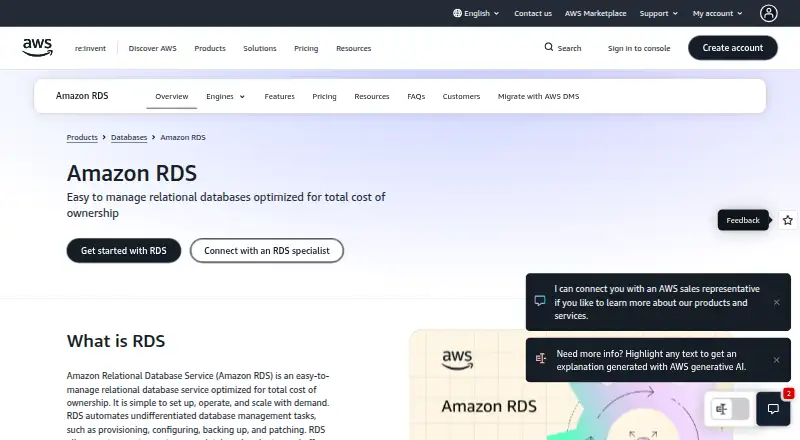
What Amazon RDS is
Amazon RDS is a managed relational database service for teams that want AWS to handle provisioning, patching, backups, and scaling. It supports Aurora PostgreSQL-Compatible and Aurora MySQL-Compatible, along with PostgreSQL, MySQL, MariaDB, SQL Server, Oracle, and Db2. Automated backups are enabled by default, with point-in-time recovery available within the configured retention period of up to 35 days. Multi-AZ deployments replicate data to standby instances and can fail over automatically; the listed availability SLA is up to 99.95%. Read replicas provide asynchronous copies for read-heavy workloads and can be promoted to standalone instances. Security options include VPC isolation, security groups, IAM permissions, SSL/TLS in transit, and AES-256 encryption at rest with AWS KMS. RDS integrates with AWS monitoring and audit services, and can be managed through the console, CLI, APIs, SDKs, or CloudFormation. It offers a free tier and paid on-demand or reserved instance options; storage, backups, and other charges may apply separately.
Who it suits
RDS suits organizations that need a managed relational database with a choice of engines, backup and recovery options, and AWS monitoring and security controls. Its read replicas and Multi-AZ deployments are relevant to read-heavy workloads and high-availability needs.
What it does well
- Supports eight relational database engines.
- Default backups support point-in-time recovery up to 35 days.
- Multi-AZ deployments offer automatic failover.
- Read replicas can be promoted to standalone instances.
- Provides AWS encryption, monitoring, and audit integrations.
What to know first
- Paid compute, storage, backup, and data-transfer charges apply.
- Free Tier excludes several options, including Multi-AZ deployments.
- Availability SLA is listed as up to 99.95%.
Limits
The AWS Free Tier excludes custom engine options, Reserved Instances, deployments other than Single-AZ, snapshot migration, Query Editor, and Aurora read replicas. The listed legacy Free Tier offer includes select Single-AZ instances, 20 GB storage, and 20 GB automated backups for up to 12 months; the supplied Free Tier details also describe credits for new sign-ups.
Plans
| Plan | Billed and limits | Price |
|---|---|---|
| AWS Free Tier for RDS | Free Tier credits are valid for up to 12 months; legacy accounts may receive 750 hours per month for up to 12 months · new sign-ups receive $100 credits plus up to $100 additional credits; legacy offer includes select Single-AZ instances, 20 GB storage, and 20 GB automated backup storage | Free |
| AWS Free Tier | Credits valid up to 12 months for customers signing up after July 15, 2025 · Participating AWS Regions only · Additional $100 may be available for foundational services | Free |
| Reserved Instances | 1-year or 3-year term; No Upfront, Partial Upfront, or All Upfront payment options · discount applies to hourly instance usage; storage, backup, and I/O are billed separately | On request |
| On-Demand Instances | per second while the DB instance runs; no long-term commitment · compute, storage, backup, and data-transfer charges apply separately | On request |
| On-demand | Per-second instance billing with no long-term commitment; storage, I/O, transfer and optional features billed separately · No minimum fees · No upfront commitment | On request |
| Reserved Instance | One- or three-year reservation; payment choices are no upfront, partial upfront or all upfront · Up to 69% savings versus on-demand for steady usage | On request |
As aws.amazon.com lists them, read 30 Sept 2026. The maker's own page has the final word.
Getting started
- Open the Amazon RDS website.
- Choose web or API access to the service.
- Select a supported database engine.
- Choose the AWS Free Tier, on-demand instances, or reserved instances.
- Manage the database through the AWS console, CLI, APIs, SDKs, or CloudFormation.
Overview
Amazon RDS is a managed relational database service for teams that want AWS to take on routine database operations. It is best suited to applications already built around AWS, especially when engine choice, recovery options, or read scaling matter. Its managed operations are a strong draw, but deployment and usage charges need close attention.
Key features
Engine choice and routine operations
RDS supports eight engines: Aurora PostgreSQL-Compatible, Aurora MySQL-Compatible, PostgreSQL, MySQL, MariaDB, SQL Server, Oracle, and Db2. That range gives teams room to match an application or migration to a familiar engine while keeping managed operations in one service. RDS automates provisioning, patching, backups, and scaling; it reduces routine administration, but it does not eliminate decisions about capacity, deployment, and cost.
Recovery, availability, and read scaling
Automated backups are enabled by default, with point-in-time recovery up to the configured retention period, which can be as long as 35 days. That is useful protection for operational mistakes and data loss, though the recovery window is finite. Multi-AZ deployments synchronously replicate data to standby instances and provide automatic failover, with an availability SLA of up to 99.95%. This suits workloads where interruptions are costly, but deployments other than Single-AZ are excluded from the Free Tier.
Read replicas create asynchronous copies for read-heavy workloads and can be promoted to standalone instances. Several engines support up to 15 replicas, making this a useful path to additional read capacity; it is not synchronous replication. Push-button compute scaling reaches up to 128 vCPUs, and some engines support storage up to 256 TiB, giving larger workloads room to expand within engine-specific limits.
Security and operations
RDS supports VPC isolation, security groups, IAM permissions, SSL/TLS in transit, and AES-256 encryption at rest through AWS KMS. All its database engines are HIPAA-eligible when used under an executed AWS Business Associate Agreement. Monitoring and audit integrations include CloudWatch, CloudWatch Logs, CloudTrail, Performance Insights, and Database Activity Streams. Teams can manage the service through the AWS Management Console, CLI, APIs, SDKs, and CloudFormation; the AWS RDS Ready program also validates partner tools for areas such as monitoring, security, tuning, and migration.
Pricing
RDS is paid software with a Free Tier and free trial. The Free Tier offer is free. Billed Free Tier credits are valid for up to 12 months. New sign-ups receive $100 in credits plus up to $100 additional credits; legacy accounts may receive 750 hours per month for up to 12 months, with select Single-AZ instances, 20 GB storage, and 20 GB automated backup storage.
The Free Tier is a constrained way to evaluate RDS, not a proxy for a resilient production setup. It excludes custom engine options, Reserved Instances, non-Single-AZ deployments, snapshot migration, Query Editor, and Aurora read replicas.
On-Demand Instances have custom pricing and are billed per second while a DB instance runs, with no long-term commitment. Compute, storage, backup, and data-transfer charges apply separately, so short-term flexibility does not mean a single all-in rate.
Reserved Instances also have custom pricing. They require a 1-year or 3-year term, with No Upfront, Partial Upfront, or All Upfront payment options. The discount applies to hourly instance usage; storage, backup, and I/O remain separately billed. This structure is better suited to workloads with predictable instance usage than to capacity that may change often.
Platforms
RDS supports web and API access. Its console, CLI, APIs, SDKs, and CloudFormation provide several routes to manage databases, particularly for teams operating within AWS workflows.
Who it's for
Choose RDS if you need a managed relational database on AWS, want a choice among established engines, or need AWS-integrated security, monitoring, backup, or failover controls. It is a weaker fit if you need predictable bundled pricing, want Multi-AZ or other excluded features within the Free Tier, or prefer to manage a database outside AWS.
Pros and cons
Pros
- Eight supported engines: teams can choose among Aurora-compatible engines and PostgreSQL, MySQL, MariaDB, SQL Server, Oracle, and Db2.
- Managed recovery and failover: default automated backups, up to 35 days of point-in-time recovery, and Multi-AZ automatic failover cover important operational needs.
- AWS security and monitoring integration: encryption, access controls, CloudWatch, CloudTrail, and other listed tools fit organizations already using AWS.
- Scaling options: read replicas and substantial compute and storage ceilings provide room for eligible workloads to grow.
Cons
- Costs are split across usage categories: compute, storage, backups, data transfer, and, for Reserved Instances, I/O are charged separately.
- Free access has meaningful exclusions: it does not cover non-Single-AZ deployments or several other options, limiting how closely it can represent a production configuration.
- Reserved pricing trades flexibility for a term: the 1-year or 3-year commitment may not suit workloads with uncertain capacity needs.
Alternatives
If database observability is the main need rather than a managed database service, compare Grafana Cloud Application Observability, which has a free plan with 2,232 host hours and a Pro plan billed per host hour plus a monthly platform fee. For teams that want to run MySQL directly, MySQL offers a free Community Edition for SQL and NoSQL applications with replication and high-availability components.
DBmarlin is another freemium option. For PostgreSQL-specific monitoring, pgwatch is free, open source, and supports PostgreSQL 14 and later. Percona Monitoring and Management is a free open-source monitoring, management, and observability option, though installation infrastructure may carry separate costs.
For SQL Server tuning, AI SQL Tuner Studio has a free plan limited to SQL Server Developer Edition and paid plans with server-connection limits. Site24x7 Database Monitoring is a paid monitoring option with a free plan and trial; its Lite plan is $9 a month when paid annually and covers two servers and five websites. Sematext Container Monitoring is a paid option with a Basic plan starting at $2.80 a month and one-day retention.
Browse Database Performance Monitoring Software, Database Software, Relational Databases, Database Proxy Software, Distributed SQL Databases, or Service Virtualization Software for related categories.
Verdict
Amazon RDS is a strong choice for AWS-oriented teams that want managed relational databases with broad engine support, integrated controls, and options for recovery and availability. Its main advantage is reducing routine operations without locking teams to one engine. Look elsewhere if separately metered costs and deployment-specific Free Tier limits make the economics or operating model a poor fit.
Verdict
Amazon RDS combines a broad engine selection with managed backups, scaling, and AWS security and monitoring integrations. Check the separate usage charges and Free Tier exclusions when choosing a deployment.
Questions
Does Amazon RDS have a free plan?
Yes. The AWS Free Tier for RDS is listed as free. New sign-ups receive $100 in credits plus the possibility of up to $100 additional credits; the legacy offer describes select Single-AZ instances, 20 GB storage, and 20 GB automated backups.
What do paid RDS plans cost?
No specific prices are listed for On-Demand Instances or Reserved Instances. On-demand billing is per second while the instance runs, with compute, storage, backup, and data-transfer charges applying separately. Reserved Instances use one- or three-year terms, with separate storage, backup, and I/O billing.
Which database engines does RDS support?
It supports Aurora PostgreSQL-Compatible, Aurora MySQL-Compatible, PostgreSQL, MySQL, MariaDB, SQL Server, Oracle, and Db2.
Which platforms can I use?
The listed platforms are API and web. Management options include the AWS Management Console, CLI, RDS APIs, SDKs, and CloudFormation.
Does RDS offer a free trial?
Yes, a free trial is listed. The AWS Free Tier details include credits for new sign-ups and a separate legacy offer for eligible accounts.
Is RDS open source, and who makes it?
Amazon RDS is a managed service from Amazon Web Services. Amazon RDS was founded in 2006 and is headquartered in Seattle, Washington, United States.
Facts from Amazon RDS's own pages
- Automated administration
- RDS automates provisioning, configuration, backups, software patching, monitoring and failure recovery. · aws.amazon.com, 21 Oct 2026
- Automated backups
- Automated backups are enabled by default and support point-in-time recovery up to the configured retention period, which can be up to 35 days. · aws.amazon.com, 30 Sept 2026
- Company founded
- AWS states that it launched in spring 2006. · aws.amazon.com, 21 Oct 2026
- Company headquarters and size
- LinkedIn lists AWS headquarters in Seattle, Washington and company size of 10,001+ employees. · linkedin.com, 21 Oct 2026
- Company legal name
- AWS site terms identify the provider as Amazon Web Services, Inc. · aws.amazon.com, 21 Oct 2026
- Compliance
- AWS states that RDS participates in compliance programs including SOC, PCI, FedRAMP and HIPAA. · docs.aws.amazon.com, 21 Oct 2026
- Compute scale
- The feature page lists push-button scaling up to 128 vCPUs and as many as 15 read replicas for several engines. · aws.amazon.com, 21 Oct 2026
- Cross-region replication
- Cross-Region read replicas asynchronously replicate databases between AWS Regions for disaster recovery and performance. · aws.amazon.com, 21 Oct 2026
- Database engines
- Supported engines include Db2, MariaDB, Microsoft SQL Server, MySQL, Oracle Database, PostgreSQL and Amazon Aurora variants. · aws.amazon.com, 21 Oct 2026
- Documentation depth
- AWS provides a user guide, engine-specific guides, getting-started material, API reference and release-history documentation. · docs.aws.amazon.com, 21 Oct 2026
- Founded
- 2006 · aws.amazon.com, 23 Sept 2026
- Free plan
- No · aws.amazon.com, 22 Sept 2026
- Free Tier exclusions
- The RDS Free Tier excludes custom engine options, Reserved Instances, deployments other than Single-AZ, snapshot migration, Query Editor, and Aurora read replicas. · docs.aws.amazon.com, 30 Sept 2026
- Free-tier restrictions
- The free tier supports MariaDB, MySQL, PostgreSQL and SQL Server Express on micro instances and excludes Multi-AZ, reserved instances, custom engines and some Aurora actions. · docs.aws.amazon.com, 21 Oct 2026
- Headquarters
- Seattle, Washington, United States · aws.amazon.com, 23 Sept 2026
- High availability
- Multi-AZ deployments synchronously replicate data and automatically fail over to a standby instance. · aws.amazon.com, 21 Oct 2026
- HIPAA eligibility
- AWS says all RDS database engines are HIPAA-eligible when used under an executed Business Associate Agreement. · aws.amazon.com, 21 Oct 2026
- Interfaces
- Administrators can use the AWS Management Console, AWS CLI and Amazon RDS APIs. · docs.aws.amazon.com, 21 Oct 2026
- Licence
- Amazon RDS is a proprietary hosted AWS service; the database engines it hosts may be open-source or commercial under their respective licences. · aws.amazon.com, 21 Oct 2026
- Limit: migration and lock-in
- Capterra reviewers describe migration away from AWS as difficult and note proprietary elements in the managed engine environment. · capterra.com, 21 Oct 2026
- Limit: pricing complexity
- Reviewers report that costs can rise quickly and become difficult to predict because of instance, storage, backup, monitoring, transfer and availability charges. · gartner.com, 21 Oct 2026
- Limit: restricted control
- Reviewers complain about lacking root or operating-system access and having less low-level customization than self-managed databases. · g2.com, 21 Oct 2026
- Limit: sharding and large workloads
- TrustRadius reviewers mention limited sharding support and weaker suitability for very large unstructured or extremely low-latency workloads. · trustradius.com, 21 Oct 2026
- Limit: support complaints
- Trustpilot reviewers commonly report unexpected billing, account suspension and difficulty reaching human AWS support. · trustpilot.com, 21 Oct 2026
Where Amazon RDS stands on Freedom251
- Database Performance Monitoring Software#1 of 25
- Spatial Databases#6 of 40
- Databases And Backend#5 of 33
- Relational Databases#6 of 38
- Database Proxy Software#5 of 31
- Transaction Data Store Software#7 of 29
- Database Software#20 of 74