Freedom251 › Service Virtualization Software
Azurite
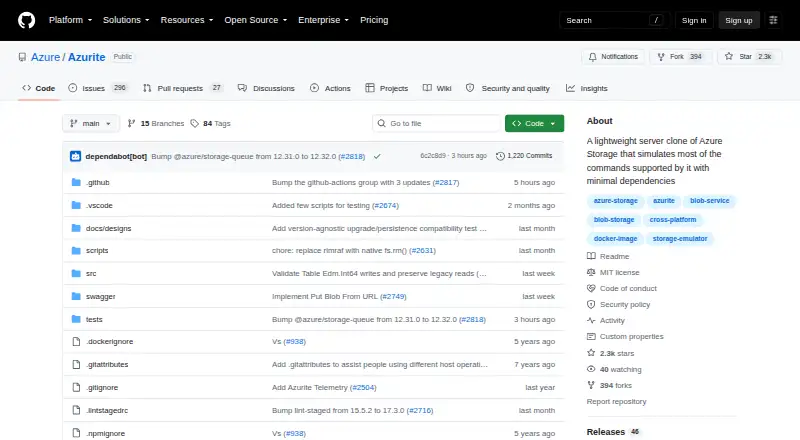
What Azurite is
Azurite is a free, open-source server emulator for trying Azure Storage APIs in a local environment. Version 3 supports Blob and Queue storage, while Table storage is marked as a preview. Blob functionality includes containers, block and page blobs, service properties, and CRC-64/NVME transactional checksum validation for specified write operations. Queue operations include creating queues and adding, retrieving, peeking at, updating, deleting, and clearing messages. Documented authentication methods include Shared Key, account and service SAS, OAuth, and public access where supported. It works with Azure Storage SDKs, Azure CLI, and Storage Explorer. Installation choices include npm, Docker, a Visual Studio Code extension, or cloning and building the GitHub source. The documented npm route supports Windows, Linux, and macOS with supported Node.js LTS versions. Azurite listens on the local machine by default; hosts, ports, workspace, and optional in-memory persistence can be configured. Telemetry is enabled by default, though it can be disabled for an execution. The project uses the MIT License and is self-hosted. Its support matrix marks some Blob capabilities unsupported or limited, and Table OAuth unsupported.
Who it suits
Azurite suits developers who want to exercise Azure Storage-compatible applications locally using SDKs or Azure tools. It may also suit contributors seeking an open-source project with documented install options.
What it does well
- Free and open source under the MIT License.
- Supports Blob and Queue storage operations.
- Works with Azure SDKs, CLI, and Storage Explorer.
- Offers several installation routes.
What to know first
- Table storage is marked as preview.
- Telemetry collection is enabled by default.
- Some Blob features are unsupported or limited.
- Table OAuth is unsupported.
Limits
The free plan costs nothing. Table storage is a preview, and the support matrix marks some Blob features unsupported or limited; Table OAuth is unsupported.
Plans
| Plan | Billed and limits | Price |
|---|---|---|
| Azurite | Open source; local Azure Storage emulator | Free |
As github.com lists them, read 4 Oct 2026. The maker's own page has the final word.
Getting started
- Open the Azurite GitHub project page.
- Choose an installation route: npm, Docker, the Visual Studio Code extension, or clone and build the source.
- For npm, use a supported Node.js LTS version on Windows, Linux, or OS X.
- Configure the host, port, workspace location, or in-memory persistence if needed.
- Disable telemetry for an execution if desired.
Overview
Azurite is a free, open-source emulator for Azure Storage APIs that runs in a local environment. It is best suited to developers who need to build or check Blob and Queue workflows with Azure-compatible tools. Its focused coverage and flexible installation options make it useful for local work, but it is not a stand-in for every Azure Storage feature.
Key features
Azurite V3 supports Blob and Queue storage, while Table storage remains in preview. Blob support covers containers, block and page blobs, service properties, and CRC-64/NVME transactional checksum validation for specified write operations. Queue support includes creating queues and putting, getting, peeking, updating, deleting, and clearing messages. That is a solid foundation for developing and checking common storage workflows; teams depending on preview Table support should treat it as provisional.
Authentication options include Shared Key, account and service SAS, OAuth, and public access where supported. Azurite works with Azure Storage SDKs, Azure CLI, and Storage Explorer, so it can fit into existing Azure-oriented development workflows. It listens on the local machine by default, and users can configure hosts, ports, and workspace location or opt for in-memory persistence when they do not need data retained on disk.
The support matrix identifies limits that matter for compatibility: static websites, blob versions, and soft delete are unsupported or limited, while Table OAuth is unsupported. Telemetry is collected by default, though collection can be disabled for an execution. Security issues should go to the Microsoft Security Response Center rather than public GitHub issues; GitHub issues are the channel for feature requests, and contributions are welcome under the project guidelines.
Pricing
Azurite is free under the MIT License. Its Azurite plan costs nothing and provides an open-source, self-hosted local Azure Storage emulator. There is no paid tier or free-trial distinction to weigh, which makes it a straightforward choice for local development and testing without a subscription. The trade-off is scope, not price: unsupported or limited features and preview Table storage can prevent it from matching a workflow that relies on the full Azure Storage surface.
Platforms
Installation choices include npm, Docker, a Visual Studio Code extension, or cloning and building the GitHub source. The npm installation works on Windows, Linux, and OS X with supported Node.js LTS versions. The self-hosted deployment defaults to the local machine and offers configurable host, port, and workspace settings, plus optional in-memory persistence. This range suits developers who want to fit an emulator into different local setups, though it remains a local tool rather than a hosted storage service.
Who it's for
Choose Azurite if you are developing or checking Azure Storage integrations locally and your work centers on supported Blob and Queue operations. Its compatibility with Azure SDKs and tools, multiple installation routes, and configurable local deployment are practical advantages for that job. Look elsewhere if your application depends on unsupported Blob features, Table OAuth, or production storage behavior; Table storage is still in preview.
Pros and cons
- Pro: Broad installation choices—npm, Docker, a VS Code extension, or source build—let developers select a setup that fits their environment.
- Pro: Blob and Queue coverage, familiar Azure authentication options, and compatibility with Azure SDKs, CLI, and Storage Explorer make it useful for local integration work.
- Pro: Configurable local deployment and optional in-memory persistence support workflows that do not need data retained on disk.
- Con: Table storage is in preview, and Table OAuth is unsupported, making it a weaker fit for workflows that depend on mature Table coverage.
- Con: Static websites, blob versions, and soft delete are unsupported or limited, so applications using those capabilities need another route for development or validation.
- Con: Telemetry is on by default, so users who do not want collection must disable it for an execution.
Alternatives
For a broader service-virtualization shortlist, see the Service Virtualization Software directory. Consider Microcks if you want a free, open-source, community-driven CNCF Incubating project with API, web, and self-hosted platforms. Pick Beeceptor instead if a freemium service with a web option and a defined Individual plan—$10 a month, 15,000 requests per month per endpoint, and up to 50 mock rules—fits better than a local Azure Storage emulator.
LocalStack is the alternative to consider when your target is AWS rather than Azure Storage; its free Hobby plan emulates 30+ services and is for non-commercial use. MockServer is another free, self-hosted option, with no SaaS account required. Choose DynamoDB Local if you need local development and testing for DynamoDB; it is a free download and is not intended for production.
Tricentis Testim may suit mobile and web testing instead, with a free plan covering up to 1,000 runs per month and customized paid pricing. Amazon RDS is the alternative to consider for managed relational database services rather than local Azure Storage emulation. For another free, open-source service-virtualization option, see mountebank.
Verdict
Azurite is a strong fit for developers who need a free, local Azure Storage-compatible environment for supported Blob and Queue work. Its Azure tool compatibility and flexible installation make it an accessible part of a local development workflow. Choose something else when your work depends on unsupported Blob capabilities or reliable Table coverage: the documented gaps and Table preview status are meaningful boundaries, not minor omissions.
Verdict
Azurite offers a local Azure Storage-compatible environment with broad installation choices and useful Blob and Queue coverage. Check its documented gaps and preview status before relying on it for unsupported features.
Questions
How much does Azurite cost?
The listed Azurite plan is free. It is open source.
Which storage services does it support?
Azurite V3 supports Blob and Queue storage. Table storage is marked as preview.
Which platforms can I use?
The listed platforms are extension, Linux, macOS, self-hosted, and Windows. The npm route works on Windows, Linux, and OS X with supported Node.js LTS versions.
How can I install Azurite?
The project documents installation through npm, a Docker image, a Visual Studio Code extension, or by cloning and building its GitHub source.
Is Azurite open source?
Yes. The project is licensed under the MIT License.
Does Azurite collect telemetry?
Telemetry is collected by default, and an option is provided to disable collection for an execution.
Facts from Azurite's own pages
- Authentication
- Documented authentication options include Shared Key, account and service SAS, OAuth, and public access where supported. · github.com, 4 Oct 2026
- Blob features
- Blob support includes containers, block and page blobs, service properties, and CRC-64/NVME transactional checksum validation for specified write operations. · github.com, 4 Oct 2026
- Compatibility
- Azurite works with Azure Storage SDKs and tools including Azure CLI and Storage Explorer. · github.com, 4 Oct 2026
- Documented gaps
- The support matrix lists Blob features such as static websites, blob versions, and soft delete as unsupported or limited, and Table OAuth is unsupported. · github.com, 4 Oct 2026
- Install options
- The project documents installation through npm, a Docker image, a Visual Studio Code extension, or by cloning and building its GitHub source. · github.com, 4 Oct 2026
- License
- The project is licensed under the MIT License. · github.com, 4 Oct 2026
- Local deployment
- Azurite defaults to listening on the local machine, with configurable hosts, ports, workspace location, and optional in-memory persistence. · github.com, 4 Oct 2026
- Operating systems
- The README says the npm installation works cross-platform on Windows, Linux, and OS X with supported Node.js LTS versions. · github.com, 4 Oct 2026
- Purpose
- Azurite is an open source Azure Storage API compatible server emulator for trying Azure Storage in a local environment. · github.com, 4 Oct 2026
- Queue features
- Queue support includes creating queues and putting, getting, peeking, updating, deleting, and clearing messages. · github.com, 4 Oct 2026
- Security reporting
- The security policy asks users to report vulnerabilities to the Microsoft Security Response Center rather than through public GitHub issues. · github.com, 4 Oct 2026
- Services
- Azurite V3 supports Blob and Queue storage, with Table storage marked as preview. · github.com, 4 Oct 2026
- Support and contributions
- The maintainers direct users to GitHub issues for missing feature requests and welcome contributions under the project guidelines. · github.com, 4 Oct 2026
- Telemetry
- Azurite collects telemetry by default and provides an option to disable collection for an execution. · github.com, 4 Oct 2026
Where Azurite stands on Freedom251
- Service Virtualization Software#2 of 21