Freedom251 › Window Management Software

DisplayFusion
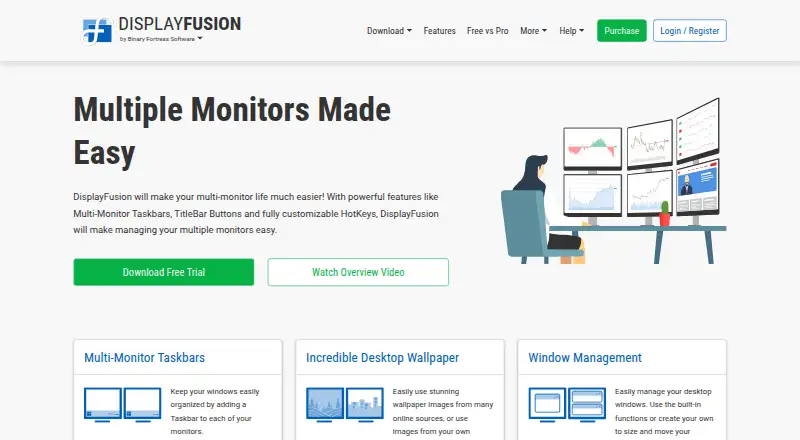
What DisplayFusion is
DisplayFusion provides controls for configuring and managing Windows multi-monitor setups. It can add a taskbar to each monitor and adjust resolution, colour depth, refresh rate, orientation, profiles, and screen splitting. Window tools support snapping, sizing, and moving windows, with saved profiles for window positions. Triggers can respond to events such as a window being created or focused, desktop unlock, or system idle, then run preset commands or custom scripts. A phone or tablet can be used to control DisplayFusion remotely, including changing wallpaper and toggling monitors. Wallpaper can come from a personal collection, online sources, or a direct image URL. Corporate deployment options include silent installer settings and custom ADMX templates for Active Directory Group Policy. The product supports Windows 11, Windows 10 version 1607 or later, and Windows Server 2016, 2019, and 2022, on x86, x64, and ARM64. A 30-day Pro trial is followed by a free version. Pro Standard costs $34.00 USD once per machine and includes a lifetime license and future versions.
Who it suits
DisplayFusion suits Windows users who want more control over multi-monitor layouts, windows, and wallpaper. Its triggers and corporate deployment options may also suit users who need automation or managed installation.
What it does well
- Adds a taskbar to each monitor.
- Configures resolution, refresh rate, and orientation.
- Triggers can run commands or custom scripts.
- Remote controls work from a phone or tablet.
- Supports x86, x64, and ARM64.
What to know first
- Available only for Windows.
- The Pro trial lasts 30 days.
- Pro Standard costs $34.00 USD once per machine.
Plans
| Plan | Billed and limits | Price |
|---|---|---|
| Free | forever for personal use · personal use only · fewer features than Pro | Free |
| DisplayFusion Free | Free version available after trial | Free |
| Pro Standard | lifetime license · 1 computer · personal or company use | $34, paid once |
| DisplayFusion Pro Standard | per machine · Lifetime license · all future versions | $34, paid once |
| Pro Enterprise | lifetime license · unlimited computers · unlimited company-owned physical sites | $3,899, paid once |
| DisplayFusion Pro Enterprise | unlimited computers at unlimited physical locations · Unlimited sites · lifetime license | $3,899, paid once |
| DisplayFusion Pro on Steam | use wherever you have Steam installed with your Steam account · Requires Steam desktop client for installation · lifetime license | $39.99, paid once |
| DisplayFusion Pro Personal | for any number of computers in your house · Personal use only · one company computer that only you use · lifetime license | $49, paid once |
The first 8 of 11 plans, as displayfusion.com lists them, read 14 Oct 2026. The maker's own page has the final word. Every plan
Getting started
- Visit the DisplayFusion website.
- Download the version for a supported Windows system.
- Use the included 30-day Pro trial.
- Continue with the free version after the trial, or choose a paid license.
- For corporate deployment, use the silent installer settings or custom ADMX templates.
Overview
DisplayFusion is a Windows utility for people who want control over multi-monitor layouts, windows and desktop behavior. It suits users who regularly arrange work across several screens; its breadth is a strength, though anyone seeking only a small taskbar tweak may not need the full toolkit.
Key features
Displays and windows
DisplayFusion can add a taskbar to each monitor and configure resolution, colour depth, refresh rate, orientation, monitor profiles and screen splitting. That range is useful for tailoring a multi-screen workspace, rather than relying on one display arrangement for every task.
Window tools cover snapping, sizing and moving, with saved position profiles for repeatable arrangements. Layout presets and application rules add further ways to organize the desktop. There are no virtual desktop controls, so it is not a complete choice for users who want to manage virtual desktops alongside their monitors.
Automation, remote control and wallpaper
Triggers respond to events such as a window being created or focused, desktop unlock, or system idle, and can run preset commands or custom scripts. This is a meaningful advantage for users who want desktop actions to follow routine events, although custom scripts require more setup than basic display configuration.
A phone or tablet can remotely change wallpaper, toggle monitors and perform other actions. Wallpaper can come from a personal collection, online sources or a direct image URL. These options extend control beyond the PC, but users who do not need remote adjustments or wallpaper flexibility can ignore them.
Deployment and data
Corporate deployment options include silent installer settings and custom ADMX templates for Active Directory Group Policy, making the product relevant to managed Windows fleets as well as individual workstations. Its privacy policy says server transfers use HTTPS encryption, backups are encrypted, and passwords are salted and hashed. Desktop apps send anonymous telemetry about operating system version, screen resolution and enabled features; users can disable it in settings.
Pricing
The free version costs nothing and remains available after the included free 30-day Pro trial. It is the sensible starting point for users who want to assess the Pro tools before paying, though the free version is not the same as retaining Pro after the trial.
- DisplayFusion Pro Standard: $34, paid once, billed per machine, with a lifetime license and all future versions. It is the lowest-cost paid choice for one machine.
- DisplayFusion Pro on Steam: $39.99, paid once, billed for use wherever Steam is installed with the user's Steam account. It requires the Steam desktop client for installation and includes a lifetime license.
- DisplayFusion Pro Personal: $49, paid once for any number of computers in a household. It is for personal use, with one company computer permitted if only the license holder uses it; the license is lifetime.
- DisplayFusion Pro Site: $899, paid once for unlimited machines at one site, with a lifetime license.
- DisplayFusion Pro Enterprise: $3,899, paid once for unlimited computers at unlimited physical locations, with a lifetime license.
The cheaper Standard license gives up multi-machine household coverage, while Steam ties installation to the Steam client and account. Site and Enterprise make sense for organizations needing broad deployment; their higher one-time costs buy wider machine or location coverage rather than a recurring subscription.
Platforms
DisplayFusion supports Windows 11, Windows 10 version 1607 or higher, and Windows Server 2016, 2019 and 2022. Downloads support x86, x64 and ARM64. It is not a cross-platform choice for households or teams that need the same utility on other operating systems.
Who it's for
Choose DisplayFusion if you want monitor configuration, per-monitor taskbars, window positioning and event-based automation in one Windows utility. Its deployment options also suit administrators managing Windows installations. A user who needs only a free taskbar adjustment, or who relies on virtual desktop controls, should consider a narrower alternative.
Pros and cons
- Pro: Monitor configuration, window tools, taskbars and triggers cover several parts of a multi-monitor workflow in one product.
- Pro: The 30-day Pro trial leads into a continuing free version, while paid licenses are one-time purchases with lifetime terms.
- Pro: Site and Enterprise licenses cover unlimited machines, with Enterprise extending to unlimited physical locations.
- Con: Virtual desktop controls are absent, leaving a gap for users who want that function in the same utility.
- Con: The Standard license is per machine, so a household needing multiple computers must weigh the Personal tier or another option.
- Con: Windows-only support rules it out for users seeking a shared multi-platform setup.
Alternatives
For a dock rather than DisplayFusion's broader monitor and window toolkit, Winstep Nexus Dock has a free personal-use plan and paid commercial and Ultimate plans. For taskbar-specific adjustments, 7+ Taskbar Tweaker is a free Windows taskbar utility, while ExplorerPatcher is free for Windows, with some features potentially unavailable on some Windows versions.
GroupManager is a free, self-hosted option under GPL-3.0. RetroBar is free for Windows 7 SP1, Windows 8.1, Windows 10 or Windows 11. YASB Reborn is free and open-source for Windows 10 and 11. RainbowTaskbar is another free Windows option.
Browse more options in Taskbar Customization Software or Window Management Software.
Verdict
DisplayFusion is a strong fit for Windows users who need to shape several monitors and automate how windows and displays behave. Its wide control set and lifetime license options are the main reasons to choose it; look elsewhere if you need virtual desktop controls, cross-platform support or only a small taskbar-specific change.
Verdict
DisplayFusion offers monitor configuration, window tools, and event-based automation for Windows setups. Users can continue with the free version after the Pro trial.
Questions
Is DisplayFusion free?
Yes. A free version is available after the 30-day Pro trial.
How much does DisplayFusion Pro Standard cost?
It costs $34.00 USD once per machine and includes a lifetime license and future versions.
Which platforms does DisplayFusion support?
It supports Windows 11, Windows 10 version 1607 or higher, and Windows Server 2016, 2019, and 2022. x86, x64, and ARM64 are supported.
Can I use DisplayFusion remotely?
Yes. A phone or tablet can control actions such as changing wallpaper and toggling monitors.
Who makes DisplayFusion?
Binary Fortress Software makes DisplayFusion.
Facts from DisplayFusion's own pages
- Administration
- Corporate deployment is supported through silent installer options and custom ADMX templates for Active Directory Group Policy. · displayfusion.com, 14 Oct 2026
- Automation
- Triggers respond to events such as window creation, focus, desktop unlock and system idle, and can run preset commands or custom scripts. · displayfusion.com, 29 Sept 2026
- Command line
- The product includes displayfusioncommand.exe, including a command to load a monitor profile from a prompt. · displayfusion.com, 14 Oct 2026
- Company
- Binary Fortress Software describes its work as building software to make life easier, including display management and system enhancement utilities. · binaryfortress.com, 29 Sept 2026
- Company profile
- LinkedIn lists Binary Fortress Software as privately held, founded in 2007, headquartered in Kanata, Ontario, with 2–10 employees. · linkedin.com, 14 Oct 2026
- Documentation
- The maker provides a beginner guide, extensive help manual, FAQ, administrative guides, trigger documentation and a community script library. · displayfusion.com, 14 Oct 2026
- Download and deployment
- The maker supplies installer, ZIP and MSI packages, WinGet availability and SHA1 hashes for download verification. · displayfusion.com, 14 Oct 2026
- Enterprise deployment
- Corporate deployment options include silent installer settings and custom ADMX templates for Active Directory Group Policy. · displayfusion.com, 29 Sept 2026
- Headquarters
- Kanata, Ontario, Canada · displayfusion.com, 28 Sept 2026
- Integrations
- Online wallpaper providers listed in the EULA include Bing Desktop, Digital Blasphemy, NASA APOD and Wallpaper Abyss. · displayfusion.com, 14 Oct 2026
- Legal entity
- The Google Play developer listing identifies the maker as Binary Fortress Software Ltd., at 500–1000 Innovation Drive, Kanata, Ontario, Canada. · play.google.com, 14 Oct 2026
- Licence
- DisplayFusion is proprietary software licensed under an EULA; the software is licensed rather than sold and reverse engineering is restricted. · displayfusion.com, 14 Oct 2026
- Limit: full-screen splitting
- A Steam reviewer says monitor splitting creates virtual zones for windowed applications but does not turn an ultrawide display into separate full-screen displays. · steamcommunity.com, 14 Oct 2026
- Limit: missing controls
- Google Play reviewers request precise mouse control and report occasional hangs while configuring the Remote app. · play.google.com, 14 Oct 2026
- Limit: support and bugs
- Trustpilot reviewers report severe slowness, bugs and support follow-ups being ignored. · uk.trustpilot.com, 14 Oct 2026
- Mobile automation integration
- The Android Remote app supports Tasker and Locale automation applications. · play.google.com, 14 Oct 2026
- Monitor configuration
- Monitor settings support profiles, monitor splitting and padding for bezel compensation. · displayfusion.com, 14 Oct 2026
- Monitor setup
- Users can configure monitor resolution, colour depth, refresh rate, orientation, profiles and splitting. · displayfusion.com, 29 Sept 2026
- Multi-monitor taskbars
- It can add a configurable taskbar to every monitor, showing all windows or only windows on that monitor. · displayfusion.com, 14 Oct 2026
- Praise: customization
- Steam reviewers repeatedly praise the extensive customization, hotkeys, per-application overrides and taskbar behavior. · steamcommunity.com, 14 Oct 2026
- Praise: multi-monitor productivity
- Independent customer summaries highlight powerful multi-monitor support, configurable settings, ease of use and customer support. · displayfusion.worthepenny.com, 14 Oct 2026
- Profiles
- Window-position and desktop-icon profiles save layouts so they can be restored after monitor changes. · displayfusion.com, 14 Oct 2026
- Purpose
- DisplayFusion provides controls and customization for multi-monitor setups. · displayfusion.com, 29 Sept 2026
- Rating on Google Play
- 3.8 out of 5 from 244 reviews · play.google.com, 14 Oct 2026
Where DisplayFusion stands on Freedom251
- Window Management Software#3 of 65
- Taskbar Customization Software#2 of 34