Freedom251 › Taskbar Customization Software
RetroBar
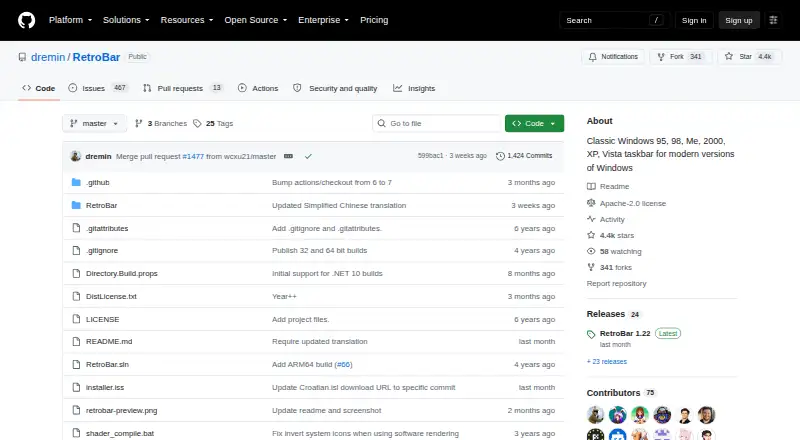
What RetroBar is
RetroBar is a free replacement for the modern Windows taskbar that lets users choose the appearance of classic Windows versions, from Windows 95 through Vista. It includes a notification area with balloon notifications, a task list with UWP app support and drag reordering, and a Quick Launch toolbar. Users can select built-in themes or install custom ones, then adjust layout and appearance. The taskbar can be placed on any screen edge, extended across multiple rows and shown on multiple monitors. Additional options include a modern Start menu button, optional clock, auto-hide, Vista-style window thumbnails and an input-language and keyboard-layout switcher. RetroBar supports Windows 7 SP1, Windows 8.1, Windows 10 and Windows 11, and requires Microsoft .NET Desktop Runtime. It comes as an installer or portable version; the installer can download the runtime if needed. The installer is unsigned, and Windows Defender may require confirmation before running it. Recent release notes say Windows 10 and later builds use .NET 10, which users may be prompted to install when updating.
Who it suits
RetroBar suits Windows users who want a classic taskbar appearance and control over its position, size and display across monitors. It also offers a portable version for those who prefer not to use the installer.
What it does well
- Supports Windows 7 SP1 through Windows 11.
- Includes a portable version.
- Can appear on multiple monitors.
- Offers built-in and custom themes.
- Task list supports UWP apps and drag reordering.
What to know first
- Requires Microsoft .NET Desktop Runtime.
- The installer is unsigned.
- Windows Defender may require confirmation to run it.
Plans
| Plan | Billed and limits | Price |
|---|---|---|
| RetroBar | Windows 7 SP1, Windows 8.1, Windows 10, or Windows 11 | Free |
As github.com lists them, read 30 Sept 2026. The maker's own page has the final word.
Getting started
- Open the RetroBar project website on GitHub.
- Choose the installer or portable version.
- Use the installer to install the required runtime if prompted.
- On Windows 10 or later, install .NET 10 if prompted during an update.
- Choose a built-in or custom theme and adjust the taskbar layout.
Verdict
RetroBar offers several classic taskbar styles along with layout controls and multiple-monitor support. Check the Windows and runtime requirements, and be aware of the unsigned installer notice.
Questions
How much does RetroBar cost?
The RetroBar plan is free.
Which Windows versions does it support?
RetroBar supports Windows 7 SP1, Windows 8.1, Windows 10, and Windows 11.
Does RetroBar have a portable version?
Yes. The project provides both installer and portable versions.
What runtime does RetroBar require?
It requires Microsoft .NET Desktop Runtime. Windows 10 and later builds use .NET 10, and an update may prompt users to install it.
What license does RetroBar use?
The GitHub repository identifies RetroBar as licensed under Apache-2.0.
Where can users discuss issues or compatibility?
The project points users to its Discord server and GitHub issues. Its README also gives recommended Open-Shell Menu settings for compatibility.
Facts from RetroBar's own pages
- Community and support
- The project points users to its Discord server and GitHub issues for community and issue discussion. · github.com, 30 Sept 2026
- Customization
- Users can choose built in themes, install custom themes, and adjust taskbar layout and appearance. · github.com, 30 Sept 2026
- Display options
- The taskbar can be placed on any screen edge, resized across multiple rows, and shown on multiple monitors. · github.com, 30 Sept 2026
- Install options
- The project provides an installer and portable versions; the installer can download and install the required runtime when needed. · github.com, 30 Sept 2026
- Integrations
- The README gives recommended Open-Shell Menu settings for compatibility with RetroBar. · github.com, 30 Sept 2026
- License
- The GitHub repository identifies the project as licensed under Apache-2.0. · github.com, 30 Sept 2026
- Other features
- Features include a modern Start menu button, optional clock, auto-hide, Vista style window thumbnails, and an input language and keyboard layout switcher. · github.com, 30 Sept 2026
- Purpose
- RetroBar replaces the modern Windows taskbar with a classic Windows 95, 98, Me, 2000, XP, or Vista style. · github.com, 30 Sept 2026
- Runtime update
- The latest release notes say Windows 10 and later builds use .NET 10 and users may be prompted to install it when updating. · github.com, 30 Sept 2026
- Security note
- The release page says the installer is unsigned and Windows Defender may require users to choose “more info” and then “run anyway.” · github.com, 30 Sept 2026
- System requirements
- RetroBar supports Windows 7 SP1, Windows 8.1, Windows 10, and Windows 11 and requires Microsoft .NET Desktop Runtime. · github.com, 30 Sept 2026
- Taskbar tools
- It includes a native notification area with balloon notifications, a task list with UWP app support and drag reordering, and a Quick Launch toolbar. · github.com, 30 Sept 2026
Where RetroBar stands on Freedom251
- Taskbar Customization Software#10 of 34