Freedom251 › Window Management Software
Amethyst
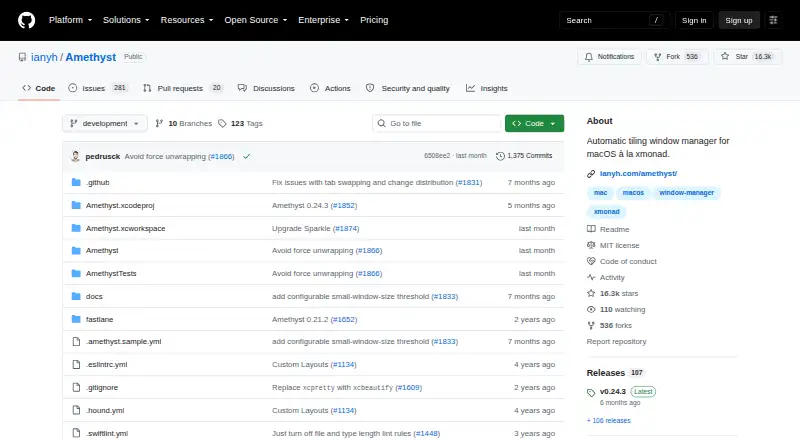
What Amethyst is
Amethyst is a free tiling window manager for macOS that arranges windows into configurable layouts. Built-in choices include Tall, Wide, Two Pane, several column variants, Widescreen-Tall, Fullscreen, Column, Row, Floating, and Binary Space Partitioning. Keyboard shortcuts can switch layouts, resize the main pane, change focus, move windows between screens or Spaces, and toggle floating or global tiling. Configuration is available through the GUI or a YAML file in the home directory; when present, the file takes precedence over GUI settings. Custom layouts can be written in JavaScript, though the project marks this capability beta. Amethyst supports macOS 10.15 and later and requires permission to use macOS accessibility APIs. It is available from its releases page or through the Homebrew cask. The project says it does not collect personal information or transmit information over a network, and the repository identifies its license as MIT. The project recommends disabling automatic rearrangement of Spaces by most recent use because it can make keyboard navigation unpredictable.
Who it suits
Amethyst suits macOS users who want keyboard-controlled window layouts and are comfortable granting accessibility access. Its YAML configuration and beta JavaScript custom layouts may also suit users who want to tailor the arrangement.
What it does well
- Free to use under an MIT license.
- Includes multiple built-in layout choices.
- Keyboard shortcuts move windows between screens or Spaces.
- Project says it does not collect or transmit personal information.
What to know first
- Requires macOS 10.15 or later.
- Requires permission to use macOS accessibility APIs.
- Custom JavaScript layouts are marked beta.
Limits
Amethyst is free, with no trial. Custom layouts implemented in JavaScript are marked beta, and window grouping is not supported.
Plans
| Plan | Billed and limits | Price |
|---|---|---|
| Free and open source | macOS tiling window management · Configurable layouts and keyboard shortcuts · Application floating or tiling rules | Free |
| Free | Amethyst is free and always will be | Free |
As github.com lists them, read 19 Sept 2026. The maker's own page has the final word.
Getting started
- Download Amethyst from its releases page or install it through the Homebrew cask.
- Grant permission to use macOS accessibility APIs.
- Choose settings in the GUI or configure them in a YAML file in your home directory.
- Consider disabling automatic rearrangement of Spaces by most recent use for more predictable keyboard navigation.
Overview
Amethyst is a macOS tiling window manager for people who prefer arranging windows with layouts and keyboard controls rather than managing each window manually. Its range of presets and no-cost access make it a practical fit for keyboard-oriented Mac users; the trade-offs are an accessibility permission requirement and beta status for custom layouts.
It supports macOS 10.15 and later and can be downloaded from its releases page or installed through the Homebrew cask. Amethyst must be granted access to macOS accessibility APIs to manage windows. The project says it collects no personal information and sends no information over a network, and identifies its license as MIT.
Key features
Layouts and controls
Amethyst’s built-in layouts cover common arrangements including Tall, Wide, Two Pane, three-column variants, Widescreen-Tall, Fullscreen, Column, Row, Floating, and Binary Space Partitioning. That breadth gives users room to choose how screen space is divided without relying on one fixed pattern. Keyboard shortcuts can cycle layouts, resize the main pane, change focus, move windows between screens or Spaces, and toggle floating or global tiling.
Application rules can keep selected apps floating or tiled, a useful distinction for windows that do not suit the current layout. Window grouping is not supported, so users who want related windows managed as groups should look elsewhere. JavaScript custom layouts offer more flexibility, but their beta status makes them a less settled option than the built-in presets.
Configuration and Spaces
Users can configure Amethyst through the GUI or a YAML file in the home directory. When that file is present, it overrides GUI settings, so configuration should be managed consistently in one place to avoid confusion. The project recommends disabling automatic rearrangement of Spaces by most recent use, which can otherwise make keyboard navigation unpredictable.
Privacy and support
Amethyst states that it neither collects personal information nor transmits information over a network. For common problems, the project points users to a troubleshooting guide and suggests Twitter or Gitter for questions and feedback.
Pricing
Amethyst is free, with no free-trial period because access is already free. The Free and open source plan costs nothing and includes macOS tiling window management, configurable layouts and keyboard shortcuts, and application floating or tiling rules. A second Free plan also costs nothing; the project says Amethyst is free and always will be. Neither plan has a paid tier or a stated usage cap, making it straightforward for individual Mac users who want these window-management tools without a subscription or upfront cost.
Platforms
Amethyst is for macOS, with support starting at macOS 10.15. Its need for accessibility access is central to its window-management function, but users who do not want to grant that permission should choose another approach.
Who it's for
Amethyst suits macOS users who like keyboard-driven workflows and want several tiling arrangements, per-application floating or tiling rules, and control over Spaces. It is less suitable for people who need window grouping, require custom layouts to be a mature feature, or want to avoid accessibility permissions.
Pros and cons
- Pros: A wide selection of built-in layouts and keyboard controls supports different window arrangements without a price barrier.
- Pros: Application rules can tailor floating or tiling behavior to particular apps.
- Pros: The project says it does not collect personal information or transmit information over a network.
- Cons: Window management requires macOS accessibility permission, which may not suit every user.
- Cons: JavaScript custom layouts are beta, and window grouping is not supported.
- Cons: YAML settings override GUI settings, while automatic Spaces rearrangement can make keyboard navigation unpredictable unless disabled.
Alternatives
For another free window manager spanning macOS and other desktop platforms, consider spectrwm, an ISC-licensed window manager for X11. Linux users can also consider awesome, a free GNU GPLv2-licensed X window manager; dwm, a free MIT/X Consortium-licensed window manager for X; or i3, free and open-source software for GNU/Linux and BSD. niri is another free Linux option, described as an open-source Wayland compositor. Windows users can look at bug.n, a free GPL-3.0 Windows window manager, or DisplayFusion, which offers a free version after a trial and a Pro Standard lifetime license for $34, paid once, billed per machine. Launchpad is a free option for open-source projects, with platforms including API, Linux, self-hosted, and web.
Verdict
Choose Amethyst if you use macOS 10.15 or later and want free, keyboard-driven tiling with a broad set of built-in layouts and app rules. Its clear strengths are flexibility at no cost and a stated no-collection, no-network-transmission privacy posture. Look elsewhere if window grouping, mature custom layouts, or avoiding accessibility permissions is essential.
Verdict
Amethyst offers configurable tiling layouts and keyboard controls at no cost for macOS users. Note the accessibility permission requirement and the beta status of custom layouts.
Questions
How much does Amethyst cost?
Amethyst is free. The listed plans are free.
Is there a free trial?
No. Amethyst is free, and no free trial is offered.
Which platforms does Amethyst support?
Amethyst supports macOS 10.15 and later.
Is Amethyst open source?
Yes. The repository identifies its license as MIT.
How can I install Amethyst?
It is available from its releases page or through the Homebrew cask.
What does Amethyst include, and what is unsupported?
It includes built-in layouts, keyboard shortcuts, application rules, and virtual desktop controls. Window grouping is not supported.
Facts from Amethyst's own pages
- Accessibility access
- Amethyst must be given permission to use macOS accessibility APIs. · ianyh.com, 28 Sept 2026
- Configuration
- Amethyst supports YAML configuration in the home directory, and that file overrides settings defined through the GUI when present. · github.com, 28 Sept 2026
- Custom layouts
- Custom layouts can be implemented in JavaScript and are marked beta. · ianyh.com, 28 Sept 2026
- Download
- Amethyst is available for direct download from its releases page or through the Homebrew cask. · ianyh.com, 28 Sept 2026
- Free plan
- Yes · github.com, 19 Sept 2026
- Intended users
- The project describes itself as a macOS tiling window manager and compares its approach to xmonad. · github.com, 28 Sept 2026
- Keyboard controls
- Keyboard shortcuts can cycle layouts, resize the main pane, change focus, move windows between screens or Spaces, and toggle floating or global tiling. · ianyh.com, 28 Sept 2026
- Layouts
- Built-in layouts include Tall, Wide, Two Pane, three-column variants, Widescreen-Tall, Fullscreen, Column, Row, Floating, and Binary Space Partitioning. · ianyh.com, 28 Sept 2026
- License
- The repository identifies its license as MIT. · github.com, 28 Sept 2026
- Minimum OS
- Amethyst supports macOS 10.15 and later. · ianyh.com, 28 Sept 2026
- Privacy
- Amethyst states that it does not collect personal information or transmit information over a network. · github.com, 28 Sept 2026
- Spaces setting
- The project recommends disabling automatic rearrangement of Spaces by most recent use because it can make keyboard navigation unpredictable. · ianyh.com, 28 Sept 2026
- Support
- The project directs users to its troubleshooting guide for common issues and suggests Twitter or Gitter for questions or feedback. · ianyh.com, 28 Sept 2026
- What it does
- Amethyst is a tiling window manager for macOS along the lines of xmonad. · ianyh.com, 28 Sept 2026
Where Amethyst stands on Freedom251
- Window Management Software#7 of 65
- Mod managers#66 of 78
- Game Mod Managers#70 of 79
- Minecraft Launchers#68 of 76