Freedom251 › Window Management Software
AltSnap
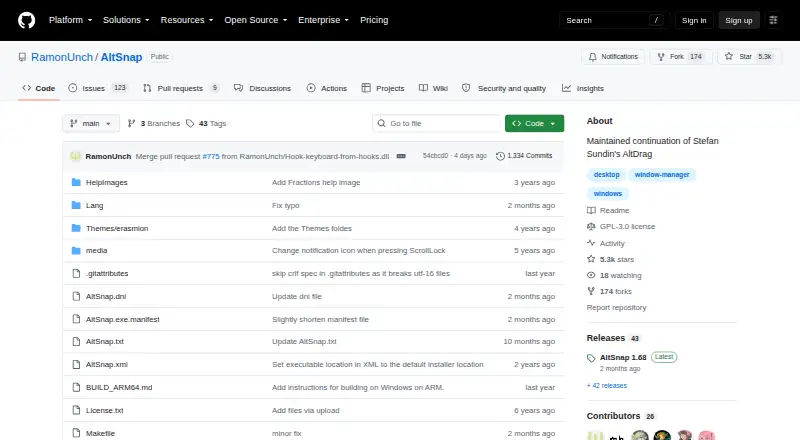
What AltSnap is
AltSnap is a free Windows utility for moving, resizing, and arranging application windows. Hold Alt and click within a window to move or resize it. It can snap windows to screen borders or to other windows, with configurable thresholds. You can create custom snap layouts, extend windows across zones, and use grid mode. Its configuration lets you choose activation hotkeys and assign actions to mouse buttons or keyboard shortcuts. Additional options include transparent window dragging, process pausing, and blacklists that disable move, resize, or scroll actions for selected programs. AltSnap can be configured to match Microsoft PowerToys FancyZones and includes a restore option for windows snapped with FancyZones. The project provides 32-bit, x86-64, and ARM64 builds for Windows and lists GPL-3.0 as its license. It is oriented toward Windows versions from NT 4 through Windows 11; the project says most testing has been on XP and Windows 10, while ARM64 builds are described as untested. The Hooks window and focus-on-typing features are removed or disabled in this fork.
Who it suits
AltSnap suits Windows users who want keyboard- or mouse-driven window movement, resizing, and snapping with configurable layouts. It also fits users who want to coordinate zones with Microsoft PowerToys FancyZones or use a GPL-3.0 utility.
What it does well
- Free Windows desktop utility.
- Move or resize windows with Alt and a click.
- Custom layouts, zones, and grid mode are available.
- Hotkeys and mouse-button actions are configurable.
- Includes transparent dragging and process controls.
- GPL-3.0 licensed.
What to know first
- Hooks window and focus-on-typing features are removed or disabled.
- ARM64 builds are provided but untested.
- The project reports most testing on Windows XP and Windows 10.
Plans
| Plan | Billed and limits | Price |
|---|---|---|
| Free | Windows desktop utility · GPL-3.0 | Free |
As github.com lists them, read 11 Oct 2026. The maker's own page has the final word.
Getting started
- Visit the AltSnap GitHub project page.
- Choose a Windows build for your architecture: 32-bit, x86-64, or ARM64.
- Configure activation hotkeys and mouse or keyboard actions.
- Set snap thresholds, layouts, zones, or grid mode to suit your window arrangement.
Verdict
Choose AltSnap if you want a free Windows utility with configurable snapping, layouts, and keyboard or mouse controls. Look elsewhere if you need the removed Hooks window or focus-on-typing features.
Questions
Does AltSnap have a free plan?
Yes. The Free plan costs nothing.
Which operating systems are supported?
AltSnap is oriented toward Windows users from Windows NT 4 through Windows 11. The project says most testing has been on Windows XP and Windows 10.
Which architecture builds are available?
The project documents 32-bit, x86-64, and ARM64 builds. ARM64 builds are provided but untested.
Is AltSnap open source?
The repository lists GPL-3.0 as the project license.
Does it work with Microsoft PowerToys FancyZones?
The wiki describes configuring AltSnap zones to match FancyZones and restoring windows snapped with FancyZones.
Which features are absent or disabled in this fork?
The Hooks window feature and focus-on-typing feature were removed or disabled.
Facts from AltSnap's own pages
- Antivirus alerts
- The README says some VirusTotal alerts on builds are false positives, usually from SecureAge APEX and sometimes other vendors. · github.com, 11 Oct 2026
- Architecture builds
- The README documents 32-bit, x86-64, and ARM64 Windows builds, and the latest release notes say ARM64 builds are provided but untested. · github.com, 11 Oct 2026
- FancyZones compatibility
- The wiki describes setting up AltSnap zones to match Microsoft PowerToys FancyZones and provides a restore option for FancyZones-snapped windows. · github.com, 11 Oct 2026
- Free plan
- Yes · github.com, 19 Sept 2026
- Keyboard and mouse actions
- The configuration allows users to choose activation hotkeys and assign actions to mouse buttons or keyboard shortcuts. · github.com, 11 Oct 2026
- License
- The repository lists GPL-3.0 as the project license. · github.com, 11 Oct 2026
- Notable limitation
- The README says the Hooks windows feature and focus-on-typing feature were removed or disabled in this fork. · github.com, 11 Oct 2026
- Process controls
- AltSnap offers pause-process options and blacklists that can disable move, resize, or scroll actions for selected programs. · github.com, 11 Oct 2026
- Security design
- The maker says AltSnap injects nothing into other applications and removed the original hooks feature because it required DLL injection. · github.com, 11 Oct 2026
- Snap layouts
- Users can configure custom snap layouts, extend windows across zones, and enable a grid mode. · github.com, 11 Oct 2026
- Supported Windows versions
- The project says it is oriented toward Windows users from Windows NT 4 through Windows 11 and has mostly been tested on Windows XP and Windows 10. · github.com, 11 Oct 2026
- Transparency
- The README lists transparent window dragging among AltSnap’s added options. · github.com, 11 Oct 2026
- Window control
- AltSnap lets users move and resize windows by holding Alt and clicking anywhere in a window. · github.com, 11 Oct 2026
- Window snapping
- It supports snapping windows to screen borders and to other windows, with configurable snap thresholds. · github.com, 11 Oct 2026
Where AltSnap stands on Freedom251
- Window Management Software#6 of 65
- Audience Response Systems#95 of 118