Freedom251 › Window Management Software
bug.n
What bug.n is
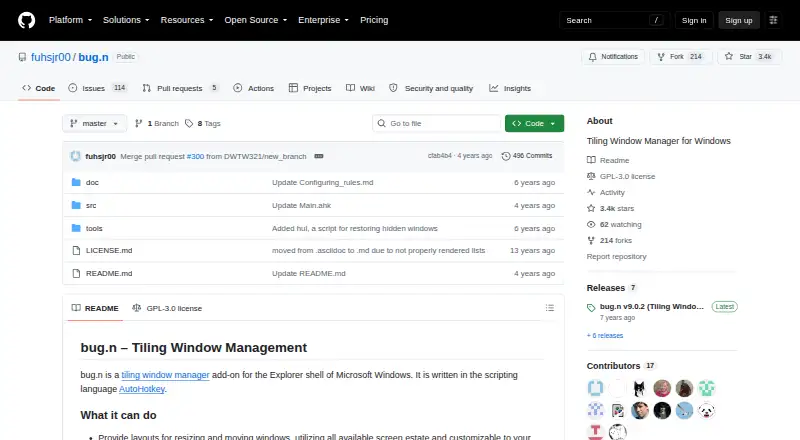
bug.n is a free tiling window manager add-on for the Microsoft Windows Explorer shell, written in AutoHotkey. It arranges windows with Tile, Monocle, and Floating layouts, which users can customize for each virtual desktop view. Views can display selected windows, and windows can be tagged to one or more views. The status bar can show details such as the active window, layout, date and time, system resource use, battery, and volume. It supports multiple monitors. Configuration variables and hotkeys are changed in a Config.ini file. There is no installation process: users unpack the ZIP and run the executable or AutoHotkey script. Documentation lists Windows 2000 or higher as a requirement, and AutoHotkey 1.1.10 or higher when running from source. The project is licensed under GNU General Public License version 3; its repository says v9 is the stable version and that active development and maintenance have ended. Release notes warn of a window-list leak that may slow the program after extended continuous use, with restarting offered as a workaround.
Who it suits
bug.n suits Windows users who want tiled layouts, virtual desktop views, and configurable hotkeys. It may also fit users comfortable running an executable or AutoHotkey script without a conventional installer.
What it does well
- Includes Tile, Monocle, and Floating layouts.
- Views can show selected windows and tag windows.
- Status bar can display system and window details.
- Supports multiple monitors and configurable hotkeys.
What to know first
- The project is no longer actively maintained.
- Long continuous use may cause slowdown from a window-list leak.
- Antivirus tools may flag the executable because of its hooks.
Limits
The free plan is the only listed plan. Release notes describe a window list leak that may slow bug.n after continuous long-term use; restarting is suggested as a workaround.
Plans
| Plan | Billed and limits | Price |
|---|---|---|
| bug.n | Windows window manager · GPL-3.0 | Free |
As github.com lists them, read 3 Oct 2026. The maker's own page has the final word.
Getting started
- Download and unpack the ZIP from the project website.
- Run the executable, or run the AutoHotkey script.
- For source use, meet the listed AutoHotkey 1.1.10 or higher requirement.
- Edit Config.ini to customize configuration variables and hotkeys.
Verdict
bug.n offers configurable window layouts and views at no cost, with support for multiple monitors. Its discontinued maintenance and the documented slowdown issue are important considerations.
Questions
How much does bug.n cost?
The listed plan is free.
Which platform does it support?
Windows. The documentation lists Microsoft Windows 2000 or higher.
Does it require installation?
No installation process is required. Unpack the ZIP and run the executable or AutoHotkey script.
Is bug.n open source?
It is licensed under GNU General Public License version 3.
Is bug.n still maintained?
The repository says it is no longer actively developed or maintained.
Facts from bug.n's own pages
- Customization
- Users can customize configuration variables and hotkeys by editing a Config.ini file. · github.com, 3 Oct 2026
- Installation
- There is no installation process; users unpack the ZIP and run the executable or the AutoHotkey script. · github.com, 3 Oct 2026
- Layouts
- It includes Tile, Monocle, and Floating layouts, with customizable layouts for each virtual desktop view. · github.com, 3 Oct 2026
- License
- The project is licensed under GNU General Public License version 3. · github.com, 3 Oct 2026
- Maintenance
- The repository says its current stable version is v9 and is no longer actively developed or maintained. · github.com, 3 Oct 2026
- Multiple monitors
- bug.n supports multiple monitors. · github.com, 3 Oct 2026
- Requirements
- The documentation lists Microsoft Windows 2000 or higher and AutoHotkey 1.1.10 or higher when running from source. · github.com, 3 Oct 2026
- Security note
- The documentation says antivirus tools may flag bugn.exe because it uses keyboard and shell hooks, and describes those hooks as intended behavior. · github.com, 3 Oct 2026
- Status bar
- The status bar can show the active window title, layout, views, time and date, CPU and memory use, disk and network load, battery, and volume. · github.com, 3 Oct 2026
- Unresolved issue
- The v9.0.2 release notes say a window list leak may slow bug.n after continuous long-term use and suggest restarting it as a workaround. · github.com, 3 Oct 2026
- Virtual desktops
- Views let users show selected windows and tag windows to one or more views. · github.com, 3 Oct 2026
- What it does
- bug.n is a tiling window manager add-on for the Microsoft Windows Explorer shell, written in AutoHotkey. · github.com, 3 Oct 2026
Where bug.n stands on Freedom251
- Window Management Software#13 of 65