Freedom251 › Window Management Software
Fenêtre
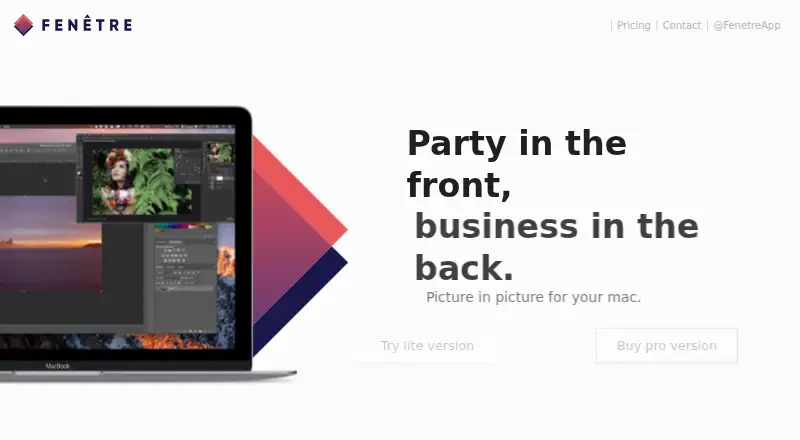
What Fenêtre is
Fenêtre is a picture-in-picture app for Mac that keeps a selected window above other windows. It can display videos, pictures, flat files, and websites, so you can keep reference content visible while working elsewhere. The maker describes uses such as following tutorials, listening to conferences while coding, and monitoring idle games. A Chrome or Firefox extension can open a link or the current URL in Fenêtre, and the app describes a refined experience for websites including YouTube, Twitch, and GitHub.
The Free plan costs nothing and includes one window, the browser extension, Markdown preview, code highlighting, and local file access. Pro costs $7.99, paid once and allows unlimited windows. Pro also includes click-through and see-through modes, opacity control, clipboard access, and customizable hotkeys; the maker lists recent items and multiple windows among its Pro features. The App Store listing says Fenêtre requires macOS 10.10.0 or later. Fenêtre is offered for macOS and as an extension, and the maker states that it collects no data.
Who it suits
Fenêtre suits Mac users who want a video, website, or other reference content to stay visible above their other windows. The browser extension and flat-file support may also suit people who want to bring links or local materials into that picture-in-picture window.
What it does well
- Keeps a chosen window above other windows.
- Displays videos, pictures, flat files, and websites.
- Chrome and Firefox extensions can open links in Fenêtre.
- Free plan includes Markdown preview and code highlighting.
- Maker states that Fenêtre collects no data.
What to know first
- The Free plan is limited to one window.
- Unlimited windows and advanced controls require the $7.99, paid once Pro plan.
- Requires macOS 10.10.0 or later, according to the App Store listing.
Limits
The Free plan permits one window. Pro allows unlimited windows and adds click-through and see-through modes, opacity control, clipboard access, and customizable hotkeys.
Plans
| Plan | Billed and limits | Price |
|---|---|---|
| Free | One window · browser extension · Markdown preview · code highlighting · local file access | Free |
| Pro | Unlimited windows · click-through and see-through · opacity control · clipboard access · customizable hotkeys | $7.99, paid once |
As getfenet.re lists them, read 11 Oct 2026. The maker's own page has the final word.
Getting started
- Visit the Fenêtre website.
- Install Fenêtre for macOS; the App Store listing requires macOS 10.10.0 or later.
- Choose the Free plan at no cost or Pro at $7.99, paid once.
- Optionally add the Chrome or Firefox extension to open a link or current URL in Fenêtre.
Verdict
Choose Fenêtre if you want a floating window for reference material on a Mac, especially if one window is enough or Pro's extra controls suit your workflow. Look elsewhere if you need multiple windows without paying or do not use macOS.
Questions
Is Fenêtre free?
Yes. The Free plan costs nothing and includes one window, the browser extension, Markdown preview, code highlighting, and local file access.
How much does Pro cost?
Pro costs $7.99, paid once. It includes unlimited windows, click-through and see-through modes, opacity control, clipboard access, and customizable hotkeys.
Which platforms does Fenêtre support?
Fenêtre is listed for macOS and as an extension for Chrome or Firefox. The App Store listing says it requires macOS 10.10.0 or later.
What can Fenêtre display?
It can display videos, pictures, flat files, and websites. The maker describes a refined experience for YouTube, Twitch, and GitHub.
What does the browser extension do?
The Chrome or Firefox extension can open a link or the current URL in Fenêtre.
What does the maker say about data collection?
The maker states that Fenêtre collects no data.
Facts from Fenêtre's own pages
- Browser extension
- The app offers a browser extension for Chrome or Firefox to open a link or the current URL in Fenêtre. · apps.apple.com, 11 Oct 2026
- Free limit
- The free version includes one window; Pro allows as many windows as needed. · getfenet.re, 11 Oct 2026
- Headquarters
- Clapiers, France · getfenet.re, 28 Sept 2026
- Mac compatibility
- The App Store listing says Fenêtre requires macOS 10.10.0 or later. · apps.apple.com, 11 Oct 2026
- Privacy
- The maker states that Fenêtre collects no data. · getfenet.re, 11 Oct 2026
- Product
- Fenêtre is a picture-in-picture app for Mac that keeps a window on top of other windows. · getfenet.re, 11 Oct 2026
- Pro features
- Pro includes see-through and click-through modes, opacity control, clipboard interaction, customizable hotkeys, recent items, and multiple windows. · getfenet.re, 11 Oct 2026
- Supported content
- Fenêtre can display videos, pictures, flat files, and websites. · apps.apple.com, 11 Oct 2026
- Use cases
- The maker describes using Fenêtre to follow tutorials, listen to conferences while coding, and monitor idle games. · getfenet.re, 11 Oct 2026
- Website refinements
- The app describes a refined experience for specific websites, including YouTube, Twitch, and GitHub. · apps.apple.com, 11 Oct 2026
Where Fenêtre stands on Freedom251
- Window Management Software#14 of 65