Freedom251 › Window Management Software

Dexpot
What Dexpot is
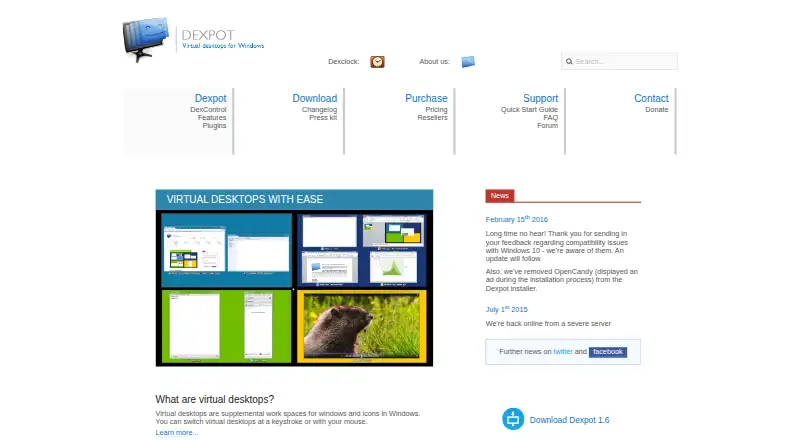
Dexpot adds switchable virtual workspaces to Windows, so users can separate windows, files, and shortcuts across desktops. Each desktop can have its own wallpaper and background color, including different backgrounds across monitors. A full-screen preview shows desktops live and lets users drag windows between them; the window catalog tiles windows on one desktop. Rules can trigger actions for new windows that match conditions, such as keeping them on top, minimizing them to the system tray, or setting transparency. Included plugins add hot corners, mouse-wheel switching, taskbar overview, grid navigation, 3D transitions, wallpaper clocks, and desktop slideshows. Its components support multiple monitors, and Dexpot provides a programming interface and Plugin SDK 1.5. Private use is free. The pricing note lists paid plans from €24.90, and companies can evaluate it for 30 days. The listed download is version 1.6.14 Build 2439 for Windows XP, Vista, 7, 8, and 8.1, including x64 and server versions; it was last updated September 4, 2014.
Who it suits
Dexpot may suit Windows users who want separate desktop workspaces, window rules, and multi-monitor controls. Companies, public institutions, nonprofits, freelancers, and self-employed users are among the groups the maker says must purchase a license.
What it does well
- Private use is free
- Full-screen preview supports dragging windows between desktops
- Rules can set matched windows on top or transparent
- Components support multiple monitors
What to know first
- Listed version was last updated September 4, 2014
- Listed compatibility ends at Windows 8.1
- A license is required for each computer
Limits
The free plan is for private use only. A license is required for each computer, or for each client when Dexpot runs on a terminal server.
Plans
| Plan | Billed and limits | Price |
|---|---|---|
| Private use | Free for private use only | Free |
| Free private-use license | Private use only | Free |
| Package 50 | Fifty licenses · Support and updates for 1.6.x | €1,099, paid once |
| Package 5 | Five licenses · Support and updates for 1.6.x | €119, paid once |
| Package 100 | One hundred licenses · Support and updates for 1.6.x | €2,149, paid once |
| Package 10 | Ten licenses · Support and updates for 1.6.x | €229, paid once |
| Single license | One computer or client · Support and updates for 1.6.x | €24.90, paid once |
| Package 200 | Two hundred licenses · Support and updates for 1.6.x | €4,149, paid once |
The first 8 of 11 plans, as dexpot.de lists them, read 8 Oct 2026. The maker's own page has the final word. Every plan
Getting started
- Visit the Dexpot website.
- Download the Windows version listed for your system.
- Install Dexpot and switch desktops with a keyboard or mouse.
- Use the free plan for private use, or choose a license for business use.
- Companies can evaluate Dexpot for 30 days.
Verdict
Dexpot offers configurable virtual desktops and window rules for Windows, with private use free and a 30-day company trial. Check the listed version and Windows compatibility before relying on it for a newer system.
Questions
Is Dexpot free?
Private use is free. Companies and other listed organizational or professional users must purchase a license.
How much does Dexpot cost?
The pricing note lists paid plans from €24.90. Other listed license plans do not have prices provided here.
Is there a trial?
Companies may evaluate Dexpot for 30 days and can request more time by email with a reason.
Which operating systems does Dexpot support?
The listed download is for Windows XP, Vista, 7, 8 and 8.1, including x64 and server versions.
Can Dexpot work with multiple monitors?
Yes. Its components support multiple monitors, and monitors can be excluded from desktop switching.
Does Dexpot support plugins?
Yes. It has a programming interface for plugins and third-party programs, and the maker provides Plugin SDK 1.5.
Facts from Dexpot's own pages
- Application assignment
- Applications can be permanently assigned to a desktop, all desktops, or the desktop where they start. · dexpot.de, 14 Oct 2026
- Company headquarters
- The vendor gives its address as Konrad-Duden-Strasse 70, 46485 Wesel, Germany. · dexpot.de, 14 Oct 2026
- Company legal name
- The vendor identifies itself as Dexpot GbR. · dexpot.de, 14 Oct 2026
- Company size evidence
- LinkedIn lists Sebastian Brands working at Dexpot GbR from 2006 to the present and places him in Wesel, Germany. · de.linkedin.com, 14 Oct 2026
- Compatibility and version
- The download page lists version 1.6.14 Build 2439, last updated September 4, 2014, for Windows XP/Vista/7/8/8.1, including x64 and server versions. · dexpot.de, 8 Oct 2026
- Current official release
- The download page identifies version 1.6.14 Build 2439 as the current version and dates its last update to September 4, 2014. · dexpot.de, 14 Oct 2026
- Desktop customization
- Each desktop can have its own files and shortcuts, wallpaper, and background color; different backgrounds per monitor are supported. · dexpot.de, 8 Oct 2026
- Desktop manager
- Desktop Manager is an always-visible, movable toolbar for switching desktops and optionally showing active-application icons. · dexpot.de, 14 Oct 2026
- Desktop preview
- Its full-screen preview shows all desktops live and lets users drag windows between them. · dexpot.de, 14 Oct 2026
- Desktop previews
- Full-screen preview provides a live overview of desktops and supports dragging windows between them. · dexpot.de, 8 Oct 2026
- Documentation
- Documentation includes a quick-start guide, FAQ index, troubleshooting support page, forum, command-line FAQ, and plugin installation guidance. · dexpot.de, 14 Oct 2026
- Evaluation period
- Businesses may evaluate Dexpot on company computers for 30 days, with extensions available by contacting the vendor. · dexpot.de, 14 Oct 2026
- Free personal use
- The vendor permits private use without payment, while companies, public institutions, nonprofits, freelancers, and self-employed users must purchase a license. · dexpot.de, 14 Oct 2026
- GetApp listing
- GetApp shows Dexpot with zero reviews and no pricing information. · getapp.com, 14 Oct 2026
- Grid layout
- The Dexgrid plugin arranges desktops in rows and columns and supports directional switching and window movement. · dexpot.de, 14 Oct 2026
- Headquarters
- Wesel, Germany · dexpot.de, 28 Sept 2026
- Hotkeys and mouse control
- The product provides configurable hotkeys, mouse-edge switching, hot corners, and global mouse-wheel shortcuts. · dexpot.de, 14 Oct 2026
- Included plugins
- Included plugins add hot corners and mouse-wheel switching, a taskbar desktop overview, grid navigation, 3D transitions, wallpaper clocks, and desktop slideshow. · dexpot.de, 8 Oct 2026
- Integrations
- Experimental plugins include a VirtuaWin interpreter and Rainmeter theme switching through Raindexer. · dexpot.de, 14 Oct 2026
- Intended users
- The maker identifies companies and employees, public institutions and nonprofits, freelancers, and self-employed users as groups that must purchase a license. · dexpot.de, 8 Oct 2026
- Licence terms
- Dexpot is proprietary software licensed per computer; the EULA prohibits renting, redistribution without consent, and derivative works. · dexpot.de, 14 Oct 2026
- License scope
- A license is required for each computer, or for each client when Dexpot runs on a terminal server. · dexpot.de, 8 Oct 2026
- Limit: ageing software
- Clubic listed no active development, limited Windows compatibility, and an ageing interface as disadvantages. · clubic.com, 14 Oct 2026
- Limit: missing search
- PCWorld identified the lack of quick search in Window Catalog mode as a specific drawback. · pcworld.com, 14 Oct 2026
Where Dexpot stands on Freedom251
- Window Management Software#10 of 65