Freedom251 › Game Boy Emulators
Coffee GB
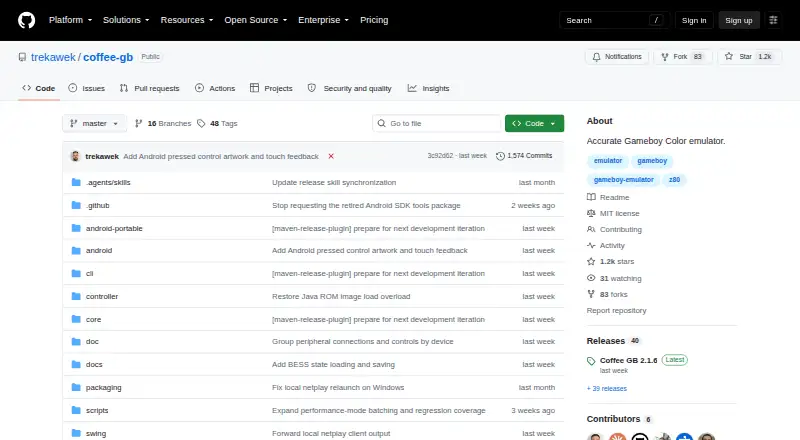
What Coffee GB is
Coffee GB is a free, open-source emulator for the original Game Boy, Game Boy Color and Super Game Boy features. It runs on Windows, macOS, Linux and Android, and loads .gb, .gbc and .rom files, including games inside ZIP and 7z archives. ROM files are not included. For saving and reviewing play, it offers ten save slots, named states with previews, autosave and resume, screenshots, input recordings and rewind. Rollback netplay supports link-cable games and synchronized infrared communication. Keyboard and controller input are supported, with separate controls for up to four players in compatible Super Game Boy games. Supported cartridge hardware includes real-time clocks, rumble, tilt, Game Boy Camera and Game Boy Printer. The emulator also supports Game Genie and GameShark cheats and includes a searchable libretro cheat database. The project reports 5,858 automated verdicts passing across 17 test suite families. Coffee GB uses the MIT License. Netplay is a direct, unencrypted TCP connection; on macOS, controller input requires a compatible system SDL2 installation.
Who it suits
It suits people looking to play Game Boy or Game Boy Color games on desktop or Android, with save tools and netplay. macOS users who want controller input need a compatible system SDL2 installation.
What it does well
- Runs on Windows, macOS, Linux and Android.
- Offers ten save slots, rewind and autosave.
- Rollback netplay supports link-cable games and synchronized infrared.
- Supports Game Genie and GameShark cheats.
- Handles several cartridge accessories, including Camera and Printer.
What to know first
- ROM files are not included.
- Netplay uses a direct, unencrypted TCP connection.
- macOS controller input requires compatible system SDL2.
Limits
Coffee GB does not include ROM files. On macOS, game-controller input requires a compatible system SDL2 installation; keyboard input and emulation work without it.
Plans
| Plan | Billed and limits | Price |
|---|---|---|
| Coffee GB | MIT-licensed emulator · ROM files are not included | Free |
As github.com lists them, read 4 Oct 2026. The maker's own page has the final word.
Getting started
- Open the Coffee GB project page on GitHub.
- Choose a build for Windows, macOS, Linux, or Android.
- Provide your own .gb, .gbc, or .rom game file; Coffee GB does not include ROMs.
- Load a game by dragging its file into the emulator; files in ZIP and 7z archives are supported.
- On macOS, install a compatible system SDL2 if you need game-controller input; keyboard input works without it.
Coffee GB is a free emulator for Game Boy, Game Boy Color and Super Game Boy features, available on desktop systems and Android. It suits players who want more than basic emulation, especially around saves and cartridge accessories; you will need to bring your own ROM files.
Overview
Coffee GB combines a broad set of cartridge features with tools for managing and revisiting play. Its project reports 5,858 automated verdicts passing across 17 test-suite families, evidence of substantial compatibility work rather than a guarantee that every game or accessory will behave perfectly.
Load GB, GBC or ROM files by dragging them into the emulator, including files inside ZIP and 7z archives. Coffee GB does not include ROMs, so it is a poor fit for anyone expecting a ready-made game library.
Key features
Saves and capture
Ten save slots and named save states with previews help separate games and runs. Autosave and resume make it easier to pick up later, while screenshots and input recordings preserve play in different forms. Rewind adds a way to revisit recent moments. This is a well-rounded set of tools for players who like to keep several sessions organized, not just save at a single checkpoint.
Netplay and controls
Rollback netplay supports link-cable games and synchronized infrared communication. That makes Coffee GB a stronger choice for multiplayer than an emulator limited to solo play, but its direct TCP connection is unencrypted. Follow the project's advice and use it only with trusted people and networks.
Keyboard and game-controller input are supported, and compatible Super Game Boy games can use independent controls for up to four players. On macOS, controller input depends on a compatible system SDL2 installation; keyboard play and emulation do not. Mac users without that setup can still play, but should not assume controllers will work out of the box.
Cartridge features and cheats
Support for real-time clocks, rumble, tilt controls, the Game Boy Camera and Game Boy Printer gives Coffee GB appeal to players whose games or accessories rely on more than standard controls. Game Genie and GameShark cheats are supported, with a searchable libretro cheat database to help find codes.
Pricing
Coffee GB costs nothing under the MIT License. The free plan is the emulator itself, with no trial period or paid tier to weigh against it; ROM files are not included, so users must supply their own.
Platforms
Coffee GB runs on Windows, macOS, Linux and Android. Its supported systems are Game Boy (GB/DMG), Game Boy Color (GBC/CGB) and Super Game Boy features. The macOS SDL2 requirement applies specifically to game-controller input, not keyboard use or emulation.
Who it's for
Choose Coffee GB if you want extensive save-state options, accessory support or rollback netplay in a free emulator, and can provide your own ROM files. It is less suitable if you need bundled games, or if you are on macOS and expect controller support without installing a compatible SDL2 system library.
Pros and cons
- Pros: Ten save slots, named states with previews, autosave, resume and rewind support more flexible play than basic save states alone.
- Pros: Rollback netplay covers link-cable games and synchronized infrared communication.
- Pros: Real-time clocks, rumble, tilt and named Nintendo accessories extend support beyond standard Game Boy play.
- Cons: ROM files are not included, so Coffee GB does not provide games to start with.
- Cons: Netplay traffic is unencrypted TCP, making trusted peers and networks essential.
- Cons: macOS controller input requires compatible system SDL2 software.
Alternatives
Browse Game Boy emulators to compare other options. Choose Virtual Jaguar if you want an open-source emulator core across Android, iOS, Linux, macOS, web and Windows and are comfortable using a libretro frontend such as RetroArch. GBCC is another free option for Game Boy and Game Boy Color emulation.
SkyEmu may suit users who want a free emulator across Android, iOS, Linux, macOS, web and Windows, though its DS emulation is beta quality. binjgb is a free, MIT-licensed alternative for Linux, macOS, web and Windows, with no pricing or usage limits stated. ChillyGB is free GPL-3.0 software for Linux, web and Windows.
GoBoy, SameBoy and GB Enhanced+ are also alternatives: GoBoy is free on Linux, macOS and Windows; SameBoy offers free Game Boy, Game Boy Color and Super Game Boy emulation on iOS, Linux, macOS and Windows; GB Enhanced+ is a free, open-source GPLv2 emulator for Linux, macOS and Windows.
Verdict
Coffee GB is a strong fit for players who want flexible save tools, broad cartridge accessory support and rollback netplay without paying for the emulator. Its main trade-offs are practical ones: you must supply your own ROMs, netplay is unencrypted, and macOS controller use requires compatible SDL2 software. If those conditions suit your setup, Coffee GB offers a compelling feature set across four platforms; if not, compare the alternatives for a different platform mix or workflow.
Verdict
Coffee GB combines broad save tools with netplay and cartridge accessory support across four platforms. Users need to supply their own ROM files and should account for the stated netplay and macOS controller limitations.
Questions
Is Coffee GB free?
Yes. It is listed as free and is distributed under the MIT License.
Which platforms does Coffee GB support?
It supports Windows, macOS, Linux, and Android.
Does Coffee GB include games?
No. ROM files are not included. It loads .gb, .gbc, and .rom files, including files inside ZIP and 7z archives.
Which systems does Coffee GB emulate?
It supports Game Boy (GB/DMG), Game Boy Color (GBC/CGB), and Super Game Boy features.
Can I use a controller on macOS?
Yes, with a compatible system SDL2 installation. Keyboard input and emulation work without it.
How does Coffee GB netplay work?
Rollback netplay supports link-cable games and synchronized infrared communication. It uses a direct, unencrypted TCP connection, and the project advises playing only with trusted people and networks.
Facts from Coffee GB's own pages
- Cartridge accessories
- Supported hardware includes real-time clocks, rumble, tilt controls, Game Boy Camera, Game Boy Printer, and other listed accessories. · github.com, 4 Oct 2026
- Cheats
- It supports Game Genie and GameShark cheats and includes a searchable libretro cheat database. · github.com, 4 Oct 2026
- Compatibility
- The project reports 5,858 automated verdicts passing across 17 test suite families. · github.com, 4 Oct 2026
- Distribution limit
- ROM files are not included with Coffee GB. · github.com, 4 Oct 2026
- Founded
- 2016 · github.com, 28 Sept 2026
- Input
- The desktop emulator supports keyboard and game controllers, with independent controls for up to four players in compatible Super Game Boy games. · github.com, 4 Oct 2026
- License
- Coffee GB is distributed under the MIT License. · github.com, 4 Oct 2026
- macOS limitation
- On macOS, game-controller input requires a compatible system SDL2 installation; keyboard input and emulation work without it. · github.com, 4 Oct 2026
- Netplay
- Rollback netplay supports link-cable games and synchronized infrared communication. · github.com, 4 Oct 2026
- Netplay security
- Netplay uses a direct, unencrypted TCP connection, and the project advises playing only with trusted people and networks. · github.com, 4 Oct 2026
- Purpose
- Coffee GB is a desktop emulator for the original Game Boy and Game Boy Color. · github.com, 4 Oct 2026
- ROM loading
- Games can be loaded by drag and drop from .gb, .gbc, and .rom files, including files inside ZIP and 7z archives. · github.com, 4 Oct 2026
- Save tools
- It supports ten save slots, named save states, previews, autosave and resume, screenshots, input recordings, and rewind. · github.com, 4 Oct 2026
Where Coffee GB stands on Freedom251
- Game Boy Emulators#3 of 23