Freedom251 › Nintendo DS Emulators
GB Enhanced+
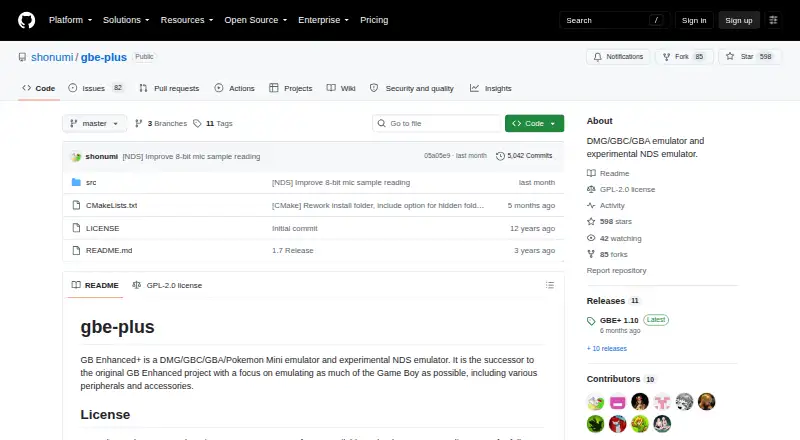
What GB Enhanced+ is
GB Enhanced+ is a free, open-source emulator for Windows, Linux, and macOS. It emulates DMG, Game Boy Color, Game Boy Advance, and Pokémon Mini systems; its Nintendo DS emulation is described as experimental. The project focuses on Game Boy peripherals and less common hardware features, with listed support for devices including the Wave Scanner, Wantame Card Scanner, Vaus Controller, and WorkBoy. It also supports save states, link cable emulation, real-time clock features, and controllers. Configuration options cover joystick haptics and accelerometer input for motion controls. Netplay settings can link emulator instances, and the project provides PDF and ODT manuals covering operation, netplay, rumble, and motion controls. Build requirements include SDL 2.0, OpenGL 3.3 or later, a C++ compiler, and CMake; Windows builds also require GLEW. Qt for the GUI and SDL2_net for netplay are optional dependencies. The emulator is released under GPLv2. Note that save states made with version 1.9 or earlier are incompatible with version 1.10.
Who it suits
GB Enhanced+ suits users seeking an open-source emulator for Game Boy-family systems or Pokémon Mini, especially those interested in peripheral emulation. Its Nintendo DS emulation is experimental, and building it requires several listed dependencies.
What it does well
- Emulates DMG, GBC, GBA, and Pokémon Mini
- Supports link cable emulation and real-time clock features
- Includes save states and controller support
- Documents netplay, rumble, and motion controls
- Free open-source software under GPLv2
What to know first
- Nintendo DS emulation is experimental
- Older save states do not work with version 1.10
- Windows builds require GLEW
Limits
Nintendo DS emulation is experimental. Save states created in version 1.9 or earlier are incompatible with version 1.10.
Plans
| Plan | Billed and limits | Price |
|---|---|---|
| GB Enhanced+ | Free open-source emulator under GPLv2 | Free |
As github.com lists them, read 29 Sept 2026. The maker's own page has the final word.
Getting started
- Visit the GB Enhanced+ project website.
- Choose the build route for Linux, macOS, or Windows.
- Install SDL 2.0, OpenGL 3.3 or greater, a C++ compiler, and CMake; include GLEW for a Windows build.
- Add Qt for the GUI or SDL2_net for netplay if those optional components are needed.
- Refer to the PDF or ODT manuals for operation, netplay, rumble, and motion controls.
Overview
GB Enhanced+ is a free, open-source emulator for several Game Boy-era systems, aimed at players interested in both core handheld hardware and less common peripherals. Its breadth is a stronger fit for Game Boy and Pokémon Mini emulation than for Nintendo DS, which the project describes as experimental. The main caveat for existing users is that save states from version 1.9 or earlier do not work in version 1.10.
Key features
System coverage includes DMG/Game Boy, Game Boy Color, Game Boy Advance and Pokémon Mini, with experimental Nintendo DS emulation. That makes GB Enhanced+ a useful single option for several handheld generations, but DS support should not be the deciding reason to choose it.
Peripheral emulation is a particular strength. The 1.10 release notes name the Wave Scanner, Wantame Card Scanner, Vaus Controller and WorkBoy, giving accessory-focused users more to explore than a basic system-only emulator. It also supports link cable emulation and a real-time clock, alongside save states.
Configuration documentation describes netplay for linking emulator instances, including hard synchronization and client and server ports. Manuals cover operation, netplay, rumble and motion controls; controller haptics and accelerometer input are among the configuration options. The emulator can also apply an IPS or UPS patch automatically when its filename matches the ROM, and users can specify an external audio conversion command such as ffmpeg.
There is a meaningful version-upgrade risk: save states made with version 1.9 or earlier are incompatible with 1.10. Anyone relying on older states should account for that before upgrading.
Pricing
GB Enhanced+ is free: its plan costs nothing and is free open-source software under GPLv2. There is no paid tier or free trial to weigh; the same emulator is the offering. Building from source requires SDL 2.0, OpenGL 3.3 or later, a C++ compiler and CMake, with GLEW also mandatory on Windows. Qt for the GUI and SDL2_net for netplay are optional dependencies.
Platforms
GB Enhanced+ supports Windows, Linux and macOS. Its listed build requirements make it a better fit for users comfortable with a software build environment than for someone seeking a phone-first option.
Who it's for
Choose GB Enhanced+ if you want free Game Boy, Game Boy Color, Game Boy Advance or Pokémon Mini emulation, especially if peripheral support, netplay configuration or motion controls matter to you. Look elsewhere if Nintendo DS is your priority, or if an older save state must remain usable after moving to version 1.10.
Pros and cons
- Pro: Broad coverage across four Game Boy-family systems, plus experimental DS emulation, suits users who want one emulator for several generations.
- Pro: Named support for niche peripherals and documented netplay and motion-control options reward users interested in more than basic gameplay.
- Pro: GPLv2 licensing and a free plan make the emulator accessible without a purchase.
- Con: Nintendo DS emulation is experimental, so DS-focused users should consider a dedicated alternative.
- Con: Version 1.10 cannot load save states from version 1.9 or earlier, which complicates upgrades for users carrying old states forward.
- Con: Building requires several development dependencies, and Windows builds additionally require GLEW.
Alternatives
For Nintendo DS, SkyEmu is a free option across Android, iOS, Linux, macOS, web and Windows; its DS emulation is beta quality. DeSmuME is another free choice for Nintendo DS and DS Lite on Windows, Linux and macOS, but does not support DSi. melonDS is a free Nintendo DS emulator for desktop platforms and requires console BIOS and firmware dumps for some emulation. iDroidDS is a free, ad-free, open-source Android option.
If you want a broader Game Boy emulator shortlist, browse Game Boy Emulators; for DS-specific choices, see Nintendo DS Emulators. 3Beans is another free emulator alternative.
Verdict
GB Enhanced+ is a strong choice for desktop users who want free emulation across Game Boy, Game Boy Color, Game Boy Advance and Pokémon Mini, with unusual peripheral and controller features in the mix. Its main reasons to look elsewhere are experimental DS support and the loss of compatibility with save states from version 1.9 and earlier when upgrading to 1.10.
Verdict
GB Enhanced+ supports several Game Boy-era systems and a range of peripherals, with manuals and configuration options for netplay and motion controls. Check the save-state compatibility caveat before moving from version 1.9 or earlier to version 1.10.
Questions
How much does GB Enhanced+ cost?
Its free plan costs nothing. There is no free trial.
Which systems does it emulate?
It emulates DMG/Game Boy, Game Boy Color, Game Boy Advance, and Pokémon Mini. Nintendo DS emulation is experimental.
Which platforms are supported?
The listed platforms are Linux, macOS, and Windows.
Is GB Enhanced+ open source?
Yes. It is Free Open Source Software under GPLv2.
Does it support link play and save states?
The listed features include link cable emulation and save states. Earlier save states from version 1.9 and below are incompatible with version 1.10.
What is needed to build it?
The required dependencies are SDL 2.0, OpenGL 3.3 or greater, a C++ compiler, and CMake. Windows also requires GLEW; Qt for the GUI and SDL2_net for netplay are optional.
Facts from GB Enhanced+'s own pages
- Build requirements
- The listed required build dependencies are SDL 2.0, OpenGL 3.3 or greater, a C++ compiler and CMake; GLEW is mandatory on Windows. · github.com, 29 Sept 2026
- Controller features
- The configuration documentation describes joystick haptics and controller accelerometer input for motion controls. · github.com, 29 Sept 2026
- Integration and external tools
- The configuration documentation allows specifying an external audio conversion command and gives ffmpeg as an example. · github.com, 29 Sept 2026
- Known save-state limit
- The 1.10 release notes say save states from version 1.9 and earlier are incompatible with version 1.10. · github.com, 29 Sept 2026
- License
- The emulator is Free Open Source Software available under GPLv2. · github.com, 29 Sept 2026
- Manuals
- The project provides PDF and ODT manuals covering operation, netplay, rumble support and motion controls. · github.com, 29 Sept 2026
- Netplay
- The configuration documentation describes netplay options for linking emulator instances, including hard synchronization and client and server ports. · github.com, 29 Sept 2026
- Optional components
- Qt for the GUI and SDL2_net for netplay are optional dependencies. · github.com, 29 Sept 2026
- Patch support
- The configuration documentation says the emulator can automatically apply an IPS or UPS patch file with the same name as a ROM. · github.com, 29 Sept 2026
- Peripheral breadth
- The 1.10 release notes list support for the Wave Scanner, Wantame Card Scanner, Vaus Controller and WorkBoy. · github.com, 29 Sept 2026
- Peripherals
- The emulator focuses on emulating Game Boy peripherals and accessories. · github.com, 29 Sept 2026
- Project goal
- The project aims to provide a portable, fully functional Game Boy emulator that also emulates obscure hardware and features. · github.com, 29 Sept 2026
- What it emulates
- GB Enhanced+ emulates DMG, GBC, GBA and Pokémon Mini systems, and describes its NDS emulation as experimental. · github.com, 29 Sept 2026
Where GB Enhanced+ stands on Freedom251
- Nintendo DS Emulators#6 of 18
- Game Boy Emulators#8 of 23