Freedom251 › Nintendo DS Emulators
DeSmuME
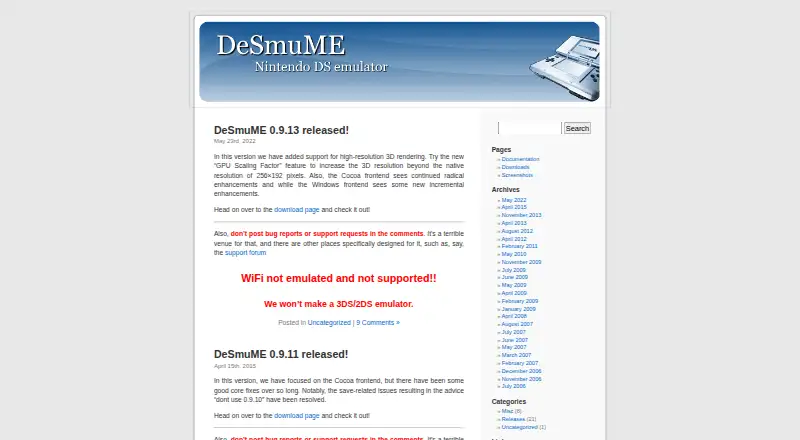
What DeSmuME is
DeSmuME is a free Nintendo DS emulator for Linux, macOS, and Windows. It aims to reproduce the Nintendo DS and Nintendo DS Lite, with controls for the D-pad, buttons, and touch screen. A Lid control switches between the handheld’s folded and unfolded states. For graphics, users can choose a software SoftRasterizer or an OpenGL-based renderer; audio interpolation can be set to linear or cosine, or turned off. Microphone input can use hardware audio or software-generated samples. The Windows version supports saving and loading game states, though the manual warns that states may not work across emulator versions. It can also record screenshots, AVI video, WAV audio, and TAS gameplay movies. Cheat search and editing are available, and Action Replay codes are supported in post-0.9.2 development builds. The project is GPL-licensed and documents a developer interface and Python library. Wi-Fi support is experimental and unsupported, and DSi emulation is not supported.
Who it suits
DeSmuME suits players looking to emulate Nintendo DS or DS Lite games on a desktop operating system. Its recording and developer-interface features may also suit users who need those capabilities.
What it does well
- Free, GPL-licensed software.
- Runs on Linux, macOS, and Windows.
- Offers SoftRasterizer and OpenGL graphics renderers.
- Windows port records screenshots, video, audio, and TAS movies.
What to know first
- Does not support DSi emulation.
- Wi-Fi is experimental and unsupported.
- Save states may break between emulator versions.
Limits
The free plan supports Nintendo DS and DS Lite emulation, but not DSi. Wi-Fi is experimental and unsupported; save states may break between emulator versions.
Plans
| Plan | Billed and limits | Price |
|---|---|---|
| DeSmuME | Nintendo DS and DS Lite emulation · DSi not supported · Windows, Linux and Mac OS X | Free |
As desmume.org lists them, read 30 Sept 2026. The maker's own page has the final word.
Getting started
- Visit the official DeSmuME website.
- Download the application from the official Downloads page.
- Use the version for Windows, Linux, or macOS.
DeSmuME is a free desktop emulator for Nintendo DS and DS Lite games, best suited to players who want configurable controls and recording tools. Its range of options makes it a useful choice for desktop DS play, but unsupported Wi-Fi and no DSi emulation rule it out for some games and online use.
Overview
DeSmuME emulates the Nintendo DS and DS Lite on Linux, macOS and Windows. It covers the handheld’s D-pad, buttons, touch screen and folded or unfolded state, so games built around both touch and physical input are within its scope. It is open-source software under the GNU General Public License, which allows free copying subject to the license’s requirements.
This is a focused DS emulator, not a route to every Nintendo handheld feature: DSi is not supported, and netplay is unavailable. Wi-Fi support is experimental and unsupported, and the project discourages end users from relying on it. Choose DeSmuME for local DS play, not online sessions.
Key features
Users can choose a software SoftRasterizer or an OpenGL-based renderer, and graphics upscaling is supported. That gives desktop players more than one way to handle rendering, though the available options do not change the emulator’s DS-only scope.
Audio samples can be left uninterpolated or processed with linear or cosine interpolation. Microphone emulation accepts hardware audio input or software-generated samples, a practical inclusion for games that use the microphone.
The Windows port can record screenshots, AVI video, WAV audio and TAS gameplay movies. These formats make DeSmuME more useful to players who want to capture play or produce gameplay recordings, rather than only run a game.
On Windows, users can save and load the current game state. Those saves may stop working across emulator versions, so they are convenient for resuming a session but should not be treated as a version-proof archive. Cheat search and editing are also available; Action Replay codes are supported in post-0.9.2 development builds.
For developers, the project exposes a DLL/SO interface and documents a Python library that uses it. Bug reports and feature requests can be submitted through the official GitHub or SourceForge trackers.
Pricing
DeSmuME is free: its plan costs nothing and includes Nintendo DS and DS Lite emulation on Windows, Linux and Mac OS X. There is no paid tier to unlock a broader console range; DSi emulation remains unsupported. The project’s GPL license permits copying when its requirements are followed.
Platforms
DeSmuME runs on Linux, macOS and Windows. Its documented recording and save-state capabilities described here are specific to the Windows port, so those tools are the strongest fit for Windows users. The macOS application is not code signed; the project advises downloading it from its official Downloads page.
Who it's for
DeSmuME suits desktop players focused on DS and DS Lite games who value touch and microphone input options, renderer choice, or recording tools. It is also relevant to developers interested in the documented interface and Python library. Look elsewhere if you need DSi support, netplay or dependable Wi-Fi functionality.
Pros and cons
- Pros: Emulates the DS touch screen, buttons and lid state, covering games with varied input needs.
- Pros: Offers two rendering paths, graphics upscaling, and adjustable audio interpolation.
- Pros: Windows recording covers screenshots, video, audio and TAS gameplay movies.
- Cons: DSi is unsupported, limiting the library to DS and DS Lite.
- Cons: Wi-Fi is unsupported and discouraged for end users, while netplay is unavailable.
- Cons: Windows save states may break between versions, so they are not a reliable long-term archive.
Alternatives
melonDS is another free, open-source Nintendo DS emulator for Linux, macOS and Windows; choose it if its DS focus suits you and you can provide console BIOS and firmware dumps where required.
SkyEmu offers free builds across desktop, mobile and web platforms, but DS emulation is beta quality. It is a better fit when wider platform availability matters more than mature DS emulation.
3Beans is another free option for Linux, macOS, Windows, Android and iOS.
iDroidDS is a free, ad-free, open-source option for Android users.
Pilas-melonDS is a free web-based option.
Delta is a free iOS and macOS app with in-app purchases.
GB Enhanced+ is a free, open-source GPLv2 emulator for Linux, macOS and Windows.
dust is a command-line disk usage tool, not a game emulator.
Browse more options in Nintendo DS Emulators or Game Console Emulators.
Verdict
Choose DeSmuME for free desktop emulation of DS and DS Lite games, especially if Windows recording, configurable rendering or microphone emulation matters to you. Look elsewhere if you need DSi support or online play: Wi-Fi is not intended for end users, and netplay is absent.
Verdict
DeSmuME covers core DS controls, graphics and audio options, plus recording and cheat tools. Its unsupported Wi-Fi and lack of DSi emulation are important limits to consider.
Questions
How much does DeSmuME cost?
The listed plan is free.
Which consoles does it emulate?
It attempts to emulate the Nintendo DS and Nintendo DS Lite. DSi is not supported.
Which operating systems does it support?
Windows, Linux, and macOS.
Is DeSmuME open source?
Yes. It is distributed under the GNU General Public License.
Does it support Wi-Fi?
Wi-Fi support is experimental and unsupported, and the project discourages end users from using it.
Can it save game states?
The Windows manual describes saving and loading the current game state and warns that states may break between emulator versions.
Facts from DeSmuME's own pages
- Audio
- Audio samples can be post-processed with linear or cosine interpolation, or interpolation can be disabled. · wiki.desmume.org, 30 Sept 2026
- Cheats
- The emulator provides cheat search and editing facilities and supports Action Replay codes in post-0.9.2 development builds. · wiki.desmume.org, 30 Sept 2026
- Controls
- The D-pad, buttons and touch screen are fully emulated, and the NDS folded or unfolded state can be toggled through a Lid control. · wiki.desmume.org, 30 Sept 2026
- Developer interface
- The project exposes a DLL/SO interface and documents a Python library that uses it. · github.com, 30 Sept 2026
- Graphics
- DeSmuME includes a software SoftRasterizer renderer and an OpenGL-based renderer. · wiki.desmume.org, 30 Sept 2026
- License
- DeSmuME is distributed under the GNU General Public License and may be freely copied if the GPL requirements are followed. · wiki.desmume.org, 30 Sept 2026
- macOS security note
- The FAQ says the macOS application is not code signed because it is a free open-source app and advises downloading it from the official Downloads page. · wiki.desmume.org, 30 Sept 2026
- Microphone
- Microphone features are emulated using hardware audio input or software-generated samples. · wiki.desmume.org, 30 Sept 2026
- Purpose
- DeSmuME is a Nintendo DS emulator. · github.com, 30 Sept 2026
- Recording
- The Windows port can record screenshots, AVI video, WAV audio and TAS gameplay movies. · wiki.desmume.org, 30 Sept 2026
- Save states
- The Windows manual says users can save and load the current game state, while warning that save states may break between emulator versions. · wiki.desmume.org, 30 Sept 2026
- Support
- Users can report bugs and request features through the project's official GitHub or SourceForge trackers. · wiki.desmume.org, 30 Sept 2026
- Supported consoles
- It attempts to emulate the Nintendo DS and Nintendo DS Lite handheld consoles. · wiki.desmume.org, 30 Sept 2026
- Wi-Fi limitation
- Wi-Fi support is experimental and unsupported, and the project discourages end users from using it. · wiki.desmume.org, 30 Sept 2026
Where DeSmuME stands on Freedom251
- Nintendo DS Emulators#3 of 18
- Game Console Emulators#11 of 35