Freedom251 › Nintendo DS Emulators
Delta
What Delta is
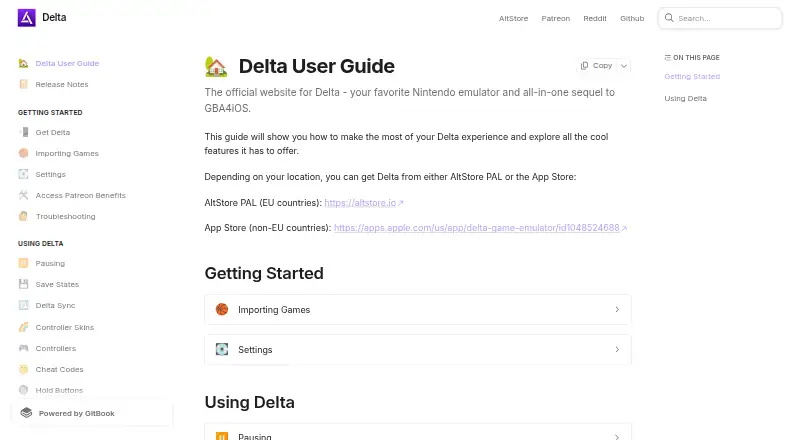
Delta is an all-in-one emulator for iOS and iPadOS, and the successor to GBA4iOS. It supports NES, SNES, Nintendo 64, Game Boy and Game Boy Color, Game Boy Advance, and Nintendo DS. Users import ROM files into a library; documented formats also include Sega Genesis. Save options include manual, automatic, locked, and preview states, though Delta’s guide recommends in-game saves as more reliable. Delta Sync can sync games, save files, skins, and BIOS files through Google Drive or Dropbox. Delta’s files are not visible in Google Drive; Dropbox files are visible but should not be edited because that may cause data loss. Compatible Nintendo DS games can connect to community-hosted Nintendo WFC servers using a listed server or custom DNS. Delta supports iOS-compatible controllers and keyboards, including Xbox, PlayStation, and Nintendo controllers, with button remapping. The app is free with in-app purchases and is open source. The official guide directs EU users to AltStore PAL and users elsewhere to the App Store.
Who it suits
Delta suits iOS and iPadOS users who want to play games from its listed systems and manage imported ROMs in one library. It may also suit players seeking controller support, save syncing, or online play for compatible Nintendo DS games.
What it does well
- Supports seven listed game systems.
- Syncs games, saves, skins, and BIOS files.
- Compatible with listed console controllers and keyboards.
- Button remapping is available.
- Open-source and free with in-app purchases.
What to know first
- Available on iOS and macOS; no Android support.
- In-game saves are recommended over save states.
- Editing visible Dropbox files may cause data loss.
- Full beta requires AltStore PAL or AltStore Classic.
Plans
| Plan | Billed and limits | Price |
|---|---|---|
| Delta | Free app · in-app purchases | Free |
As deltaemulator.com lists them, read 4 Oct 2026. The maker's own page has the final word.
Getting started
- Visit https://deltaemulator.com/.
- On iOS, follow the guide to use AltStore PAL in EU countries or the App Store outside the EU.
- Import supported ROM files into your library.
- Connect a compatible controller or keyboard and remap buttons if desired.
- Set up Delta Sync with Google Drive or Dropbox if you want to sync games, saves, skins, or BIOS files.
Verdict
Delta combines support for several game systems with library management, controller options, syncing, and online play for compatible Nintendo DS games. Check the distribution route for your region and take care not to edit its Dropbox files.
Questions
Is Delta free?
Yes. The listed plan is free, and the app is described as free with in-app purchases.
Which platforms does Delta support?
The listed platforms are iOS and macOS. The official guide directs iOS users in EU countries to AltStore PAL and users elsewhere to the App Store.
Is Delta open source?
Yes. It is listed as open source.
Which game systems are supported?
The listing names NES, SNES, Nintendo 64, Game Boy and Game Boy Color, Game Boy Advance, and Nintendo DS. Documented ROM formats also include Sega Genesis.
Can I play online?
Compatible Nintendo DS games can connect to community-hosted Nintendo WFC servers. You can choose a listed server or enter a custom DNS.
Who develops Delta?
The official team page identifies Riley Testut as Delta’s developer and Shane Gill as responsible for operations.
Facts from Delta's own pages
- Controllers
- Delta supports iOS-compatible controllers and keyboards, including listed Xbox, PlayStation, and Nintendo controllers, and allows button remapping. · faq.deltaemulator.com, 4 Oct 2026
- Developer
- The official team page identifies Riley Testut as Delta's developer and Shane Gill as responsible for operations. · faq.deltaemulator.com, 4 Oct 2026
- Distribution
- The official guide directs users in EU countries to AltStore PAL and users outside the EU to the App Store. · faq.deltaemulator.com, 4 Oct 2026
- Game files
- Users import ROM files into their library, with documented formats for NES, SNES, Game Boy, Game Boy Color, Game Boy Advance, Nintendo DS, Nintendo 64, and Sega Genesis. · faq.deltaemulator.com, 4 Oct 2026
- Game systems
- The listing names support for NES, SNES, Nintendo 64, Game Boy and Game Boy Color, Game Boy Advance, and Nintendo DS. · apps.apple.com, 4 Oct 2026
- Online play
- Delta connects compatible Nintendo DS games to community-hosted Nintendo WFC servers and lets users choose a listed server or enter a custom DNS. · faq.deltaemulator.com, 4 Oct 2026
- Patreon benefits
- Linking a Patreon account can provide experimental features and alternate app icons, while downloading the full beta requires AltStore PAL or AltStore Classic. · faq.deltaemulator.com, 4 Oct 2026
- Product
- Delta is an all-in-one emulator for iOS and iPadOS and the successor to GBA4iOS. · apps.apple.com, 4 Oct 2026
- Save states
- Delta supports manual, automatic, locked, and preview save states, and its guide recommends in-game saves as more reliable than save states. · faq.deltaemulator.com, 4 Oct 2026
- Sync integrations
- Delta Sync can sync games, save files, skins, and BIOS files through Google Drive or Dropbox. · faq.deltaemulator.com, 4 Oct 2026
- Sync visibility
- The guide says Delta files are not visible in Google Drive; files are visible in Dropbox but should not be edited because this may cause data loss. · faq.deltaemulator.com, 4 Oct 2026
Where Delta stands on Freedom251
- Nintendo DS Emulators#4 of 18
- Game Boy Advance Emulators#7 of 29
- Nintendo 64 Emulators#8 of 24
- Multi-System Emulators#20 of 54
- Sega Genesis Emulators#11 of 29