Freedom251 › Game Boy Emulators
binjgb
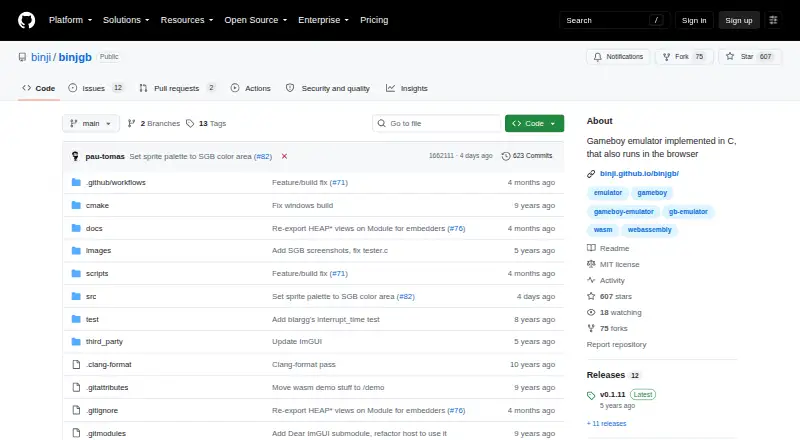
What binjgb is
binjgb is a free, open-source emulator for Game Boy and Game Boy Color, with support for Super Game Boy also described by the project. Written in C, it runs on Windows, macOS, Linux, and in a browser through WebAssembly. The browser demo lets users upload a game file, and touch-enabled devices show an on-screen gamepad.
The emulator is described as cycle accurate and as passing many timing tests. Supported cartridge controllers include MBC1, MBC1M, MMM01, MBC2, MBC3, MBC5, and HuC1. Users can save or load battery backup data and emulator states to files. Controls include fast-forward, pause, frame-by-frame stepping, rewind, and seeking to a specific cycle; audio channels and display layers can be toggled individually. The project describes Game Boy Color support as incomplete but usable and Super Game Boy support as mostly implemented. Its debugger is a work in progress. Building requires CMake and SDL2, and the debugger uses Dear ImGui. The repository includes an MIT license with conditions for use and distribution.
Who it suits
binjgb suits users looking for a free emulator across desktop systems or a browser. It may also suit developers interested in embedding the browser build or building the C project.
What it does well
- Runs on Windows, macOS, Linux, and in browsers
- Saves and loads emulator states to files
- Playback includes rewind and cycle seeking
- MIT license permits use and modification
What to know first
- Game Boy Color support is incomplete
- Super Game Boy support is not fully implemented
- Debugger is a work in progress
- Building requires CMake and SDL2
Plans
| Plan | Billed and limits | Price |
|---|---|---|
| Free / MIT-licensed | No pricing or usage limits stated | Free |
As github.com lists them, read 4 Oct 2026. The maker's own page has the final word.
Getting started
- Open the project at https://github.com/binji/binjgb.
- Use the browser demo to upload a game file, or build the emulator for Windows, macOS, or Linux.
- For a local build, use CMake and SDL2; the debugger uses Dear ImGui.
- To embed the browser emulator, copy its JavaScript, WebAssembly, HTML, and CSS files to a web server.
binjgb is a C-based emulator for Game Boy and Game Boy Color, with desktop and browser builds. It best suits players who want detailed playback control or developers who want to embed an emulator in a webpage. Its timing-focused design and file-based saves are useful strengths, though its support for some systems is still incomplete.
Overview
binjgb covers Game Boy, Game Boy Color, and Super Game Boy, and supports cartridge controllers including MBC1, MBC1M, MMM01, MBC2, MBC3, MBC5, and HuC1. The project describes the emulator as cycle accurate and says it passes many timing tests, making it a considered choice for timing-sensitive play or inspection. That focus does not mean every system is equally mature: Game Boy Color support is characterized as passable but hacky, while Super Game Boy support is mostly there rather than complete.
Key features
Battery backup data and emulator states can be saved to and loaded from files. That gives players a way to preserve progress and resume a session, while the playback tools go beyond ordinary pause and resume: fast-forward, single-frame stepping, rewind, and seeking to a specific cycle suit close inspection of game behavior. The debugger is still a work in progress, so users seeking a finished debugging environment should look elsewhere.
Users can toggle individual audio channels and the background, window, and sprite layers. Those controls are useful for isolating parts of a game's sound or image, especially when examining how it renders or plays back. The browser edition runs through WebAssembly, accepts a game file upload in its demo, and displays an on-screen gamepad on touch-capable devices. The project also explains how to copy its JavaScript, WebAssembly, HTML, and CSS files to a web server to embed the emulator in a page.
Pricing
binjgb is free and MIT-licensed. The Free / MIT-licensed plan costs nothing, with no usage limits stated. The license permits use, copying, modification, distribution, sublicensing, and sale subject to its conditions, which makes the project suitable for users who want to build on or distribute the software. Building from source requires CMake and SDL2; the debugger uses Dear ImGui.
Platforms
binjgb supports Windows, macOS, Linux, and web browsers. The browser build adds a route for users who prefer not to rely on a desktop build, while touch devices with touch-event support get an on-screen gamepad.
Who it's for
Choose binjgb if you value precise playback controls, file-based saves, or the option to embed an emulator in a webpage. Its cycle-accuracy focus and layer and channel toggles also suit users inspecting timing, visuals, or audio. It is a weaker fit if mature Game Boy Color or Super Game Boy support, or a completed debugger, is essential.
Pros and cons
- Pros: Cycle-accurate emulation and many passed timing tests make timing-sensitive inspection a central strength.
- Pros: Save files, rewind, frame stepping, fast-forward, and cycle seeking provide unusually fine playback control.
- Pros: Browser support, touch controls, and documented embedding make it adaptable beyond desktop play.
- Cons: Game Boy Color support is described as hacky-but-passable, and Super Game Boy support as mostly there; neither is presented as fully complete.
- Cons: The debugger remains in progress, limiting its appeal as a finished debugging tool.
Alternatives
GBCC is another free Game Boy and Game Boy Color emulator for Linux, macOS, Windows, and Android. SkyEmu is worth considering if you need Android or iOS support; its stable builds are free, though DS emulation is beta quality. ChillyGB offers a free, GPL-3.0 option for Linux, web, and Windows. Coffee GB is a free MIT-licensed alternative for Android, Linux, macOS, and Windows; ROM files are not included. GoBoy is another free option for Linux, macOS, and Windows. SameBoy is a free, open-source option for iOS, Linux, macOS, and Windows, with Game Boy, Game Boy Color, and Super Game Boy emulation. GB Enhanced+ is a free GPLv2 alternative for Linux, macOS, and Windows. Virtual Jaguar has a free, open-source emulator core across desktop, mobile, and web platforms, but requires a libretro frontend such as RetroArch. Browse Game Boy Emulators for more options.
Verdict
binjgb is a strong fit for players and developers who want detailed playback control, file-based saves, or browser embedding without a price tag. Its timing focus is the main reason to choose it; incomplete Color and Super Game Boy support and an unfinished debugger are the reasons to consider a more mature alternative.
Verdict
binjgb offers desktop and browser emulation with file-based save states and detailed playback controls. Its project notes incomplete support for some systems and a debugger still in progress.
Questions
How much does binjgb cost?
It is free under an MIT license. The listed plan costs nothing, with no pricing or usage limits stated.
Which systems does it emulate?
The listed systems are Game Boy (GB), Game Boy Color (GBC), and Super Game Boy (SGB). The project describes Game Boy Color support as incomplete but passable and Super Game Boy support as mostly implemented.
Which platforms does it support?
It runs in a web browser and on Windows, macOS, and Linux.
Can it save progress?
Yes. It can save and load battery backup data and emulator states to files.
Is binjgb open source?
Yes. The repository includes an MIT license permitting use, copying, modification, distribution, sublicensing, and sale subject to its conditions.
What is needed to build it?
The README lists CMake and SDL2 as build requirements. The debugger uses Dear ImGui.
Facts from binjgb's own pages
- Browser build
- The project runs in a browser using WebAssembly, and its demo lets users upload a game file to play. · github.com, 4 Oct 2026
- Build requirements
- The README lists CMake and SDL2 as build requirements, and says the debugger uses Dear ImGui. · github.com, 4 Oct 2026
- Cartridge hardware
- Supported cartridge controllers include MBC1, MBC1M, MMM01, MBC2, MBC3, MBC5, and HuC1. · github.com, 4 Oct 2026
- Display and audio
- Users can toggle individual audio channels and the background, window, and sprite layers. · github.com, 4 Oct 2026
- Embedding
- The README explains how to copy the JavaScript, WebAssembly, HTML, and CSS files to a web server to embed the emulator in a page. · github.com, 4 Oct 2026
- Emulation support
- The README describes CGB support as “Hacky-but-passable” and Super Game Boy support as “Mostly-there.” · github.com, 4 Oct 2026
- License
- The repository includes an MIT license that permits use, copying, modification, distribution, sublicensing, and sale, subject to its conditions. · github.com, 4 Oct 2026
- Notable limitations
- The README marks the debugger as work in progress and describes CGB and Super Game Boy support as incomplete. · github.com, 4 Oct 2026
- Platforms
- The README provides build instructions for Linux, Mac, and Windows, and also documents a WebAssembly build. · github.com, 4 Oct 2026
- Playback controls
- The listed controls include fast-forward, pause, single-frame stepping, rewind, and seeking to a specific cycle. · github.com, 4 Oct 2026
- Purpose
- binjgb is a Game Boy and Game Boy Color emulator implemented in C, with browser support. · github.com, 4 Oct 2026
- Save features
- It supports saving and loading battery backup data and emulator states to files. · github.com, 4 Oct 2026
- Timing
- The emulator is described as cycle accurate and as passing many timing tests. · github.com, 4 Oct 2026
- Touch controls
- The browser emulator displays an on-screen gamepad on devices that support touch events. · github.com, 4 Oct 2026
Where binjgb stands on Freedom251
- Game Boy Emulators#2 of 23