Freedom251 › Game Boy Emulators
BGB
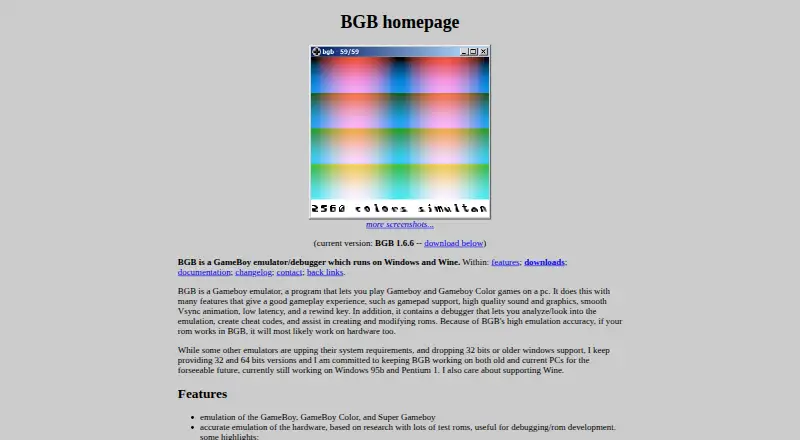
What BGB is
BGB is a Game Boy emulator and debugger for playing games and examining how they run. It emulates Game Boy, Game Boy Color, and Super Game Boy, with gamepad support, low latency, rewind, high-quality sound and graphics, and smooth VSync animation. Save states can be loaded or saved with keyboard shortcuts, and state slots can show preview screenshots. ROMs can be opened from ZIP and GZIP files.
The debugger can analyze emulation and help create or modify ROMs. It supports GameGenie and GameShark cheats, including loading, saving, searching, and creating codes. BGB also emulates the Game Boy Camera from an image file, a built-in test pattern, or a webcam. Super Game Boy multiplayer supports up to four gamepads, and TCP/IP linking can connect BGB instances. Linking depends on a modern PC and very low lag, and some games do not work with it.
The maker provides 32-bit and 64-bit Windows versions and says BGB also runs through Wine on Linux and macOS. The listed release is version 1.6.6, dated 2025-07-20. AVI capture uses a system codec and has no sound; audio is recorded separately to WAV. The manual says the software comes without warranty and is used at the user's own risk.
Who it suits
BGB suits players who want to run Game Boy, Game Boy Color, or Super Game Boy games with rewind, save states, and controller support. Its debugger and cheat tools may also suit people creating or modifying ROMs. It is available for Windows and is described as running under Wine on Linux and macOS.
What it does well
- Emulates Game Boy, Game Boy Color, and Super Game Boy.
- Supports gamepads, rewind, low latency, and smooth VSync animation.
- Save states include quick keys and preview screenshots.
- Debugger can analyze emulation and assist with creating or modifying ROMs.
- Loads GameGenie and GameShark cheats and can search for codes.
- Emulates the Game Boy Camera from images, a test pattern, or webcam.
What to know first
- TCP/IP game link does not work with every game.
- Game linking requires a modern PC and less than 1 ms lag.
- Debug mode runs about twice as slowly with breakpoints or break-on settings.
- AVI recordings have no sound; audio is recorded separately to WAV.
Getting started
- Visit the BGB website.
- Choose a Windows version; the maker provides 32-bit and 64-bit versions.
- On Linux or macOS, use Wine to run BGB.
- Load a game ROM, including one stored in a ZIP or GZIP file.
- Connect gamepads or configure save-state quick keys as needed.
Verdict
Choose BGB if you want a Game Boy family emulator that also provides ROM debugging, cheat tools, rewind, and save states. Its linking feature has demanding low-lag requirements and does not support every game, while AVI capture records audio separately.
Questions
Is BGB free?
Yes. BGB is listed as free and has a free plan.
Which systems does BGB emulate?
It emulates Game Boy, Game Boy Color, and Super Game Boy.
Which platforms can run BGB?
The maker provides Windows versions and says BGB runs through Wine on Linux and macOS.
Can BGB connect players over a network?
It supports TCP/IP game linking between BGB instances. Linking requires a modern PC and less than 1 ms lag, and it does not work with all games.
Can I use BGB to make or search for cheats?
Yes. It supports GameGenie and GameShark codes, including loading, saving, searching, and creating cheats.
Does AVI recording include sound?
No. AVI recordings use an installed system codec and do not include sound; audio is recorded separately to WAV.
Facts from BGB's own pages
- Accuracy
- The maker describes its emulation as hardware-accurate and says it is based on research with test ROMs. · bgb.bircd.org, 2 Oct 2026
- Camera emulation
- BGB emulates the Game Boy Camera using an image file, built-in test pattern, or webcam. · bgb.bircd.org, 1 Oct 2026
- Cheats
- It supports GameGenie and GameShark cheats, cheat loading and saving, cheat searching, and creation of new cheat codes. · bgb.bircd.org, 1 Oct 2026
- Compatibility
- The maker says BGB runs on Windows and Wine and provides 32-bit and 64-bit versions. · bgb.bircd.org, 2 Oct 2026
- Current release
- The current release is BGB 1.6.6, dated 2025-07-20 in the version history. · bgb.bircd.org, 1 Oct 2026
- Current version
- The homepage lists version 1.6.6, dated 2025-07-20 in its version history. · bgb.bircd.org, 2 Oct 2026
- Debugger
- The debugger includes a disassembler, assembler, breakpoints, watchpoints, tracing, and tools for viewing memory and registers. · bgb.bircd.org, 2 Oct 2026
- Debug performance
- Enabling break-on settings or breakpoints activates debug mode and makes BGB run about twice as slowly because of extra checks. · bgb.bircd.org, 1 Oct 2026
- Disclaimer
- The manual says the program has no warranty and is used at the user's own risk. · bgb.bircd.org, 2 Oct 2026
- Emulated systems
- It emulates Game Boy, Game Boy Color, and Super Game Boy. · bgb.bircd.org, 2 Oct 2026
- File formats
- BGB can load ROMs from ZIP and GZIP files. · bgb.bircd.org, 1 Oct 2026
- Game link
- It supports TCP/IP game linking between BGB instances. · bgb.bircd.org, 1 Oct 2026
- Game-link limitation
- Game link requires a modern PC around 1–2 GHz and less than 1 ms lag, and it does not work with all games. · bgb.bircd.org, 1 Oct 2026
- Gameplay
- Features include gamepad support, high quality sound and graphics, smooth VSync animation, low latency, rewind, and save states. · bgb.bircd.org, 2 Oct 2026
- Gameplay features
- The emulator includes gamepad support, high-quality sound and graphics, smooth VSync animation, low latency, and rewind. · bgb.bircd.org, 1 Oct 2026
- Multiplayer
- Super Game Boy multiplayer supports up to four gamepads, and the feature list includes TCP/IP game link support. · bgb.bircd.org, 2 Oct 2026
- Older hardware
- The maker says it currently still works on Windows 95b and Pentium 1 PCs. · bgb.bircd.org, 2 Oct 2026
- Platforms
- The x86 version is tested on Windows 95b through Windows 11 and Wine on Linux and OS X; the x64 version is tested on Windows XP 64-bit, Windows 7, 10, 11, and Wine on Linux and OS X. · bgb.bircd.org, 1 Oct 2026
- Product type
- BGB is a GameBoy emulator and debugger. · bgb.bircd.org, 1 Oct 2026
- Purpose
- BGB is a Game Boy and Game Boy Color emulator and debugger for playing games and inspecting emulation. · bgb.bircd.org, 2 Oct 2026
- Recording limit
- AVI recordings use an installed system codec and do not include sound; audio is recorded separately to WAV. · bgb.bircd.org, 2 Oct 2026
- ROM formats
- BGB can load games from ZIP and GZIP files. · bgb.bircd.org, 2 Oct 2026
- Save states
- It supports save and load states with mappable quick keys and preview screenshots for state slots. · bgb.bircd.org, 1 Oct 2026
- Support
- The manual lists the contact address as bgb at bircd dot org; the homepage says to include “gameboy” in the email subject to avoid spam filtering. · bgb.bircd.org, 2 Oct 2026
Where BGB stands on Freedom251
- Game Boy Emulators#6 of 23