Freedom251 › Game Boy Emulators
SameBoy
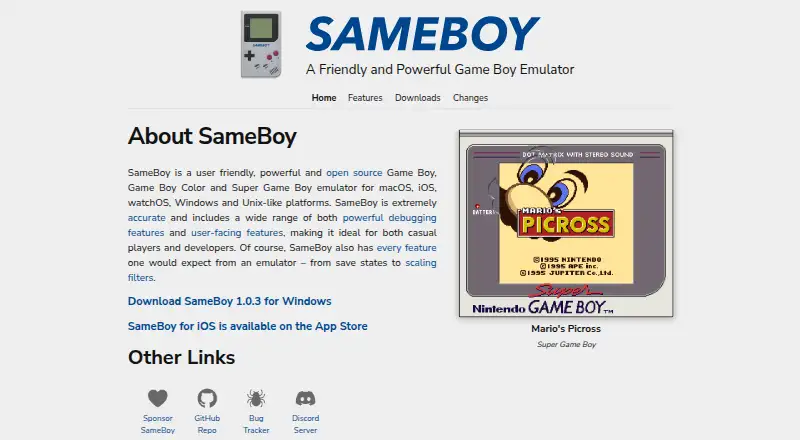
What SameBoy is
SameBoy is an open-source emulator for Game Boy, Game Boy Color and Super Game Boy systems. It supports the original Game Boy, Pocket and Light, Game Boy Color, Game Boy Advance and Game Boy Player in Color mode, plus Super Game Boy and Super Game Boy 2. The project describes it as designed for high accuracy and says it passes multiple test ROM suites. Users can create battery saves and save states, which follow the BESS specification for cross-compatibility. The emulator includes turbo, rewind, slow motion, cheats and rumble support, along with display scaling, filters, customizable controls and fullscreen mode. It emulates peripherals including the link cable, infrared, Game Boy Camera, Game Boy Printer and Workboy, and includes a GBS player. Builds are listed for macOS, Windows and iOS; the project describes SDL support for other operating systems. Some features, including the native Cocoa interface and multiple cartridge instances, are exclusive to the macOS Cocoa frontend. SameBoy is free and licensed under Expat, with an additional exception for the iOS folder.
Who it suits
SameBoy suits players who want to emulate games from the Game Boy family, as well as developers who can use its debugging tools. It is available on macOS, Windows and iOS, with SDL support described for other operating systems.
What it does well
- Supports six Game Boy-family system variants.
- Save states follow the BESS specification.
- Includes turbo, rewind, slow motion, cheats and rumble.
- Emulates Game Boy Camera and Printer peripherals.
- Provides debugging tools including breakpoints and memory viewers.
What to know first
- Some features are exclusive to the macOS Cocoa frontend.
- Official downloads list macOS, Windows and iOS; other OS support is described through SDL.
Plans
| Plan | Billed and limits | Price |
|---|---|---|
| SameBoy | Game Boy, Game Boy Color and Super Game Boy emulation | Free |
As sameboy.github.io lists them, read 8 Oct 2026. The maker's own page has the final word.
Getting started
- Visit https://sameboy.github.io/.
- Choose a listed macOS, Windows, or iOS build, or use the source code.
- For other operating systems, the project describes SDL support.
- Use the free SameBoy plan for Game Boy, Game Boy Color, and Super Game Boy emulation.
Verdict
SameBoy covers several Game Boy-family systems and includes gameplay, display and debugging features. Platform-specific frontend limits matter if you need features exclusive to macOS.
Questions
Is SameBoy free?
Yes. The SameBoy plan costs nothing and covers Game Boy, Game Boy Color, and Super Game Boy emulation.
Which systems does it emulate?
It supports Game Boy (DMG), Pocket and Light (MGB), Game Boy Color (CGB), Color-mode Game Boy Advance and Game Boy Player (AGB), Super Game Boy (SGB), and Super Game Boy 2 (SGB2).
Which platforms are available?
The downloads page lists builds for macOS, Windows, and iOS, plus source code. The project describes SDL support for other operating systems.
Is SameBoy open source?
Yes. The project describes it as open source under the Expat license, with an additional exception for the iOS folder.
Are all features available on every platform?
No. Some features, including the native Cocoa interface and multiple cartridge instances, are exclusive to the macOS Cocoa frontend. Game Boy Camera and Printer emulation are available in the Cocoa macOS and iOS frontends.
Where can users get help?
The project links users to a bug tracker and a Discord server.
Facts from SameBoy's own pages
- Accuracy
- The emulator is designed for high accuracy and passes multiple test ROM suites. · sameboy.github.io, 8 Oct 2026
- Audio
- SameBoy supports high quality 96KHz audio and sample-accurate sound emulation. · sameboy.github.io, 8 Oct 2026
- Developer tools
- Debugging tools include an expression evaluator, disassembler, conditional breakpoints and watchpoints, call stack tracing, and memory and video RAM viewers. · sameboy.github.io, 8 Oct 2026
- Display and controls
- It supports scaling algorithms and filters, customizable controls, joypads and fullscreen mode. · sameboy.github.io, 8 Oct 2026
- Emulated peripherals
- Features include local link cable, infrared, Game Boy Camera, Game Boy Printer and Workboy emulation. · sameboy.github.io, 8 Oct 2026
- Emulated systems
- It supports DMG, Pocket and Light, Color, GBC-mode Advance and Game Boy Player, Super Game Boy, and Super Game Boy 2 emulation. · sameboy.github.io, 8 Oct 2026
- Gameplay features
- The emulator includes turbo, rewind, slow-motion, cheats, rumble support and an integrated GBS player. · sameboy.github.io, 8 Oct 2026
- iOS limitations
- The features page says Game Boy Camera and Game Boy Printer emulation are available in the Cocoa macOS and iOS frontends, while some other features are limited to macOS. · sameboy.github.io, 8 Oct 2026
- License
- The GitHub project describes SameBoy as open source and licensed under the Expat license, with an additional exception for the iOS folder. · github.com, 8 Oct 2026
- macOS-only features
- Some features, including the native Cocoa interface, optional update checker and installer, and multiple cartridge instances, are exclusive to the macOS Cocoa frontend. · sameboy.github.io, 8 Oct 2026
- Platform availability
- The official downloads page lists builds for macOS, Windows and iOS, plus source code; the project describes SDL support for other operating systems. · sameboy.github.io, 8 Oct 2026
- Purpose
- SameBoy is an open source emulator for Game Boy, Game Boy Color and Super Game Boy. · sameboy.github.io, 8 Oct 2026
- Saves
- Features include battery saves and save states, with save states following the BESS specification for cross-compatibility. · sameboy.github.io, 8 Oct 2026
- Support
- The project links users to a bug tracker and Discord server. · sameboy.github.io, 8 Oct 2026
Where SameBoy stands on Freedom251
- Game Boy Emulators#11 of 23
- Game Console Emulators#25 of 35