Freedom251 › Sales Follow-Up Software
Callwrap
What Callwrap is
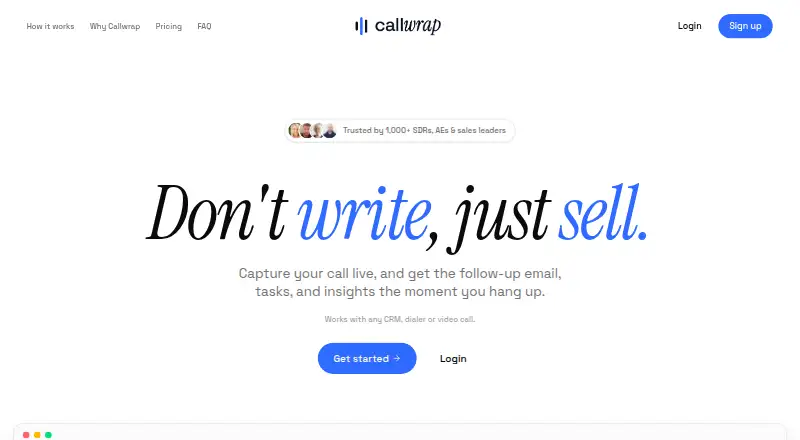
Callwrap captures sales calls live and creates follow-up emails, tasks, insights, and CRM-ready notes when a call ends. Users start recording and select the call tab; Callwrap then provides a live transcript with speakers separated. Its website says it works with any CRM, dialer, or video call. It is aimed at SDRs, account executives, and sales leaders. Starter costs nothing and includes 20 calls per month, transcripts and AI summaries, follow-up emails and auto tasks, plus a personal dictionary and templates. Pro costs $19 per user per month, billed $19 per user/mo, and adds unlimited calls, follow-up emails, tasks, and history, along with priority support. Enterprise pricing is custom; listed features include SSO/SAML, admin controls and roles, CRM integrations, audit logs, data residency, and dedicated support with an SLA. With Privacy Mode enabled, customer content is not used to train AI models. Users are responsible for complying with recording and transcription laws and obtaining any required participant consent or notice. The terms say users must be at least 16 years old.
Who it suits
Callwrap suits SDRs, account executives, and sales leaders who want live transcripts and post-call follow-up materials. Starter fits users with up to 20 calls per month; Pro is listed for unlimited calls.
What it does well
- Separates speakers in live transcripts.
- Generates emails, tasks, insights, and CRM-ready notes.
- Works with any CRM, dialer, or video call.
- Privacy Mode excludes customer content from AI training.
What to know first
- Starter is limited to 20 calls monthly.
- Recording consent and legal compliance are the user's responsibility.
- Users must be at least 16.
Limits
Starter is limited to 20 calls per month. Pro costs $19 a month, billed $19 per user per month; Enterprise pricing is custom.
Plans
| Plan | Billed and limits | Price |
|---|---|---|
| Starter | 20 calls per month · transcripts and AI summaries · follow-up emails and auto tasks · personal dictionary and templates | Free |
| Pro | $19 per user/mo · Everything in Free · unlimited calls · unlimited follow-up emails and tasks · unlimited history · priority support | $19 a month |
| Enterprise | Custom · Everything in Pro · SSO/SAML · admin controls and roles · CRM integrations · audit logs and data residency · dedicated support and SLA | On request |
As callwrap.app lists them, read 9 Oct 2026. The maker's own page has the final word.
Getting started
- Visit the Callwrap website.
- Choose Starter, Pro, or Enterprise based on the listed plan features.
- Use Callwrap on Linux, macOS, web, or Windows.
- Start recording and select the call tab.
- Review the live transcript and the follow-up materials generated when the call ends.
- Provide any participant notice or consent required for recording and transcription.
Callwrap is a sales-call tool that turns live recordings into transcripts and post-call materials. It is best suited to SDRs, account executives, and sales leaders who want call capture and follow-up in one workflow. Its free plan covers up to 20 calls a month; Pro removes that cap for $19 per user per month.
Overview
Users start a recording and select the call tab; Callwrap then captures both sides of the conversation and provides a live transcript with speakers separated. After the call, it can generate follow-up emails, tasks, insights, and CRM-ready notes. That combination is useful for salespeople who need to turn conversations into next steps, though the workflow depends on someone remembering to start recording.
Callwrap says it works with any CRM, dialer, or video call, a practical advantage for teams with varied calling setups. Email is the stated follow-up channel, so it is less compelling for teams that need other ways to contact prospects. Privacy Mode prevents customer content from being used to train AI models when enabled. Users are responsible for complying with applicable recording and transcription laws and securing required consent or notice; users must be at least 16.
Key features
Live capture and follow-up
Speaker-separated transcripts provide a record of the conversation as it happens, while generated summaries and follow-up materials help carry it into sales activity. CRM-ready notes and the stated broad compatibility may reduce handoff friction, but Callwrap still requires the user to initiate recording and choose the call tab.
Dictionary and templates
Starter includes a personal dictionary and templates, useful for tailoring the tool to a user's vocabulary and repeatable work without upgrading. These are personal rather than team-level controls in the plan description.
Enterprise administration
Enterprise adds SSO/SAML, admin controls and roles, audit logs, and data residency. Those controls make it the tier to consider when organizational access and oversight matter; custom pricing and dedicated support with an SLA suit buyers who need a team arrangement rather than a self-serve subscription.
Pricing
Callwrap is freemium, with a free Starter tier and paid plans beginning at $19 per user per month.
- Starter — free: Includes 20 calls per month, transcripts and AI summaries, follow-up emails and auto tasks, plus a personal dictionary and templates. It is a reasonable starting point for individuals or light call volumes, but the monthly cap makes it a poor fit for consistently busy sales teams.
- Pro — $19 a month: Billed $19 per user/mo. Includes everything in Free, unlimited calls, unlimited follow-up emails and tasks, unlimited history, and priority support. It removes the main usage constraints, but the per-user price can add up across larger teams.
- Enterprise — custom pricing: Includes everything in Pro, CRM integrations, SSO/SAML, admin controls and roles, audit logs, data residency, and dedicated support with an SLA. It is aimed at organizations needing governance and support commitments rather than an individual plan.
The published plans do not state a trial period or a seat minimum. Starter is the only plan with a defined monthly call cap; Pro and Enterprise are presented with unlimited calls.
Platforms
Callwrap supports Linux, macOS, web, and Windows, covering desktop and browser-based use across those platforms.
Who it's for
Callwrap is a focused choice for sales representatives and leaders who want transcripts, insights, and follow-up tasks or emails from recorded calls. Starter suits modest usage; Pro is the more natural fit when 20 calls a month is not enough. Organizations that need SSO/SAML, audit logs, data residency, or an SLA should consider Enterprise. Teams that cannot reliably start recordings, or that need follow-up channels beyond email, should look elsewhere.
Pros and cons
- Pros: Live, speaker-separated transcripts and generated post-call materials bring capture and follow-up together.
- Pros: The free tier includes transcripts, summaries, emails, tasks, a dictionary, and templates, not just a limited recording allowance.
- Pros: Privacy Mode keeps customer content out of AI training, and Enterprise adds explicit access and audit controls.
- Cons: Starter's 20-call monthly limit may be restrictive for active salespeople.
- Cons: Recording is user-initiated, and users must handle legal compliance and participant notice or consent themselves.
- Cons: Follow-up is centered on email; the stated workflow does not cover other channels.
Alternatives
For a broader comparison of tools in this category, see Sales Follow-Up Software.
- Fellow is worth considering if its free plan's five lifetime AI notes per user are enough and its wider platform coverage, including mobile and API, matters.
- Claap may suit buyers who want unlimited recording through its desktop app, Chrome extension, and audio; its Pro plan is €29 a month, billed annually, and includes 400 AI credits per seat per month.
- JOEY is another freemium option for readers comparing sales and follow-up tools.
- FollowUpThen fits readers looking for a follow-up service with a free allowance of 50 active followups per month and a $5 monthly Base Plan.
- TrackerSuite Sales Tracker may be a better fit for teams comparing sales-tracking plans, including a free tier for up to five users and a Growth plan at 45.41 DKK per user per month.
- Avoma is another freemium option, with a Startup plan at $19 a month billed annually and up to 25 paid seats.
- CloseFlow offers a 30-day all-access free account period without a payment method or automatic charge, for readers who prioritize a time-limited feature evaluation.
- Sybill may appeal to readers seeking a free allowance that includes unlimited recordings and transcripts, plus 20 AI meeting summaries and briefs per month.
Verdict
Choose Callwrap if you want sales calls, live transcripts, and email-oriented follow-up materials handled in one focused workflow, with a free tier for light use and unlimited calls on Pro. Look elsewhere if your call volume exceeds Starter's cap but $19 per user per month is not workable, or if you need follow-up beyond email or recording that does not rely on a user starting it.
Verdict
Callwrap turns recorded sales calls into transcripts and follow-up materials, with a free Starter tier and paid Pro plan. Users should account for the Starter call limit and their responsibilities around consent and recording laws.
Questions
Does Callwrap have a free plan?
Yes. Starter is listed as free and allows 20 calls per month.
How much does Pro cost?
Pro is listed at $19 a month, billed at $19 per user per month.
What platforms does Callwrap support?
Callwrap is available on Linux, macOS, web and Windows.
What does Callwrap do with a call?
It provides a live transcript with speakers separated, then generates follow-up emails, tasks, insights and CRM-ready notes when the call ends.
What does Enterprise include?
Its listed features include SSO/SAML, admin controls and roles, CRM integrations, audit logs, data residency, and dedicated support with an SLA.
What does Privacy Mode do?
When enabled, customer content is not used to train AI models.
Facts from Callwrap's own pages
- Call workflow
- The product generates follow-up emails, tasks, insights, and CRM-ready notes from calls. · callwrap.app, 9 Oct 2026
- Compatibility
- The home page says Callwrap works with any CRM, dialer, or video call. · callwrap.app, 9 Oct 2026
- Eligibility
- The terms say users must be at least 16 years old to use the service. · callwrap.app, 9 Oct 2026
- Enterprise access
- The Enterprise plan lists SSO/SAML, admin controls, and roles. · callwrap.app, 9 Oct 2026
- Enterprise controls
- The Enterprise plan lists audit logs and data residency. · callwrap.app, 9 Oct 2026
- Intended users
- The home page describes Callwrap as serving SDRs, account executives, and sales leaders. · callwrap.app, 9 Oct 2026
- Privacy mode
- Callwrap's terms state that with Privacy Mode enabled, customer content is not used to train AI models. · callwrap.app, 9 Oct 2026
- Product
- Callwrap captures sales calls live and generates follow-up emails, tasks, and insights when the call ends. · callwrap.app, 9 Oct 2026
- Recording
- Callwrap captures both sides of a conversation live after the user starts recording and selects the call tab. · callwrap.app, 9 Oct 2026
- Recording consent
- The terms make users responsible for complying with applicable recording and transcription laws and obtaining required participant consent or notice. · callwrap.app, 9 Oct 2026
- Support
- The site lists priority support for Pro, and dedicated support with an SLA for Enterprise. · callwrap.app, 9 Oct 2026
- Templates
- The Starter plan includes a personal dictionary and templates. · callwrap.app, 9 Oct 2026
- Transcription
- Callwrap provides live transcripts with speakers separated. · callwrap.app, 9 Oct 2026
Where Callwrap stands on Freedom251
- Sales Follow-Up Software#1 of 42