Freedom251 › Start Menu Customization Software
Cairo Desktop Environment
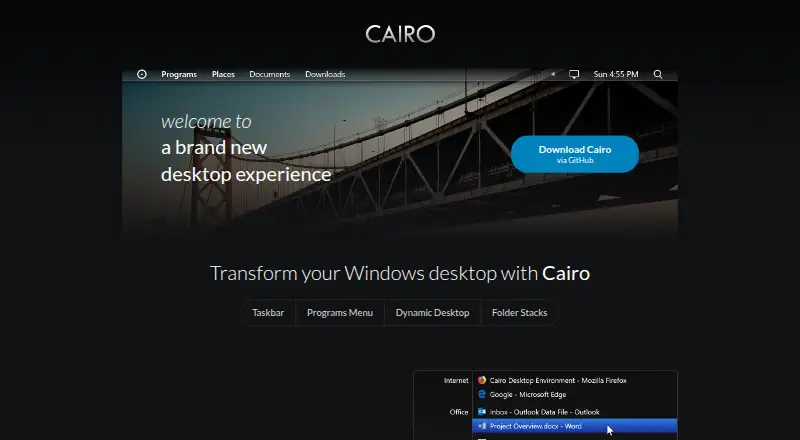
What Cairo Desktop Environment is
Cairo Desktop Environment is a free customizable desktop environment for Windows focused on stability, performance, and productivity. Its taskbar organizes open windows in a list that follows the user's programs list. A drag-and-drop Programs menu lets users sort apps into categories. Pop-up desktop navigation provides a way to browse files without opening File Explorer, and frequently used folders can be placed on the menu bar as folder stacks. The project lists Windows 7 SP1, Windows 8.1, Windows 10, and Windows 11 as requirements. Downloads are available through the project's GitHub Releases page. The latest release advises getting the installer from its Assets section and suggests the 64-bit version if unsure. It also warns that the installer is unsigned, so Windows Defender may require selecting “more info” and then “run anyway.” The Cairo Development Team is credited as the project maker, and the repository identifies the license as Apache-2.0.
Who it suits
Cairo suits Windows users who want categorized app menus, organized open windows, and quick access to files and folders. It is listed for Windows 7 SP1, 8.1, 10, and 11.
What it does well
- Free Windows desktop environment.
- Organizes open windows in the taskbar.
- Programs menu supports drag-and-drop categories.
- Folder stacks provide quick access to selected folders.
What to know first
- Available only for Windows.
- Installer is unsigned.
- Windows Defender may require an override to run the installer.
Limits
The free Cairo Desktop plan is for a Windows desktop environment. The installer is unsigned, and Windows Defender may require users to choose “more info” and then “run anyway.”
Plans
| Plan | Billed and limits | Price |
|---|---|---|
| Cairo Desktop | Windows desktop environment · download via GitHub | Free |
As cairoshell.com lists them, read 4 Oct 2026. The maker's own page has the final word.
Getting started
- Visit the Cairo website.
- Open the project’s GitHub Releases page.
- Choose the latest release and download its installer from the Assets section.
- Choose the 64-bit installer if you are unsure which version to use.
- If Windows Defender displays a warning, choose “more info” and then “run anyway.”
Overview
Cairo Desktop Environment replaces the standard Windows shell with an alternative desktop organized around app categories and open windows. It is best suited to Windows users who want to reshape how they navigate programs and files rather than add a single launcher. Its strongest case is bringing those desktop shortcuts together in one free environment; that broader shell change will not suit everyone.
Key features
The Programs menu lets users sort apps into categories by dragging and dropping them. Cairo’s taskbar then organizes open windows in the same structure as the programs list, giving users who maintain a deliberate app grouping a consistent way to find both programs and their active windows. Users looking only for a basic taskbar change may find that organization more extensive than they need.
Pop-up navigation on the desktop provides a way to browse files without opening File Explorer, while folder stacks let users put frequently used folders on the menu bar. These shortcuts can help keep common destinations close at hand, particularly for people who move between folders and apps throughout the day. Cairo is a less direct fit if the only goal is a standalone app launcher.
Cairo is a Windows shell replacement, not just a menu add-on. That makes its connected approach to app, window, and folder navigation its main advantage, but also means choosing it involves changing more of the desktop experience.
Pricing
Cairo Desktop: free. The plan provides the Windows desktop environment, downloaded via GitHub. There is no paid tier or free trial to consider.
Cairo’s project license is Apache-2.0. The project directs users to GitHub Releases; the latest release advises downloading the installer from the Assets section and choosing the 64-bit version if unsure. Its installer is unsigned, and Windows Defender may require selecting “more info” and then “run anyway.” Users should be prepared for that warning before installing.
Platforms
Cairo is for Windows. Its listed requirements are Windows 7 SP1, Windows 8.1, Windows 10, and Windows 11, so it covers older supported Windows releases as well as current ones.
Who it's for
Cairo is a good fit for Windows users who want categorized app access, window organization that follows those categories, and quick file and folder navigation in one shell replacement. It is less suitable for someone who wants only one small launcher or menu improvement, or who would rather keep the standard Windows shell.
Pros and cons
Pros
- Free to use, with no paid plan or trial decision.
- Programs and open windows can share a category structure, which helps users who want their navigation and task switching organized together.
- Pop-up file browsing and folder stacks offer two routes to commonly used files without opening File Explorer each time.
- Supports Windows 7 SP1, 8.1, 10, and 11.
Cons
- As a shell replacement, Cairo changes more of the desktop than a standalone launcher or menu tool.
- The installer is unsigned, and Windows Defender may require the user to override its warning.
Alternatives
For a broader selection of tools in this category, browse Start Menu Customization Software.
- Launchy is a free app for Android, Linux, macOS, and Windows; choose it if cross-platform availability matters more than Cairo’s Windows shell organization.
- IObit Uninstaller is a freemium Windows app focused on removing applications, including batch uninstall and automatic leftover cleanup in its free plan; pick it for uninstall tasks rather than desktop navigation.
- LaunchMenu is a free, open-source application for macOS and Windows; consider it if you want an alternative application rather than a full shell replacement.
- Parkdale is free to download and use on Android, macOS, and Windows; choose it if its broader platform availability is the priority.
- Dawn Launcher has a free Windows 10-or-later 64-bit plan and a one-time Pro plan at 34.00 CNY; consider it if you want a launcher and prefer a paid upgrade path.
- Fluent Search is free for Windows 10 or 11, with x64 and ARM64 builds; choose it if you need either supported architecture.
- Keypirinha is Windows freeware with no nag screen, time limit, or ads; consider it if you want freeware without those interruptions.
- Listary has a free plan for personal use with basic file search and app launch; choose it if those narrower functions are enough.
Verdict
Choose Cairo if you want a free Windows shell replacement that ties categorized apps to open-window organization and adds quick access to files and folders. Look elsewhere if you need only a lightweight launcher or want to avoid an unsigned installer and its possible Defender prompt.
Verdict
Cairo adds categorized app navigation, window organization, and folder access to a Windows desktop. Its unsigned installer warning is worth noting before downloading from GitHub Releases.
Questions
How much does Cairo Desktop Environment cost?
Its Cairo Desktop plan is free.
Which Windows versions are supported?
The project lists Windows 7 SP1, Windows 8.1, Windows 10, and Windows 11 as requirements.
Where can I download Cairo?
The project directs users to its GitHub Releases page. The latest release advises downloading the installer from the Assets section.
Is Cairo open source?
The GitHub repository identifies its license as Apache-2.0.
Who makes Cairo Desktop Environment?
The official site credits the Cairo Development Team.
Facts from Cairo Desktop Environment's own pages
- Download
- The project directs users to its GitHub Releases page to download the latest version. · github.com, 4 Oct 2026
- Dynamic desktop
- The desktop includes pop-up navigation to browse files without opening File Explorer. · cairoshell.com, 4 Oct 2026
- Folder stacks
- Users can drag frequently used folders onto the menu bar for quick access. · cairoshell.com, 4 Oct 2026
- Installer guidance
- The latest release advises downloading the installer from its Assets section and suggests the 64-bit version if unsure. · github.com, 4 Oct 2026
- License
- The GitHub repository identifies the project license as Apache-2.0. · github.com, 4 Oct 2026
- Programs menu
- Users can organize apps into categories with a drag-and-drop interface. · cairoshell.com, 4 Oct 2026
- Project maker
- The official site credits the Cairo Development Team. · cairoshell.com, 4 Oct 2026
- Purpose
- Cairo is a customizable desktop environment for Windows intended to provide a desktop experience focused on stability, performance, and productivity. · github.com, 4 Oct 2026
- Security notice
- The latest release says its installer is unsigned and Windows Defender may require choosing “more info” and then “run anyway.” · github.com, 4 Oct 2026
- Supported Windows versions
- The repository lists Windows 7 SP1, Windows 8.1, Windows 10, and Windows 11 as requirements. · github.com, 4 Oct 2026
- Taskbar
- The taskbar organizes windows in the same way as the user's programs list and provides an organized list of open windows. · cairoshell.com, 4 Oct 2026