Freedom251 › Start Menu Customization Software

Dawn Launcher
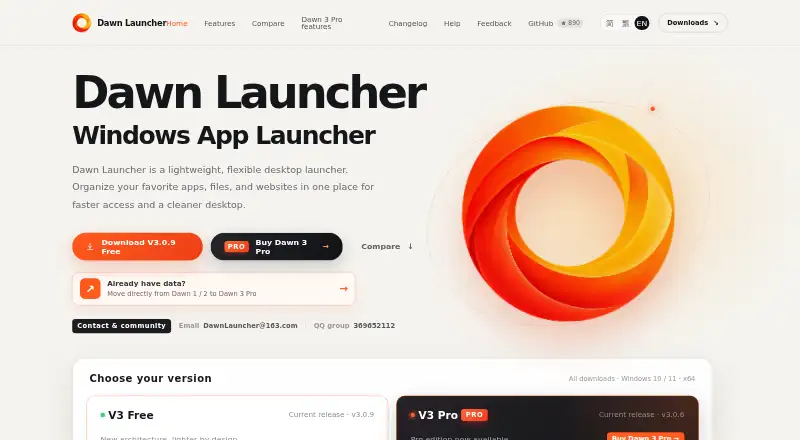
What Dawn Launcher is
Dawn Launcher organizes apps, files and websites on Windows so users can search for items, open them from results and arrange them in categories. Categories can link to local folders to sync files and subfolders, with sorting and per-item hiding. The launcher can scan and add Start menu apps and organize Microsoft Store Appx apps alongside other programs. Themes, backgrounds, corners, category icons and fonts can be customized, and one action can open a group of apps, files or websites. The free edition supports 64-bit Windows 10 or later. Dawn Launcher 3 Pro costs 34.00 CNY as a one-time purchase and can be activated on up to three devices; future V3 updates are included. Pro adds Everything search for local files and folders, command-line mode for Quick Search, password-protected categories and automatic backups to a chosen folder when app data changes. Downloads are offered through the Microsoft Store, as an installer or as a portable edition. Installed data is stored under %APPDATA%\Dawn Launcher 3 Data; portable editions store data in the application directory. The maker says its website installer is unsigned.
Who it suits
Dawn Launcher suits Windows users who want to group and quickly open apps, files and websites. Pro may suit users who want local-file search, protected categories or automatic backups.
What it does well
- Free edition supports 64-bit Windows 10 or later.
- Categories can sync linked folders and subfolders.
- One action opens groups of items.
- Pro includes automatic data backups.
- Available through Store, installer and portable editions.
What to know first
- Pro costs 34.00 CNY as a one-time purchase.
- One activation code supports up to three devices.
- Digital activation codes cannot be refunded.
- Website installer is unsigned.
Limits
The free plan is for 64-bit Windows 10 or later. Pro activation covers up to three devices; adding another device removes the oldest device.
Plans
| Plan | Billed and limits | Price |
|---|---|---|
| Dawn Launcher 3 Free | Windows 10 or later · 64-bit | Free |
| Dawn Launcher 3 Pro | One-time purchase · Up to 3 devices · Future V3 updates included · Windows 10 or later, 64-bit | 34 CNY, paid once |
As dawnlauncher.com lists them, read 8 Oct 2026. The maker's own page has the final word.
Getting started
- Choose a Microsoft Store, installer, or portable download.
- Use a 64-bit Windows 10 or later device.
- Add apps, files, or websites and arrange them into categories.
- Link categories to local folders if you want to sync files and subfolders.
- Choose the free edition or purchase Dawn Launcher 3 Pro for 34.00 CNY once.
Dawn Launcher is a Windows organizer for apps, files, and websites that replaces a scattered desktop with searchable categories. It is best for people who repeatedly open the same sets of programs and resources. The free edition handles core organization; Pro is aimed at users who need wider file search, protected categories, or automatic backups.
Overview
Dawn Launcher brings shortcuts and local content into one launcher rather than leaving them across the desktop, Start menu, and browser. Categories can represent projects or routines, and linked folders let those categories reflect existing files and subfolders without relocating them. That approach suits a structured Windows workspace, while users on macOS or Linux need another product.
Its practical advantage is combining organization with launch actions. You can search the launcher, open a result, or start a whole group of apps, files, and websites at once. The main caveat is that the more advanced search and protection features are reserved for the paid edition.
Key features
Quick Search finds items inside Dawn and opens them directly from the results. Categories can link to local folders, synchronize their files and subfolders, sort entries, and hide individual items. This provides a curated view while preserving the underlying folder structure, useful when a project folder contains material you do not want displayed every time.
Dawn can scan and add applications from the Windows Start menu, including Microsoft Store Appx programs, so store and conventional desktop software can share the same categories. Multiple-item launch is particularly suited to repeatable setups such as opening a work application, project files, and a website together.
Visual controls cover themes, backgrounds, corner styling, category icons, and fonts. Those options help users make a personalized desktop hub, but they add little for someone seeking only a minimal keyboard launcher.
Dawn 3 Pro extends search to local files and folders through Everything, adds a command-line mode for Quick Search, and allows password-protected categories. It can also back up app data automatically to a chosen folder whenever that data changes. These are substantial benefits for file-heavy workflows or shared computers; the free edition does not include them.
Pricing
Dawn Launcher 3 Free
The free plan costs nothing and runs on 64-bit Windows 10 or later. It includes the launcher’s core organization, search, linked-folder handling, app discovery, customization, and grouped launching. There is no free trial because the plan itself is free. It omits Pro’s Everything search, command-line mode, password-protected categories, and automatic backups, so it fits users who mainly need categorized access rather than broad file indexing or safeguards.
Dawn Launcher 3 Pro
Pro costs 34 CNY, paid once as a one-time purchase. It supports up to three devices per activation code, and adding a fourth removes the oldest device. Future V3 updates are included. Digital activation codes cannot be refunded after payment, so the three-device rule and non-refundable purchase matter before checkout. Pro supports 64-bit Windows 10 and later.
Platforms
Dawn Launcher is a Windows launcher for Windows 10 and 11 on x64 systems. Downloads are offered through the Microsoft Store, an installer, and a portable edition. Installed Dawn 3 data is stored under %APPDATA%\Dawn Launcher 3 Data; portable editions keep data in the application directory. The maker says its website installer is unsigned because maintaining an annual code-signing certificate is costly, a consideration for organizations with strict software-signing policies.
Who it's for
Choose Dawn Launcher if you want categorized access to mixed app, file, and website shortcuts, especially when you launch the same collection repeatedly. Pro is the better fit for users who need local-file search, command-line triggering, private categories, or change-triggered backups. It is not a match for non-Windows users, or for anyone who needs one activation shared across more than three devices.
Pros and cons
- Pros: Categories can mirror local folders while supporting sorting and per-item hiding.
- Pros: Start menu and Microsoft Store Appx apps can be organized together.
- Pros: One action can launch groups of apps, files, and websites.
- Pros: Pro adds file-and-folder search, command-line access, protected categories, and automatic backups.
- Cons: Pro is limited to three active devices per code, with the oldest removed when another is added.
- Cons: Pro purchases are non-refundable, and the website installer is unsigned.
- Cons: Windows 10/11 x64 is the only supported platform.
Alternatives
For a broader directory of Start Menu Customization Software, compare Dawn with tools focused on menu replacement.
- Starling is free, open source under Apache 2.0, and runs on Linux, macOS, the web, and Windows.
- Launchy is a free, cross-platform launcher with pay-what-you-want pricing.
- LaunchMenu is a free open-source option for macOS and Windows.
- Flow Launcher is free and open source for Windows.
- Fluent Search is free on Windows 10 or 11, with x64 and ARM64 builds.
- Cairo Desktop Environment is a free Windows desktop environment distributed through GitHub.
- IObit Uninstaller is a Windows freemium utility centered on batch and leftover cleanup rather than launcher organization.
- Parkdale is free to download and use on Android, macOS, and Windows.
Verdict
Dawn Launcher is a strong choice for Windows users who want searchable categories, linked folders, and one-click routines in a single desktop hub. Pro earns its price for local-file search, protected categories, and automatic backups, while the free plan is sufficient for straightforward shortcut organization. Look elsewhere if you need macOS or Linux support, a signed website installer, or activation beyond three devices.
Verdict
Dawn Launcher provides category-based organization and quick access, with added search and backup features in Pro. Consider the unsigned website installer disclosure and the three-device activation limit before buying.
Questions
How much does Dawn Launcher cost?
Dawn Launcher 3 Free costs nothing. Dawn Launcher 3 Pro is 34 CNY, paid once.
What does Pro add?
Pro includes Everything search for local files and folders, command-line mode for Quick Search, password-protected categories, and automatic backups of app data.
Which Windows versions are supported?
The current editions are listed for Windows 10 and 11, x64. The purchase page says Pro supports 64-bit Windows 10 and later.
How many devices can use one Pro activation code?
One code can be used on up to three devices. Adding another device removes the oldest device.
Can I get a refund for a Pro activation code?
The purchase page says digital activation codes cannot be refunded after payment.
How can I download Dawn Launcher?
Downloads include a Microsoft Store edition, an installer, and a portable edition.
Facts from Dawn Launcher's own pages
- App support
- Users can scan and add Start menu apps and organize Microsoft Store Appx apps alongside other programs. · dawnlauncher.com, 8 Oct 2026
- Backups
- Pro can automatically back up app data to a chosen folder whenever the data changes. · dawnlauncher.com, 8 Oct 2026
- Customization
- Users can customize themes, backgrounds, corners, category icons, and fonts. · dawnlauncher.com, 8 Oct 2026
- Data location
- Installed Dawn 3 data is stored under %APPDATA%\Dawn Launcher 3 Data, while portable editions store data in the application directory. · dawnlauncher.com, 8 Oct 2026
- Distribution
- Downloads include Microsoft Store, installer, and portable editions. · dawnlauncher.com, 8 Oct 2026
- Linked folders
- Categories can link to local folders to sync files and subfolders, with sorting and per-item hiding. · dawnlauncher.com, 8 Oct 2026
- Multiple item launch
- Users can open a group of apps, files, or websites with one action. · dawnlauncher.com, 8 Oct 2026
- Pro features
- Dawn 3 Pro includes Everything search for local files and folders, Quick Search command-line mode, password-protected categories, and automatic backups. · dawnlauncher.com, 8 Oct 2026
- Purchase limit
- One Pro activation code can be used on up to three devices; adding another device removes the oldest device. · dawnlauncher.com, 8 Oct 2026
- Purpose
- Dawn Launcher organizes apps, files, and websites in one place for quicker access and a cleaner desktop. · dawnlauncher.com, 8 Oct 2026
- Quick search
- The launcher lets users search for items and open them from the results. · dawnlauncher.com, 8 Oct 2026
- Refund and updates
- The purchase page says digital activation codes cannot be refunded after payment and future V3 updates are included. · dawnlauncher.com, 8 Oct 2026
- Security disclosure
- The maker says its website installer is unsigned because an annual code-signing certificate is costly. · dawnlauncher.com, 8 Oct 2026
- Support
- The maker offers help by email at [email protected] and through QQ group 369652112. · dawnlauncher.com, 8 Oct 2026
- Supported system
- The current editions are listed for Windows 10 and 11, x64; the purchase page says Pro supports 64-bit Windows 10 and later. · dawnlauncher.com, 8 Oct 2026