Launchy
What Launchy is
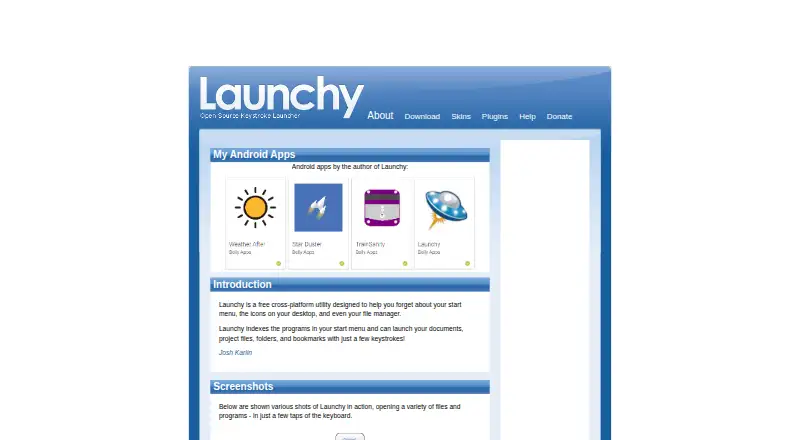
Launchy is a free utility for opening programs, documents, project files, folders, and bookmarks with a few keystrokes. It can serve in place of a start menu, desktop icons, and a file manager. Launchy indexes start-menu programs by default and can include directories and file types you choose, such as MP3 or JPG files. It stays in the background until you press its hotkey: Alt+Space by default, or Control+Space on Linux. Smart search can open files, folders, websites, and programs. You can change its appearance with customizable skins and extend it with plugins for web searches, calculations, custom commands, Firefox bookmarks, and other tasks. The listed plugins also include PuTTY sessions and system controls, but they come from other developers and Launchy does not guarantee how they work. Portable mode keeps configuration in the application directory for use from a USB stick. The included Calcy calculator handles addition, division, subtraction, multiplication, and parentheses. Launchy is listed for Android, Linux, macOS, and Windows.
Who it suits
Launchy suits people who want keyboard-driven access to programs and files, with optional indexing for chosen folders and file types. It may also suit users who want customizable skins or plugins, or to carry its configuration on a USB stick.
What it does well
- Indexes start-menu programs and user-selected directories.
- Opens files, folders, websites, and programs by search.
- Supports customizable skins and a plugin architecture.
- Portable mode stores configuration alongside the application.
What to know first
- Calcy handles only basic arithmetic and parentheses.
- Plugin developers are third parties; functionality is not guaranteed.
- Binary-compatible plugin development requires Visual Studio 2005.
Limits
The plan has no fixed price and is free to download; it recommends a $10 USD value and suggests considering a $3 contribution. The bundled calculator is limited to addition, division, subtraction, multiplication, and parentheses.
Plans
| Plan | Billed and limits | Price |
|---|---|---|
| Pay what you want | No fixed price; free download; recommended value $10 USD; creator asks users to consider paying $3 · Windows 10/7/XP · Mac OS X · Ubuntu/Linux downloads · source tarball | Free |
As launchy.net lists them, read 15 Oct 2026. The maker's own page has the final word.
Getting started
- Visit the Launchy website to get started.
- Install or run Launchy on a listed platform: Android, Linux, macOS, or Windows.
- Press Alt+Space to open it, or Control+Space on Linux.
- Add directories and choose file types to include in the index.
- Optionally customize its skin or add plugins.
Overview
Launchy is a free desktop launcher for people who would rather search than navigate menus, icons, or folders. It suits keyboard-focused users who want one place to open indexed programs and files, with plugins and skins for added flexibility.
Its appeal is breadth without a price tag: it can open programs, documents, folders, websites, and bookmarks, and it can run in portable mode. The trade-off is that some extensions are not guaranteed to work, and its bundled calculator handles only basic arithmetic.
Key features
- Search and launch: Launchy indexes start-menu programs and can find documents, project files, folders, and bookmarks. Smart search also opens files, websites, and programs. This is a practical alternative to browsing through the start menu or file manager, especially for users comfortable typing a query and choosing a result.
- Background hotkey: Launchy stays hidden until summoned. The default shortcut is Alt+Space, while Linux uses Control+Space. That keeps the launcher out of the way, though users who prefer visual navigation may get less benefit from this workflow.
- Configurable indexing: Add directories and choose file types to index, such as MP3 or JPG, or include all files. This lets users focus searches on the material they need; the results depend on what they choose to index.
- Skins and plugins: Users can change Launchy's appearance with customizable skins and a gallery of additional designs. Plugins add options such as web searches, Firefox bookmarks, calculations, and custom commands. The official plugin list also includes PuTTY sessions, Todoist, Windows Live Messenger, system power controls, and task switching.
- Plugin caveats: The plugins are a non-exhaustive sample made by other developers, and Launchy does not guarantee their functionality or behavior. That makes plugins a useful avenue for extending the launcher, but a poor foundation for a workflow that depends on a particular add-on working reliably. Building binary-compatible plugins requires Visual Studio 2005; the API uses C++ Win32 DLLs with Unicode support and statically linked necessary libraries.
- Portable mode: Configuration files can be stored in the directory Launchy runs from, making it usable from a USB stick. This is useful for carrying settings between locations without making portability a substitute for a full installation workflow.
- Calculator: The included Calcy plugin supports addition, division, subtraction, multiplication, and parentheses. It covers quick arithmetic, not more advanced calculations.
For help, Launchy points users to its distributed Readme.pdf and its forums.
Pricing
Launchy is free to download. Its pay-what-you-want option has no fixed price: the recommended value is $10 USD, and users are invited to consider paying $3. There are no paid tiers to weigh against a free-plan cap in the pricing terms provided, so it is a low-cost choice for trying a keyboard-driven launcher. Users who need dependable third-party extensions should still account for the plugin caveat when deciding whether it can support their workflow.
Platforms
Launchy supports Android, Linux, macOS, and Windows, and is positioned as a cross-platform utility. The default hotkey differs on Linux: Control+Space is used there instead of Alt+Space.
Who it's for
Launchy is a good fit for users who routinely open programs and files by name, want to configure which directories and file types appear in search, or need a launcher that can keep its settings alongside a USB-stick copy. Its skins offer some visual choice, and plugins can add functions beyond launching.
It is less suitable for users who depend on a particular community plugin, want a calculator beyond basic arithmetic, or prefer a dock or other visual app grid to a hotkey-and-search routine. Plugin developers should also weigh the dated requirement for Visual Studio 2005 when considering binary-compatible add-ons.
Pros and cons
Pros
- Free to download: Users can adopt the launcher without a required purchase.
- Broad search targets: It can launch programs and open files, folders, websites, and bookmarks from a keyboard-driven search.
- Adjustable index: Choosing directories and file types helps focus the content Launchy searches.
- Portable configuration: Storing settings in the program directory supports use from a USB stick.
- Extendable and skinnable: Plugins add functions and skins change the appearance, giving users ways to tailor the launcher.
Cons
- Uncertain plugin reliability: Add-ons are created by other developers, and Launchy makes no guarantee about their behavior.
- Limited bundled calculator: Calcy stops at the four basic operations and parentheses.
- High barrier to plugin development: Binary-compatible plugins require Visual Studio 2005 and a C++ Win32 DLL API.
Alternatives
Choose Raycast if you want a freemium launcher with a free plan that includes core features and thousands of extensions, plus three months of Clipboard History and five Notes. Pick Alfred if you use macOS and want its free core for app launching and file searching, or a one-time $34.00 USD Single License for one user on two of their own Macs and the current version.
Ueli is another free option for Linux, macOS, and Windows, with no paid plans or usage limits stated. Keypirinha is worth considering when Windows is the only platform needed; its freeware plan has no nag screen, time limit, or ads. For Linux-only use, Walker is a free, GPL-3.0-licensed desktop application.
Dropzone is the macOS alternative for users who want a customizable app, folder, and action grid, multiple grids, and a Drop Bar file shelf. Winstep Nexus Dock suits Windows users looking for a dock: its Nexus plan is free for personal use, while business use requires a commercial license priced at $12.95 per user once. Wox is another free, GPL-3.0-licensed option for Linux, macOS, and Windows.
Browse App Launcher Software or Start Menu Customization Software for more options.
Verdict
Choose Launchy if you want a free, cross-platform way to open indexed programs and files from a keyboard search, especially if portable use or configurable indexing matters. Its range of targets and plugin architecture are appealing, but reliance on third-party add-ons brings uncertainty, and Calcy is strictly basic. If a specific extension is essential or you need more capable built-in calculation, look elsewhere.
Verdict
Launchy brings program and file launching into a keyboard-driven search, with skins, plugins, and a portable mode. Its calculator is limited to basic operations, and third-party plugins come without a functionality guarantee.
Questions
How much does Launchy cost?
The plan is free to download with no fixed price. It recommends a $10 USD value and suggests considering a $3 contribution.
Which platforms does Launchy support?
Launchy is listed for Android, Linux, macOS, and Windows.
What can Launchy search for?
It indexes start-menu programs and can search chosen directories and file types. It can open files, folders, websites, and programs.
Does Launchy support plugins?
Yes. Examples include web searches, Firefox bookmarks, calculations, custom commands, PuTTY sessions, task switching, and system power controls. These plugins are made by other developers, and Launchy does not guarantee their functionality or behavior.
Can I use Launchy from a USB stick?
Portable mode stores configuration files in the directory Launchy runs from, allowing it to be used from a USB stick.
Facts from Launchy's own pages
- Background mode
- Launchy stays hidden in the background until its hotkey is pressed. · launchy.net, 30 Sept 2026
- Browser bookmarks
- Foxy indexes Firefox bookmarks and Firefox quick-search keywords. · launchy.net, 15 Oct 2026
- Calculator
- Calcy performs arithmetic using only addition, subtraction, multiplication, division and parentheses. · launchy.net, 15 Oct 2026
- Calculator limit
- The bundled Calcy calculator supports only addition, division, subtraction, multiplication and parentheses. · launchy.net, 30 Sept 2026
- Catalog
- Users can add directories and specify file types such as MP3, JPG or all files for indexing. · launchy.net, 30 Sept 2026
- Catalog indexing
- Users can add directories and specify file extensions such as music, image or document types for indexing. · launchy.net, 15 Oct 2026
- Command arguments
- After selecting an application, users can press Tab and enter command-line arguments before launching it. · launchy.net, 15 Oct 2026
- Custom commands
- Runny supports aliases and parameterized commands using placeholders such as $1, $2 and $3. · launchy.net, 15 Oct 2026
- Directory browsing
- Explory lets users browse folders and files by typing a path and pressing Tab repeatedly. · launchy.net, 15 Oct 2026
- Documentation depth
- Help consists of a bundled Readme PDF, API pages with event documentation and SourceForge forums and trackers. · launchy.net, 15 Oct 2026
- Fuzzy search
- Its search attempts to match program or file names despite differences in capitalization, punctuation and spelling. · launchy.net, 15 Oct 2026
- Google calculations
- GCalc sends calculations and unit conversions such as currency or kitchen measures to Google. · launchy.net, 15 Oct 2026
- Hotkeys
- The default hotkey is Alt+Space, with Control+Space used in Linux. · launchy.net, 30 Sept 2026
- Independent review limit
- VIDI Lab reported that adding folders requires several configuration steps, large indexes can slow hard disks and some folders were incompletely indexed until manually rescanned. · vidilab.com, 15 Oct 2026
- Independent review praise
- VIDI Lab found Launchy faster and simpler than the Windows Start menu, with useful calculator, Control Panel and web-search plugins. · vidilab.com, 15 Oct 2026
- Integrations
- The official plugin list includes PuTTY sessions, Todoist, Windows Live Messenger, system power controls and task switching. · launchy.net, 30 Sept 2026
- Keyboard activation
- The launcher stays hidden until Alt+Space on Windows, Apple+Space on Mac or Ctrl+Space on Linux is pressed. · launchy.net, 15 Oct 2026
- Latest project update
- SourceForge lists May 22, 2014 as the project's last update. · sourceforge.net, 15 Oct 2026
- Legacy toolchain
- The plugin page says binary-compatible development currently requires Visual Studio 2005, while the API2 guide references Qt 4.3.3 for Launchy 2.0 and Qt 4.4+ for 2.1. · launchy.net, 15 Oct 2026
- License
- SourceForge identifies the project as GNU General Public License version 2.0. · sourceforge.net, 15 Oct 2026
- Limit: installation and search
- SourceForge complaints include Alt+Space conflicts, duplicate input fields, failed searches, crashes and plugins that cannot be downloaded. · sourceforge.net, 15 Oct 2026
- Limit: maintenance
- Several SourceForge reviewers say development appears dormant, bugs are ignored and the project needs a new maintainer. · sourceforge.net, 15 Oct 2026
- Linux limitation
- The documentation warns that some skins do not work correctly on Linux without a compositing manager and may show black mask areas. · launchy.net, 15 Oct 2026
- Maker identity
- The official pages credit Josh Karlin and show Code Jelly in the copyright notice. · launchy.net, 15 Oct 2026
Where Launchy stands on Freedom251
- App Launchers#1 of 40
- Start Menu Customization Software#1 of 39
- App Launcher Software#2 of 40
- App launchers#2 of 40