
Cerebro
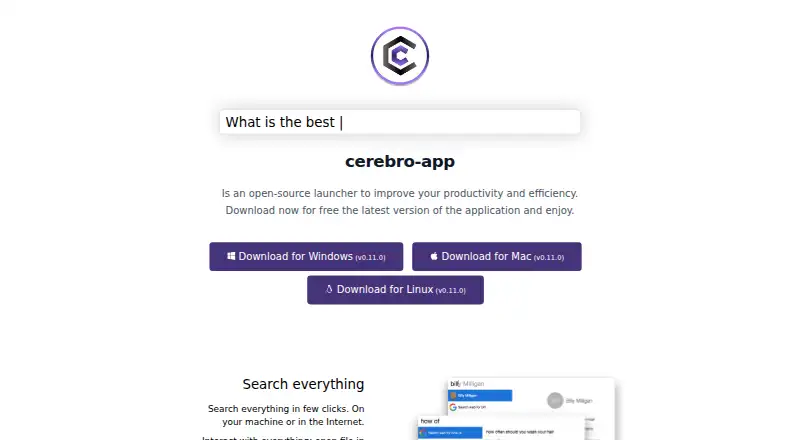
What Cerebro is
Cerebro is a free, open-source desktop launcher for Windows, macOS, and Linux. It searches the computer and the internet, and can find or open files, reveal them in Finder, copy contact details, and show Google suggestions. Core plugins provide web search, application search and launch, file navigation with previews, a calculator, and a smart converter. Cerebro can also display maps, translations, and files in its results without opening another application. It includes a plugin manager, and users can build and share plugins through its API. The default shortcut to show the app is Ctrl+Space, which can be changed in Preferences. The search plugin lists Google, DuckDuckGo, Ecosia, Brave, MetaGer, and StartPage as options, while noting that not all are implemented yet. Cerebro is developed in Electron, and the project README identifies the license as MIT. The official site links to downloads labeled version 0.11.0 for Windows, Mac, and Linux. The listed plan costs nothing, with no paid plans listed.
Who it suits
Cerebro suits desktop users who want a keyboard-accessible launcher for file and web searches across Windows, macOS, or Linux. Its plugin support may appeal to users who want to build or share extensions.
What it does well
- Available for Windows, macOS, and Linux.
- Includes file search, application launch, and previews.
- Users can build and share plugins.
- Free and open source under the MIT license.
What to know first
- Some listed search-engine options are not yet implemented.
- The linked downloads are labeled version 0.11.0.
Plans
| Plan | Billed and limits | Price |
|---|---|---|
| Cerebro | Free and open-source; no paid plans listed | Free |
As cerebroapp.com lists them, read 11 Oct 2026. The maker's own page has the final word.
Getting started
- Visit the Cerebro website.
- Choose the download for Windows, Mac, or Linux.
- Install and open the application.
- Press Ctrl+Space to show the window, or change the shortcut in Preferences.
Cerebro is a free, open-source desktop launcher for people who want local and web search alongside quick actions in one keyboard-driven window. It suits users on Linux, macOS, or Windows who value extensibility; its broad toolkit is less compelling if all you need is a simple app finder.
Overview
Cerebro brings machine and internet searches together with actions such as opening files, revealing them in Finder, copying contact details, and viewing Google suggestions. It can also show maps, translations, and file previews in the launcher, helping keep some routine lookups and file tasks in one place rather than switching applications.
The default shortcut is Ctrl+Space, and you can change it in Preferences. Cerebro is built with Electron and released under the MIT license. Its download links are labeled version 0.11.0 for Windows, Mac, and Linux.
Key features
Search, actions, and utilities
Core plugins cover web search, application search and launch, file navigation with previews, a calculator, and a smart converter. That combination makes Cerebro a useful general-purpose command window, not just an app launcher. It is a stronger fit for people who want several everyday tools at hand than for anyone who wants a narrowly focused way to open applications.
The search plugin names Google, DuckDuckGo, Ecosia, Brave, MetaGer, and StartPage, but not all of those options are implemented. That caveat narrows the appeal for users choosing a launcher primarily for a particular search provider. Google suggestions are also an available action.
Plugins and customization
A plugin manager is built in, and users can create and share plugins through Cerebro’s API. This gives technically inclined users room to extend the launcher beyond its core tools. The trade-off is that its scope depends in part on plugins, so users seeking a fixed, tightly defined feature set may prefer a simpler launcher.
Pricing
Cerebro costs nothing. The free plan is open source, and no paid plans are offered. There are no published seat or usage caps to weigh against the price; for users who want an extensible launcher without a subscription, the free, MIT-licensed model is a clear advantage.
Platforms
Cerebro provides downloads for Linux, Mac, and Windows, making it a practical option for people who use different desktop operating systems. Its platform support is limited to desktop in the published download set, so it is not the choice for someone seeking a mobile launcher.
Who it's for
Choose Cerebro if you want one keyboard-accessible desktop window for local and web search, file actions, previews, and utilities—and especially if you want the option to add plugins. It is less suitable if you need every named search engine to work, want a mobile version, or only need a basic app-opening prompt.
Pros and cons
- Pro: Search, file navigation, launch, calculator, and converter plugins put several common tasks in one launcher.
- Pro: Plugin management and an API let users build and share additions.
- Pro: Free and open-source availability across Linux, Mac, and Windows avoids a paid-plan decision.
- Con: Some search providers named by the plugin are not implemented, limiting provider choice in practice.
- Con: The described download set is desktop-only, excluding users looking for a mobile app.
Alternatives
Compare app launcher software if you want to review the wider category before choosing.
- Launchy is another free launcher, with downloads for Android as well as Linux, macOS, and Windows; consider it if Android coverage matters.
- Raycast has a free plan with core features and thousands of extensions, plus three months of Clipboard History and five Notes; choose it if those published features or its iOS platform support suit your needs.
- Alfred offers free app launching and file searching, with a $34, paid once Single License for one user and two of their own Macs; it is a fit if you use macOS and want that defined license option.
- bemenu is free and supports Linux and macOS; consider it if you want an option limited to those platforms.
- PortableApps.com Platform is a free, open-source platform under GPL with some MIT and CC components; consider it if that licensing model is a priority.
- Ueli is a free launcher for Linux, macOS, and Windows; it is another cross-platform option.
- Appetizer is a free, open-source option for Windows, with API and self-hosted platforms also listed.
- dmenu is a free Linux option under the MIT/X Consortium License; consider it if Linux is your only target platform.
Verdict
Cerebro is a good choice for desktop users who want a free, open-source launcher that combines search, file actions, and utilities and can grow through plugins. Its main reason to look elsewhere is the uneven search-provider support; users who need a specific provider or a mobile platform should choose an alternative aligned with that need.
Verdict
Cerebro brings common searches and utility actions into a desktop launcher, with plugin support for extending it. Note that the search-engine list includes options not yet implemented.
Questions
Is Cerebro free?
Yes. The listed Cerebro plan is free, and the pricing note describes a free plan. No paid plans are listed.
Which platforms does Cerebro support?
The official site links to downloads for Windows, Mac, and Linux.
Is Cerebro open source?
Yes. The project README identifies Cerebro as open source under the MIT license.
Can I add or create plugins?
Cerebro includes a plugin manager, and users can build and share plugins using its API.
What is the default keyboard shortcut?
Ctrl+Space shows the app window by default. You can customize the shortcut in Preferences.
Facts from Cerebro's own pages
- Actions
- Users can open files in their default application, reveal them in Finder, copy contact details, and view Google suggestions. · cerebroapp.com, 11 Oct 2026
- Core plugins
- The project README lists web search, application search and launch, file navigation with previews, a calculator, and a smart converter as core plugins. · github.com, 11 Oct 2026
- Desktop platforms
- The official site provides download links for Windows, Mac, and Linux. · cerebroapp.com, 11 Oct 2026
- In-app results
- The site says Cerebro can show maps, translations, and files in one place without opening another application. · cerebroapp.com, 11 Oct 2026
- Keyboard shortcut
- The default shortcut to show the app window is Ctrl+Space, and users can customize it in Preferences. · github.com, 11 Oct 2026
- License
- The project README identifies the license as MIT. · github.com, 11 Oct 2026
- Makers
- The site lists Alexandr Subbotin as Owner / Founder, Gustavo Pereira as Owner / Core-commiter, and Christoph Flick as Core-commiter. · cerebroapp.com, 11 Oct 2026
- Open source
- The project README identifies the software as open source under the MIT license. · github.com, 11 Oct 2026
- Platforms
- The official site provides download links for Windows, Mac, and Linux. · cerebroapp.com, 11 Oct 2026
- Plugins
- Cerebro includes a plugin manager, and users can build and share plugins using its API. · cerebroapp.com, 11 Oct 2026
- Previews
- The site describes viewing maps, translations, and files without opening another application. · cerebroapp.com, 11 Oct 2026
- Product
- Cerebro describes itself as an open-source launcher for improving productivity and efficiency. · cerebroapp.com, 11 Oct 2026
- Release shown
- The official site links to downloads labeled version 0.11.0 for Windows, Mac, and Linux. · cerebroapp.com, 11 Oct 2026
- Search
- It searches on the user’s machine and on the internet, and can open files, reveal them in Finder, copy contact details, and show Google suggestions. · cerebroapp.com, 11 Oct 2026
- Search engines
- The search plugin lists Google, DuckDuckGo, Ecosia, Brave, MetaGer, and StartPage as supported options, while noting that not all are implemented yet. · github.com, 11 Oct 2026
- Team
- The site names Alexandr Subbotin as owner and founder, Gustavo Pereira as owner and core committer, and Christoph Flick as a core committer. · cerebroapp.com, 11 Oct 2026
- Technology
- The site says Cerebro is a launcher-type application developed in Electron. · cerebroapp.com, 11 Oct 2026
Where Cerebro stands on Freedom251
- App Launchers#7 of 40
- App Launcher Software#7 of 40
- App launchers#7 of 40