Freedom251 › PC Benchmark Software
Parkdale
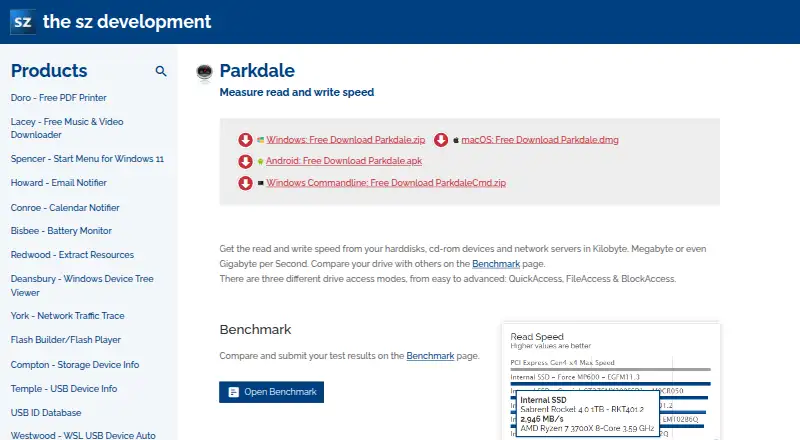
What Parkdale is
Parkdale is a free utility for measuring read and write speeds on hard disks, CD-ROM devices and network servers. It offers QuickAccess, FileAccess and BlockAccess modes. QuickAccess tests sequential and random access with 4KB blocks and 32 concurrent threads. FileAccess reads and writes test data in a regular file through the filesystem, while BlockAccess works directly with disk sectors and shows transfer rates over time. Users can compare and submit drive results on the Benchmark page. The Windows version includes command-line options for selecting a drive, file size and block size, and creating a log file. Parkdale supports Windows, macOS and Android; the maker lists operating systems ranging from Windows 11 through Windows 98, macOS 27 through 10.7, and Android 12 through 4.4. Supported interface languages include English, French, German, Greek, Italian and Russian. The maker says the software has no hidden data collection, though crash reporting and automatic update checks send a non-personal ID and operating-system version. Those features can be disabled. The software is free to download and use, with development supported by donations.
Who it suits
Parkdale suits people who want to measure drive or network-server read and write speeds on Windows, macOS or Android. Windows users can also use its command-line options.
What it does well
- Provides three drive access modes.
- QuickAccess tests sequential and random access.
- Windows version includes command-line options.
- Available for Windows, macOS and Android.
- Crash reporting and update checks can be disabled.
What to know first
- Does not measure IOPS.
- Does not measure latency.
- Command-line options are listed for Windows only.
Plans
| Plan | Billed and limits | Price |
|---|---|---|
| Free | All software is free to use · commercial use allowed · donations optional | Free |
As the-sz.com lists them, read 15 Oct 2026. The maker's own page has the final word.
Getting started
- Visit https://the-sz.com/products/parkdale/.
- Choose the version for Windows, macOS or Android.
- On Windows, use the maker's winget or Chocolatey installation command if preferred.
- Select QuickAccess, FileAccess or BlockAccess for the test.
- Compare or submit results on the Benchmark page.
- Disable crash reports or the automatic update check in the privacy controls if desired.
Parkdale is a drive benchmark for people who want to check storage performance on Windows, macOS or Android, including on older systems. Its three access modes make it useful for comparing different kinds of read and write behavior, while its Windows command line suits users who want to configure and log tests without relying only on the interface.
Overview
Parkdale measures read and write speed on hard disks, CD-ROM devices and network servers. Its QuickAccess, FileAccess and BlockAccess modes address different test scenarios, and users can compare or submit drive results on the Benchmark page. That flexibility is valuable for basic throughput checks, but it does not make Parkdale a complete performance diagnostic tool: it cannot measure IOPS or latency.
Key features
Three ways to test drives
QuickAccess tests sequential and random access with 4KB blocks and 32 concurrent threads, giving users a way to examine both access patterns. FileAccess reads and writes test data in a regular file through the filesystem, so it is the relevant choice when file-based transfers matter. BlockAccess works directly with disk sectors and displays transfer rate over time. The modes offer useful variety, but their results should be understood as speed measurements rather than a substitute for IOPS or latency data.
Windows command line and installation
The Windows version accepts command-line options for the drive, file size, block size and log-file creation. That is a practical advantage for repeatable or logged tests; it is specific to Windows, so users on macOS or Android should not expect the same command-line workflow. Windows installation is also available through winget and Chocolatey commands provided by the maker.
Compatibility, languages and support
Parkdale supports Windows 11 through Windows 98, Windows Server, macOS 27 through 10.7, and Android 12 through 4.4. That unusually broad stated range may help users with older machines, though support for a system does not imply that every access mode or workflow is identical across platforms. The interface languages are English, French, German, Greek, Italian and Russian. Questions and feature or translation requests can be sent to [email protected], and a Parkdale FAQ is available.
Privacy controls
The maker says Parkdale has no hidden data collection. Crash reports and automatic update checks send a unique non-personal ID and operating-system version, and IP addresses are recorded to distinguish usage countries. Users can disable crash reports and the automatic update check, which gives privacy-conscious users a direct way to opt out of those transmissions.
Pricing
Parkdale is free to download and use at no cost. There are no paid tiers or stated usage caps to weigh against the benchmark features. The maker supports development through donations, so users can contribute without needing a paid plan to use the software.
Platforms
Parkdale is available for Windows, macOS and Android. Windows users get the additional command-line options for selecting a drive, setting file and block sizes, and creating logs. The broad operating-system ranges are a plus for mixed-age hardware, while the platform-specific command line makes Windows the clearest fit for users who want automated or configurable runs.
Who it's for
Parkdale suits people who want a free way to compare sequential and random access, file-based transfers and direct-sector speed across supported devices. It is particularly useful when a user needs a Windows command-line workflow or wants to test older systems. It is a poor fit for anyone whose decision depends on IOPS or latency measurements, since neither is provided.
Pros and cons
- Pros: Three distinct access modes let users examine sequential and random access, filesystem-based transfers, and direct-sector performance rather than relying on one test style.
- Pros: Windows command-line options include drive, file-size and block-size selection, plus log-file creation, supporting more controlled runs.
- Pros: The free download supports Windows, macOS and Android, with stated compatibility extending to older operating systems.
- Cons: Parkdale does not measure IOPS or latency, limiting its usefulness for readers who need those metrics to assess storage performance.
- Cons: Command-line controls are included only in the Windows version, so the same workflow is not available across all supported platforms.
Alternatives
For broader disk-benchmark choices, browse Disk Benchmark Software; for whole-system testing, see PC Benchmark Software. Readers looking for other software categories can explore Start Menu Customization Software or Wi-Fi Analyzer Software.
Launchy is a free alternative across Android, Linux, macOS and Windows, with a pay-what-you-want model; choose it when that platform range and payment approach matter more than Parkdale’s drive-speed tests. IObit Uninstaller offers a free Windows version with batch uninstall, Windows app removal, drag-and-drop uninstall and automatic leftover cleanup, so it is for uninstalling software rather than benchmarking drives. Cairo Desktop Environment is a free Windows desktop environment delivered via GitHub, making it the relevant choice for desktop customization. Fluent Search is free for Windows 10 or 11 on x64 and ARM64, while Keypirinha is Windows freeware with no ads, time limit or nag screen. Listary has a free personal-use tier for basic file search, app launching, filters, commands and UI theming; choose it for those tasks rather than drive benchmarks. Open-Shell Menu is a free collection of utilities for restoring classic Windows features. Seelen UI is a free desktop customization suite and says 80% of its software is open-source, so it serves a different purpose from Parkdale.
Verdict
Choose Parkdale if you need a free, flexible read-and-write speed benchmark across Windows, macOS or Android, especially if Windows command-line controls and log creation are useful. Its direct-sector and filesystem tests are meaningful strengths, but the lack of IOPS and latency measurements is the decisive reason to look elsewhere when those metrics matter.
Verdict
Parkdale offers several ways to measure read and write speeds, including direct disk-sector tests and a Windows command line. It is free to use, though it does not provide IOPS or latency measurements.
Questions
Does Parkdale cost anything?
Parkdale is free to download and use. The maker says development is supported through donations.
Which systems does it support?
It is available for Windows, macOS and Android. The maker lists support from Windows 11 through Windows 98 and Windows Server, macOS 27 through 10.7, and Android 12 through 4.4.
What kinds of tests can I run?
QuickAccess measures sequential and random access speed, FileAccess tests through a regular file and the filesystem, and BlockAccess works directly with disk sectors.
Does it have a command-line interface?
The Windows version has command-line options for drive, file size, block size and log-file creation.
Can I compare test results?
Yes. Users can compare and submit drive test results on the Benchmark page.
What does the maker say about privacy?
The maker says the software has no hidden data collection. Crash reporting and automatic update checks can be disabled; those features send a unique non-personal ID and operating-system version, and IP addresses are recorded to distinguish usage countries.
Facts from Parkdale's own pages
- Access modes
- Provides QuickAccess, FileAccess and BlockAccess drive access modes. · the-sz.com, 1 Oct 2026
- Android telemetry
- The privacy policy says Android applications use Firebase Crashlytics for crash reporting and usage statistics. · the-sz.com, 15 Oct 2026
- Benchmarking
- Users can compare and submit drive test results on the Benchmark page. · the-sz.com, 1 Oct 2026
- Benchmark sharing
- The product site provides a Benchmark page where users can compare and submit test results. · the-sz.com, 15 Oct 2026
- BlockAccess
- BlockAccess reads and writes disk sectors directly without the filesystem and plots transfer rate over time. · the-sz.com, 15 Oct 2026
- Changelog
- The history records additions including 4 KB QuickAccess testing, random FileAccess, clipboard copying, portable support and command-line log creation. · the-sz.com, 15 Oct 2026
- Command line
- The Windows version includes command-line options for drive, file size, block size and log-file creation. · the-sz.com, 1 Oct 2026
- Command-line support
- ParkdaleCmd accepts drive, file-size, block-size and log-file switches for automated Windows tests. · the-sz.com, 15 Oct 2026
- Current Android release
- The Android APK is version 1.10, 3.1 MB, with a listed crash-prevention change. · the-sz.com, 15 Oct 2026
- Current macOS release
- The macOS download is version 1.21, about 1 MB, and its listed change is improved macOS 11 UI. · the-sz.com, 15 Oct 2026
- Current Windows release
- The Windows download is version 3.08, 849 KB, with Greek translation updates. · the-sz.com, 15 Oct 2026
- Documentation
- The FAQ explains that macOS Gatekeeper may require opening the app through Finder or Privacy & Security, and suggests Rosetta when needed. · the-sz.com, 15 Oct 2026
- Donation model
- All software on the maker's website is free and development is supported through donations. · the-sz.com, 1 Oct 2026
- FileAccess
- FileAccess benchmarks reading from and writing to a normal file through the filesystem. · the-sz.com, 15 Oct 2026
- Free plan
- Yes · the-sz.com, 20 Sept 2026
- Languages
- The listed interface translations are English, French, German, Greek, Italian and Russian. · the-sz.com, 15 Oct 2026
- Licence terms
- The licence permits free use without limitations, including commercial use, but forbids removing the author's copyright, name or link and provides no open-source licence. · the-sz.com, 15 Oct 2026
- Limit: documentation depth
- Softpedia's detailed review says the lack of thorough documentation makes advanced options and result interpretation difficult for some users. · softpedia.com, 15 Oct 2026
- Limit: network-drive detection
- Xataka notes that the initial disk list may fail to detect network disks correctly, although they can be selected through FileAccess. · xatakamovil.com, 15 Oct 2026
- Limit: network results
- Xataka explains that tests against remote disks are constrained by the network link, so results may measure connection throughput more than the remote drive's capability. · xatakamovil.com, 15 Oct 2026
- Limit: raw block-test risk
- The maker's direct-sector BlockAccess mode bypasses the filesystem, so it is an advanced operation rather than a normal file benchmark. · the-sz.com, 15 Oct 2026
- Maker background
- The site identifies a solo developer with a master of science in computer engineering who has been writing software since 1988. · the-sz.com, 15 Oct 2026
- Notable release news
- The latest listed Windows change is Greek translation updating in version 3.08. · the-sz.com, 15 Oct 2026
- Operating systems
- The maker lists Windows 11 through Windows 98, Windows Server, macOS 27 through 10.7 and Android 12 through 4.4 as supported systems. · the-sz.com, 1 Oct 2026
Where Parkdale stands on Freedom251
- PC Benchmark Software#35 of 73
- PC benchmark tools#34 of 70
- Disk Benchmark Software#15 of 29