Freedom251 › PC benchmark tools
MLPerf Client
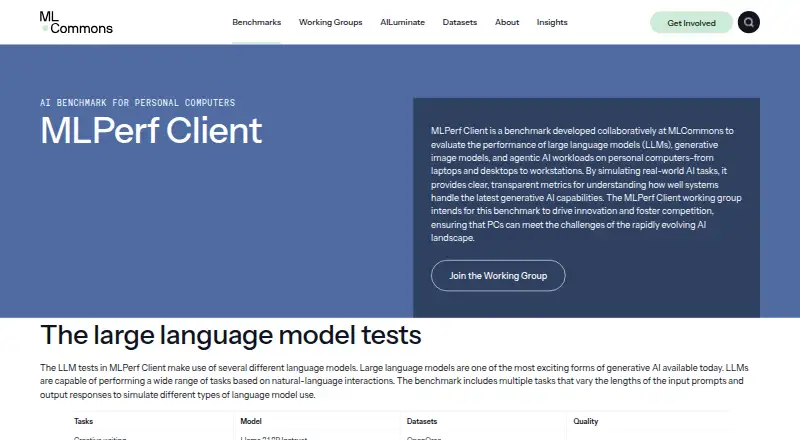
What MLPerf Client is
MLPerf Client is free benchmarking software for measuring personal computers on LLM inference, image generation, and agentic AI workloads. It targets laptops, desktops, and workstations, with stated support for Windows 11 on x86-64 or Arm, macOS Tahoe 26, iPadOS 26, and Ubuntu Linux 24.04. LLM tasks include creative writing, content generation, structured text, code analysis, and intermediate summarization. Image-generation testing uses the experimental Flux 2 Klein 4B model and measures images per minute at 1024×1024 resolution. Agentic tests cover Software Engineering and Data Analyst work and time inference together with tool execution. Users can create custom profiles, run tests through CLI or automation, and export CSV results. The benchmark is downloadable from GitHub, with an iPad edition in Apple’s App Store, and its source code is public. The first acceleration-path run needs internet access to download files; later runs use local copies. It requires 200GB of free drive space and recommends 400GB for all models. Only configurations marked “Configuration tested by MLCommons” count as valid scores.
Who it suits
It suits people comparing AI performance across supported laptops, desktops, workstations, and iPads. Custom profiles, automation, and CSV export also help users running repeatable benchmark workflows.
What it does well
- Covers LLM, image, and agentic workloads
- Supports custom test profiles
- Offers CLI and automation options
- Exports results as CSV
- Public source code available
What to know first
- Requires 200GB of free storage
- 400GB is recommended for all models
- Several components are experimental
- Valid scores require tested configurations
Verdict
MLPerf Client provides a broad client-device benchmark with configurable runs and multiple AI workload types. Its substantial storage requirement, platform-specific prerequisites, and validity rules should be checked before running tests.
Facts from MLPerf Client's own pages
- Agentic AI
- Agentic tests cover Software Engineering and Data Analyst tasks and measure end-to-end duration, including LLM inference and tool execution. · mlcommons.org, 9 Oct 2026
- CLI or automation
- Yes · mlcommons.org, 23 Sept 2026
- Custom test profiles
- Yes · mlcommons.org, 23 Sept 2026
- Download and source
- The benchmark is downloadable from its GitHub release page, and its public GitHub repository contains source code that users may inspect or modify. · mlcommons.org, 8 Oct 2026
- Downloads
- The benchmark is downloadable from GitHub, its iPad version is available in Apple's App Store, and its public GitHub repository contains source code. · mlcommons.org, 9 Oct 2026
- Experimental components
- The Linux CLI version, power-efficiency tools, Flux 2 Klein 4B image generation, and some agentic workloads are identified as experimental. · mlcommons.org, 8 Oct 2026
- Free plan
- Yes · mlcommons.org, 23 Sept 2026
- Hardware limits
- The benchmark requires 200GB of free drive space and recommends 400GB to run all models; minimum hardware and memory requirements vary by platform. · mlcommons.org, 8 Oct 2026
- Hardware requirements
- Minimum hardware requirements list selected AMD, Intel, NVIDIA, Qualcomm, and Apple systems, with memory and VRAM requirements varying by platform. · mlcommons.org, 9 Oct 2026
- Image generation
- The image generation test uses the experimental Flux 2 Klein 4B model and reports images per minute at 1024×1024 resolution. · mlcommons.org, 9 Oct 2026
- Internet use
- An internet connection is needed for the first run with an acceleration path; downloaded files are stored locally for later runs. · mlcommons.org, 8 Oct 2026
- LLM workloads
- Its LLM tasks include creative writing, content generation, structured text, code analysis, and summarization, using models including Llama 3.1 8B Instruct and Phi 4 Mini Instruct. · mlcommons.org, 9 Oct 2026
- Maker
- MLCommons describes itself as an open AI engineering consortium that develops benchmarks through collaboration between industry and academia. · mlcommons.org, 9 Oct 2026
- Maker history
- MLCommons' history page lists its launch as December 3, 2020. · mlcommons.org, 9 Oct 2026
- Network use
- An internet connection is needed for the first run with an acceleration path to download files; later runs use locally stored files. · mlcommons.org, 9 Oct 2026
- Operating systems
- Windows 11; macOS Tahoe 26; iPadOS 26; Ubuntu Linux 24.04 · mlcommons.org, 23 Sept 2026
- Purpose
- MLPerf Client benchmarks LLM, generative image, and agentic AI performance on personal computers, including laptops, desktops, and workstations. · mlcommons.org, 9 Oct 2026
- Quality checks
- The working group applies MMLU and IFEval accuracy requirements to qualify accelerated execution paths and models for release. · mlcommons.org, 9 Oct 2026
- Result export formats
- CSV · mlcommons.org, 23 Sept 2026
- Result validity
- Only scores produced with configurations marked “Configuration tested by MLCommons” are considered valid MLPerf Client scores. · mlcommons.org, 8 Oct 2026
- Scoring limits
- Only base components can contribute to an official MLCommons-tested score; extended and experimental results are marked separately. · mlcommons.org, 9 Oct 2026
- Storage requirement
- The benchmark requires 200GB of free drive space and recommends 400GB to run all models. · mlcommons.org, 9 Oct 2026
- Support
- Users can submit questions, feature requests, or problems through the support form for working-group review and response as needed. · mlcommons.org, 9 Oct 2026
- Supported systems
- The stated operating system requirements are Windows 11, macOS Tahoe 26, iPadOS 26, or Ubuntu Linux 24.04; Linux is described as CLI-only and experimental. · mlcommons.org, 9 Oct 2026
Where MLPerf Client stands on Freedom251
- PC benchmark tools#30 of 70
- PC Benchmark Software#34 of 73