Freedom251 › PC Benchmark Software
clpeak
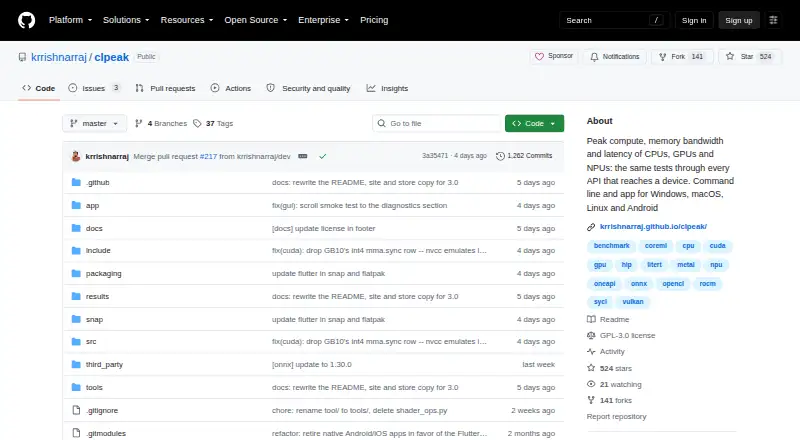
What clpeak is
clpeak is free, GPL-3.0 licensed software that measures peak compute throughput, memory bandwidth, and latency on CPUs, GPUs, and NPUs. It runs tests through available device APIs so results from different machines can be compared side by side. Coverage includes compute, matrix engines, vendor libraries, bandwidth, latency, AI workloads, and CPU-specific operations. GPU backends include CUDA, ROCm/HIP, Metal, oneAPI/SYCL, Vulkan, and OpenCL; AI runtime backends include ONNX Runtime, Core ML, and LiteRT. The app detects devices, streams measurements, and keeps run history that can be renamed and exported as JSON. Its command-line tool can select devices, backends, and test categories, describe measurements, save results as JSON, and compare runs with saved results. clpeak runs on Windows, macOS, Linux, iOS, and Android. Releases include platform zip files and a macOS app DMG; Linux is also available through Snap and Android through Google Play. Windows and macOS may warn before first launch because release binaries are not signed with a developer certificate.
Who it suits
clpeak suits people who want to measure compute, memory, latency, or AI workloads across supported devices. Its CLI and JSON export also suit users who want to automate runs or compare saved results.
What it does well
- Measures CPUs, GPUs, and NPUs.
- Includes multiple GPU and AI runtime backends.
- Run history can be exported as JSON.
- CLI supports device selection and run comparisons.
- Available on five operating systems.
What to know first
- Release binaries lack developer-certificate signatures.
- Windows and macOS may warn before first launch.
- No comparison database is listed.
Plans
| Plan | Billed and limits | Price |
|---|---|---|
| Free | GPL-3.0 licensed software | Free |
As github.com lists them, read 11 Oct 2026. The maker's own page has the final word.
Getting started
- Open the clpeak GitHub project page.
- Choose a platform release or installation route: platform zip, macOS DMG, Linux Snap or Google Play for Android.
- Launch the app or use the included CLI.
- Select devices, backends and test categories for a run.
- Review measurements in the app or save and compare runs through the CLI.
clpeak is a cross-platform benchmark for people who need comparable measurements of CPUs, GPUs and NPUs rather than a single headline score. It suits hardware engineers, developers and technically minded buyers working across operating systems and accelerator APIs. Its breadth and automation are compelling for a free tool, while unsigned Windows and macOS releases make installation less seamless.
Overview
clpeak runs the same benchmark families through the device APIs exposed by each machine, allowing side-by-side comparison between systems. It measures compute throughput, memory bandwidth, matrix throughput, kernel-launch latency and AI inference, with additional CPU-focused operations. That makes it useful for checking whether a particular processor or accelerator delivers the expected performance in a real software stack, not just comparing nominal specifications.
Results remain dependent on the APIs and hardware available on each system. A test that cannot use a given backend or device will not provide an equivalent datapoint, so clpeak is best for controlled comparisons where you understand the underlying platforms.
Key features
Coverage spans general compute, matrix engines, vendor libraries, bandwidth, latency, AI workloads and CPU-specific tests. GPU backends include CUDA, ROCm/HIP, Metal, oneAPI/SYCL, Vulkan and OpenCL. AI runtime support covers ONNX Runtime, Core ML and LiteRT. This is an unusually broad combination for an open-source benchmark and lets teams evaluate the APIs they actually deploy, although cross-device results should be interpreted in the context of each backend.
The app lists detected devices and streams measurements as they are recorded, so you can see progress instead of waiting for a single final score. Run history can be renamed and exported as JSON, which helps preserve meaningful labels for different drivers, machines or configurations.
The command-line interface is the stronger choice for repeatable work. It can select devices, backends and test categories, explain what measurements mean, save runs as JSON and compare them with saved runs. Those controls support scripts, regression checks and lab workflows; casual users who only need an occasional number may find the configuration unnecessary.
Pricing
The Free plan costs nothing. It is GPL-3.0-licensed open-source software with no free trial because the product is already free. There are no paid tiers, seat charges or published usage quotas, so the full application and CLI are available without a subscription commitment. The trade-off is that support is project-based: bug reports are directed to a GitHub issue with verbose run diagnostics attached.
Platforms
clpeak supports Windows, macOS, Linux, iOS and Android. Releases include platform zip files with the app and CLI, backend variants, and a macOS DMG; Linux users can also install through Snap, while Android is distributed through Google Play. Windows and macOS users should expect a first-launch warning because release binaries are not signed with a developer certificate. That prompt is an installation hurdle, not a benchmark limitation, but it may matter in managed environments.
Who it's for
Choose clpeak if you compare heterogeneous hardware, need measurements from a specific GPU or AI runtime, or want JSON records that can be automated and compared later. Developers validating accelerator choices and engineers tracking performance across operating systems get the most from its backend selection and saved-run comparisons. It is less suitable for readers seeking a universally recognized public ranking, since it has no comparison database, or for nontechnical users who prefer a guided score with minimal setup.
Pros and cons
Pros
- Broad accelerator coverage: CUDA, ROCm/HIP, Metal, oneAPI/SYCL, Vulkan and OpenCL span major GPU ecosystems.
- AI-specific measurements: ONNX Runtime, Core ML and LiteRT make the tool relevant to inference hardware decisions.
- Automation-ready output: CLI controls, JSON export and saved-run comparisons support repeatable benchmarking.
- Cross-platform reach: Windows, macOS, Linux, iOS and Android allow one project to cover varied test machines.
Cons
- No comparison database: You must maintain and interpret your own saved runs rather than browse a central ranking.
- Backend-dependent results: Available APIs and devices determine which tests can run and how comparable results are.
- Unsigned desktop binaries: Windows and macOS show security prompts before first launch.
- Issue-based support: Troubleshooting goes through GitHub reports with verbose diagnostics, not a dedicated support channel.
Alternatives
PC Benchmark Software is a broader starting point when you want to survey benchmark tools by category.
Blender is a free, open-source Linux, macOS and Windows suite with offline 3D creation, better suited to production work than low-level throughput measurement.
CrossMark fits users who want a freemium benchmark with a dashboard and automatic online result submission across desktop and mobile platforms.
Geekbench is preferable when you want established CPU and GPU compute benchmarks with online results management and an optional 99.00 USD one-time Pro plan.
Nexus is another free, cross-platform option for readers whose priority is its product-specific workflow.
Basemark GPU suits home or private users who want a free GPU score and online submission, accepting internet dependence and limited breakdown analysis.
V-Ray Benchmark is the better fit for CPU and GPU rendering tests with online result comparison.
Blackmagic RAW Speed Test targets codec and SDK performance rather than general compute, with no ongoing licensing fees.
DaVinci Resolve is for editing and color workflows, not a dedicated hardware benchmark.
Verdict
clpeak is a strong choice for developers and hardware evaluators who need broad API coverage, machine-readable records and repeatable CLI comparisons at no cost. Pick it when your question involves a particular device backend or AI runtime. Look elsewhere if you need a public ranking database, a polished one-click experience or signed desktop installers.
Verdict
clpeak combines broad benchmark coverage with app and command-line workflows, including JSON export and saved-run comparisons. Expect launch warnings on Windows and macOS because the release binaries are unsigned.
Questions
How much does clpeak cost?
The listed plan is free. The software is GPL-3.0 licensed.
Which platforms does clpeak support?
Windows, macOS, Linux, iOS and Android.
Can I use clpeak from the command line?
Yes. The CLI can select devices, backends and test categories, describe measurements, save runs as JSON and compare them with saved runs.
Can I export benchmark results?
Yes. The app can export run history as JSON, and the CLI can save runs as JSON.
Does clpeak have AI benchmark support?
Yes. Its workload coverage includes AI inference, with ONNX Runtime, Core ML and LiteRT listed as AI runtime backends.
Why might Windows or macOS show a first-launch prompt?
The release binaries are not signed with a developer certificate.
Facts from clpeak's own pages
- AI runtimes
- AI runtime backends include ONNX Runtime, Core ML and LiteRT. · krrishnarraj.github.io, 11 Oct 2026
- App features
- The app lists detected devices, streams results as measured, and keeps run history that users can rename and export as JSON. · krrishnarraj.github.io, 11 Oct 2026
- Benchmark coverage
- Tests cover compute, matrix engines, vendor libraries, bandwidth, latency, AI workloads and CPU-specific operations. · krrishnarraj.github.io, 11 Oct 2026
- CLI or automation
- Yes · github.com, 23 Sept 2026
- Command line
- The CLI can select devices, backends and test categories, describe measurements, save runs as JSON and compare against saved runs. · krrishnarraj.github.io, 11 Oct 2026
- Comparison
- It runs the same tests through available device APIs so results from one machine can be compared side by side. · krrishnarraj.github.io, 11 Oct 2026
- Comparison database
- No · github.com, 23 Sept 2026
- Distribution
- Releases provide platform zip files containing the CLI and app, backend variants, and a macOS app DMG; Linux is also available through Snap and Android through Google Play. · krrishnarraj.github.io, 11 Oct 2026
- GPU backends
- GPU backends include CUDA, ROCm/HIP, Metal, oneAPI/SYCL, Vulkan and OpenCL. · krrishnarraj.github.io, 11 Oct 2026
- License
- The project is GPL-3.0 licensed. · krrishnarraj.github.io, 11 Oct 2026
- Operating systems
- Windows; macOS; Linux; iOS; Android · github.com, 23 Sept 2026
- Platforms
- The project describes its app as running on Windows, macOS, Linux and Android. · krrishnarraj.github.io, 11 Oct 2026
- Purpose
- clpeak measures peak compute throughput, memory bandwidth and latency on CPUs, GPUs and NPUs. · krrishnarraj.github.io, 11 Oct 2026
- Result export formats
- JSON · github.com, 23 Sept 2026
- Security detail
- The release binaries are not signed with a developer certificate, so Windows and macOS prompt users before first launch. · krrishnarraj.github.io, 11 Oct 2026
- Support
- The project directs users to open a GitHub issue and attach verbose run diagnostics when reporting bugs. · krrishnarraj.github.io, 11 Oct 2026
- Workload areas
- compute throughput; memory bandwidth; matrix throughput; kernel launch latency; AI inference · github.com, 23 Sept 2026
Where clpeak stands on Freedom251
- PC Benchmark Software#4 of 73
- PC benchmark tools#32 of 70