Freedom251 › PC Benchmark Software

Basemark GPU
What Basemark GPU is
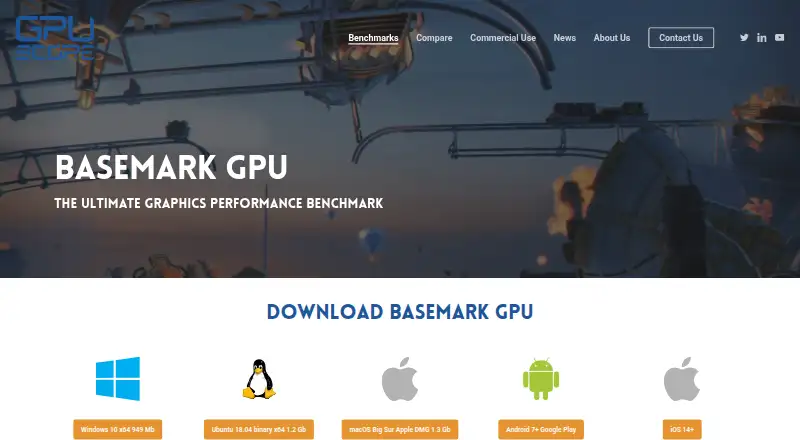
Basemark GPU is a graphics benchmark for comparing performance across mobile and desktop devices. Its proprietary C++ Rocksolid engine runs the same workload across supported platforms, with graphics APIs varying by system: Android supports OpenGL ES or Vulkan, iOS and macOS use Metal, and PC and Linux support OpenGL, Vulkan, or DirectX 12 where available. High Quality targets desktop workloads at an official offscreen resolution of 3840×2160; Medium Quality targets mobile workloads at 1920×1080. The game-like scene can issue tens of thousands of draw calls per frame. Results can be compared through the Powerboard, and the free version submits results automatically. That edition is limited to home or private use, requires internet access, and provides a single score without breakdown analysis. A Corporate edition for commercial use offers full test details, custom configurations, automation, data export, and optional result submission; pricing is available by request. Downloads are listed for Windows, Linux, macOS, Android, and iOS.
Who it suits
It suits people comparing GPU performance across mobile and desktop systems, as well as developers who need custom configurations or automated tests. Free use is for home or private use only.
What it does well
- Runs the same workload across supported platforms
- Supports multiple graphics APIs depending on system
- Powerboard provides result comparisons
- Downloads cover desktop and mobile operating systems
What to know first
- Free edition is restricted to private use
- Free results are submitted automatically
- Free edition provides a single score without breakdown
- Free edition requires internet access
Limits
Basemark GPU Free costs nothing and is restricted to home or private use. It requires internet access, submits test data to Powerboard, and provides a single score without breakdown analysis. Corporate is the commercial edition and adds full test details, custom configurations, automation, optional result submission, and data export; pricing is available by request.
Plans
| Plan | Billed and limits | Price |
|---|---|---|
| Basemark GPU Free | Home or private use only · submits test data to Powerboard · single score without breakdown analysis · internet required | Free |
| Basemark GPU Corporate | Commercial use · full test details · custom configurations · test automation · optional result submission · data export | On request |
As gpuscore.com lists them, read 29 Sept 2026. The maker's own page has the final word.
Getting started
- Visit the Basemark GPU product page.
- Choose a download for Windows, Ubuntu/Linux, macOS, Android, or iOS.
- Install the edition for home or private use, or contact Basemark about Corporate licensing.
- Run a benchmark mode supported by your device.
- Connect to the internet to use the free edition and submit its result to Powerboard.
Overview
Basemark GPU is a graphics benchmark for comparing mobile and desktop device performance. It suits people who want a common workload across operating systems; its free edition is for private use and gives a single score, while commercial users need Corporate.
The benchmark’s strongest case is breadth: it runs a shared workload on several platforms and pairs results with an online comparison board. The trade-off is that the free edition is deliberately limited, both in analysis and in how results are handled.
Key features
Basemark’s proprietary C++ Rocksolid engine runs the same workload across platforms, giving cross-device comparisons a common starting point. The graphics API differs by system: Android supports OpenGL ES or Vulkan; iOS and macOS use Metal; and PC and Linux support OpenGL, Vulkan, or DirectX 12, depending on the device. That reach is useful for broad comparisons, although the API path is not identical on every system.
High Quality is aimed at desktop graphics, while Medium Quality targets mobile workloads. Their official offscreen resolutions are 3840×2160 and 1920×1080, respectively. A game-like scene can issue tens of thousands of draw calls per frame, making the benchmark relevant to users evaluating demanding graphics workloads and APIs such as Vulkan and DirectX 12.
Powerboard provides an online results comparison. Free users get one score without breakdown analysis, and their test data is submitted automatically. That makes the free edition suitable for a quick score against other results, but not for users who need diagnostic detail or control over submission. Corporate adds full test details, custom configurations, test automation, data export, and optional result submission.
Pricing
| Plan | Price | What it includes |
|---|---|---|
| Basemark GPU Free | free | Home or private use only; Powerboard submission; a single score without breakdown analysis; internet required. |
| Basemark GPU Corporate | Custom pricing | Commercial use; full test details, custom configurations, test automation, optional result submission, and data export. |
Free is a sensible choice for private comparisons when a single score and automatic submission are acceptable. Its private-use restriction rules it out for company evaluations, and the internet requirement is part of the deal. Corporate is the fit for commercial work or repeatable testing that needs configuration, automation, detailed results, or export; its price is available by request.
Platforms
Downloads are available for Windows, Ubuntu/Linux, macOS, Android, and iOS. The product page lists support for Vulkan 1.0, OpenGL 4.5, Metal 2, or DirectX 12, plus at least 12 GB RAM on 64-bit systems and 2 GB video RAM. Basemark GPU’s wide platform coverage is useful when comparing devices across desktop and mobile, but each system must meet the relevant graphics support and memory requirements.
Who it's for
Choose Basemark GPU if you need to compare graphics performance across mobile and desktop systems using a shared workload, or want an online board for comparing scores. Private users can start with Free; businesses needing commercial rights, detailed results, custom profiles, or automation should choose Corporate. It is a poor fit when a private-use license, automatic result submission, or a single score is too restrictive.
Pros and cons
- Pro: The same engine workload spans mobile and desktop platforms, making cross-platform comparison the central use case.
- Pro: Corporate includes custom configurations, automation, full test details, data export, and optional submission for more controlled evaluations.
- Con: Free is limited to home or private use and submits results automatically, so it cannot serve commercial benchmarking or private-result workflows.
- Con: The free score has no breakdown analysis, limiting its usefulness for diagnosing performance differences.
- Con: The listed system requirements include 12 GB RAM and 2 GB video RAM, which may exclude some older or lower-spec devices.
Alternatives
Game Benchmark Software and PC Benchmark Software are category directories for comparing other options.
- GameBench is worth considering if a 30-minute Pro trial and unlimited sessions for 28 days are a better starting point for your evaluation.
- 3DMark offers free mobile editions and a paid Windows and macOS plan, making it an alternative for users considering a separate desktop-and-mobile plan structure.
- PerfDog has a free version for non-profit organizations, which may suit that audience better than Basemark GPU’s home-or-private-use restriction.
- UNIGINE Valley Benchmark offers a free one-seat Basic plan for gamers and paid one-seat options for overclockers and professional use.
- Evolve Benchmark has a free one-seat personal-use plan with mobile and desktop support, presets, GPU monitoring, and score submission.
- FINAL FANTASY XIV: Dawntrail Official Benchmark is a free Windows-only option for users who want a game-specific benchmark.
- NVIDIA ShadowPlay is a free Windows option for users who meet its supported-GPU and driver requirements.
- OpenVR Benchmark is another option for Windows users seeking a benchmark with a free core edition.
Verdict
Basemark GPU is a strong choice for private users who want a cross-platform graphics score backed by a shared workload and Powerboard comparisons. Its main limitation is the free edition’s single-score output, automatic submission, and private-use license; look elsewhere if you need detailed free analysis or commercial use without a custom-priced Corporate license.
Verdict
Basemark GPU offers cross-platform graphics benchmarking with a shared workload and an online comparison board. Commercial users need the Corporate edition, whose pricing is available by request.
Questions
How much does Basemark GPU cost?
Basemark GPU Free costs nothing. Corporate pricing is available by request.
What does the free edition include?
It provides a single score without breakdown analysis, requires internet access, and automatically submits test data to Powerboard. Free use is limited to home or private use.
Which platforms can run Basemark GPU?
Downloads are provided for Windows, Ubuntu/Linux, macOS, Android, and iOS.
What does the Corporate edition add?
Corporate is for commercial use and includes full test details, custom configurations, test automation, optional result submission, and data export.
What graphics APIs does it support?
Depending on system support, it uses OpenGL ES or Vulkan on Android, Metal on iOS and macOS, and OpenGL, Vulkan, or DirectX 12 on PC and Linux.
Who makes Basemark GPU?
Basemark Oy, founded in April 2015 and headquartered in Helsinki, Finland, makes Basemark GPU.
Facts from Basemark GPU's own pages
- Advanced workload
- The game-like benchmark scene can run with tens of thousands of individual draw calls per frame to showcase graphics APIs including Vulkan and DirectX 12. · gpuscore.com, 29 Sept 2026
- Benchmark engine
- It is built on Basemark’s proprietary C++ Rocksolid graphics engine, which runs the same workload across platforms. · gpuscore.com, 29 Sept 2026
- Benchmark modes
- High Quality targets desktop graphics workloads and Medium Quality targets mobile workloads, with official offscreen resolutions of 3840×2160 and 1920×1080 respectively. · gpuscore.com, 29 Sept 2026
- Commercial license
- Basemark offers a commercial license with full feature access, extended configuration, test automation, and no mandatory result submission; pricing is available by request. · gpuscore.com, 29 Sept 2026
- Company
- Basemark Oy is headquartered in Helsinki, Finland, and was founded in April 2015. · gpuscore.com, 29 Sept 2026
- Download platforms
- The product page provides downloads for Windows, Ubuntu/Linux, macOS, Android, and iOS. · gpuscore.com, 29 Sept 2026
- Founded
- 2015 · gpuscore.com, 28 Sept 2026
- Graphics APIs
- It supports OpenGL ES or Vulkan on Android, Metal on iOS and macOS, and OpenGL, Vulkan, or DirectX 12 on PC and Linux, depending on system support. · gpuscore.com, 29 Sept 2026
- Headquarters
- Helsinki, Finland · gpuscore.com, 28 Sept 2026
- Privacy
- Basemark’s privacy policy says IP data may be collected in some cases when users use graphics benchmarks including Basemark GPU. · gpuscore.com, 29 Sept 2026
- Purpose
- Basemark GPU evaluates and compares graphics performance on mobile and desktop devices. · gpuscore.com, 29 Sept 2026
- Results comparison
- The integrated Powerboard lets users compare device performance; the free version automatically submits results there. · gpuscore.com, 29 Sept 2026
- Support
- The product page lists [email protected] for technical support and [email protected] for licensing inquiries. · gpuscore.com, 29 Sept 2026
- System requirements
- The product page lists graphics support for Vulkan 1.0, OpenGL 4.5, Metal 2, or DirectX 12, plus at least 12 GB RAM on 64-bit systems and 2 GB video RAM. · gpuscore.com, 29 Sept 2026
- Use limits
- The free edition is restricted to home or private use; the Corporate edition is described as the commercial version for companies. · gpuscore.com, 29 Sept 2026
Where Basemark GPU stands on Freedom251
- PC Benchmark Software#3 of 73
- Game Benchmark Software#2 of 22
- PC benchmark tools#36 of 70